Simple Mind
 张译哲44 downloads
Edit Markdown-outline mind maps with themes and a source view.
- Overview
- Scorecard
- Updates7
A Markdown-outline mind map editor for Obsidian.
Status: 1.0.4
Simple Mind turns a plain .mindmap file into a polished, interactive map — and keeps it a plain
Markdown outline underneath. No account, no network calls, no lock-in.
Why Simple Mind
- Free, all of it. Four layouts, nine themes.
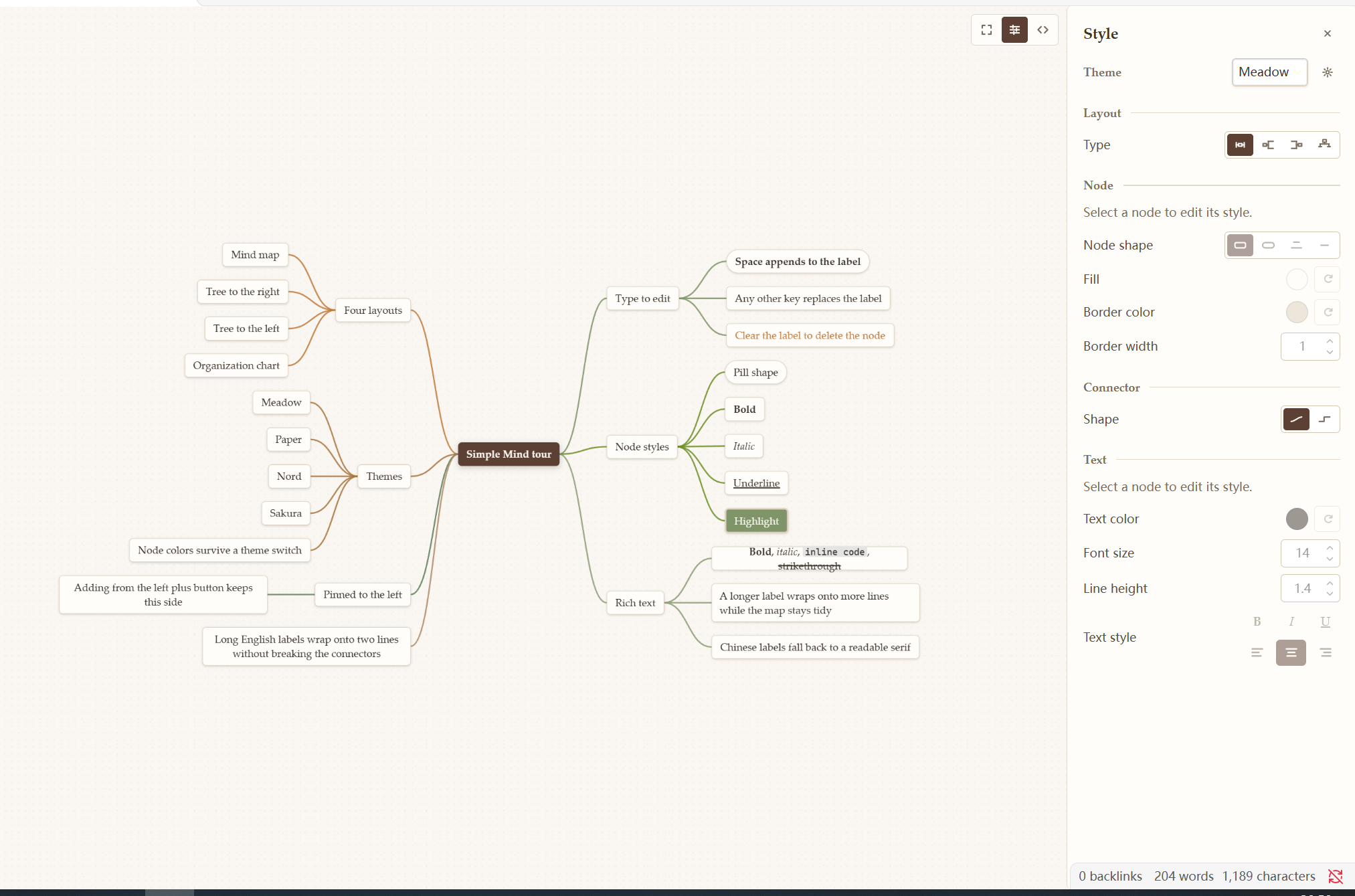
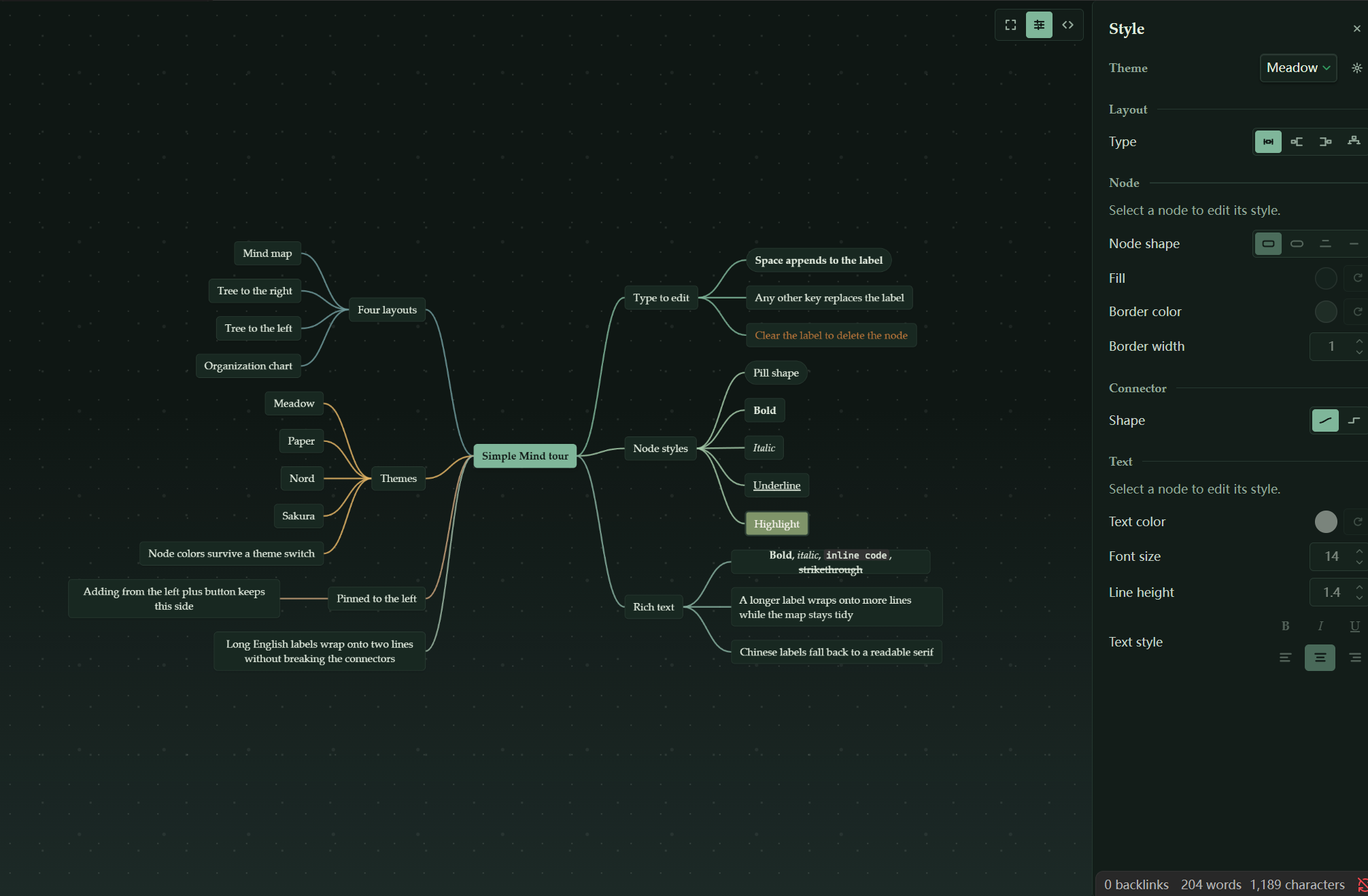
- Beautiful by default. Nine hand-tuned themes, from a warm Natural Organic light mode to a moonlit-forest dark mode, and the map follows Obsidian's light/dark switch on its own.
- Complete, not a toy. Four layouts, inline editing, drag to reorganize, collapse, undo/redo, clipboard, per-node styling, a custom theme editor, and per-file view state.
- Fast and quiet. No network requests and no telemetry. Redraws are frame-batched and off-screen nodes are culled, so maps with hundreds of nodes stay responsive.
- Your data stays yours. A
.mindmapfile is Markdown plus a small frontmatter block; it opens in the source editor at any time and syncs like any other note.
Features
Maps that fit the way you think
- Four layouts: mind map, tree to the right, tree to the left, and organization chart.
- Inline editing, drag to reorganize, copy and paste subtrees, undo and redo.
- Collapse a branch into a count bubble; add buttons follow the layout and remember which side a branch belongs to.
- Each file remembers its pan, zoom, and selected node.
Styling without a design degree
- One style panel for the file's theme, layout, and connector shape, plus the selected node's shape, fill, border, and text styling (size, color, bold, italic, underline, alignment, line height).
- Nine built-in themes: Meadow, Obsidian Native, Paper, Graphite, Nord, Solarized, Forest, Ocean, and Sakura.
- A custom theme editor with a live preview, and theme import/export.
- Font family, connector color, and connector thickness are global defaults in the settings tab.
Usage
Create a map. Click the ribbon icon or run the New mind map command. An existing Markdown outline also works — just rename it to
.mindmap.Type directly. With a node selected:
- Space appends to the current label.
- Any other character replaces the label with what you typed.
- Clear the whole label and commit to delete the node (the root keeps at least one character).
Keys.
Key Action Tab/EnterAdd a child / add a sibling F2or double-clickEdit the selected node Delete/BackspaceDelete the selected node, except the root Arrow keys Move the selection Ctrl/Cmd+Z,Ctrl/Cmd+Shift+ZUndo / redo Ctrl/Cmd+C,X,VCopy, cut, paste Style it. Open the style panel from the floating menu and pick a theme, layout, and connector shape for the file, or restyle the selected node.
Edit the source. The source button switches the same tab to Obsidian's Markdown editor, and back to the map when you are done.
Installation
Install from Settings → Community plugins → Browse → Simple Mind once the plugin is listed.
Manual install: download main.js, manifest.json, and styles.css from the latest release, put
them in <vault>/.obsidian/plugins/simple-mind/, then enable Simple Mind in the community plugins
settings.
File format
A map is a Markdown outline with a small frontmatter block; per-node styles live inline, so the file stays readable and diffs stay small.
---
mindmap:
  theme: meadow
  layout: mindmap
  connectorStyle: curve
---

# Product plan
- Discovery
  - Interviews
  - Survey
- Launch <!-- sm:{"shape":"pill","bold":true} -->
Compatibility
- Obsidian 1.7.2 or newer, desktop only.
- Light and dark follow Obsidian; every setting is stored in the vault's plugin data, never sent anywhere.
License
MIT.