
- Overview
- Scorecard
- Updates4
This is a plugin for Obsidian (https://obsidian.md). It adds a panel that connects your notes using text embeddings from the OpenAI API.
Get Started
All you need is an OpenAI API key (which you can get at https://beta.openai.com/signup). Once you have your API key, you can install the plugin by following these steps:
- Find the latest release on the releases page (https://github.com/deepfates/silicon/releases).
- Download the files
main.js,manifest.json, andstyles.css - Make a silicon folder in the Obsidian plugins directory. The location of this directory may vary depending on your operating system, but it's usually in
[your vault]/.obsidian/plugins - Copy the downloaded files to your new silicon folder
- Open Obsidian and go to the settings page
- Under the "Community Plugins" tab, enable community plugins and then enable Silicon.
- Go to the "Silicon" tab in the Obsidian settings page and enter your OpenAI API key.
- Click "Save" to save your changes.
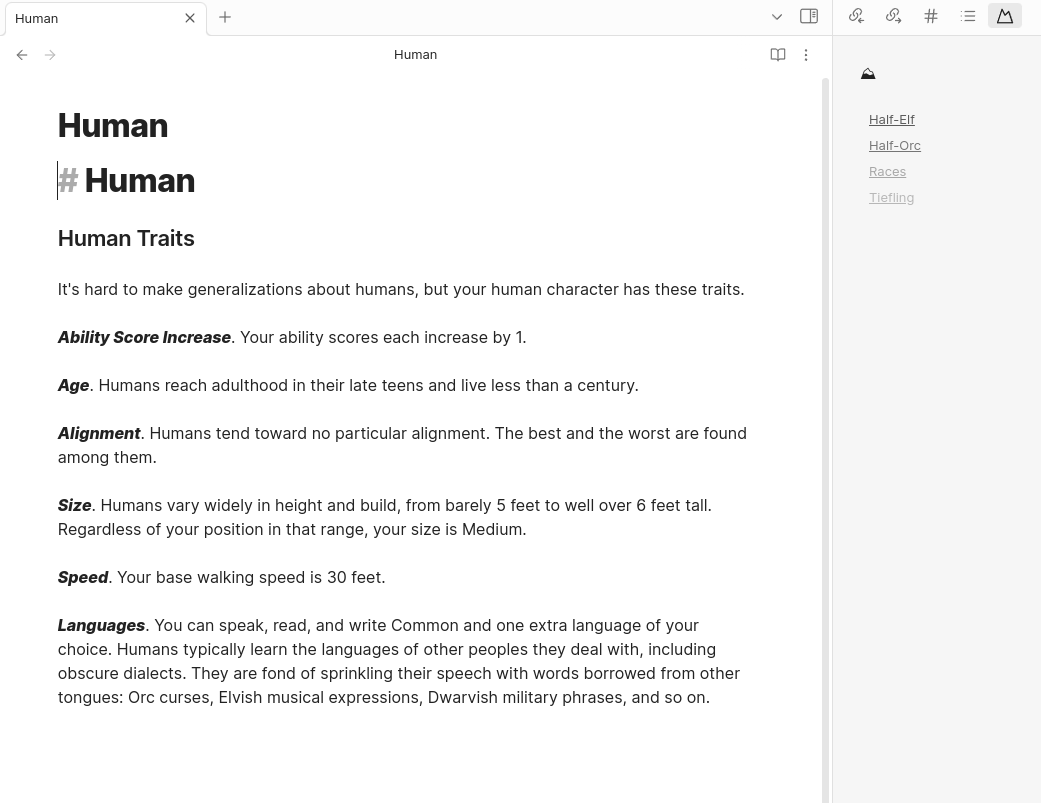
- Now you can use Silicon to connect your notes by clicking the "Silicon" button in the panel on the right side of the Obsidian window. The plugin will use text embeddings to find related notes and display them in the panel.
This project uses Typescript to provide type checking and documentation. The repo depends on the latest plugin API (obsidian.d.ts) in Typescript Definition format, which contains TSDoc comments describing what it does.
Note: The Obsidian API is still in early alpha and is subject to change at any time!
Development
- Clone your repo to a local development folder. For convenience, you can place this folder in your
.obsidian/plugins/your-plugin-namefolder. - Install NodeJS, then run
npm iin the command line under your repo folder. - Run
npm run devto compile your plugin frommain.tstomain.js. - Make changes to
main.ts(or create new.tsfiles). Those changes should be automatically compiled intomain.js. - Reload Obsidian to load the new version of your plugin.
- Enable plugin in settings window.
- For updates to the Obsidian API run
npm updatein the command line under your repo folder.
Releasing new releases
- Update your
manifest.jsonwith your new version number, such as1.0.1, and the minimum Obsidian version required for your latest release. - Update your
versions.jsonfile with"new-plugin-version": "minimum-obsidian-version"so older versions of Obsidian can download an older version of your plugin that's compatible. - Create new GitHub release using your new version number as the "Tag version". Use the exact version number, don't include a prefix
v. See here for an example: https://github.com/obsidianmd/obsidian-sample-plugin/releases - Upload the files
manifest.json,main.js,styles.cssas binary attachments. Note: The manifest.json file must be in two places, first the root path of your repository and also in the release. - Publish the release.
You can simplify the version bump process by running
npm version patch,npm version minorornpm version majorafter updatingminAppVersionmanually inmanifest.json. The command will bump version inmanifest.jsonandpackage.json, and add the entry for the new version toversions.json
Adding your plugin to the community plugin list
- Check https://github.com/obsidianmd/obsidian-releases/blob/master/plugin-review.md
- Publish an initial version.
- Make sure you have a
README.mdfile in the root of your repo. - Make a pull request at https://github.com/obsidianmd/obsidian-releases to add your plugin.
How to use
- Clone this repo.
npm ioryarnto install dependenciesnpm run devto start compilation in watch mode.
Manually installing the plugin
- Copy over
main.js,styles.css,manifest.jsonto your vaultVaultFolder/.obsidian/plugins/your-plugin-id/.
Improve code quality with eslint (optional)
- ESLint is a tool that analyzes your code to quickly find problems. You can run ESLint against your plugin to find common bugs and ways to improve your code.
- To use eslint with this project, make sure to install eslint from terminal:
npm install -g eslint
- To use eslint to analyze this project use this command:
eslint main.ts- eslint will then create a report with suggestions for code improvement by file and line number.
- If your source code is in a folder, such as
src, you can use eslint with this command to analyze all files in that folder:eslint .\src\
Funding URL
You can include funding URLs where people who use your plugin can financially support it.
The simple way is to set the fundingUrl field to your link in your manifest.json file:
{
    "fundingUrl": "https://buymeacoffee.com"
}
If you have multiple URLs, you can also do:
{
    "fundingUrl": {
        "Buy Me a Coffee": "https://buymeacoffee.com",
        "GitHub Sponsor": "https://github.com/sponsors",
        "Patreon": "https://www.patreon.com/"
    }
}