Search...Search plugins and themes...
⌘K
Sign in
  • Get started
  • Download
  • Pricing
  • Enterprise
  • Account
  • Obsidian
  • Overview
  • Sync
  • Publish
  • Canvas
  • Mobile
  • Web Clipper
  • CLI
  • Learn
  • Help
  • Developers
  • Changelog
  • About
  • Roadmap
  • Blog
  • Resources
  • System status
  • License overview
  • Terms of service
  • Privacy policy
  • Security
  • Community
  • Plugins
  • Themes
  • Discord
  • Forum / 中文论坛
  • Merch store
  • Brand guidelines
Follow us
DiscordTwitterBlueskyThreadsMastodonYouTubeGitHub
© 2026 Obsidian

Search on Internet

hemilehemile29k downloads

Add context menu items to search the internet based on the title of your note.

Add to Obsidian
  • Overview
  • Scorecard
  • Updates7

Warning: The right-click menu is currently broken in the latest Obsidian release, so this plugin will not work as expected!

Search on Internet

Adds the option to search selected text on external websites, like Google and Wikipedia. The search opens in an iframe in Obsidian. You can add your own websites!
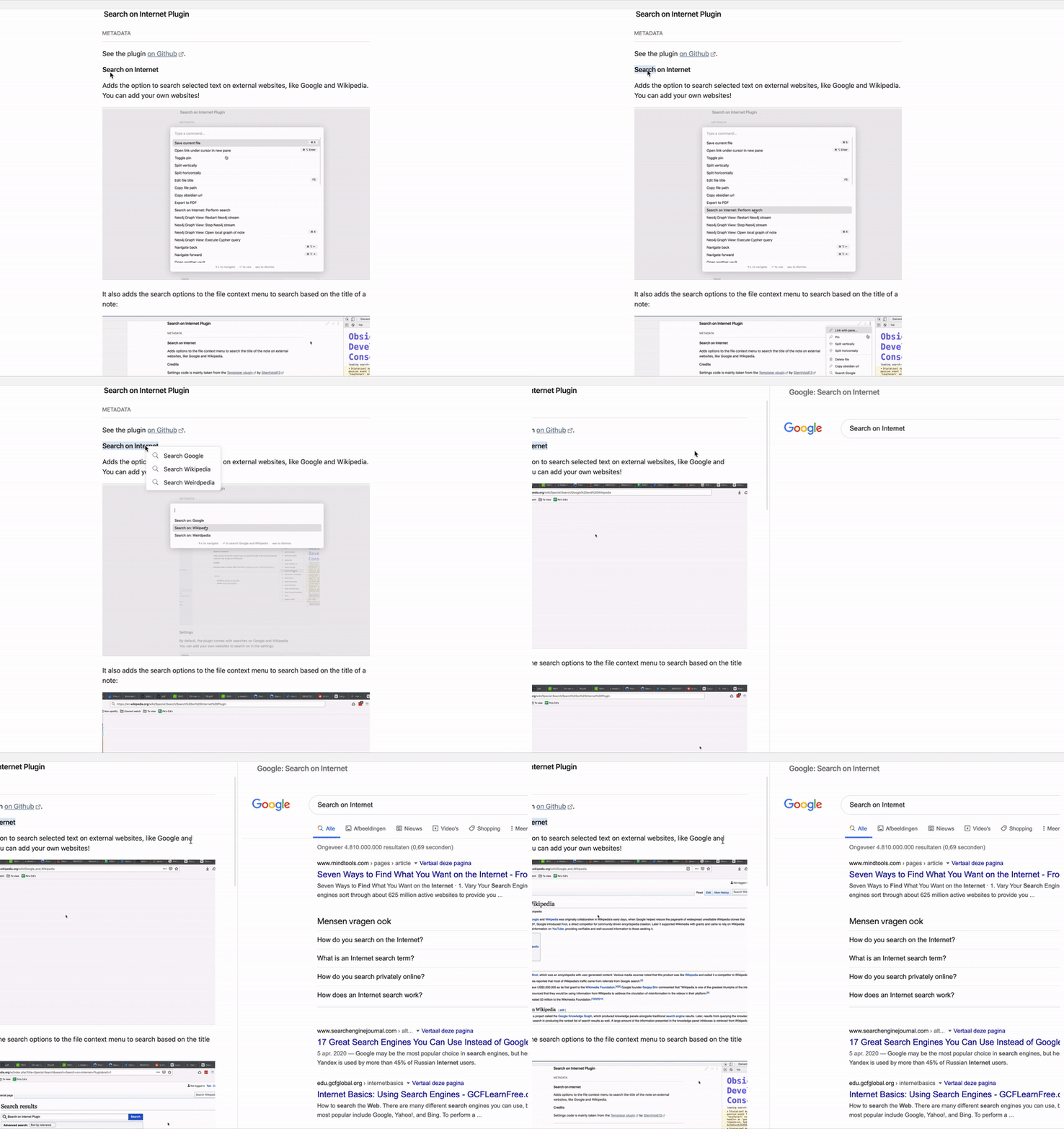
It also adds the search options to the file context menu to search based on the title of a note. And you can choose to open searches in your default browser instead of Obsidian.
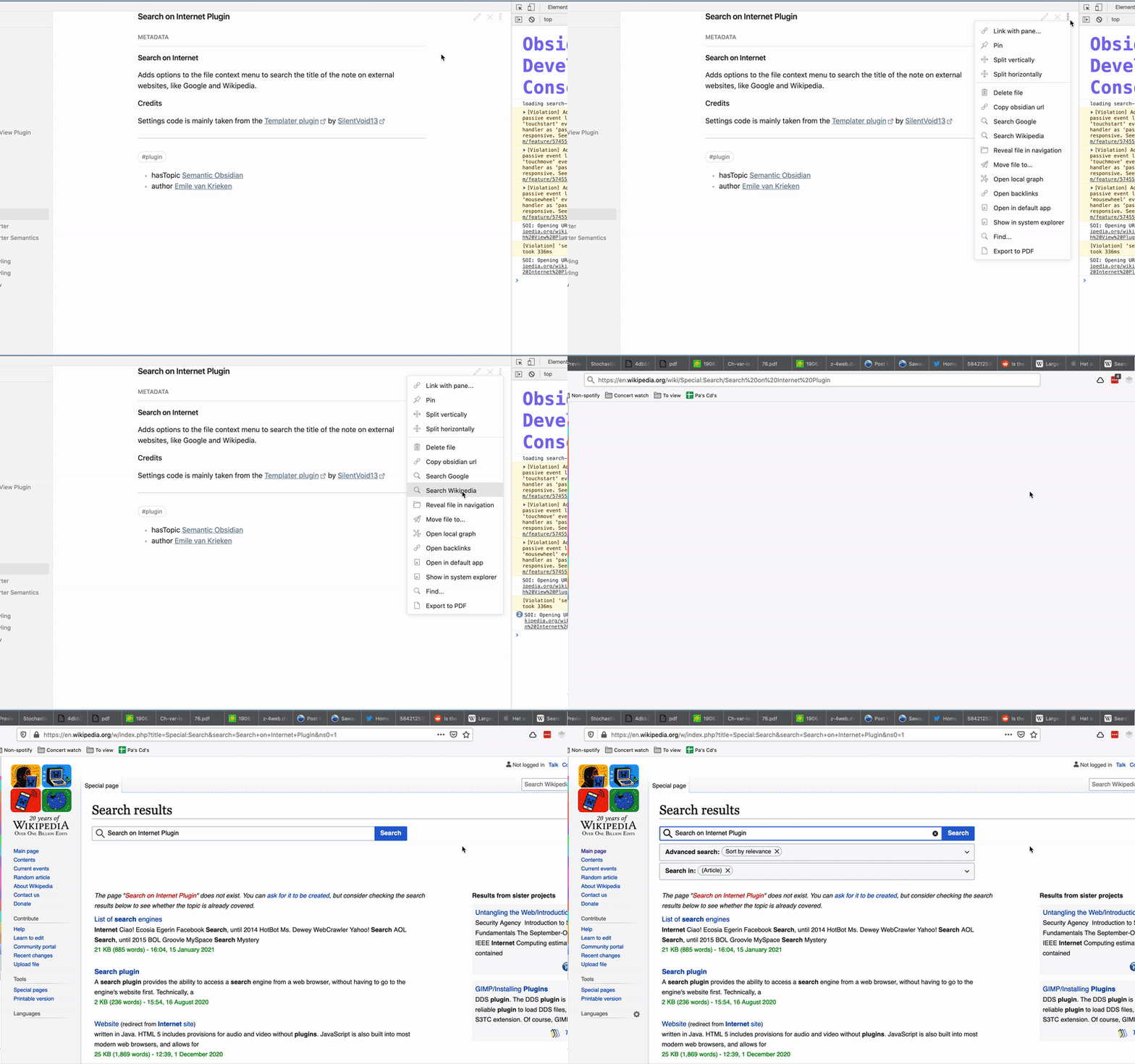
You can also right-click on an internal link to perform a search on that link:
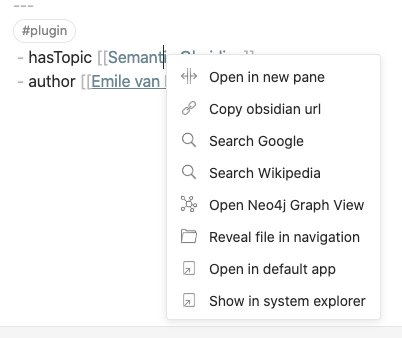
And similar for external links:

Settings

Note: You need to have the latest Obsidian v0.10.11 installed for this plugin to work!

By default, the plugin comes with searches on Google and Wikipedia. You can add your own websites to search on in the settings.
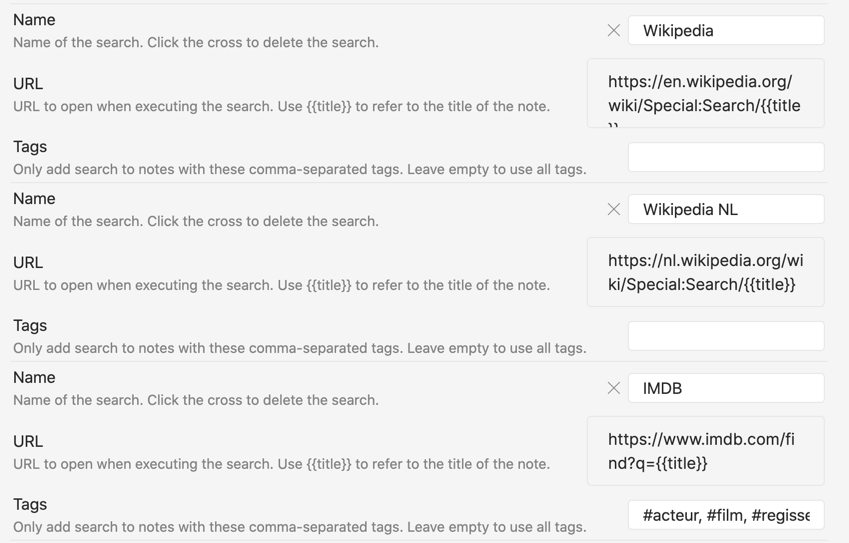
For each website, fill in the following three fields:

  • Name: The name of the search. This will be displayed in the search bar and the context menu.
  • URL: The URL to open. {{title}} will be replaced by the current notes title. This is used as the 'query'.
  • Tags (optional): A list of tags for notes to display the search option on. In the example screenshot, this is used to only add the IMDB search on notes tagged with #actor, #movie or #director (in Dutch!)

You can also disable the iframe search and open the search in your browser.

Contributors

  • nhaouari added the setting not to encode, and started work on opening external links in iframes.

Credits

Settings code is mainly taken from the Templater plugin by SilentVoid13

Modal code is inspired by the Citation plugin

52%
HealthNeeds work
ReviewCaution
About
Search selected text on external websites like Google or Wikipedia inside Obsidian using an iframe, or open results in your default browser. Add custom sites and trigger searches from selections, note titles, or links via context menus (right-click may be broken in recent Obsidian releases).
SearchLinksIntegrations
Details
Current version
0.5.0
Last updated
5 years ago
Created
5 years ago
Updates
7 releases
Downloads
29k
Compatible with
Obsidian 0.12.6+
Platforms
Desktop only
Report bugRequest featureReport plugin
Author
hemilehemile
twitter.com/emilevankrieken
GitHubhemile
  1. Community
  2. Plugins
  3. Search
  4. Search on Internet

Related plugins

Smart Connections

AI link discovery copilot. See related notes as you write. Lookup using semantic (vector) search across your vault. Zero-setup local model for embeddings, no API keys, private.

Local REST API & MCP Server

Unlock your automation needs by interacting with your notes over a secure REST API.

Omnisearch

Intelligent search for your notes, PDFs, and OCR for images.

Quick Switcher++

Enhanced Quick Switcher, search open panels, and symbols.

Excalidraw

Visual PKM powerhouse. Create and edit Excalidraw drawings.

BRAT

Easily install a beta version of a plugin for testing.

Maps

Adds a map layout to bases so you can display notes as an interactive map view.

Self-hosted LiveSync

Sync vaults securely to self-hosted servers or WEBRTC.

Zotero Integration

Insert and import citations, bibliographies, notes, and PDF annotations from Zotero.

Readwise Official

Sync highlights from Readwise to your vault.