Search...Search plugins and themes...
⌘K
Sign in
  • Get started
  • Download
  • Pricing
  • Enterprise
  • Account
  • Obsidian
  • Overview
  • Sync
  • Publish
  • Canvas
  • Mobile
  • Web Clipper
  • CLI
  • Learn
  • Help
  • Developers
  • Changelog
  • About
  • Roadmap
  • Blog
  • Resources
  • System status
  • License overview
  • Terms of service
  • Privacy policy
  • Security
  • Community
  • Plugins
  • Themes
  • Discord
  • Forum / 中文论坛
  • Merch store
  • Brand guidelines
Follow us
DiscordTwitterBlueskyThreadsMastodonYouTubeGitHub
© 2026 Obsidian

Sankey

finnromaneessenfinnromaneessen865 downloads

Create Sankey diagrams in your notes.

Add to Obsidian
  • Overview
  • Scorecard
  • Updates4

Create Sankey diagrams in Obsidian.

Usage

To generate a Sankey diagram, create a sankey code block. Sankey diagrams consist of links and nodes that can be specified using YAML.

Links

Links are created using a source, a target and a value.

links:
- source: A
  target: B
  value: 1

A link value can be set to ? to have it calculated automatically. The plugin will infer the value using conservation of flow: what enters a node must equal what leaves it. A ? value can be resolved as long as it is the only unknown on one side of a node.

links:
  - source: Income
    target: Budget
    value: 3000
  - source: Budget
    target: Rent
    value: 1200
  - source: Budget
    target: Savings
    value: ?   # resolved as 3000 - 1200 = 1800

Chains are supported — resolving one unknown can unlock others. An error is shown in place of the diagram if a value cannot be resolved.

Nodes

Nodes can be explicitly created to add a specific color to a node. If none or not all nodes are added to the code block, the rest of the nodes will be inferred from the link targets and sources.

nodes:
- name: A
  color: blue

Examples

Basic example

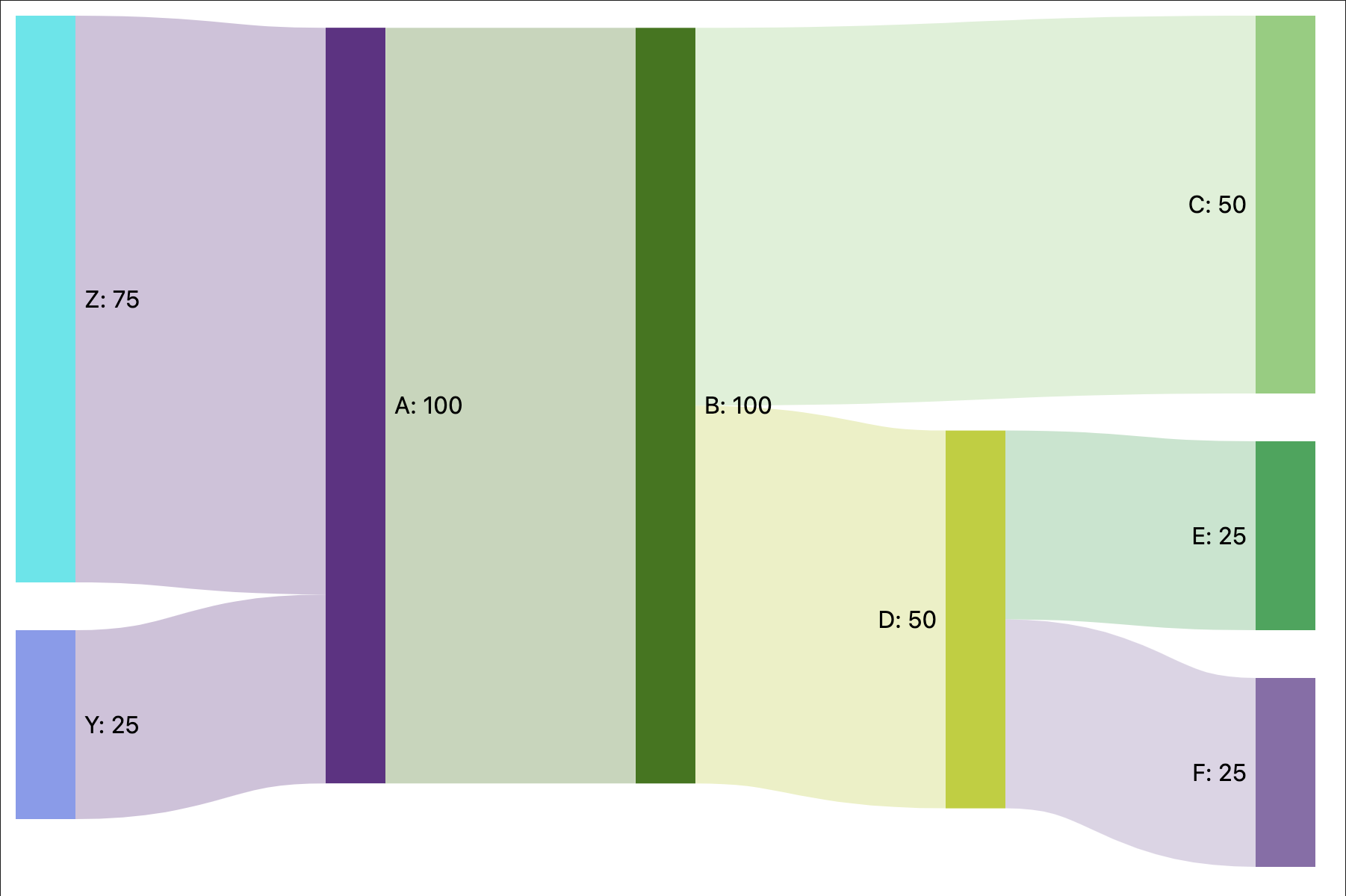
A simple example using only links.

links:
- source: A
  target: B
  value: 100
- source: B
  target: C
  value: 50
- source: B
  target: D
  value: 50
- source: D
  target: E
  value: 25
- source: D
  target: F
  value: 25
- source: Z
  target: A
  value: 75
- source: Y
  target: A
  value: 25

Results in:
image

Node colors

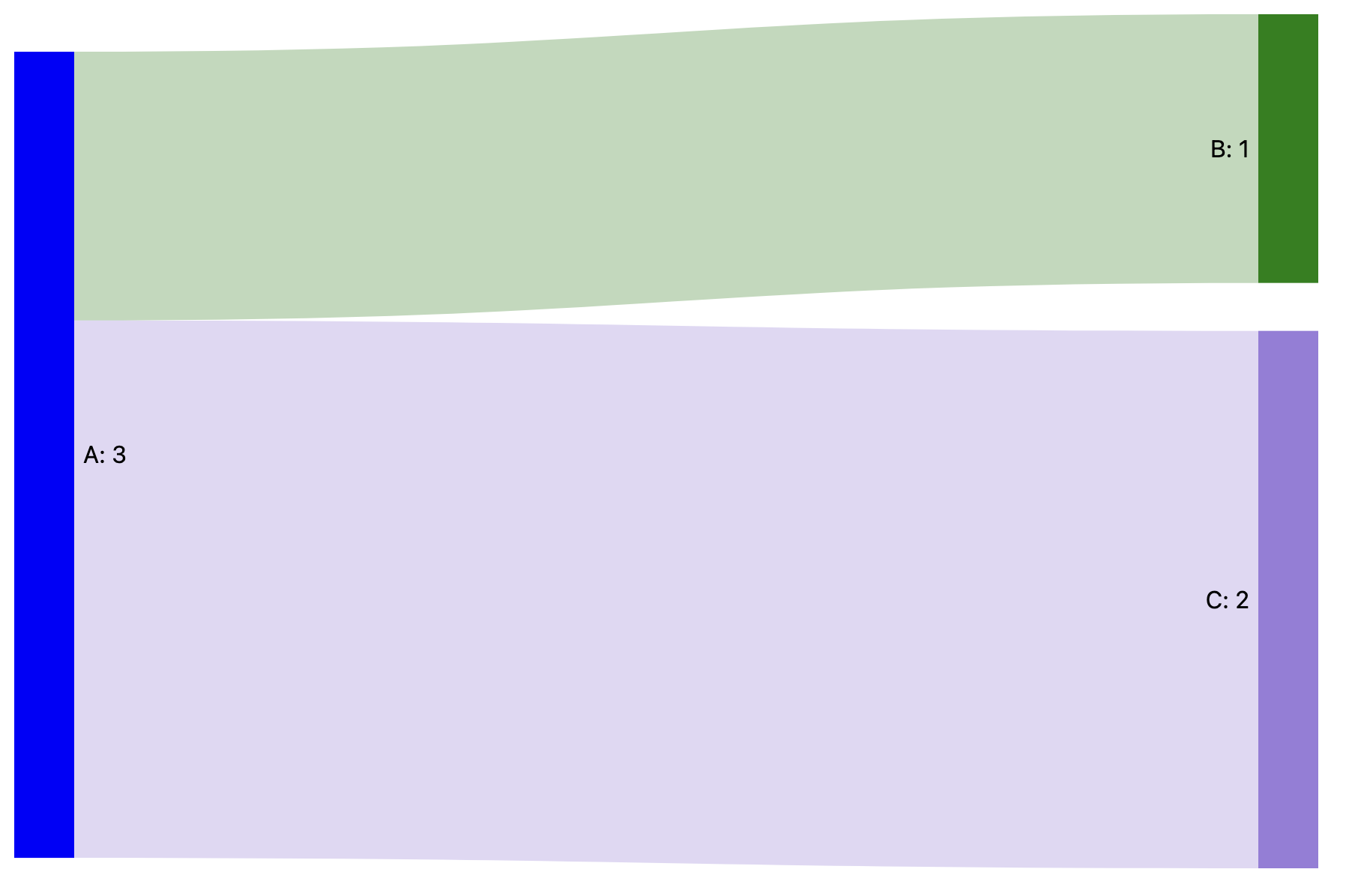
An example specifying the colors for nodes A and B.

nodes:
- name: A
  color: blue
- name: B
  color: green
links:
- source: A
  target: B
  value: 1
- source: A
  target: C
  value: 2

Results in:
image

77%
HealthExcellent
ReviewSatisfactory
About
Create Sankey diagrams in Obsidian with sankey code blocks. Define links and nodes in YAML; links use source, target and value, and a value of ? is auto-calculated by conserving flow across nodes, with an error shown if unresolved. Add node entries to set colors; unspecified nodes are inferred from links.
ChartsVisualizationCode
Details
Current version
1.1.0
Last updated
3 months ago
Created
2 years ago
Updates
4 releases
Downloads
865
Compatible with
Obsidian 0.15.0+
Platforms
Desktop, Mobile
License
MIT
Report bugRequest featureReport plugin
Author
finnromaneessenfinnromaneessen
github.com/finnromaneessen
GitHubfinnromaneessen
  1. Community
  2. Plugins
  3. Charts
  4. Sankey

Related plugins

Mermaid Tools

Improved Mermaid.js experience: visual toolbar with common elements and more.

Life Tracker

Capture and visualize the data that matters in your life.

Charts

Easily create interactive charts in your notes.

Kroki

Render Kroki diagrams.

Charts View

Visualize data from your notes with plots and graphs.

Bases Charts

Bases views for scatter, line, and bar charts.

Advanced Canvas

Supercharge your canvas experience. Create presentations, flowcharts and more.

Templater

Create and use dynamic templates.

Excalidraw

Visual PKM powerhouse. Create and edit Excalidraw drawings.

Maps

Adds a map layout to bases so you can display notes as an interactive map view.