Ripple
 nejm346 downloads
A micro-journal over one vault folder: a feed of posts, threaded replies, and AI reflections.
- Overview
- Scorecard
- Updates5
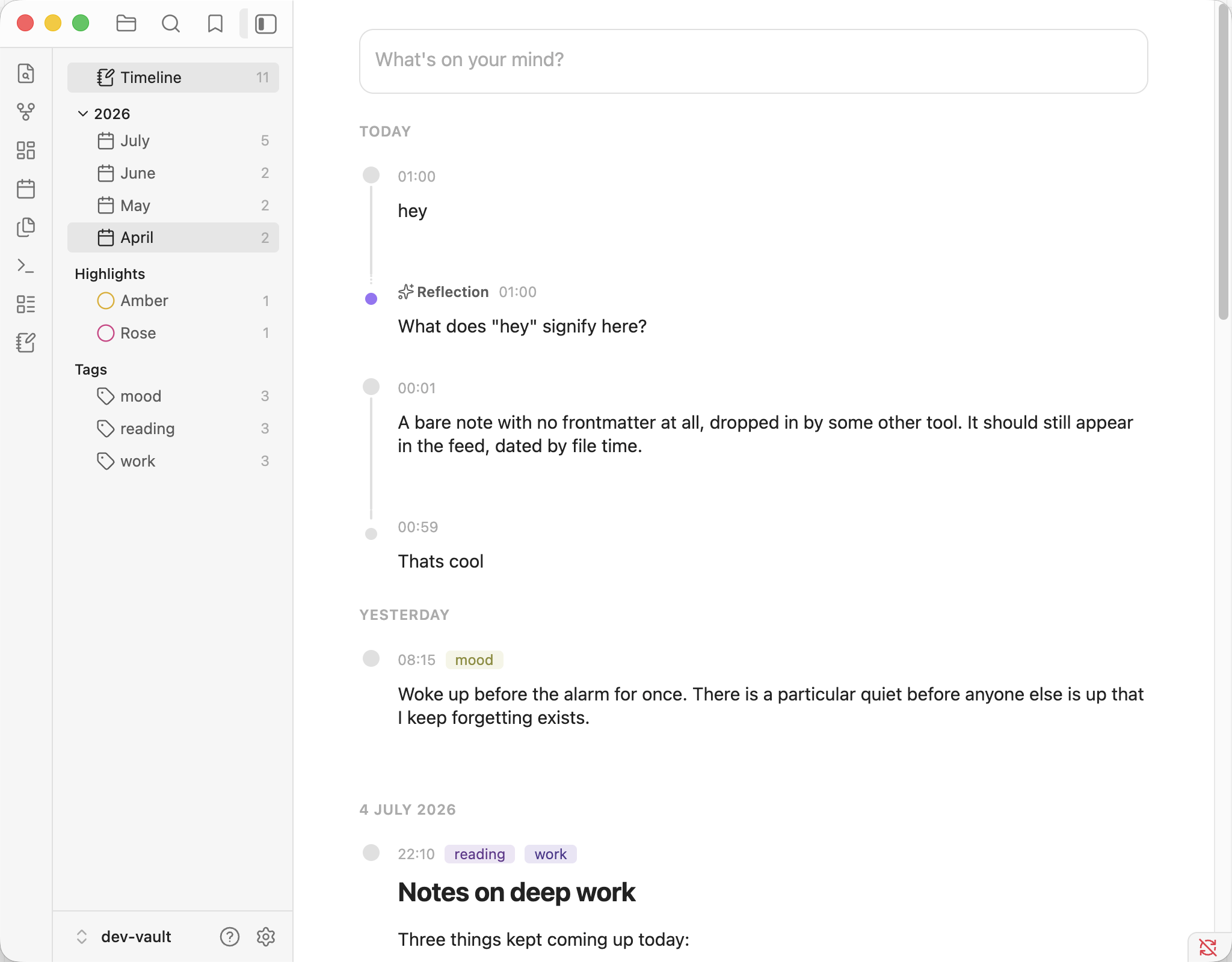
A micro-journal inside your Obsidian vault, in the spirit of Pile by Udara Jay: one folder of plain Markdown posts, a feed with a composer, threaded replies, highlights, and AI reflections using the AI providers plugin.
Ripple is an independent project inspired by Pile; it is not affiliated with or endorsed by Pile or Udara Jay.
What's new in 0.2.1
Branch-aware threads show continuations and side branches as a tree, with separate controls to collapse a branch or every note below a fork. Branches can be temporarily flattened and restored without changing their saved relationships.
Scoped reflections Reflections can consider one note, a thread up to a selected point, one terminal branch, or the whole tree. Prompts retain note times and parent relationships, and an in-progress reflection returns when Ripple is reopened.
Thread and branch exports preserve the visible tree as configurable timestamped Markdown rows. Collapsed notes stay out of the export, nested branches retain their depth, and export names are collision-safe.
Safer writing retains post, reply, and edit drafts when a vault write fails and retries timestamp filename collisions.
Bug fixes
Navigation
One linked folder (default
Ripple/, changeable in settings): posts land asYYYY/MM/YYYYMMDD-HHmmss.mdwith a small frontmatter block. Files dropped in by any other route appear in the feed.Feed: newest-first under day headers, composer pinned on top, a month scrubber on the edge. In a composer,
Enterposts or saves andShift-Enterstarts a new line. With the feed focused,nopens the composer,j/kmove between threads,Enteredits the newest note,rreplies to it,hcycles its highlight,tnames it, andoopens it normally.Reflections: optional AI replies via the AI Providers plugin
Development
npm install
npm run fixtures   # creates dev-vault/ and seeds it with sample posts
npm run dev        # watch build; every rebuild lands in dev-vault automatically
Open dev-vault/ as a vault in Obsidian and choose "Trust author and enable plugins" — Ripple is live; reload Obsidian after changes. npm run build typechecks and bundles for production, and npm run lint must stay clean.
To try reflections while developing, install the AI Providers plugin in the dev vault and configure any provider (a local Ollama works well). The dev vault is gitignored and disposable; never point the build at a real vault.