Rho Network
 clowsuzu513 downloads
Your vault as a living galaxy: notes orbit as planets, and the sky reacts as you write.
- Overview
- Scorecard
- Updates4
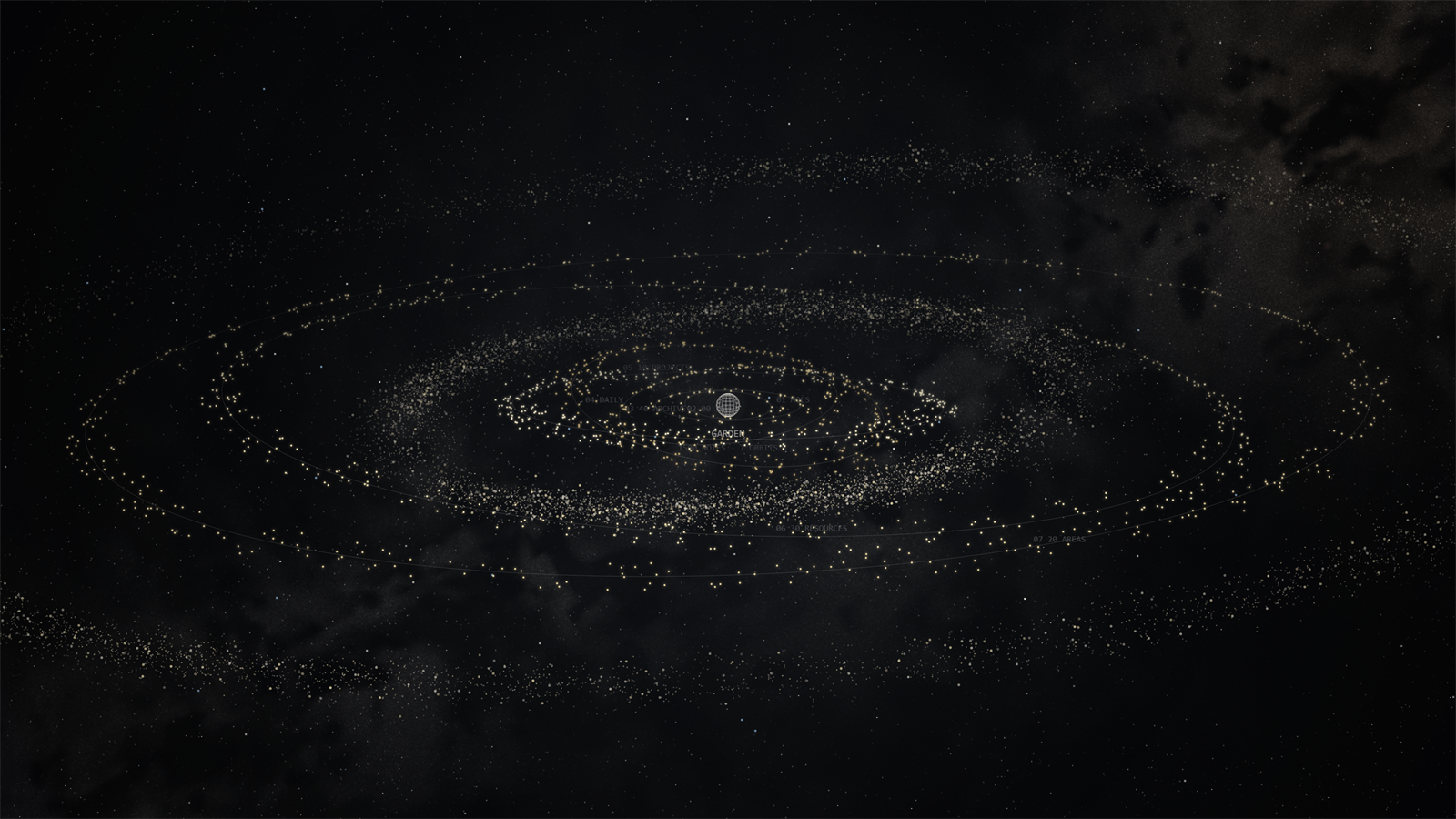
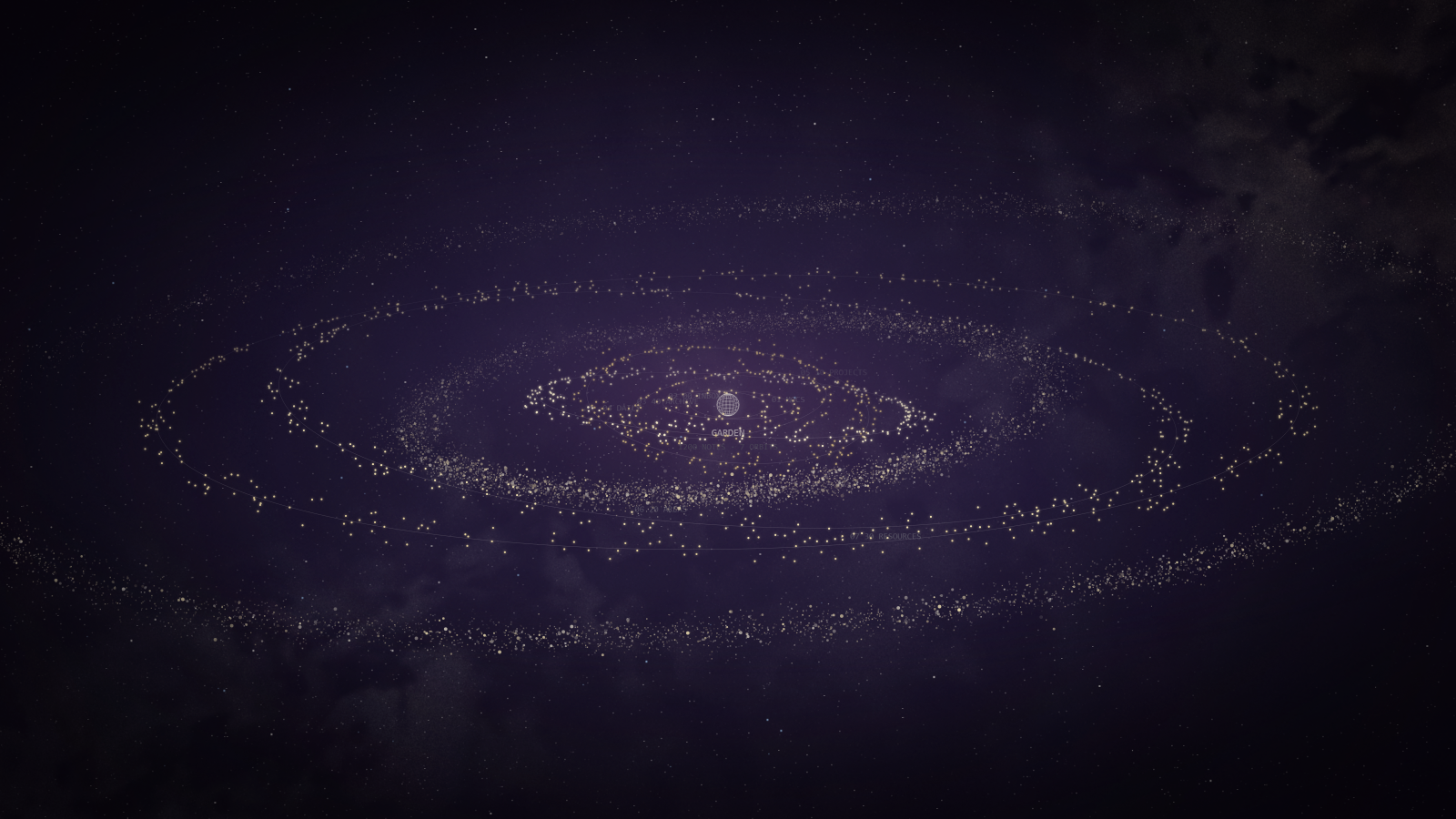
Your Obsidian vault as a living 3D star system. Each top folder is an orbit, each note a planet, and the links between notes the faint lines across the sky.
Buy me a coffee if it earns its place in your vault.
Install
In Obsidian: Settings > Community plugins > Browse, search for Rho Network, Install, then Enable. Open it from the globe icon in the ribbon, or the command palette ("Rho Network: Open").
By hand: put main.js, manifest.json and styles.css from the latest release into <your vault>/.obsidian/plugins/rho-network/, then switch it on.
Desktop only.
What it does
- See your vault. A globe in the middle, one orbit per top folder, a planet per note. Notes you open often shine brighter.
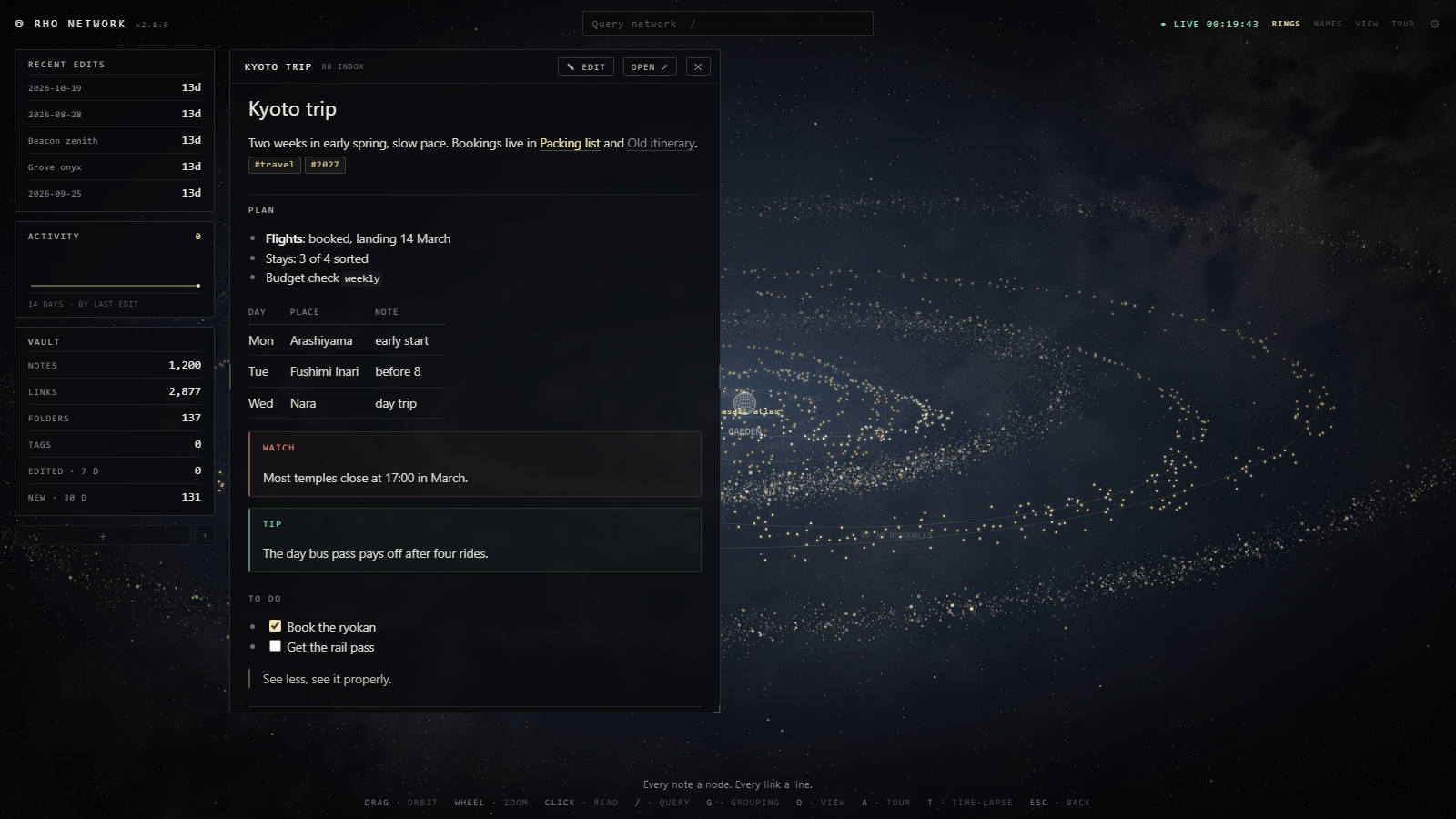
- Read and write in it. Click a planet and the note opens in a glass panel over the map. Press EDIT to write in it.
- Find things. Press
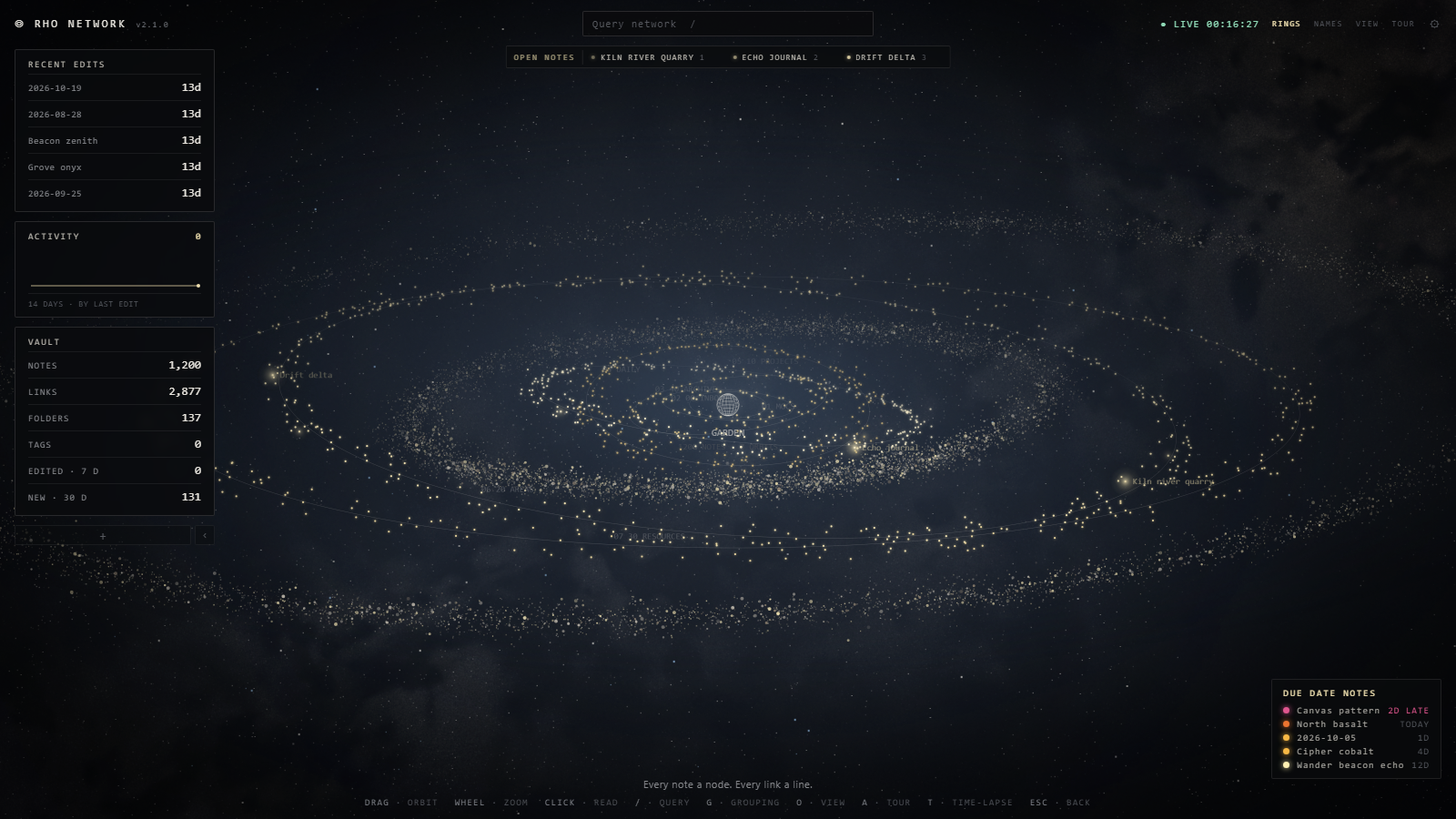
/to search. After three letters it also lists notes that mention what you typed. - Never lose your place. Notes with unticked tasks glow and the last three sit in an Open notes strip. Notes with a due date are listed bottom right, soonest first.
- Sit back. Press A and the camera drifts through the system on its own. Press T to watch your vault grow in the order you made it.
Due dates
Give a note a property called due, deadline, due-date, dueDate or due_date, or put a date on a task line: 📅 2026-11-03 or [due:: 2026-11-03]. Ticking the task, or done: true / status: done, takes it off the list.
Themes
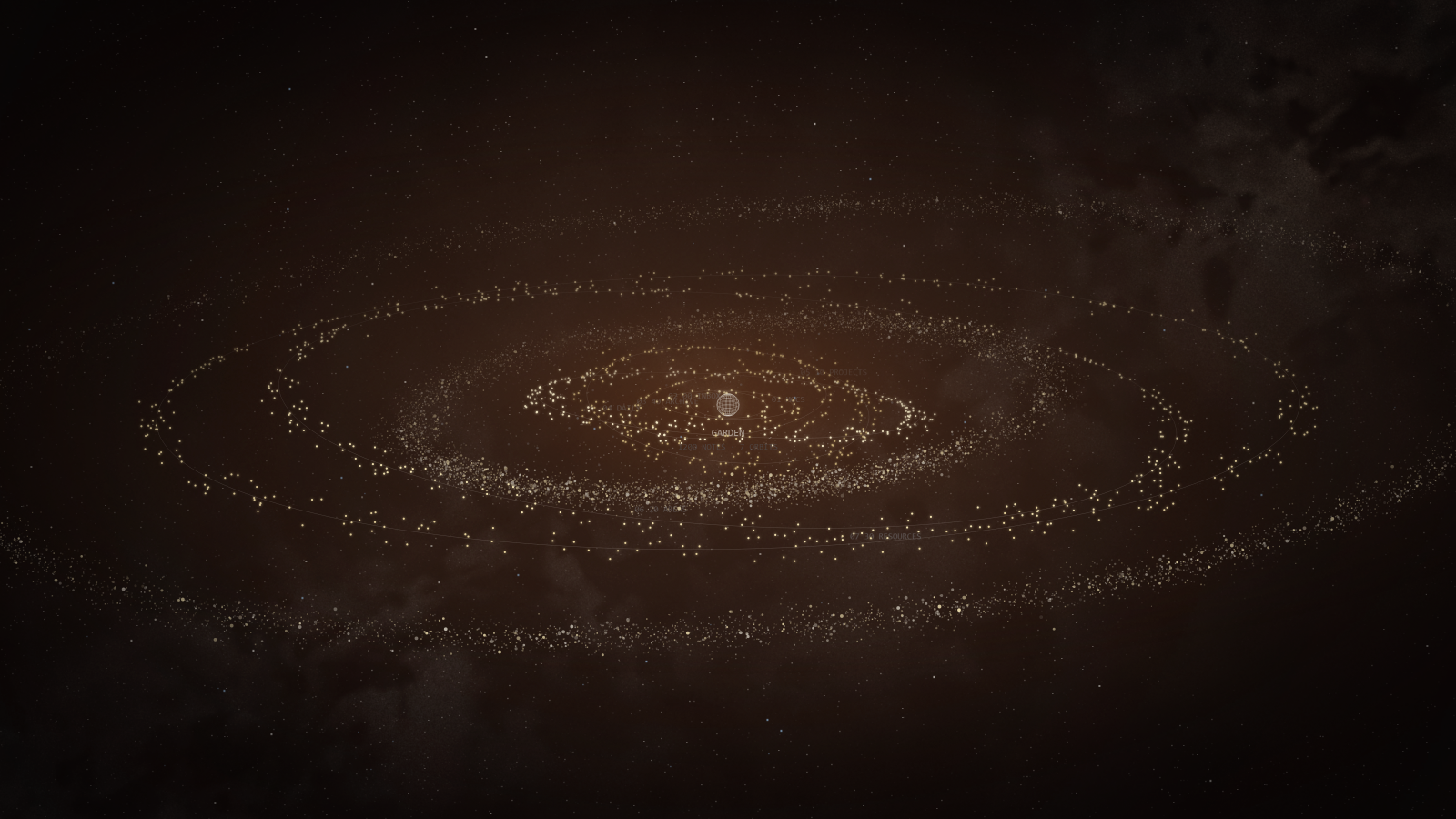
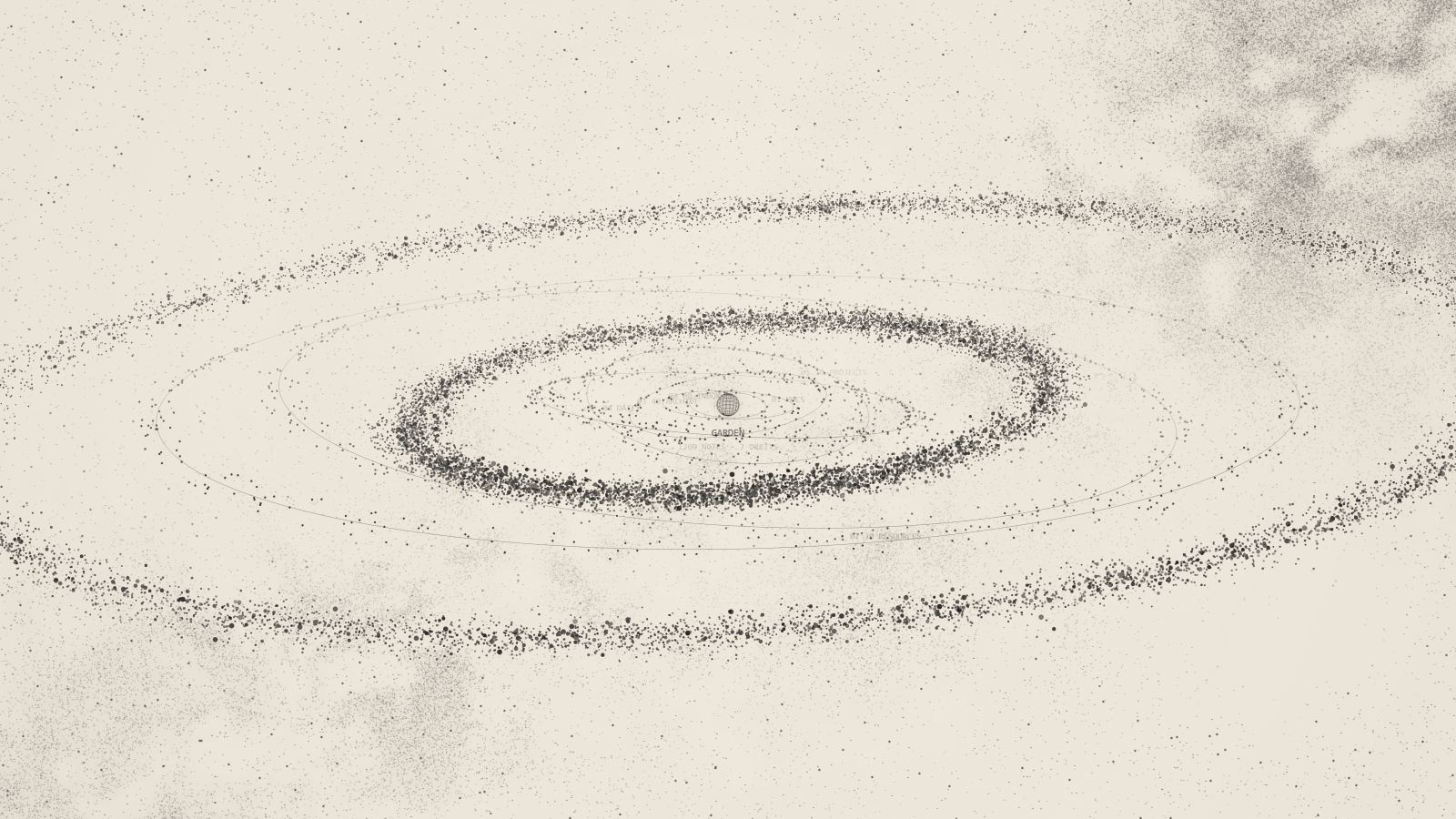
Deep space, Dusk, Ember and Paper (the light one), plus six planet colour sets: Sand, Black & white, Dusk, Halloween, Age and Classic.
Settings
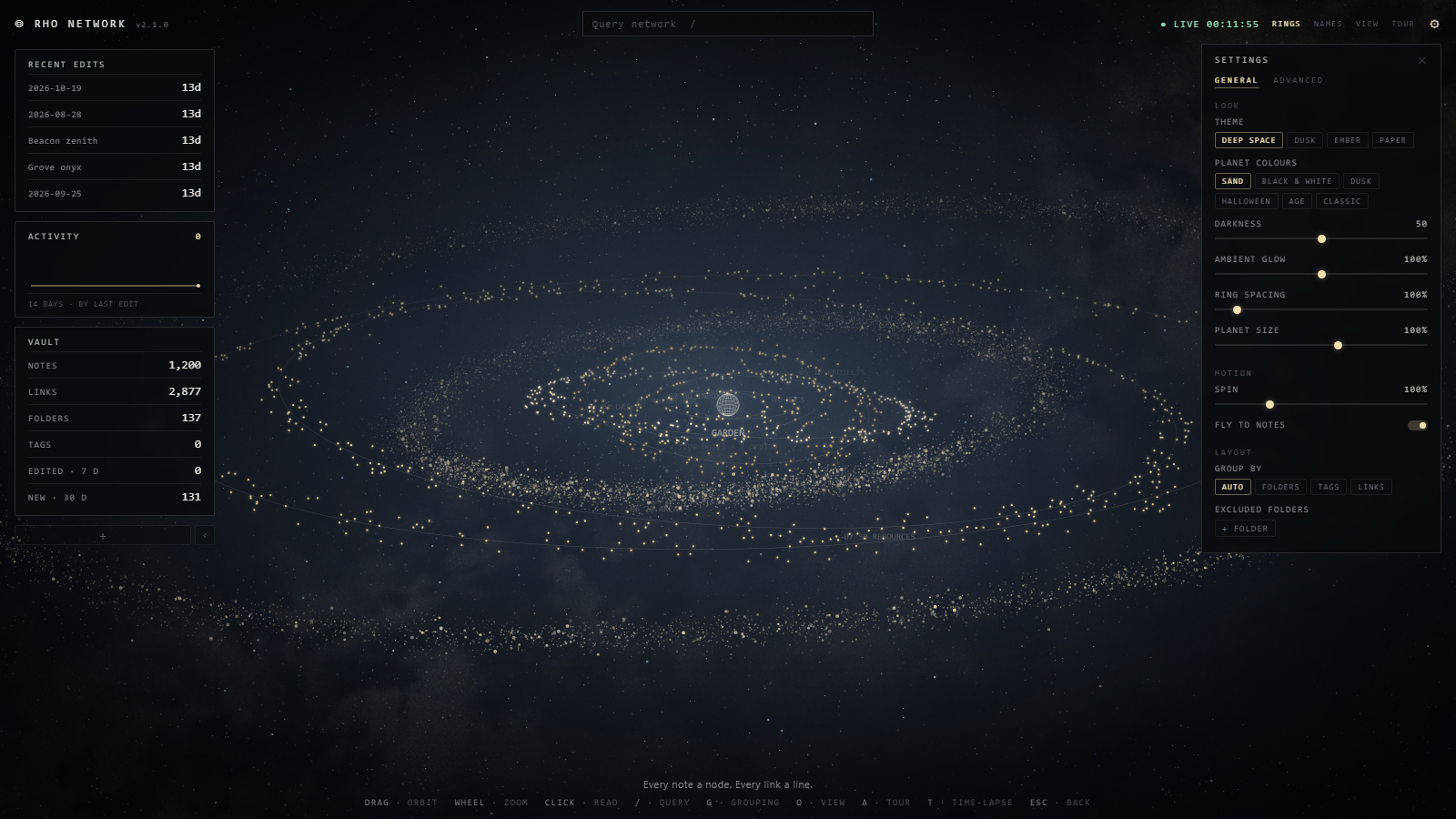
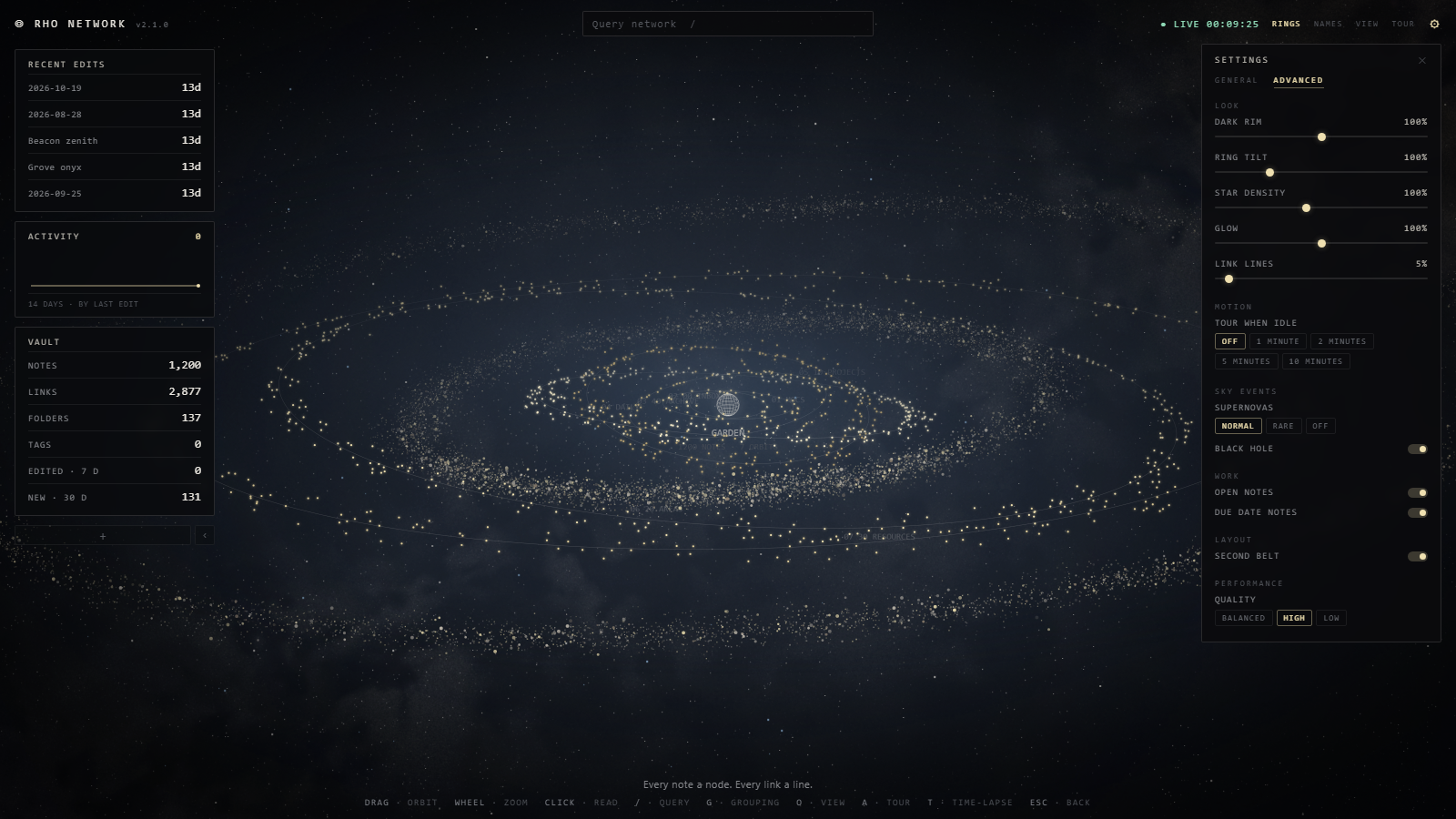
Settings > Rho Network, or the gear on the map. Both show the same single list; the General and Advanced names at the top glide to their part.
- General: theme, planet colours, darkness, glow, spacing, planet and globe size, spin, rocket boost, grouping and folders to leave off the map.
- Advanced: dark rim, ring tilt, stars, link lines, tour when idle, supernovas, the black hole, open notes, due date notes, the second belt and quality.
- What it can do lists the features in one place, and Show the welcome again brings the first-run tour back.
Updating keeps your settings as you left them.
Controls
| Key | What it does |
|---|---|
| Scroll | Zoom |
| Drag | Spin the system |
| Double-click | Back to the start view |
| Click a planet | Open its note |
/ |
Search |
| G | Next grouping |
| A | Tour |
| O | Look mode (just the sky) |
| T | Time-lapse |
| Backspace | Out of an orbit |
| Esc | Close / stop |
The ? in the top bar opens a short sheet with all of this, and a four-step welcome shows once per vault the first time you open the map.
Pairs well with
Rho Zero, a dark theme in the same sand and charcoal. Settings > Appearance > Themes > Manage, search for Rho Zero.
Privacy
Rho Network makes no network requests, has no telemetry and loads no code from anywhere else. Everything happens inside Obsidian, on your machine.
- Your vault's files: it reads the list of notes, their dates, tasks and due dates, and Obsidian's link cache to draw the map; the search suggestions read the text of your notes. It writes to a note only when you type in the note box with EDIT on.
- Local storage: a little state of its own, kept per vault: how often notes are opened, the sky's stars and supernova remnants, the notes you dropped from the Open notes strip, when the next visitor passes through, whether the card column is tucked, and whether EDIT is on.
- The black hole's graveyard: the name, folder path and time of up to 2,000 deleted notes, kept in local storage so the graveyard can list them. The notes' text isn't kept.
- The clipboard: written to only when you click something marked to be copied. It never reads it.
It also keeps a spare copy of its settings in your vault's config folder, so an update that replaces the plugin folder doesn't lose them.
Support
Bug reports and ideas are welcome in the issues. Or buy me a coffee.
Built with AI assistance (Claude); designed, directed and tested by Clowsuzu.
Licence
PolyForm Strict 1.0.0, see LICENSE. Free to use for yourself and for any other noncommercial purpose. Selling it, passing copies on and publishing changed versions are not allowed.