Resume PDF Exporter
 bluebluegrass67 downloads
Exports structured resume notes to one-page PDF with one click.
- Overview
- Scorecard
- Updates2
Write your resume in an Obsidian note, then export a polished one-page PDF with one click. No code, Python, or extra software is required.
This plugin currently works with Obsidian Desktop on macOS, Windows, and Linux. It is not available on mobile.

Install
From Obsidian Community Plugins
Once the plugin is listed in the Community Plugins directory:
- Open Settings → Community plugins in Obsidian.
- Search for Resume PDF Exporter.
- Select Install, then Enable.
From this GitHub repository
- Open the repository's Releases page and download
resume-pdf-exporter.zipfrom the newest release. - Unzip it. You will get a folder called
resume-pdf-exporter. - In your Obsidian vault, open the hidden
.obsidianfolder, then open or createplugins. - Move the
resume-pdf-exporterfolder into.obsidian/plugins/. - Restart Obsidian. Go to Settings → Community plugins and enable Resume PDF Exporter.
The final path should look like this:
Your vault/
└── .obsidian/
    └── plugins/
        └── resume-pdf-exporter/
            ├── main.js
            ├── manifest.json
            └── styles.css
If Obsidian asks whether you trust community plugins, choose Turn on community plugins first.
Create your resume note
Start with this format. The first # heading is your name and the next non-empty line is your contact information.
# JANE DOE

Amsterdam, Netherlands | [email protected] | linkedin.com/in/janedoe

## EXPERIENCE

### Product Manager | Example Company | 2022–2026

- Led a cross-functional team that launched a new customer onboarding experience.
- Improved activation by 24% through user research and rapid experiments.

## EDUCATION

### University Name | Degree | 2018–2022
Use ## for section titles, ### for roles or education entries, and - for bullet points. A complete example is available in Sample Resume Markdown.
Export a PDF
- Open your resume note.
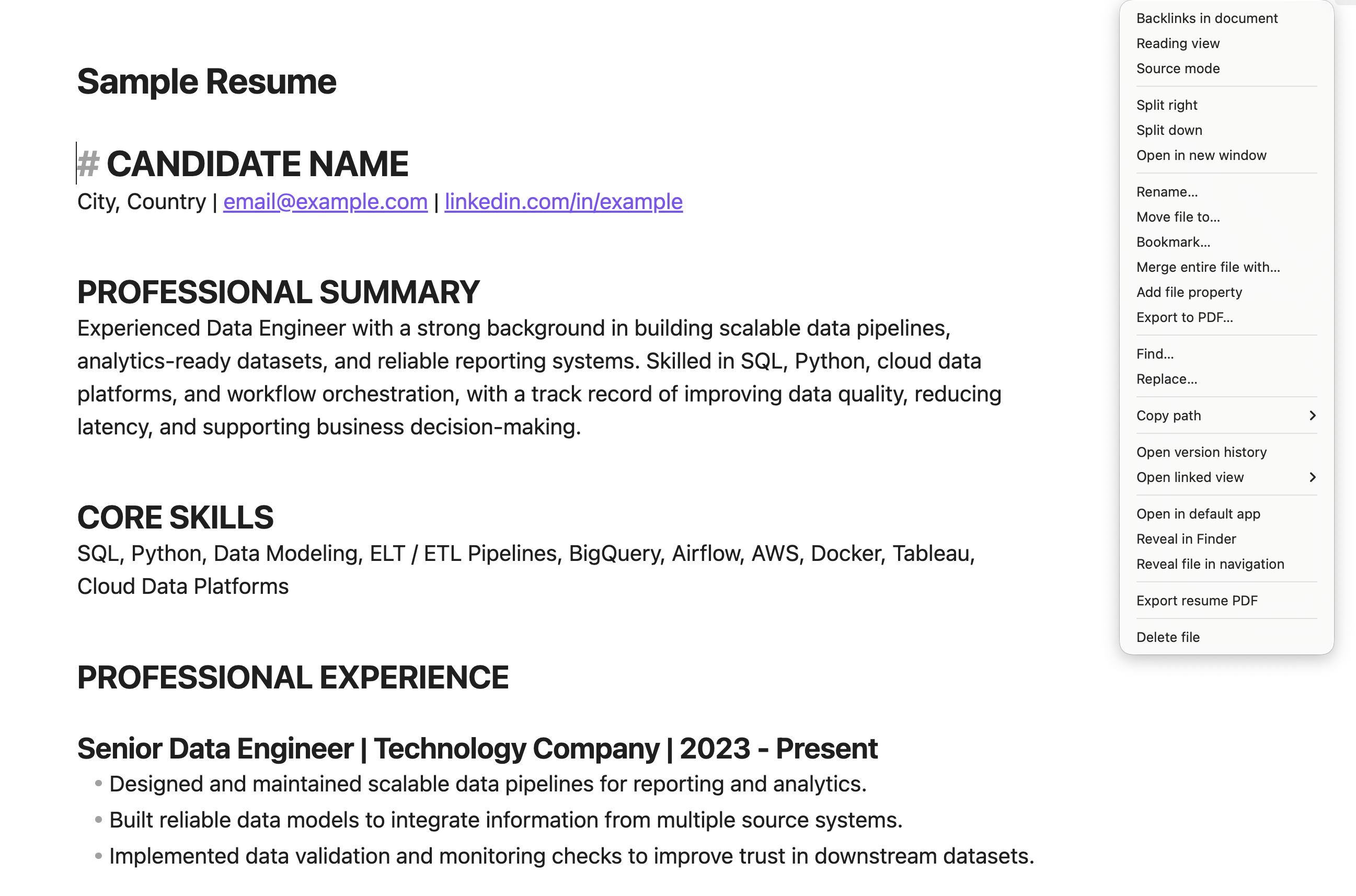
- Click Export resume PDF in the status bar, right-click the note and choose Export resume PDF, or open the Command Palette and run Resume: convert current note to PDF.
- Your PDF is saved beside the note. You can change the save folder or have the PDF open automatically in Settings → Resume PDF Exporter.
The exporter uses resume-specific typography and adjusts the scale to keep the document on one A4 page. If the note is still too long at the smallest readable size, it stops and asks you to shorten the content instead of creating a second page.
Troubleshooting
- The plugin does not appear in Settings: confirm that the three files shown in the folder tree above are directly inside
resume-pdf-exporter, then restart Obsidian. - The export says the resume does not fit: shorten one or more bullets, remove less relevant details, or use fewer sections.
- The exported PDF is not where you expected: check the note's folder first. Change the output mode in Settings → Resume PDF Exporter if you prefer a dedicated folder.
For maintainers
Run npm install, npm run build, and npm test before releasing. Pushing a version tag matching manifest.json creates a GitHub release containing the individual Obsidian assets and the easy-install ZIP. See the release checklist.
License
See LICENSE.