Reading comments
 bumbrt10k downloads
Create inline comments while you read books or articles. Comments could be grouped hierarchically by tags.
- Overview
- Scorecard
- Updates28
Plugin allows to create inline html comments while reading markdown notes in Obsidian. Also native %%comments%% supported. Comments could be grouped hierarchically by tags. After commenting job done and finalized, original note with internal links to comments note (in plain obsidian markdown, clean from HTML formatting) could be extracted for integration with rest of the vault.
Usage
Insert a comment
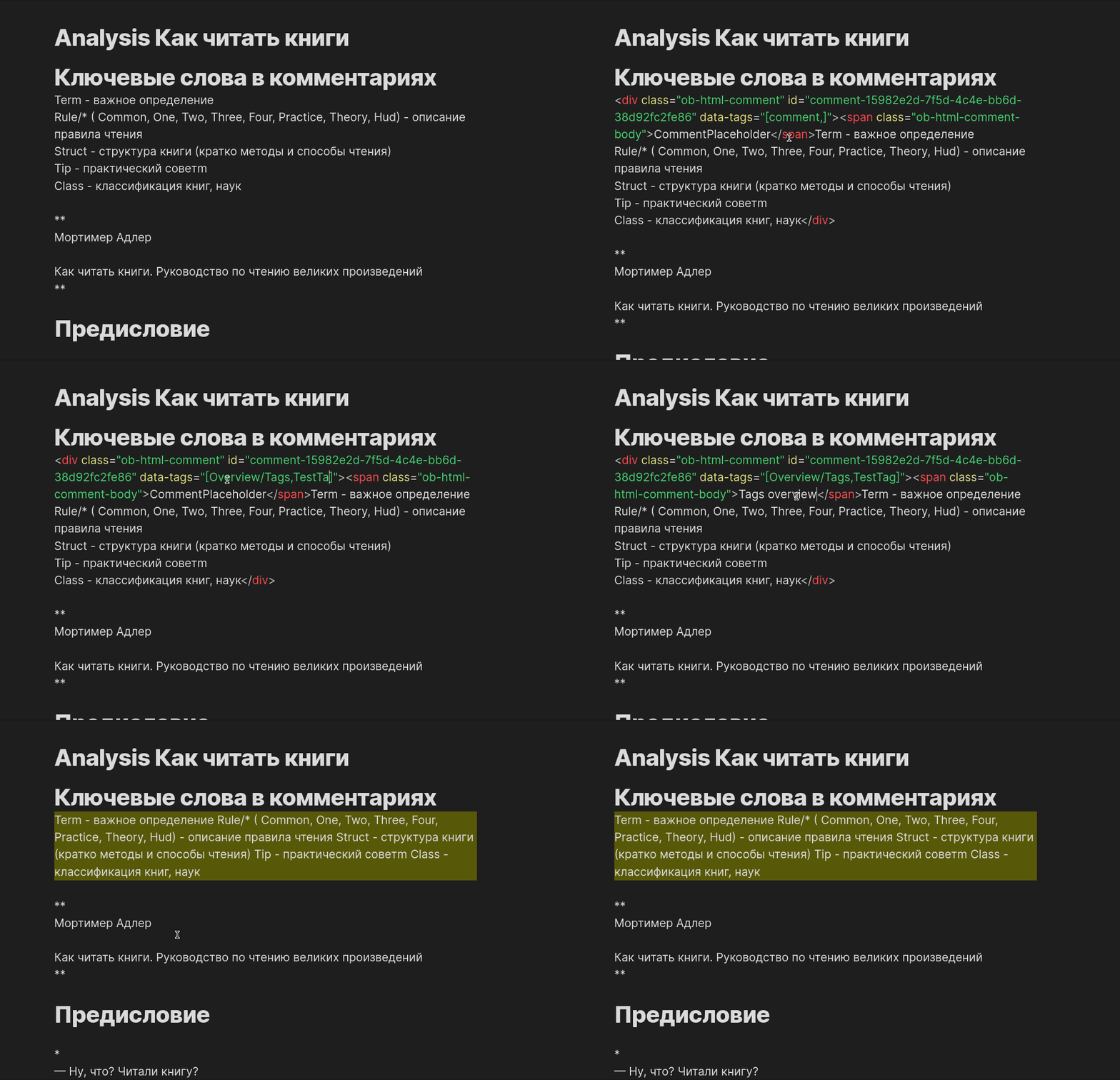
Select text in editor, which you want to comment. Open command panel and type Add reading comment for selection ,then press Enter .
It's recommended to assign hotkey for this command panel action.
You can use hierarchical Parent/Child tags in "data-tags" field.
Open comments panel
Open command panel and type Reading Comments Panel.
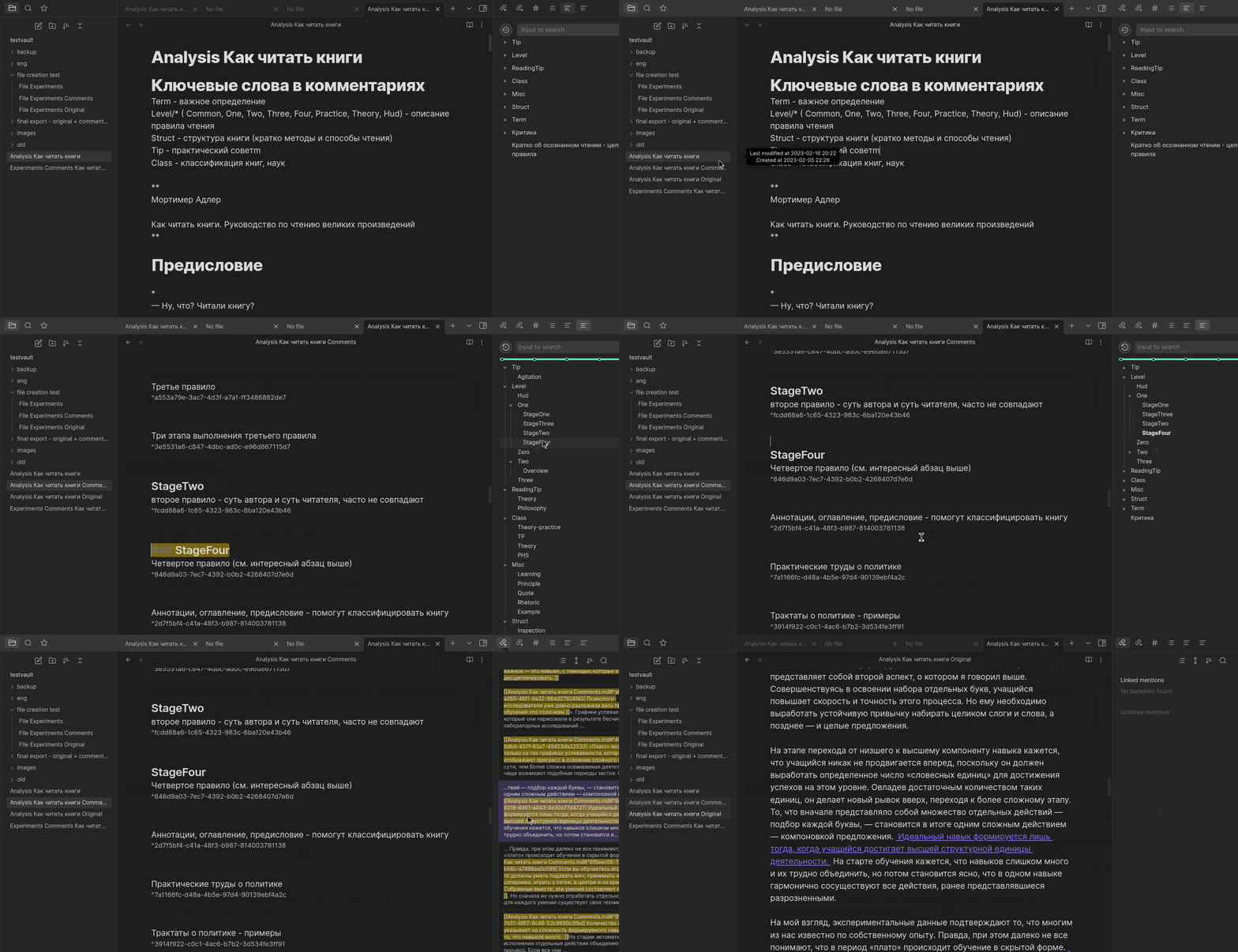
Extract original note with links to comments note
Open command panel and type Extract original note with links to comments note.
Features
- Tag comments hierarchically: Parent/Child/Etc tags supported and grouped by parent in the panel
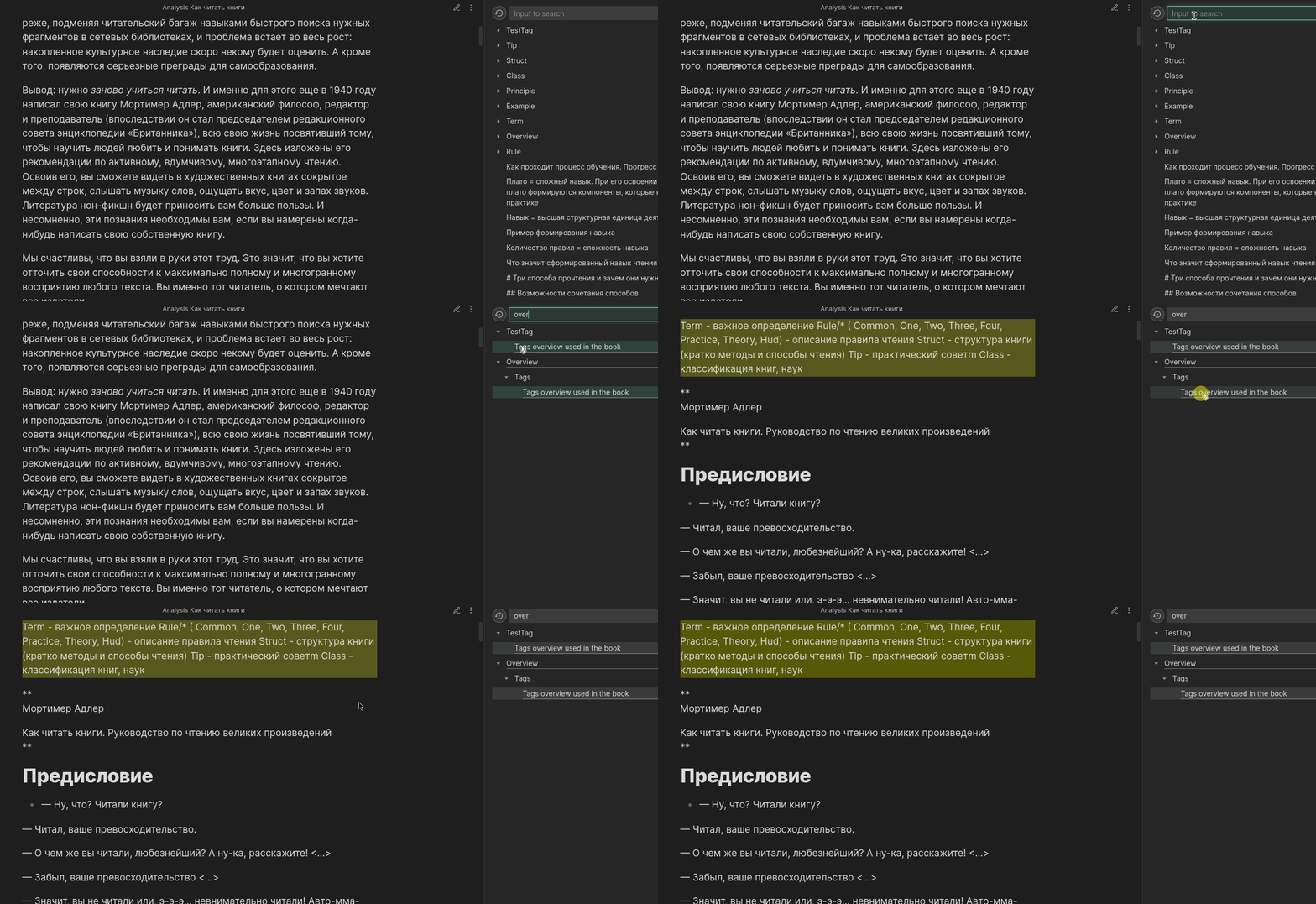
- Search in comments
- Navigate to particular comment by click. Native %%comments%% supported.
- Extract original note with links to comments note
- Remove selected comment by hotkey
- Toggle selected comment to block/inline by hotkey
- Hide comment until commented text body is hovered
- Pick comment color from settings
- Dark and light theme support
Showcase
Buy me a coffee (or just star this repo:)
If you enjoy this plugin, feel free to buy me a coffee.
Create comment showcase
Search comments in the panel showcase
Extract original note with links to comments note showcase
Installation
- Install from obsidian community plugins store
- Or use obsidian BRAT plugin with github link to this repo
- Or download latest release file from Release page and put files to your vault/.obsidian/plugins folder. Community plugins should be enabled.
Customization How To
How to add icon next to commented text
- Follow obsidian CSS snippets guide to add custom css for vault
- Pick icon and copy svg from Lucide or any other source
- Add following custom css:
.ob-html-comment:after {
    background: url("data:image/svg+xml;base64,PHN2ZyB4bWxucz0iaHR0cDovL3d3dy53My5vcmcvMjAwMC9zdmciIHdpZHRoPSIxNiIgaGVpZ2h0PSIxNiIgdmlld0JveD0iMCAwIDI0IDI0IiBmaWxsPSJub25lIiBzdHJva2U9ImN1cnJlbnRDb2xvciIgc3Ryb2tlLXdpZHRoPSIyIiBzdHJva2UtbGluZWNhcD0icm91bmQiIHN0cm9rZS1saW5lam9pbj0icm91bmQiIGNsYXNzPSJsdWNpZGUgbHVjaWRlLXN0aWNreS1ub3RlIj48cGF0aCBkPSJNMTUuNSAzSDVhMiAyIDAgMCAwLTIgMnYxNGMwIDEuMS45IDIgMiAyaDE0YTIgMiAwIDAgMCAyLTJWOC41TDE1LjUgM1oiLz48cGF0aCBkPSJNMTUgM3Y2aDYiLz48L3N2Zz4=");
    content: "";
    background-repeat: no-repeat;
    width: 16px;
    height: 16px;
    background-color: white;
    display: inline-block;
}
- Play with width, height and background-color parameters
Implementation details for DIY plugin modifications and pull requests
Comments logic
Most important logic located in src/comments/ConstantsAndUtils.ts
When Add reading comment for selection executed, editor selection replaced with the following code:
<div class="ob-html-comment" id="comment-${commentId}" data-tags="[comment,]"><span class="ob-html-comment-body">CommentPlaceholder</span>${htmlEscapedSelection}</div>
Plugin parses text for comments and organizes them in panel hierarchically by tags.
Display logic
All styles and display logic are located in styles.css and src/HtmlCommentsTemplate.vue files.
Thanks
Implementation has been based on the Obsidian Quiet Outline plugin. Basic idea has been taken from the Comments plugin.
Possible evolutioin directions
- Multiline comments support (refactoring line by line parsing to multiline).
- Tab for comments in whole vault/folder
- Tags renaming in the tree, drag&drop, etc tags and comments management
To introduce "nice to have" features, create issue here or better donate with "buy me a coffee" website
"Nice to have" features
- tags and comments ordering algo in settings
- customize tags placeholder(for now "comment,")