Search...Search plugins and themes...
⌘K
Sign in
  • Get started
  • Download
  • Pricing
  • Enterprise
  • Account
  • Obsidian
  • Overview
  • Sync
  • Publish
  • Canvas
  • Mobile
  • Web Clipper
  • CLI
  • Learn
  • Help
  • Developers
  • Changelog
  • About
  • Roadmap
  • Blog
  • Resources
  • System status
  • License overview
  • Terms of service
  • Privacy policy
  • Security
  • Community
  • Plugins
  • Themes
  • Discord
  • Forum / 中文论坛
  • Merch store
  • Brand guidelines
Follow us
DiscordTwitterBlueskyThreadsMastodonYouTubeGitHub
© 2026 Obsidian

Readability Score

zuchkazuchka9k downloads

Score the readabilty of your writing using the Flesch Reading Ease (FRE) formula.

Add to Obsidian
  • Overview
  • Scorecard
  • Updates6

Readability is a small Obsidian plugin. It analyzes all or part of a document using the Flesch Reading Ease (FRE) formula. Your score appears in the status bar. Look for r9y: (short for readability) in the status bar.

This is a fork of better-word-count. The idea was to build something smaller, more opinionated, and focused on readability metrics.
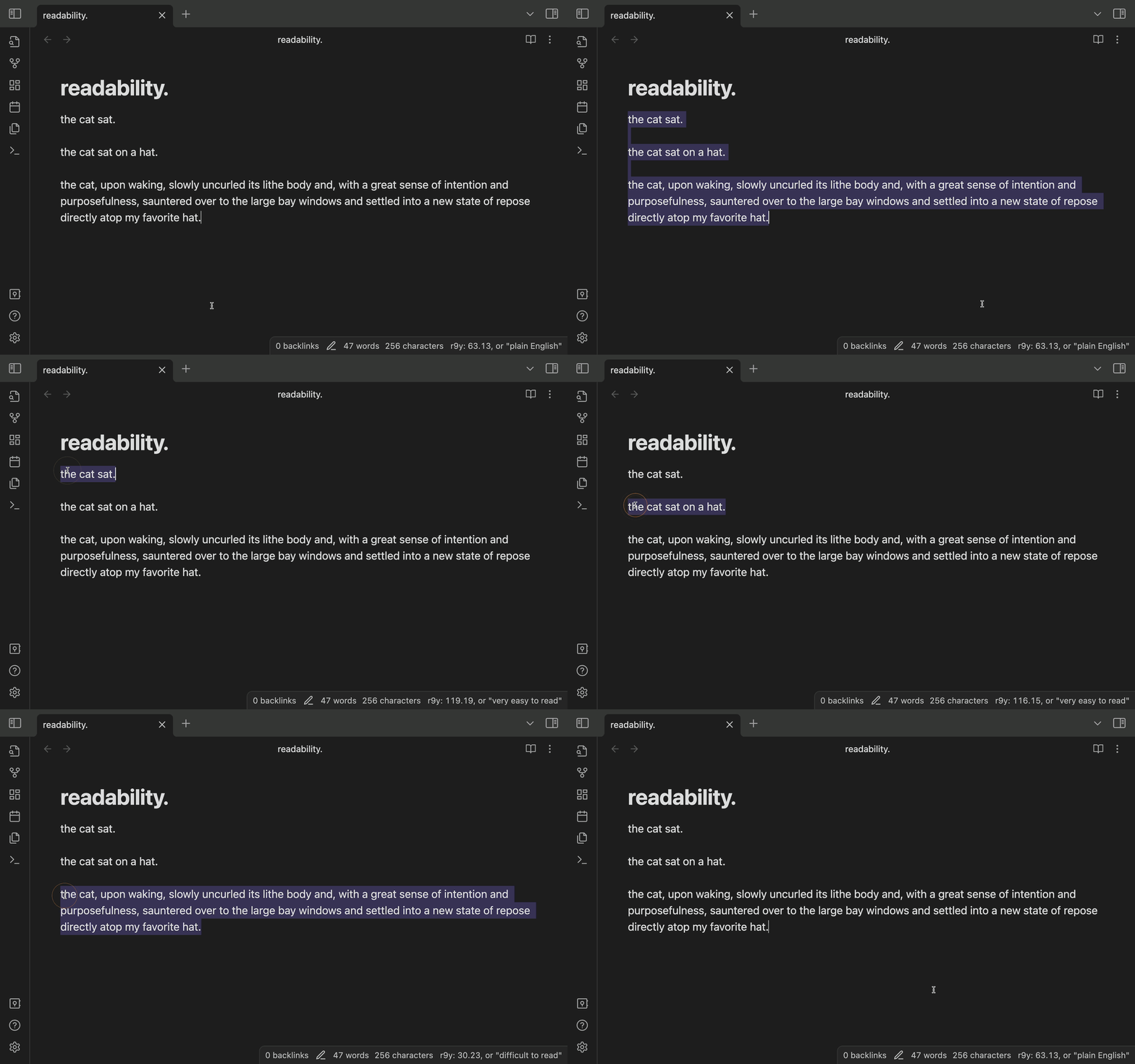
readability-score gif

HealthGood
ReviewSatisfactory
About
Analyze whole notes or selections with the Flesch Reading Ease formula to get a readability score. Show a live r9y value in the status bar for quick feedback on text complexity.
WritingStatus barEditing
Details
Current version
0.1.5
Last updated
2 years ago
Created
3 years ago
Updates
6 releases
Downloads
9k
Platforms
Desktop only
License
MIT
Report bugRequest featureReport plugin
Author
zuchkazuchka
github.com/zuchka
GitHubzuchka
  1. Community
  2. Plugins
  3. Writing
  4. Readability Score

Related plugins

LanguageTool Integration

Advanced grammar and spell checking, powered by LanguageTool.

LanguageTool

Unofficial integration of the LanguageTool spell and grammar checker.

WebNovel Assistant

A comprehensive Obsidian plugin for web novel writers. Track word counts, goals, and focus time. Manage foreshadowing, timelines, and timed tasks. Includes a bilingual UI and OBS overlay.

Better Word Count

Count the words of selected text in the editor.

Reading Time

Add the current note's reading time to the status bar.

Meta Bind

Make your notes interactive with inline input fields, metadata displays, and buttons.

Advanced Tables

Improved table navigation, formatting, and manipulation.

Thino

Quickly capture memos and display them in the sidebar with a heatmap. (Closed source)

ChatGPT MD

A seamless integration of ChatGPT, OpenRouter.ai and local LLMs via Ollama into your notes.

Editing Toolbar

The Editing Toolbar is modified from cMenu, which provides more powerful customization settings and has many built-in editing commands to be a MS Word-like toolbar editing experience.