React Kanban
 Marcel Reis-Soubkovsky731 downloads
A modern Kanban board for Obsidian that works with your existing Markdown boards.
- Overview
- Scorecard
- Updates18

Keep your Markdown boards. Upgrade the interface.
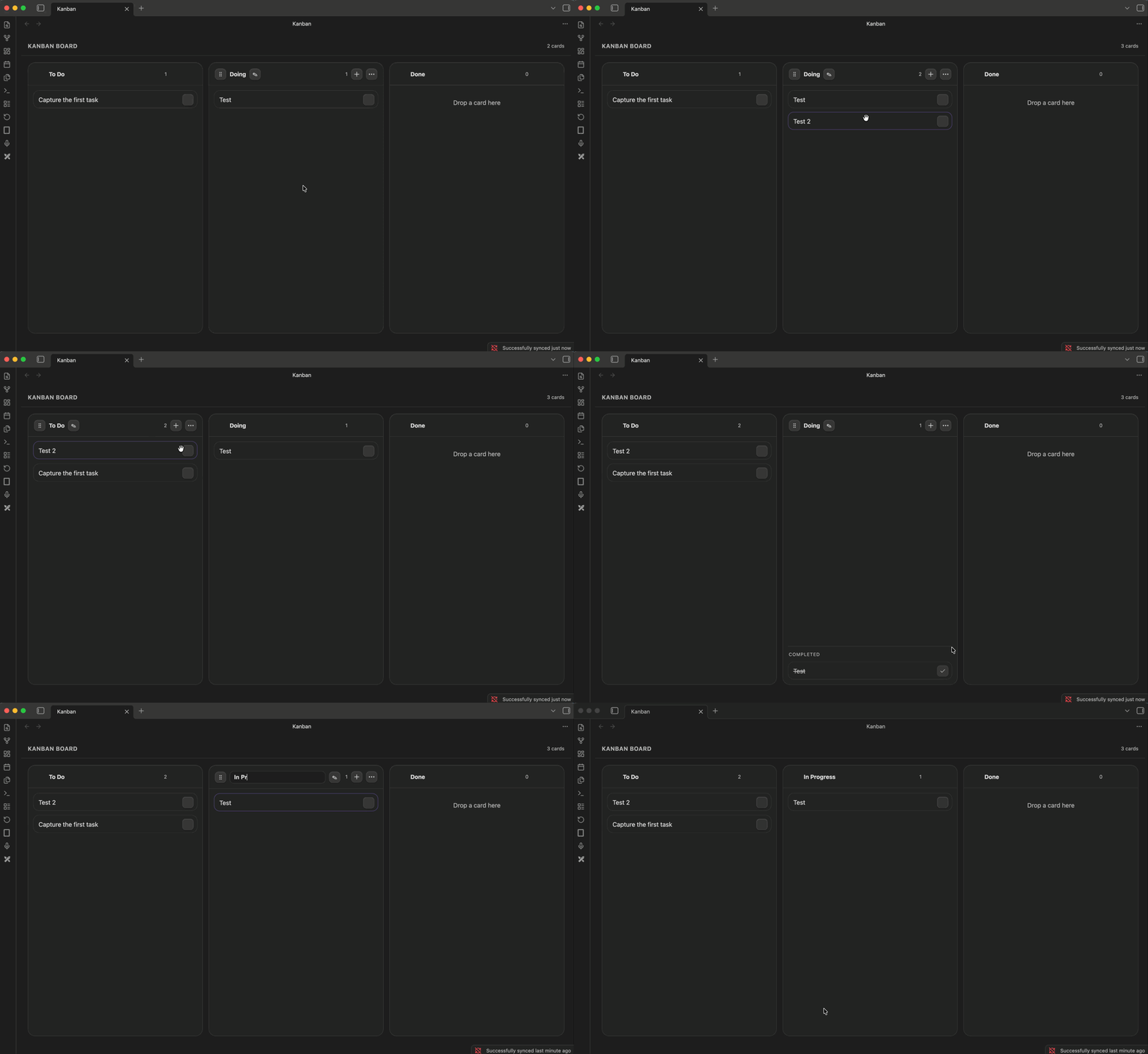
React Kanban is a modern, local-first Kanban board for Obsidian. Open your existing Markdown-backed boards in a fast React interface without migrating or changing their structure.
It uses the familiar kanban-plugin: board frontmatter marker, so your boards remain portable, editable, and readable as ordinary Markdown notes.
Why React Kanban?
- Use existing Obsidian Kanban notes without migration
- Keep the underlying Markdown portable and transparent
- Work locally with no analytics, telemetry, or plugin network requests
- Turn linked notes and Markdown content into a visual board workflow
Features
- Auto-opens kanban notes in a dedicated board view
- Drag cards within and between columns
- Reorder columns from the column menu
- Rename columns inline
- Add cards with a dialog
- Render markdown inside cards
- Mark cards complete and keep completed cards grouped at the bottom of each column
- Delete cards from the right-click menu
New card note settings
When adding a card, you can optionally create a linked Markdown note. Configure its destination and filename in Settings → Community plugins → React Kanban:
- Keep notes in the board’s folder (the default)
- Create a subfolder named after the board
- Choose a custom vault-relative folder
- Name notes with the board and card title, or with the card title only
Markdown Format
The plugin understands standard heading-based kanban notes:
---
kanban-plugin: board
---

## To Do
- First task
- Second task

## Doing
- Work in progress

## Done
- Shipped item
Installation
Install React Kanban from Obsidian’s Community plugins browser, then enable it in Settings → Community plugins.
Open a note with the kanban-plugin: board frontmatter marker and React Kanban will display it as a board. Your note stays a normal Markdown file, so you can continue editing it in source mode or with other compatible tools.
Existing Kanban boards
React Kanban is designed to work with the standard heading-based Kanban format. No export or conversion step is required. Make a backup of important notes before trying any new plugin, as you would with any tool that writes to your vault.
For local development, copy the built files into your vault plugin folder:
npm install
npm run build
Development
npm run typechecknpm run buildnpm test
Shared board API
The reusable board is exported from the package root after npm run build:
import {
  KanbanBoard,
  parseKanbanMarkdown,
  serializeKanbanMarkdown,
  type KanbanBoardModel,
  type KanbanCard
} from "obsidian-react-kanban";
The generated JavaScript is dist/board/index.mjs and its declarations are in
dist/board/types/index.d.ts. styles.css is the shared CSS entrypoint. A
host supplies a controlled board, handles onChange(nextBoard), and injects
renderCard(card, content). Host-only capabilities such as opening cards,
native context menus, linked-note creation, notices, and Markdown rendering
are supplied through callbacks; the shared layer does not access a vault,
filesystem, network, or Obsidian types. Override --rk-* tokens on the board
root to provide a host theme.
Pass readOnly: true to render the board and card content without drag/drop,
add, edit, delete, rename, or completion controls. The default is editable,
which preserves the Obsidian adapter’s current behavior.
The Obsidian plugin remains the adapter in src/BoardView.tsx: it parses and
serializes the note, persists through vault.modify, renders cards with
MarkdownRenderer, routes internal links, and implements the existing linked
note settings and native menus. MD Share is not part of this repository yet.
Privacy
This plugin does not send analytics, telemetry, or network requests of its own. It reads and writes the current note through Obsidian’s local vault APIs only.
License
MIT