Quiz maker
 Yerkebulan Abenov98 downloads
Create quizzes from your notes, choose study presets, and practice with timers, flashcards, and readable answers.
- Overview
- Scorecard
- Updates9
Quiz maker
Create, study and review quizzes inside Obsidian.



Download · Guide · What's new · Report a bug
Start with your notes, import existing questions or write them yourself. Save a study pack, review the questions, then practise at your own pace or take a timed exam. AI generation is optional.
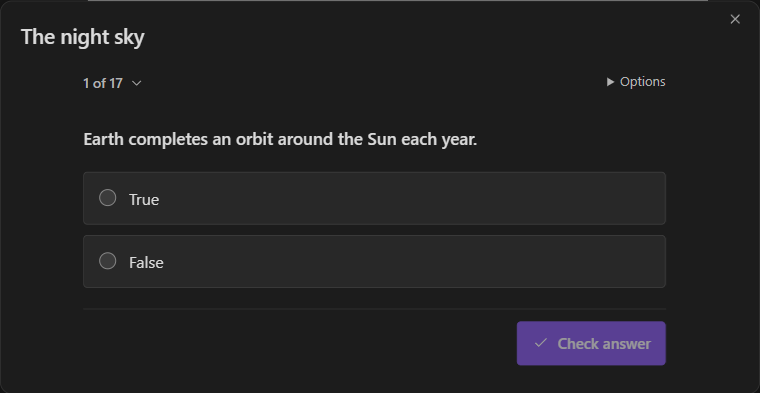
Quiz maker in Obsidian, using public demo questions.
Install
Requires Obsidian 1.8.7 or newer. GitHub installation is available; community-directory acceptance is separate.
- Download
main.js,manifest.jsonandstyles.cssfrom the latest release. - Put the three files in
.obsidian/plugins/quiz-maker/inside your vault. - Reload Obsidian and enable Quiz maker in Settings → Community plugins.
- Run Quiz maker: Open from the command palette.
To update, replace only those three files and reload Obsidian. Keep your local settings and study data. Your saved packs, defaults and quizzes remain in their separate data files. Check the loaded version at the bottom of Quiz maker settings.
Make your first quiz
From a note: open a Markdown note and run Quiz maker: Quick quiz. Choose a study pack and question count, then generate. Add source offers notes or folders; Customize holds the question mix and other options.
Without a provider: choose Library tools → Write questions. Or choose Library tools → Import and try the public JavaScript sample.
From selected text: select a passage in the editor and run Quiz maker: Quiz selected text. Only that selection is used as source text.
Open the library and choose New quiz to generate from notes. The New quiz and Quick quiz commands open the same setup with your default study pack; both stay available when Extra commands is off. The guide covers editing, saving readable notes, import/export and recovery.
Watch the walkthrough
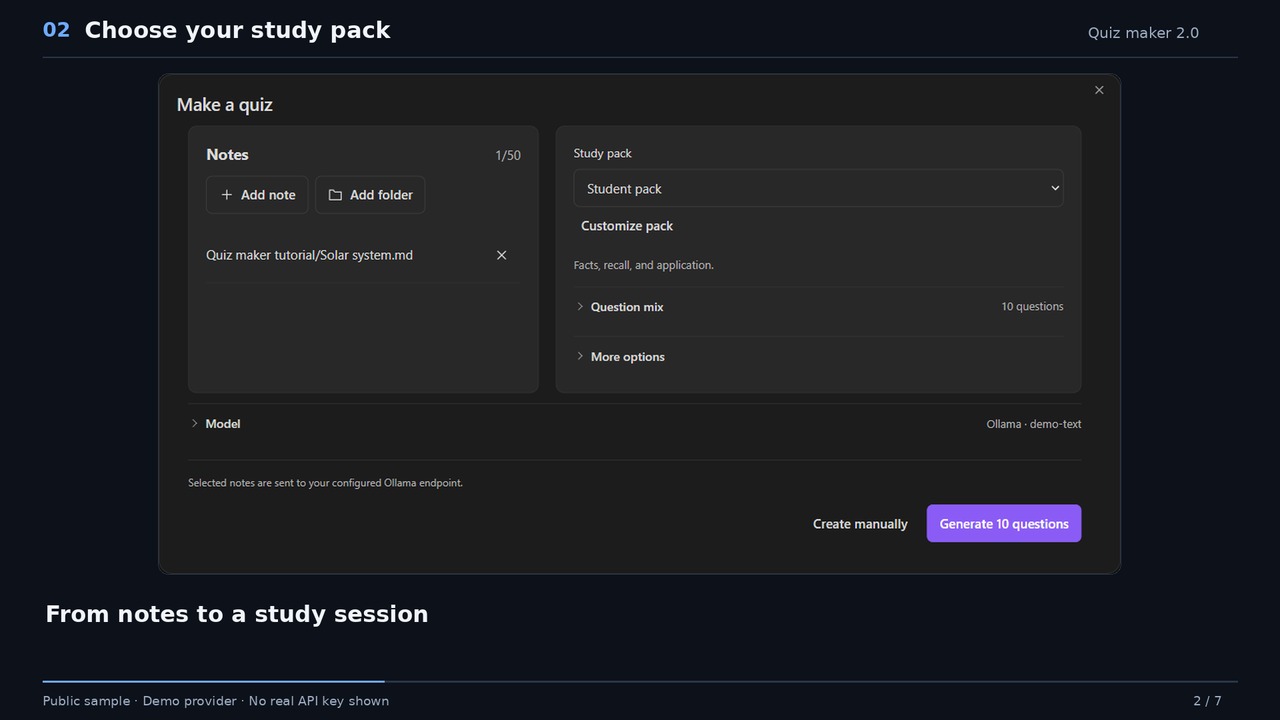
84 seconds · English narration · version 2.0.0. Menus have changed since this recording; the guide follows the current interface. A walkthrough built from real native Obsidian captures, public sample notes and a demo provider. Watch MP4 · Captions · Transcript.
Study your way
| Task | Tools |
|---|---|
| Build a quiz | 17 question formats, seven built-in packs, saved personal packs and topic allocations. |
| Review questions | Form or JSON editing, quality diagnostics, replacement previews, undo/redo and content versions. |
| Organize | Question bank, tags, filters and explicit reuse into another quiz. |
| Study | Practice, timed exams, adaptive flashcards, optional answer rules and partial credit. |
| Stay focused | Mini view, focus mode, shared answers and timer, keyboard navigation. |
| Keep or share | Readable Markdown notes, JSON, Anki text/deck interchange and PDF export. |
Answer rules and partial credit are optional; existing quizzes keep strict grading. Written answers and review checklists use self-review. Source evidence and the shortcut guide are off by default. Check generated facts against your sources.
Import and export limits
Anki import supports mapped CSV/TSV, legacy APKG and supported modern schema-18 packages. Preview the conversion report before saving. Original fields and scheduling can be retained as metadata; Anki scheduling is not applied to Quiz maker's scheduler. Custom templates are not executed, and image-occlusion or audio conversion is not supported. Reversed or multiple cards can be represented as one note with a warning.
Text/deck exports retain the original question in a QuizMakerJSON field for round trips. Anki displays front/back previews rather than reproducing every Quiz maker interaction. Package images require explicit selection. See the compatibility details.
PDF pages are images: text is not selectable, searchable or accessible to a screen reader. Keep Markdown when accessible text is needed. PDF limits.
Connect a model
Open Settings → Quiz maker → Models:
- Choose OpenAI, Google Gemini, Anthropic, Mistral, Cohere, Perplexity or Ollama.
- Enter the provider's API key when required.
- Choose Find models, search the results and select a model. You can also enter an exact Model ID manually.
- Use Advanced connection for a custom endpoint, an Anthropic workspace ID, or an OpenAI-compatible API protocol when your server requires one.
Find models also checks the connection by requesting model metadata, without generating questions. A successful lookup does not guarantee generation access to every model. Manual IDs remain available when a server cannot list models. On a phone, Ollama needs a reachable server address; the phone's localhost is not your computer.
Large question sets are split into bounded requests. If a later request fails, keep the validated questions or explicitly continue the missing ones. Failed requests are never retried automatically.
Hosted providers control their accounts, API charges, model availability and usage limits. Quiz maker itself has no purchase requirement.
Privacy and local data
- Generation sends selected source text and quiz instructions to your configured provider endpoint. Regeneration sends the material needed for that replacement.
- Find models requests metadata, not note content.
- Ollama requests go to the server you configure, normally on your device or local network.
- On supported Obsidian versions, keys are saved through Obsidian Keychain after a verified write. Older versions keep keys locally in unencrypted
data.json. Keychain protection depends on Obsidian and your operating system. - Study content, packs and sessions use
study.json. Keep local data and backups private; keychain references do not transfer credentials to another device. - Source selection browses folders you open. Note contents are read for generation; importing or studying existing questions does not require provider traffic.
There is no telemetry, advertising or self-updater. Local settings, study data and credentials are excluded from Git and release files.
Appearance
Quiz views follow Obsidian by default, including your vault's fonts and surfaces. Paper, Midnight and High contrast are also available. Settings follow Obsidian's native appearance. Controls support keyboard use, narrow panes and reduced motion. Optional answer tones are generated locally.
Development
TypeScript and React, with Obsidian's runtime API. Use Node.js 24 or newer:
npm ci
npm run typecheck
npm run lint
npm test
npm run build
npm run verify:release
Use npm run lint; its development-only adapter keeps the official lint rules compatible with the patched minimatch engine. Dependabot proposes dependency updates through reviewed pull requests, without automatic merging. Release and verification notes.
Credits and license
Developed and maintained by Yerkebulan Abenov. This independent implementation was inspired by Edward Cui's Quiz Generator.