Search...Search plugins and themes...
⌘K
Sign in
  • Get started
  • Download
  • Pricing
  • Enterprise
  • Account
  • Obsidian
  • Overview
  • Sync
  • Publish
  • Canvas
  • Mobile
  • Web Clipper
  • CLI
  • Learn
  • Help
  • Developers
  • Changelog
  • About
  • Roadmap
  • Blog
  • Resources
  • System status
  • License overview
  • Terms of service
  • Privacy policy
  • Security
  • Community
  • Plugins
  • Themes
  • Discord
  • Forum / 中文论坛
  • Merch store
  • Brand guidelines
Follow us
DiscordTwitterBlueskyThreadsMastodonYouTubeGitHub
© 2026 Obsidian

Protected Note

mmiksaammiksaa9k downloads

Set password to protect your notes from other people. Simple, Fast.

Add to Obsidian
  • Overview
  • Scorecard
  • Updates4

Set Password and hide your notes from other people. 🔒

This plugin for Obsidian let you set any password you want!

ATTENTION ❗
Note that encryption is not enabled by default, and the plugin can be used without it. Also, keep in mind that encryption is still in beta.

Why do i need that?
Imagine you have something private in your notes. Well, you're in luck, because with Protected Note, your secrets are safe! ;D
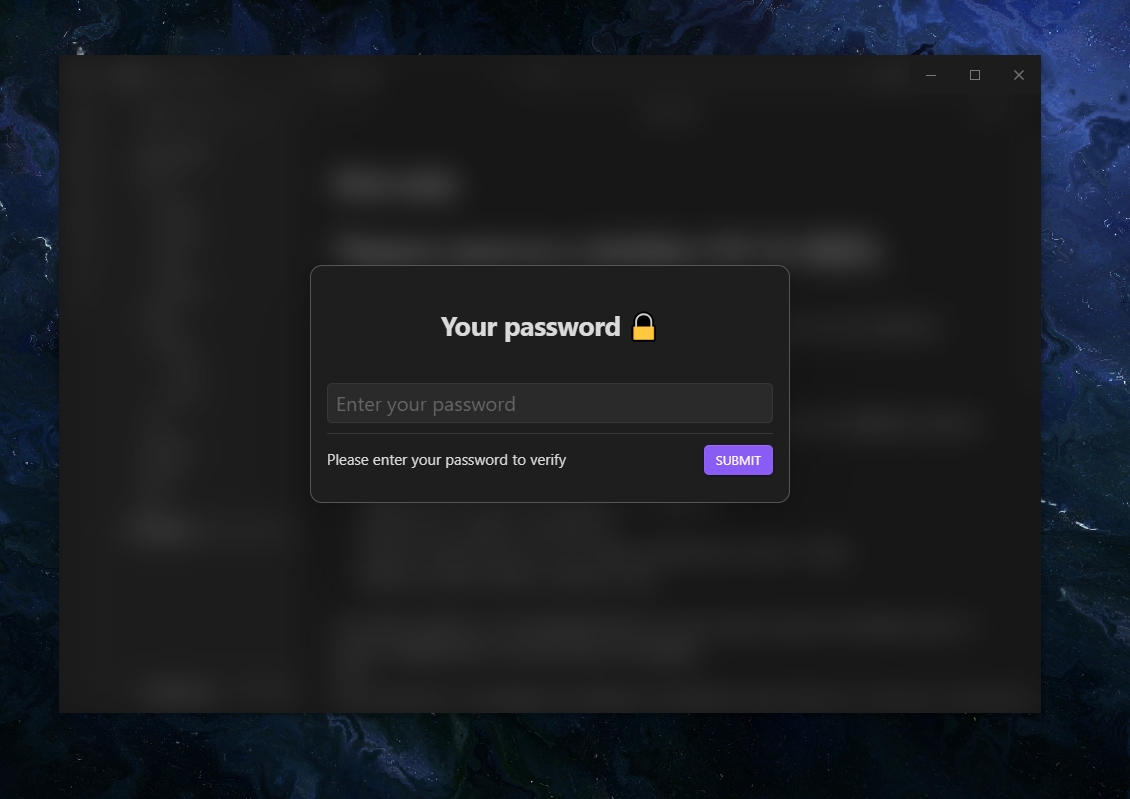
screenshot-full

Set password 🔑

  • Go to settings > community plugins > protected note > enable password.

Encrypt and Decrypt 💾

  • Back up your files before enabling encryption to prevent data loss.
  • When you close Obsidian, your files won't be encrypted because Obsidian can't run encryption while closing.
  • To encrypt all your files upon exit, use the ribbon icon.

If you'd like to help with my code, feel free to reach out on GitHub or open a pull request.


Settings (all) ⚙

Password Protection: click Enable to set a new password. To Disable the password, click the toggle and verify your identity.

Protected Folder: select a specific folder to protect.

Auto-Lock: automatically lock Obsidian when you're inactive.

Animations: turn this off to remove animations. This will stop the lock emoji animation in the title and the blur transition when you confirm your password.

File encryption: Secure your files with AES encryption.


This plugin will be developed and added new features 🧬

If you find this plugin and workflow useful, you can give me some coffee ☕

70%
HealthGood
ReviewCaution
About
Protect sensitive notes with a password and hide selected folders from other people. Encrypt files with optional AES, auto-lock Obsidian when idle, and toggle protection for chosen content.
FilesFoldersBackup
Details
Current version
2.0.0
Last updated
Last year
Created
2 years ago
Updates
4 releases
Downloads
9k
Compatible with
Obsidian 0.15.0+
Platforms
Desktop, Mobile
License
MIT
Report bugRequest featureReport plugin
Sponsor
Buy Me a Coffee
Author
mmiksaammiksaa
github.com/mmiksaa
GitHubmmiksaa
  1. Community
  2. Plugins
  3. Files
  4. Protected Note

Related plugins

Flexplorer

Enhance the file explorer with custom sorting, pinning, and hiding.

Custom File Explorer sorting

Manual or automatic config-driven reordering and sorting of files and folders in File Explorer.

Multi Properties

Add properties to multiple notes at once. Either right-click a folder or select multiple notes and right-click the selection.

File Explorer Note Count

See the number of notes in each folder within the file explorer.

Create Note in Folder

Add commands to create a note in a specific folder.

File Tree Alternative

An alternative file tree view with separate folder and file panes.

Quick Explorer

Perform file explorer operations (and see your current file path) from the title bar, using the mouse or keyboard.

Trash Explorer

Restore and delete files from the Obsidian .trash folder.

File Explorer++

Hide and pin files and folders in the file explorer using custom filters.

Auto Note Mover

Automatically move the active notes to their respective folders according to rules you set.