Property Hag
 Kempf1 downloads
Browse vault properties, apply verified batch edits, and undo saved changes.
- Overview
- Scorecard
- Updates2
By Kempf · For Obsidian desktop · Requires Obsidian 1.5.7 or later
Property Hag helps you browse and tidy the properties in your notes. A property is a named value such as status: archived, a checkbox, or a list.
What you can do
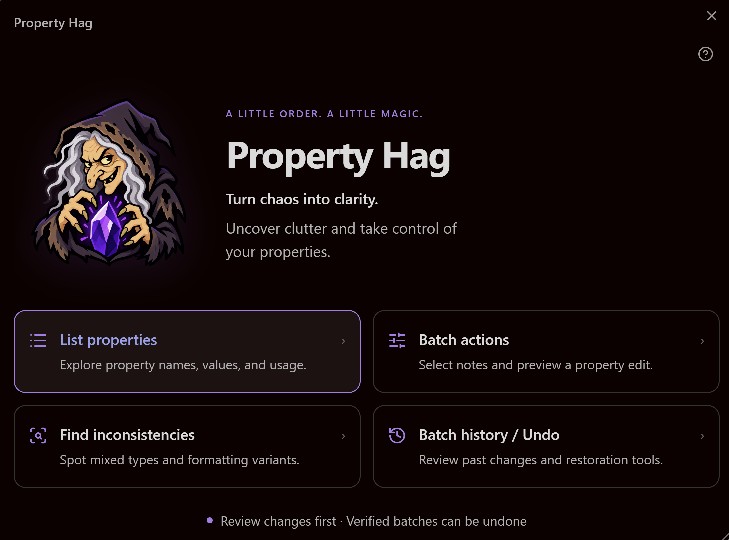
- List properties: find every property name, its value type, and how many notes use it.
- Batch actions: create, change, rename, or remove a property across selected notes. You can also add, remove, or replace items in lists.
- Find inconsistencies: spot mixed types, formatting differences, and possible spelling mistakes.
- Batch history / Undo: review saved changes and restore eligible notes.
What changed in 0.2.4 Beta
Release metadata is updated to 0.2.4. Plugin behavior and appearance are unchanged.
Install
- Download main.js, manifest.json, and styles.css from the 0.2.4 Beta release.
- Create a property-hag folder inside your vault's .obsidian/plugins folder and put those three files inside it.
- Restart Obsidian, then enable Property Hag in Settings → Community plugins.
The logo and screen help are bundled in main.js. The complete distribution folder also includes separate assets, help files, and documentation for convenience.
To update, replace main.js, manifest.json, and styles.css in your existing plugin folder, then restart Obsidian. Keep data.json, history-backup.json, and backups/ together to retain Undo.
Open Property Hag
Click its ribbon icon, or run Property Hag: Open property browser from the command palette.
For a folder, right-click it and choose Batch Edit Properties. You can include its subfolders and select which notes to change.
Make a batch change
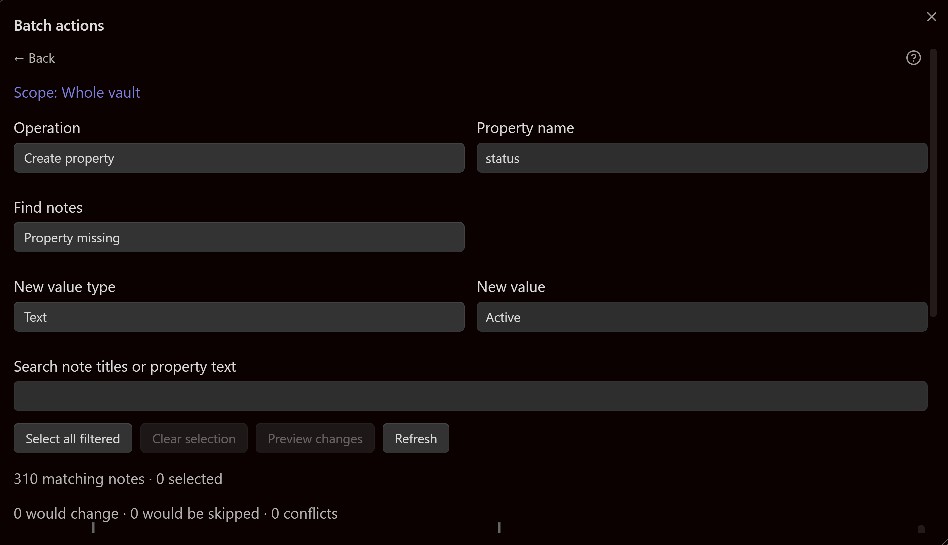
- Check Scope to confirm the vault or folder.
- Choose an Operation and Property name.
- Use Find notes and the search box to narrow the list.
- Enter a new value if the operation needs one.
- Select notes and choose Preview changes.
- Review Before, After, and any red warnings. Choose Apply changes…, then confirm.
Create property adds only missing properties. Set property value changes only existing ones. Removing a property keeps the note itself.
Changing filters deselects notes that no longer match. Newly matching notes are not selected automatically.
Undo
Open Batch history / Undo, choose a saved batch, review its Undo preview, and confirm Undo ready notes.
Undo preserves unrelated edits. A later edit to the affected property, an unsaved note, or a missing or moved note can prevent restoration. Check the results; not every note in a batch is necessarily ready to undo.
Before using the beta
Keep a separate backup of your vault and try a small batch first. Preview does not save anything; Apply and Undo each require confirmation.
Property Hag changes only the selected property's entry and preserves surrounding properties, comments, and note text. The changed entry's own formatting may be adjusted. Complex property layouts that cannot be edited safely are reported as conflicts.
Dates are handled as text. Some mixed or unsupported value types require manual editing. Inconsistency findings are suggestions, not proof of an error.
Help and privacy
Click ? in any tool window for help. Use Back to return, drag a title to move a window, and drag its bottom-right corner to resize it. Table dividers can be dragged to resize columns. Windows keep their size while you search.
The plugin makes no network requests. History and backups are stored locally in its plugin folder. Backups contain full note content. Keep data.json, history-backup.json, and backups/ together to retain Undo. Do not include them when sharing or publishing the plugin.
The release contains no saved vault history or backups. Mobile support is deferred until device testing is complete.
See CHANGELOG.md for release notes. Property Hag is licensed under the MIT License. The bundled YAML library retains its separate ISC license in assets/yaml-LICENSE.txt.