Property Change Ledger
 theluckystrike1 downloads
Record observed changes to selected note properties in a local history file.
- Overview
- Scorecard
- Updates1
Property Change Ledger records observed changes to selected note properties in a local Markdown history file. Use it when you need to review a project status, a due date, or an ordered list after an edit. You choose one folder and the exact property keys. The plugin compares cached values while this device has the vault open.
Initial values form a baseline. They do not become change records. This keeps an existing folder from producing a history entry for its current contents when you open the vault. Core recording, the ledger, and recent history filters are free. Pro adds named watch profiles, CSV export, and status change counts.
Features
Watch one folder and exact keys
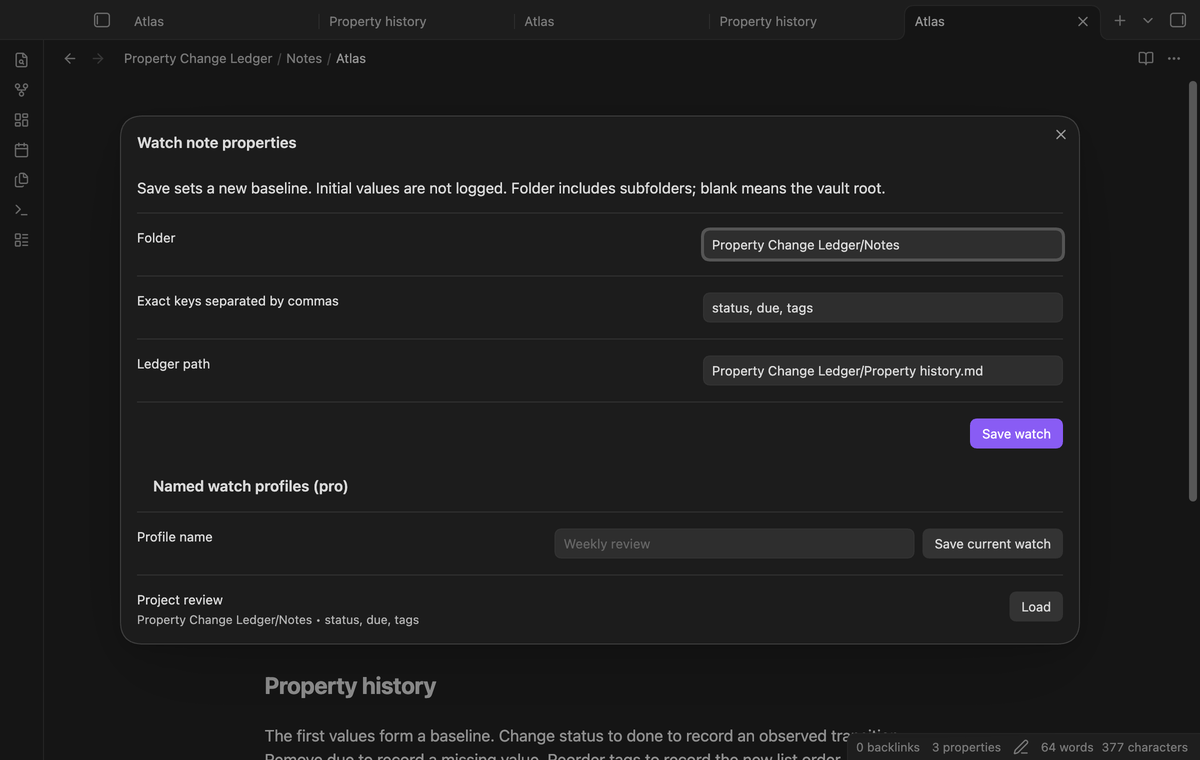
Set a folder with its subfolders and a comma-separated list of keys. Key names are case-sensitive: status and Status are different selections. A blank folder selects the vault root. The ledger path is excluded from observation. Use a small set of keys that helps you make a decision during a review.
Start with a baseline
When the workspace is ready, cached properties become the baseline. A note whose metadata is not yet cached sets its baseline on its first cache event. A new note also starts with a baseline. Saving a watch configuration starts a new comparison period without adding the current values to history.
Keep UTC time and typed values
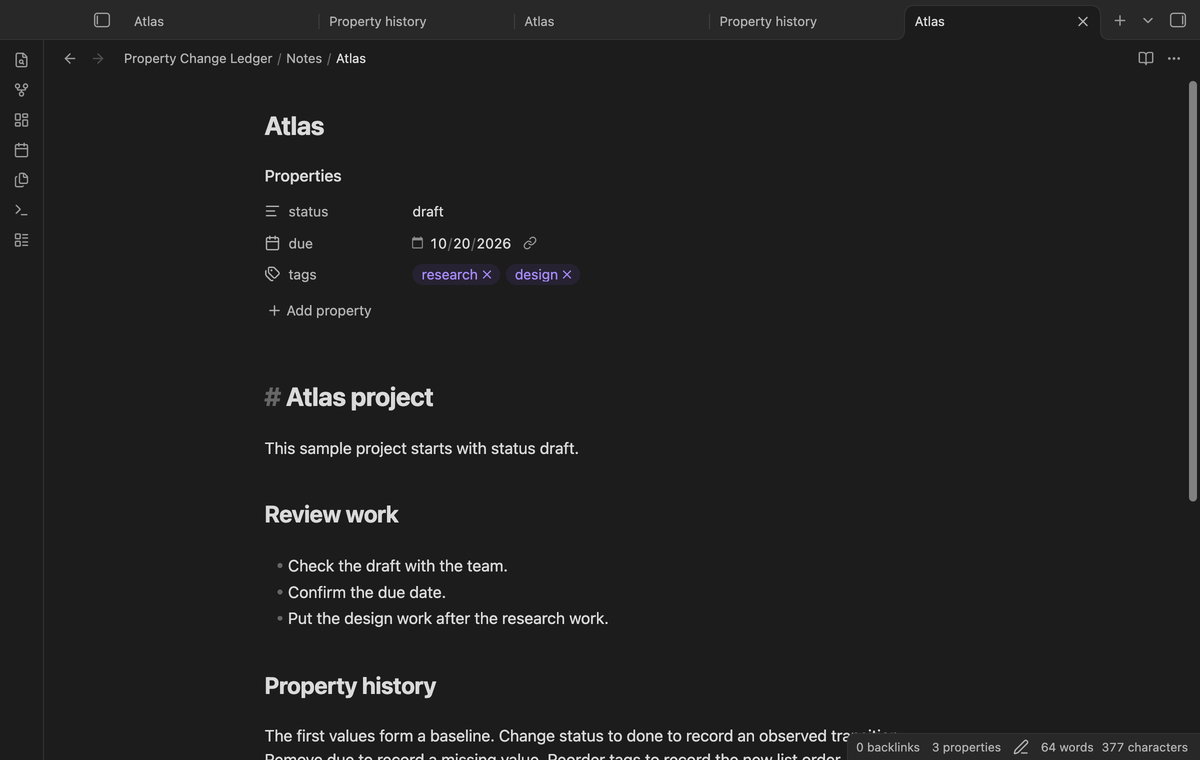
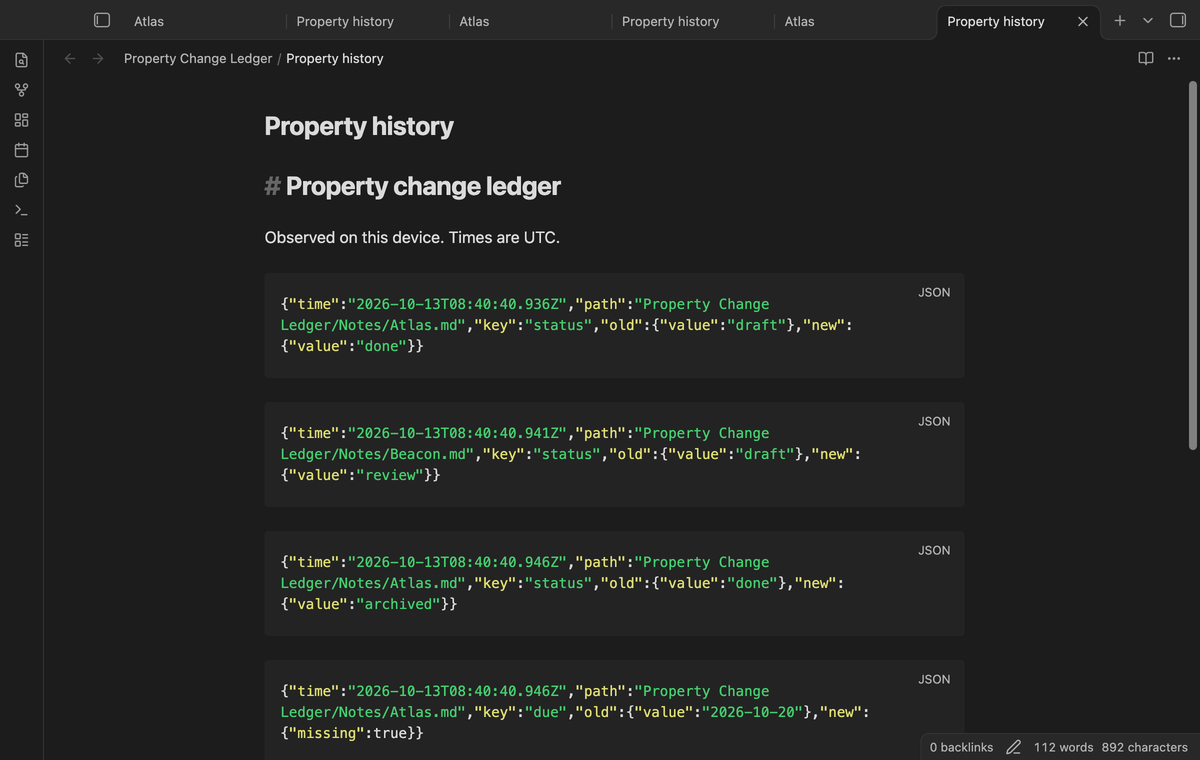
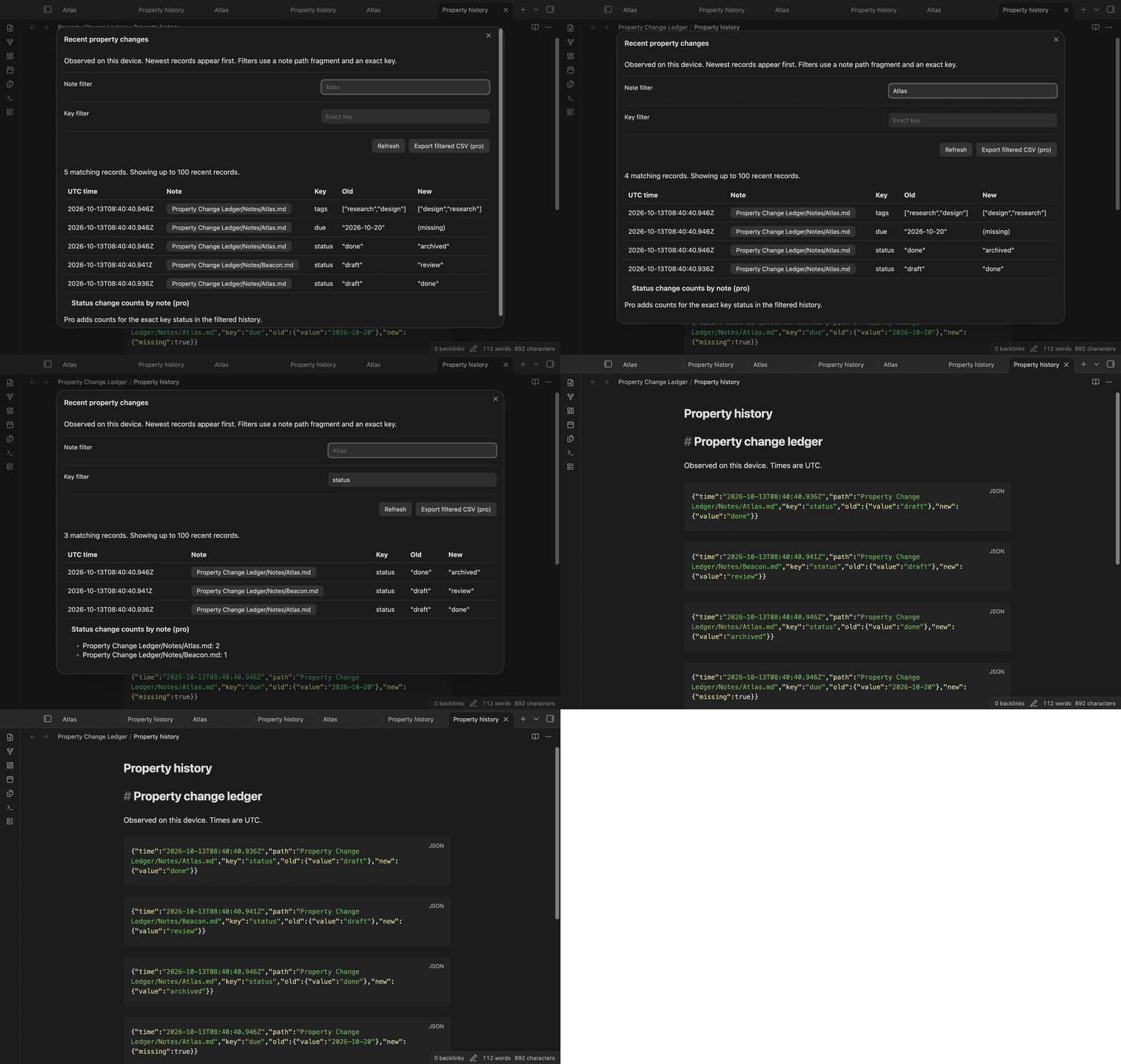
A record holds the observation time in UTC, the note path, the selected key, the old value, and the new value. A deleted property has an explicit missing marker. A present null value differs from a missing property. Lists keep their order. Reordering an object's keys without changing its values does not produce a transition.
Append through a serial queue
Writes to the ledger run in sequence. The plugin creates a Markdown file for the first observed change, then appends records with the public vault API. Existing history remains in that file. If the selected path contains an unrelated note, the plugin stops the write and shows a notice. Pending jobs stay in memory for retry.
Filter recent records
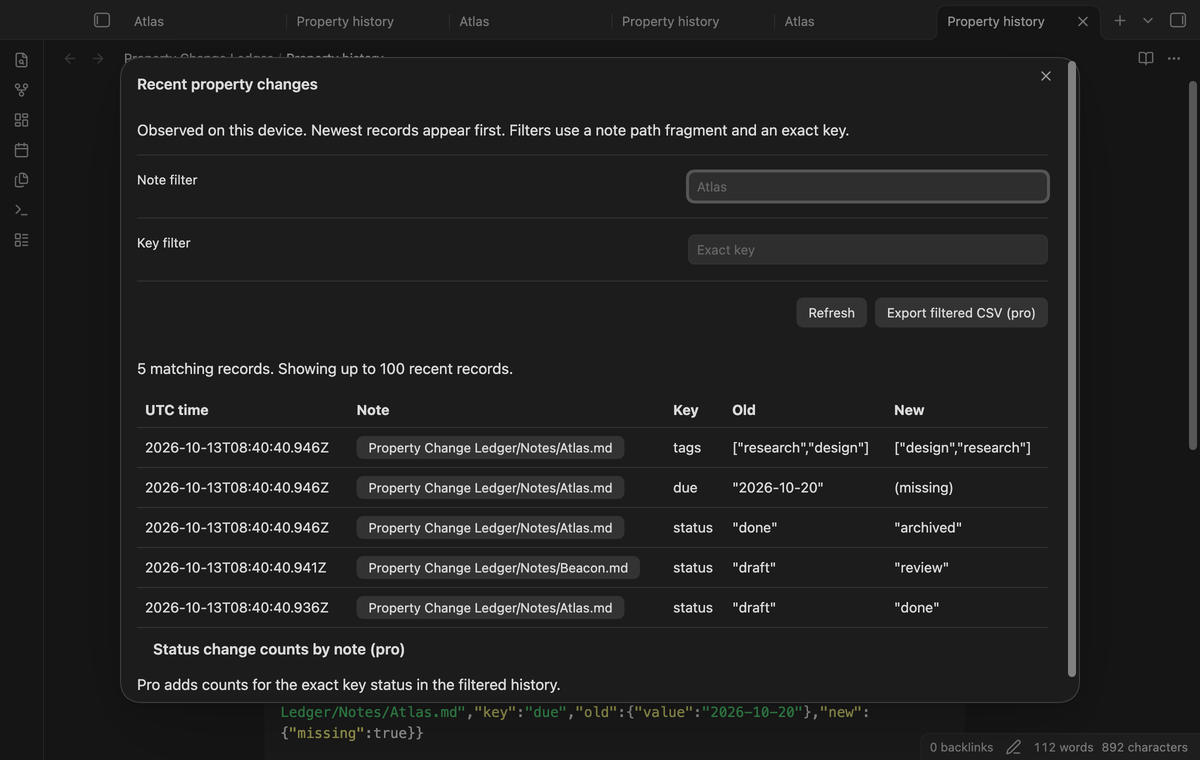
Open recent history to see up to 100 matching records, newest first. The note filter matches a path fragment; the key filter matches an exact key. Use Refresh after another edit. Select a note path to open that note. Historical paths remain the paths observed at the time, so a link to an older name can need manual correction.
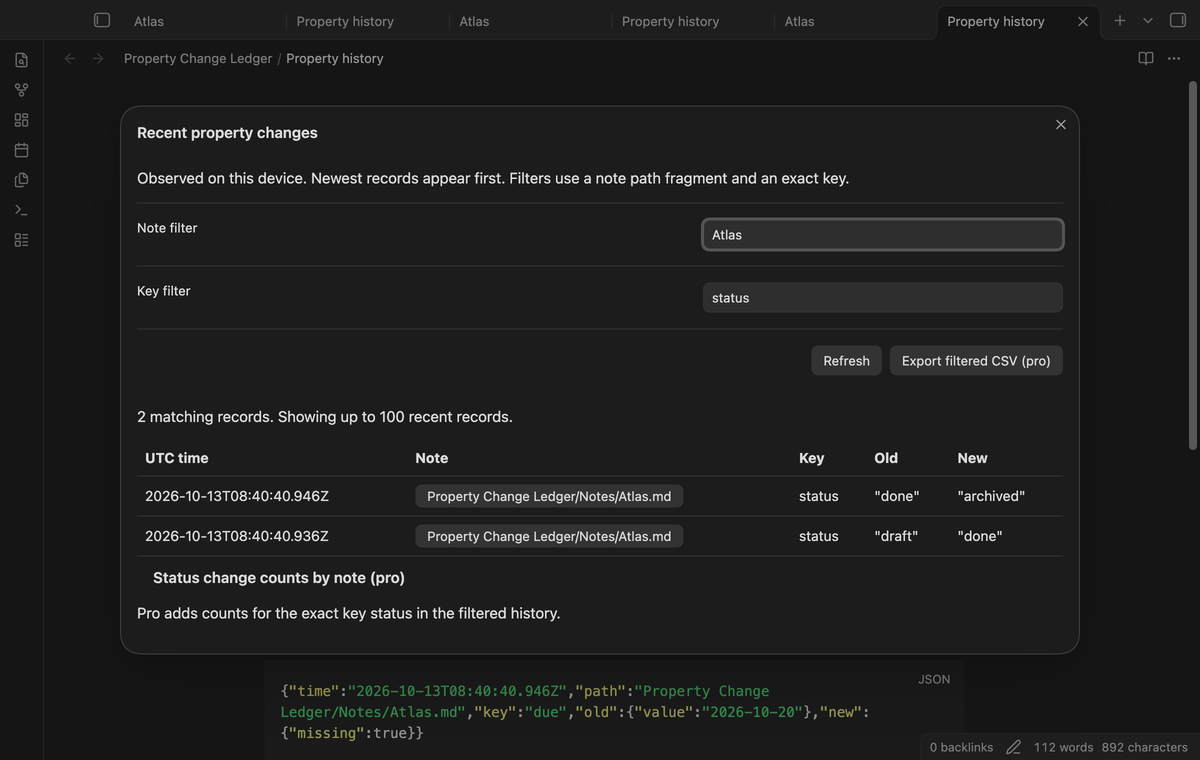
Named watch profiles (Pro)
Save the current folder, keys, and ledger path under a name. Load that profile to restore its watch configuration and set a new baseline. Saving the same name replaces the stored profile. The Save current watch button saves the applied configuration, so select Save watch before you store changes made in the form.
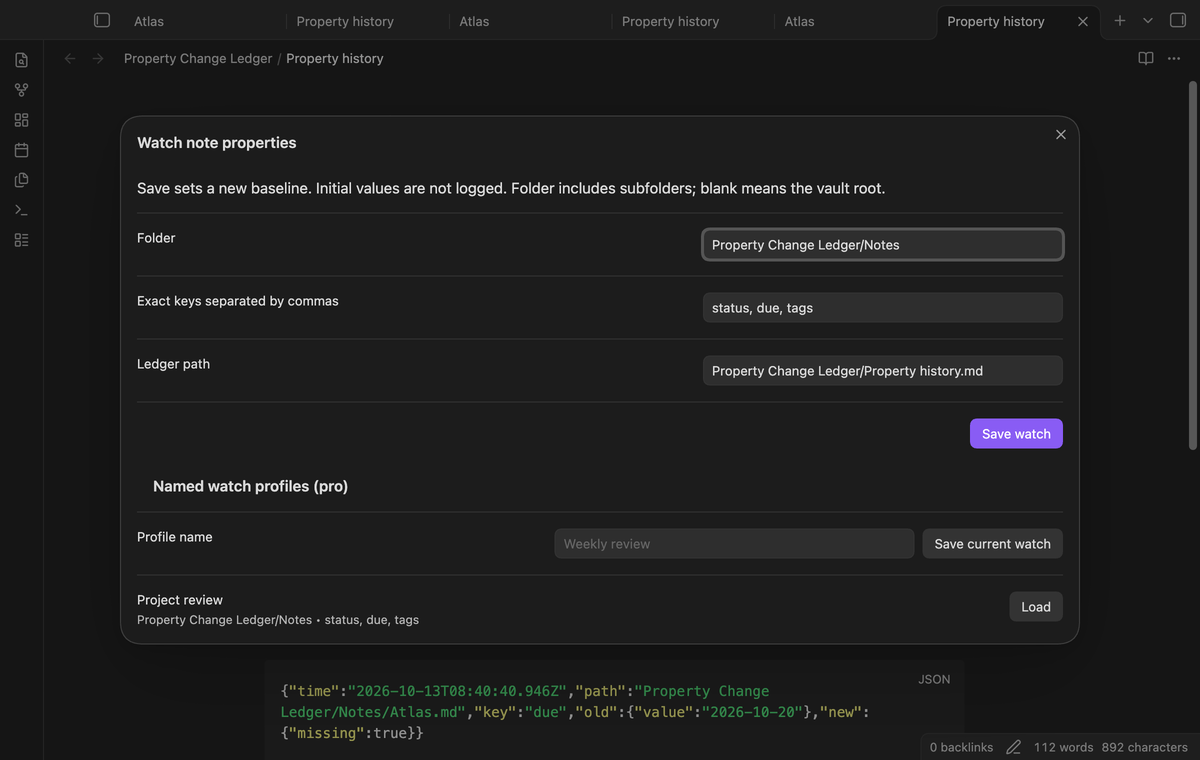
Filtered CSV export (Pro)
Export the current filtered history to a new CSV file at the vault root. The export includes matching records beyond the 100-row display limit. Fields are quoted and use Windows-style line endings. Value wrappers preserve the difference between a missing property and a present value. Text fields with a leading formula character receive a protective prefix.
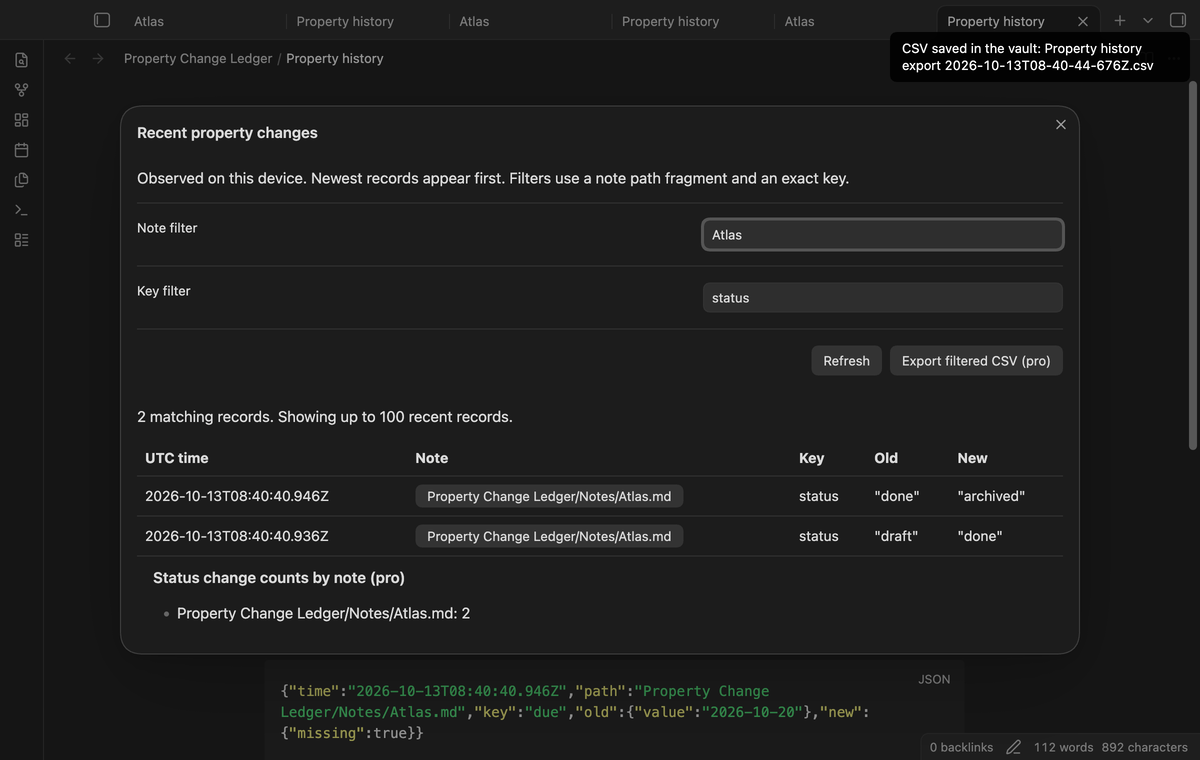
Status change counts by note (Pro)
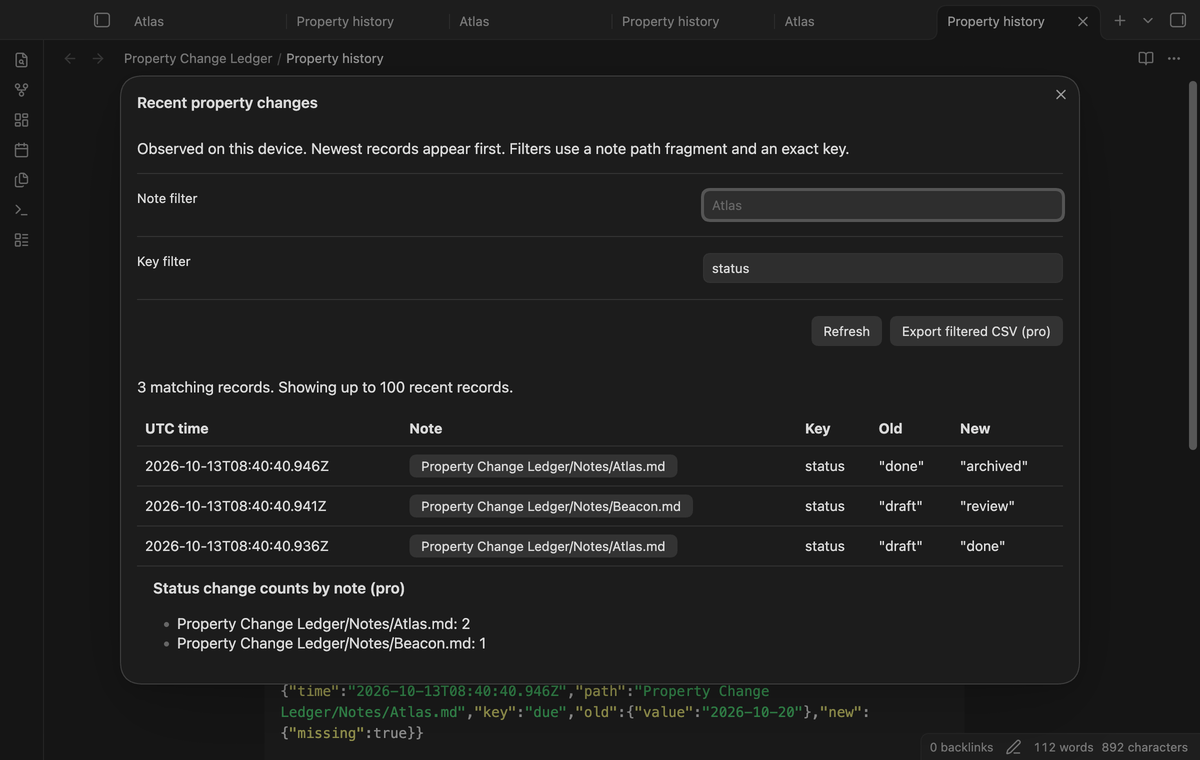
The recent history window shows counts from the filtered records for the exact key status. These are observed change counts, not totals of completed tasks or time spent in a state. A change to due does not increase this count. Changing the filters changes the set used for the count.
Install
The built plugin files are main.js, manifest.json, and styles.css. For a manual installation, put these files in .obsidian/plugins/property-change-ledger/ inside a test vault. Reload Obsidian and enable Property Change Ledger under Community plugins. This version requires Obsidian 1.13.4 or later. Make a vault backup before you test a new plugin with private notes.
Usage
Open the command palette and select Set the folder and keys to watch. The default folder is Notes, the keys are status, due, and the ledger is Property history.md. Replace the folder with your project folder, then select Save watch. Edit a selected property after the baseline is set. Open the ledger or select Show recent property changes to inspect the result.
For example, change status: draft to status: done. The next observed cache change produces a record for that transition. Editing only body text leaves selected values unchanged and produces no record. A rename moves the in-memory baseline to the new path. A subsequent property change uses that new path. If you rename the watched folder, the watch follows the new folder name. A note that you move into the folder keeps its current values as its baseline, so its next edit is recorded.
Settings
The plugin settings show the applied folder, keys, ledger path, pending write count, and GitHub Sponsors controls. Set watch opens the configuration form. Ledger paths must end in .md and stay inside the vault. Parent folders are created when a write needs them. An existing file must have the ledger heading before the plugin accepts it as history.
Use Retry pending ledger writes after you correct a storage error. Keep the app open until pending writes finish. Pending records can be lost when the plugin unloads or the app closes. The ledger has no automatic retention limit. Back up, archive, or remove old records with the normal vault tools. A damaged JSON block is skipped when recent history reads the file.
FAQ
Can this recover edits made while the app was closed? No. Reopening the vault establishes a new baseline. The plugin cannot infer an earlier transition or its time from one current value. Cache events can combine rapid changes, so a sequence of edits can appear as one observed transition.
Can I use the same ledger on two devices? Version 1 records observations on the current device. Two devices can write duplicate records or conflicting file changes. Use a separate ledger path per device when you need to keep their observations distinct. Sync conflict resolution is outside this plugin.
Where are private values stored? Property values and note paths are ordinary vault data in the ledger and exported CSV files. Your backup or sync service can copy them under its own settings. The plugin's core history functions do not send that data to a network host.
What was not tested? Physical Android and iOS devices, simultaneous device writes, sync conflict resolution, very large ledgers, interrupted disk writes, and live payment or account sign-in were not tested. Linux CI was not run in this session. Automated Pro checks use a test response from the GitHub Sponsors transport. Desktop app tests cover the supported public version pair stated in the test evidence.
Payment, account and network
The core features are free. Pro features need a GitHub Sponsors sponsorship of theluckystrike: $5 a month or more, or $15 once. A total payment of $15 meets the payment requirement for Pro without further payment. Sign-in and the checks below still apply. Your notes stay readable and editable with or without Pro.
GitHub handles the payment. Sponsor at https://github.com/sponsors/theluckystrike. You need no account for the free features. Pro needs the GitHub account that sponsors.
Until you select "Sign in with GitHub" in the settings, Property Change Ledger makes no network requests. Sign in uses the GitHub device flow. Property Change Ledger sends its public client ID and the scope read:user to https://github.com/login/device/code and shows you a code. While you enter the code at https://github.com/login/device, it asks https://github.com/login/oauth/access_token every few seconds to check the sign-in status. The scope permits profile reads only. GitHub needs this access to show the sponsorship tier. It grants no repository scope and no write access.
After sign in, Property Change Ledger sends one query to https://api.github.com/graphql. It checks if the signed-in account sponsors theluckystrike. It asks for the tier and the total payment to theluckystrike. The plugin reuses a successful check for 7 days. Failed checks can retry after 6 hours. Select Refresh to request an earlier check. It sends no note content, file names or other vault data, and it has no telemetry.
After a successful check, Pro can work offline for up to 14 days. Sign out or a negative sponsorship answer turns Pro off. The plugin stores the GitHub token through the secret storage API of Obsidian. It does not put the token in its saved settings or its local sponsorship data. The local storage of this device keeps your GitHub login, the tier and the time of the last check. Sign out clears the token. You can also revoke the access in your GitHub settings, under Applications.
Support
Use the repository issue page to report a reproducible fault, or visit notemods.com for publisher information. Include your Obsidian version, the watch configuration, and a small sample that shows the problem. Replace private property values before you share a record. State whether you renamed a note, changed a key, or reopened the vault before the result appeared.