Po1ish
 Haissam Makki35 downloads
Select some text and pick “Melhorar desc” to fix its spelling, or “Melhorar desc com IA” to also make it clearer. Works with no setup.
- Overview
- Scorecard
- Updates3
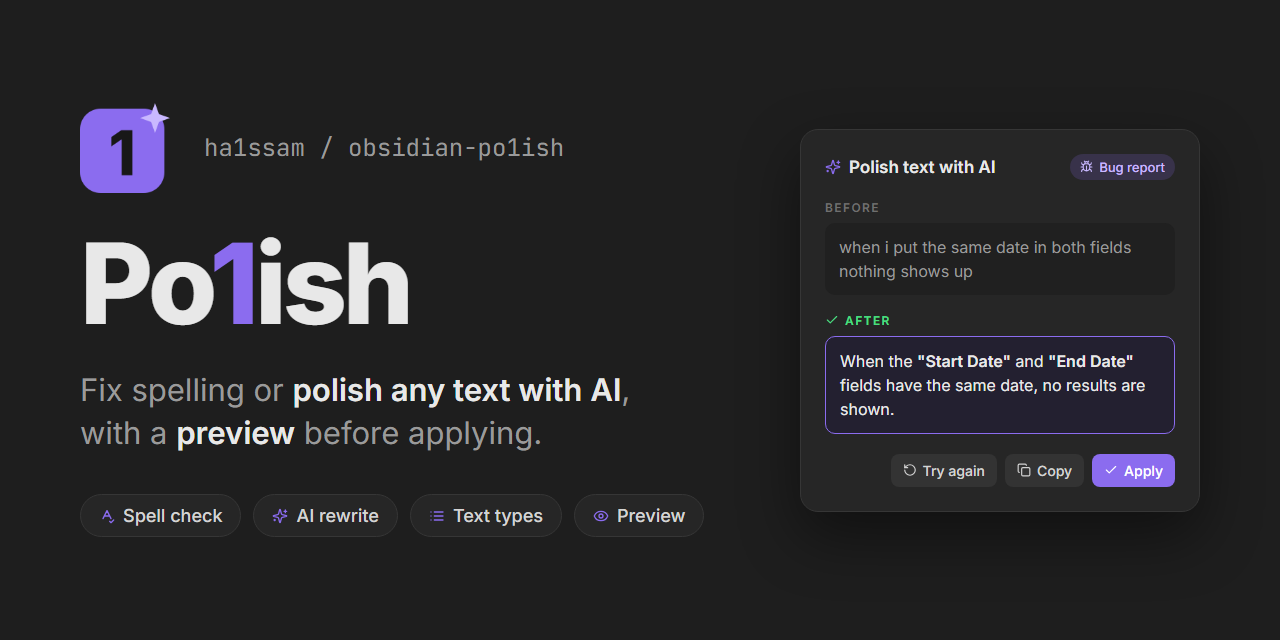
Po1ish
Polish any text in Obsidian. Select it, right-click and pick an option:
- Corrigir ortografia fixes spelling with LanguageTool, right away.
- Polir texto com IA fixes grammar and makes the text clearer, without changing its meaning, tone or language. It works out what kind of text it is and formats it to match.
- Polir texto como… lets you pick the kind of text yourself.
- Polir com instrução… opens a box where you say what you want, like "deixe mais formal" or "resuma em uma frase".
The AI options open a preview with the text before and after. You can edit the result, then Aplicar (Ctrl+Enter), Copiar or Tentar de novo. Turn off Prévia antes de aplicar in the settings to replace the text right away instead (Ctrl+Z, or Cmd+Z on Mac, undoes it).
Every option is also a command in the command palette, so you can give it a hotkey in Settings → Hotkeys.
Kinds of text
| Kind | What the AI does | Example |
|---|---|---|
| Bug report | What happens, where and when, with the example in its own paragraph | "quando coloco a mesma data nos dois campos nao aparece nada" → Ao preencher os campos "Data de Início" e "Data de Fim" com a mesma data, nenhum resultado é exibido. |
| Change or delivery | Starts with a past participle and says what changed and why it helps | "corrigi o combo que nao carregava" → Corrigido o carregamento do combo "Fornecedor", que impedia a filtragem. |
| Summary | One or two sentences with the essentials | |
| Title | Short and specific | "Problema que o filtro de fornecedor não está carregando" → Filtro "Fornecedor" não carrega resultados |
| Message | Clearer and polite, keeping the tone and any slang | "Bom dia Loryn, ... só tem mais 1." → Bom dia, Loryn! ... só resta mais uma. |
| Instruction or prompt | Problema, Resultado esperado and Ação |
The rules come from an editable prompt (see Settings).
AI engines
Polir texto com IA works with no setup. You can switch engines in the settings:
- Plugin default (no setup): the text goes through the plugin's server, which uses Google Gemini with the default prompt. Each person can make up to 6 requests per minute, and the daily free limit is shared by everyone using the plugin.
- Your own Gemini key: free, with daily limits that are only yours, and your own prompt if you edit it. Create a key at aistudio.google.com/apikey and pick it in the plugin settings. The key is kept in Obsidian's Keychain, not in your notes. Automático tries the best model first and switches to a faster one when it is busy.
- Ollama: runs on your own computer, so the text never leaves it. Install Ollama, download a model (for example
ollama pull gemma3) and pick it in the settings. Desktop only.
What is left untouched
Markdown syntax is never "corrected": list and task markers, headings, quotes, bold and italic markers, [[links]], [text](url) targets, URLs, #tags, inline and block code, LaTeX and HTML tags. The AI never sees them: they are swapped for placeholders and put back afterwards. If the AI drops or duplicates one, nothing is changed and you get a notice.
Settings
- Idioma: the spell-check language. Portuguese (Brazil) by default; also Portuguese (Portugal), English, Spanish or automatic detection.
- Servidor do LanguageTool: the free public server is used by default (up to 20 requests per minute and 20,000 characters per request). Point it to your own LanguageTool server if you have one.
- Prévia antes de aplicar: on by default.
- Motor: the AI engine, as described above.
- Prompt da IA: the instructions the AI follows, with a button to restore the default. Used with your own Gemini key or Ollama; the plugin's server always uses the default prompt.
Privacy
Only the selected text is sent: to the LanguageTool server for Corrigir ortografia, and to the AI engine you picked for Polir texto com IA (Google Gemini, directly or through the plugin's server, or your local Ollama). On Gemini's free plan, Google may use the text to improve its models. Nothing else from your vault is sent.
The plugin only writes to the clipboard when you click Copiar in the preview. It never reads the clipboard.
Manual install
Download main.js, manifest.json and styles.css from the latest release into <your vault>/.obsidian/plugins/polish/, then enable Po1ish in Settings → Community plugins. Requires Obsidian 1.13.0 or newer.
Plugin server
The worker/ folder is the Cloudflare Worker behind Plugin default. It keeps the Gemini key as a secret, only accepts text to revise (the prompt is fixed), limits each IP to 6 requests per minute, caps the free request and the answer length, and falls back to another Gemini model when one is slow or busy.
cd worker
npm install
npx wrangler login
npx wrangler secret put GEMINI_KEY
npx wrangler deploy
Then set SERVER_URL in src/ai.ts to the Worker's address.
Development
npm install
npm run dev     # rebuilds main.js on every change
npm run build   # type-check and production build