Search...Search plugins and themes...
⌘K
Sign in
  • Get started
  • Download
  • Pricing
  • Enterprise
  • Account
  • Obsidian
  • Overview
  • Sync
  • Publish
  • Canvas
  • Mobile
  • Web Clipper
  • CLI
  • Learn
  • Help
  • Developers
  • Changelog
  • About
  • Roadmap
  • Blog
  • Resources
  • System status
  • License overview
  • Terms of service
  • Privacy policy
  • Security
  • Community
  • Plugins
  • Themes
  • Discord
  • Forum / 中文论坛
  • Merch store
  • Brand guidelines
Follow us
DiscordTwitterBlueskyThreadsMastodonYouTubeGitHub
© 2026 Obsidian

PDF Editor

holtsdavholtsdav42 downloads

Edit PDF text fields and add text and ink inside Obsidian, with automatic saving and recovery copies. Desktop beta.

Add to Obsidian
PDF Editor screenshot
  • Overview
  • Scorecard
  • Updates5

Write, fill answers, highlight and draw on PDFs without leaving Obsidian. Works in PDF tabs, notes and pop-out windows.

Write and fill answers
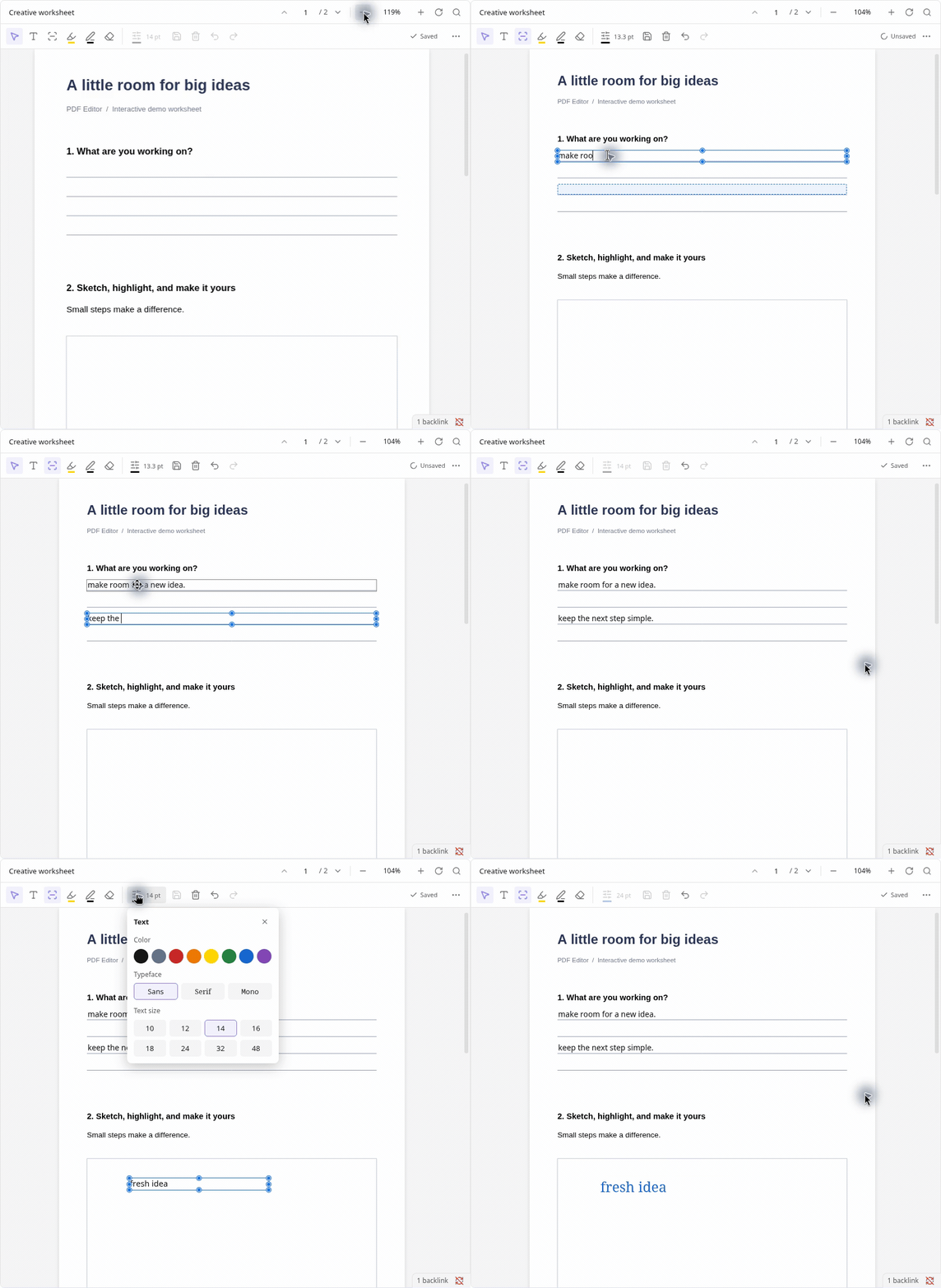
Add text and fill detected answer lines

Existing editable form fields show their borders and backgrounds; click a field to type. Authored fields keep their geometry, alignment, length limits and multiline options. Opening a PDF or clearing an existing answer retains its blank fields. Only newly placed, unsaved empty boxes disappear when abandoned. Read-only and unsupported form fields retain their original appearances.

Text widgets omitted from the PDF's form tree are recovered when their identities and hierarchy are unambiguous. They become editable without changing the file on open; the recovered form tree is saved with the next edit. Ambiguous names and malformed field hierarchies are rejected before editing.

Draw and highlight
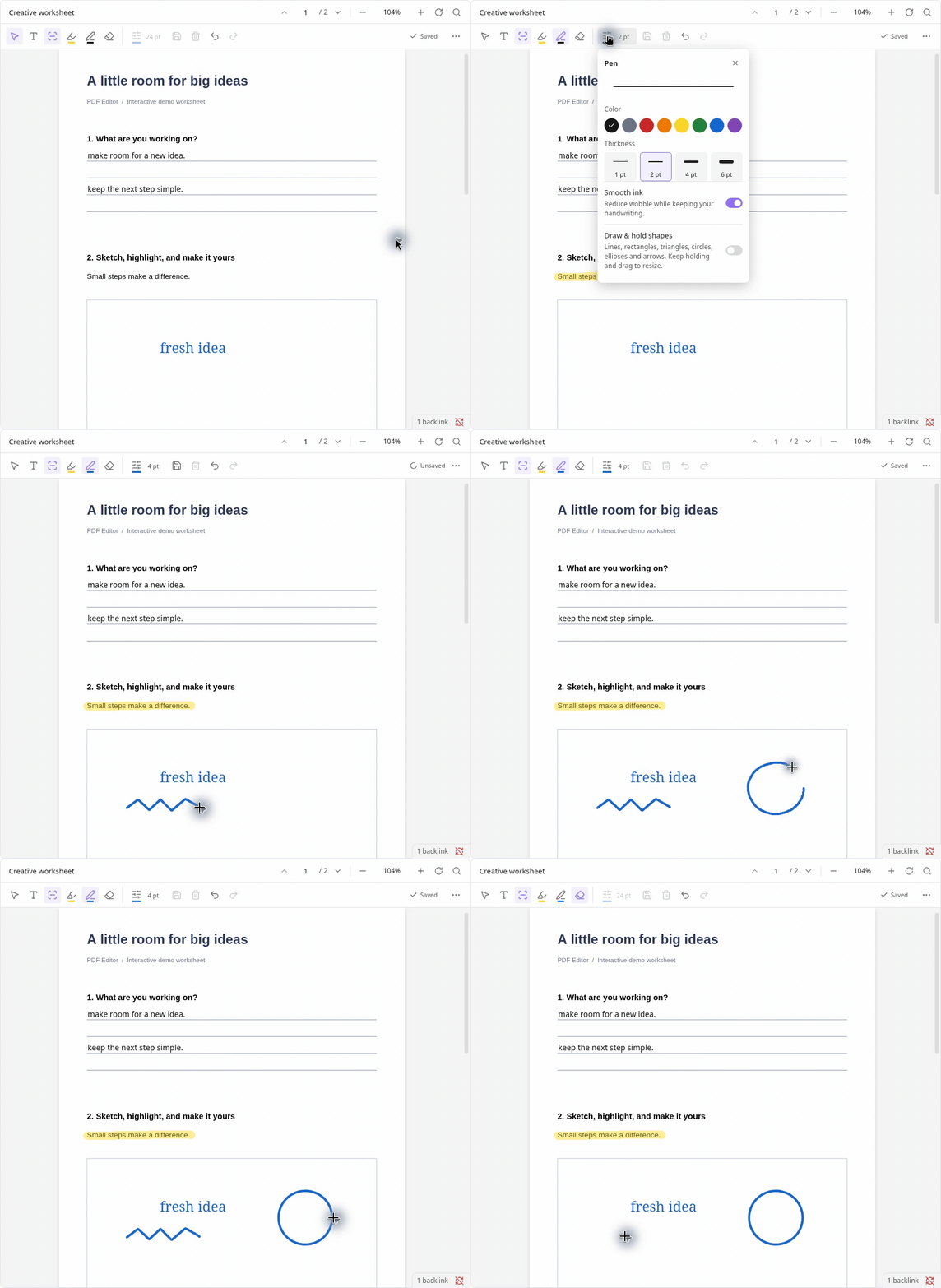
Draw, highlight and hold for shapes

Edit inside your notes

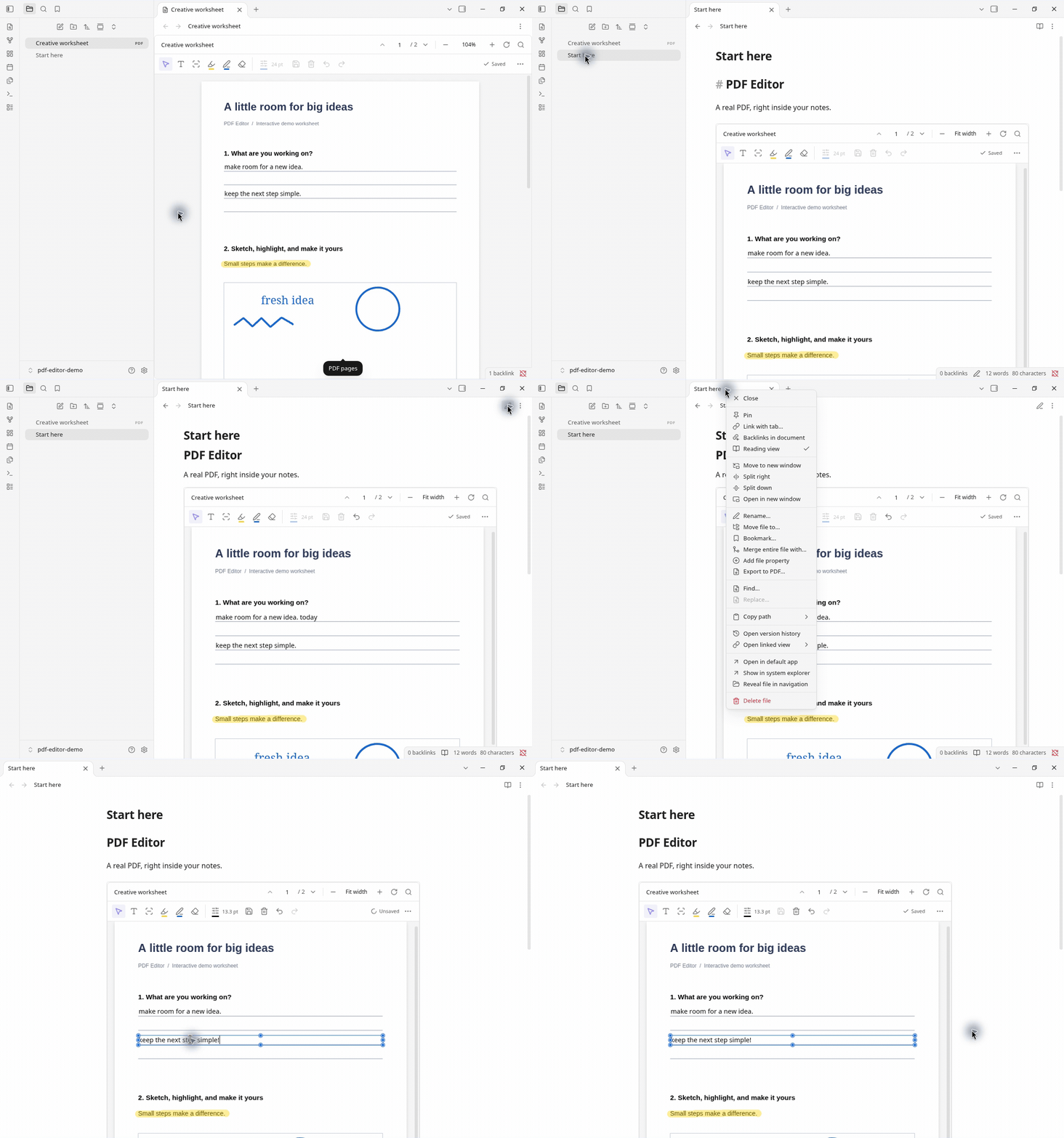
Edit PDFs in notes and pop-out windows

Get started

Open the Community plugin listing and choose Add to Obsidian.

For manual installation, copy main.js, manifest.json and styles.css from the latest release into .obsidian/plugins/pdf-editor/, then enable PDF Editor.

Desktop only, Obsidian 1.13.7+. Tested on Linux 1.14.4, with a basic check on 1.13.7; macOS 1.14.4 is user-confirmed. Windows and mobile are unverified.

Beta: keep backups and edit each PDF in only one app or device at a time. Wait for Saved and sync to finish before switching. Existing printed text cannot be rewritten; not every PDF is supported.

The PDF picker enumerates vault file names to find PDFs. Copy and paste use the system clipboard when invoked in the active PDF editor; pasted text can become PDF content. PDF Editor does not poll the clipboard in the background.

MIT license · Third-party credits and licenses

HealthExcellent
ReviewCaution
About
Write, fill, highlight, and draw on PDFs directly inside Obsidian in PDF tabs, notes, or pop-out windows. Beta (desktop only, Obsidian 1.13.7+): keep backups and edit each PDF in one app/device at a time; wait for saves to finish, printed text can’t be rewritten and some PDFs may not be supported.
PDFAnnotation
Details
Current version
0.7.15
Last updated
2 days ago
Created
Last week
Updates
5 releases
Downloads
42
Compatible with
Obsidian 1.13.7+
Platforms
Desktop only
License
MIT
Report bugRequest featureReport plugin
Author
holtsdavholtsdav
GitHubholtsdav
  1. Community
  2. Plugins
  3. PDF
  4. PDF Editor

Related plugins

Qiaomu Reader

Read EPUB, PDF, MOBI, FB2 and comics with highlights, notes, progress, custom fonts and optional AI assistance.

Handwritten Notes

Annotate PDFs and create handwritten notes inside your vault.

PDF Highlights

Extract highlights, underlines and annotations from your PDFs.

Xournalpp

Integration with Xournal++ for handwritten notes and annotations.

Ink-Annotation

Markdown/PDF handwritten annotation with pen, highlighter, eraser, color, width, undo, redo, save, and exit tools, plus PDF text selection annotation (highlight, underline, strikethrough, and notes).

ZotFlow

Read, annotate and cite your Zotero library in Obsidian: two-way sync, built-in PDF/EPUB reader, templated literature notes and CSL citations. #Zotero #PDF #Annotation

Extract PDF Annotations

Extract PDF annotations (notes and highlights) and sort them by topic.

Admonition

Admonition block-styled content.

Karpathy LLM Wiki

Karpathy's LLM Wiki implementation plugin for Obsidian - turns notes and PDFs into a linked, LLM-powered knowledge base with entity pages, concept pages, graph-powered Q&A, and local-first privacy.

Text Extractor

A (companion) plugin to facilitate the extraction of text from images (OCR) and PDFs.