Parallel Paragraph Reader
 theluckystrike1 downloads
Read two existing language versions in matched paragraph rows.
- Overview
- Scorecard
- Updates1
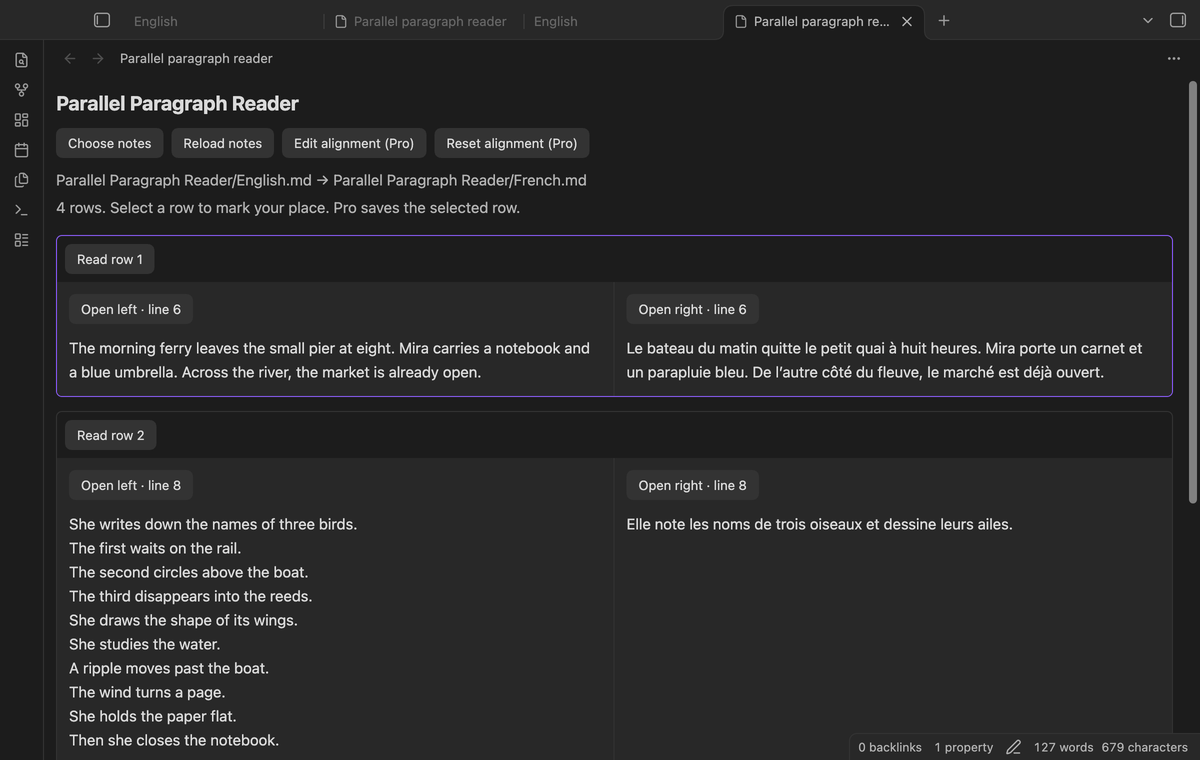
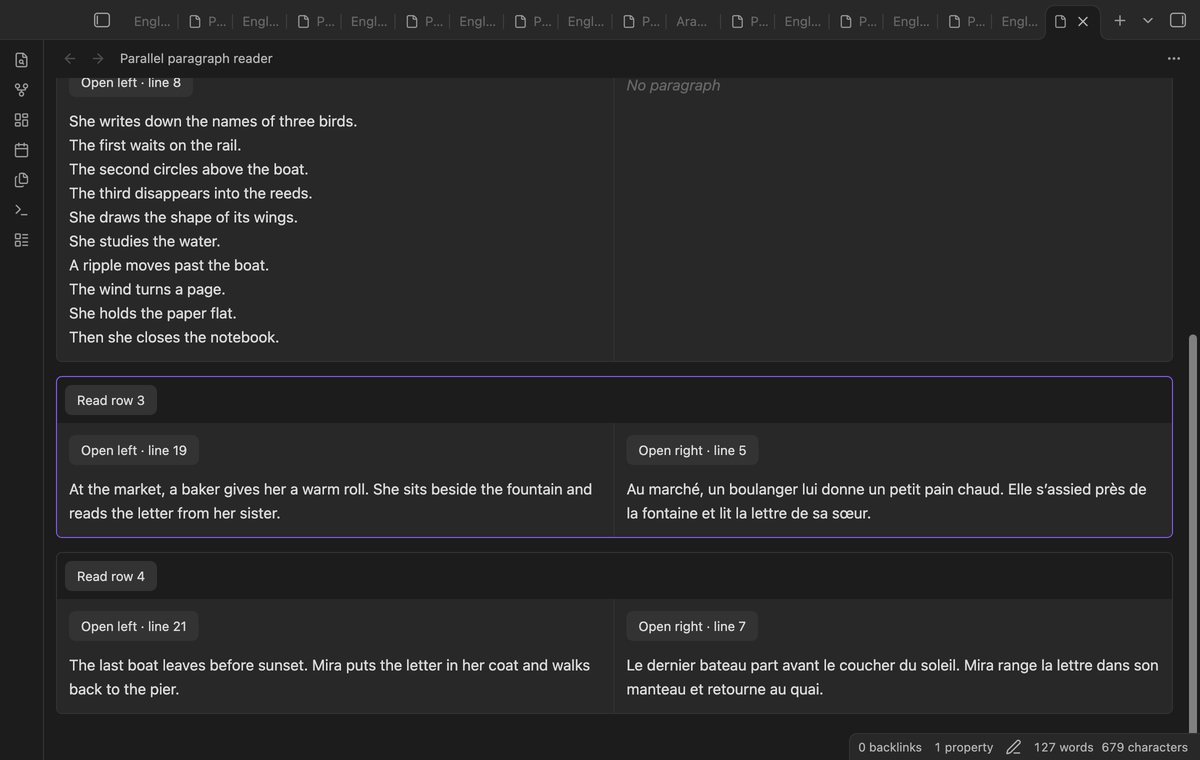
Read two existing language versions in matched paragraph rows. Choose two Markdown notes from your vault, then read them in one pane. The first prose block on the left sits beside the first prose block on the right. A longer paragraph gives its row more space, so the next pair starts below both texts.
Use this reader when you already have two versions of a passage. It does not translate text or decide which sentences have the same meaning. You can use the free reader without a GitHub account. The source files stay unchanged when you choose a pair, read a row, or open a source link.
Features
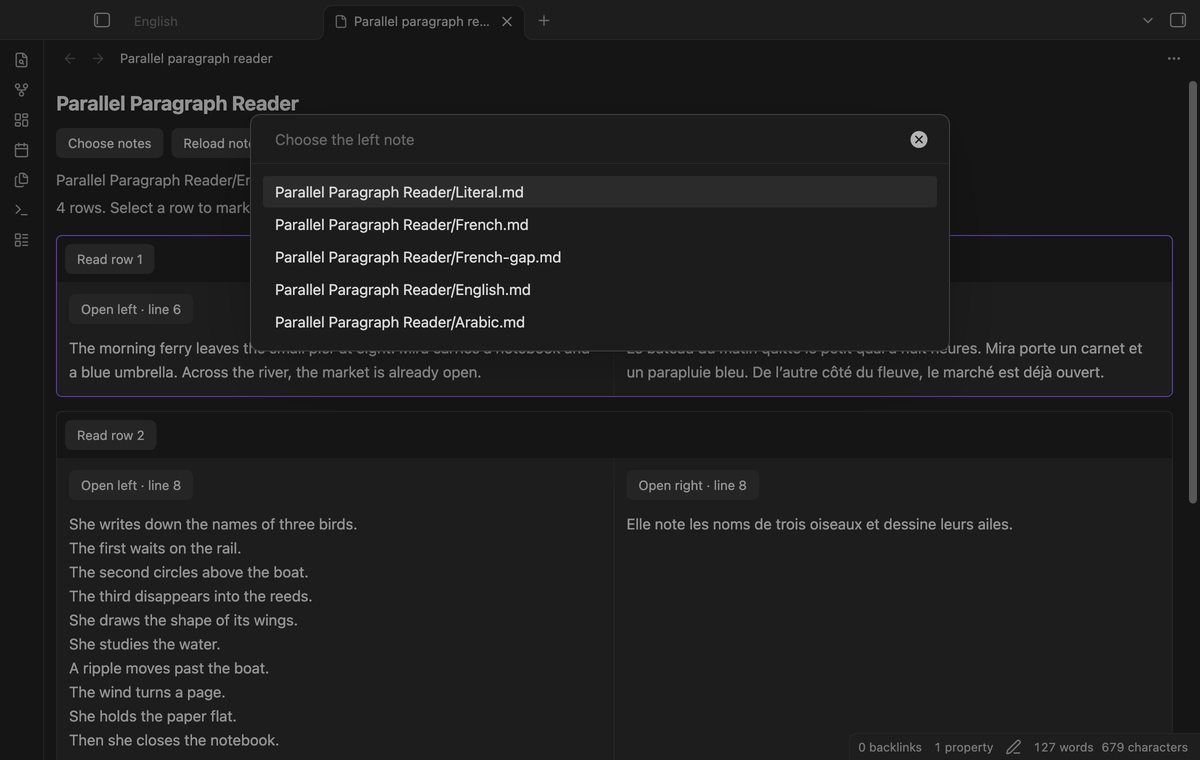
Choose two Markdown notes
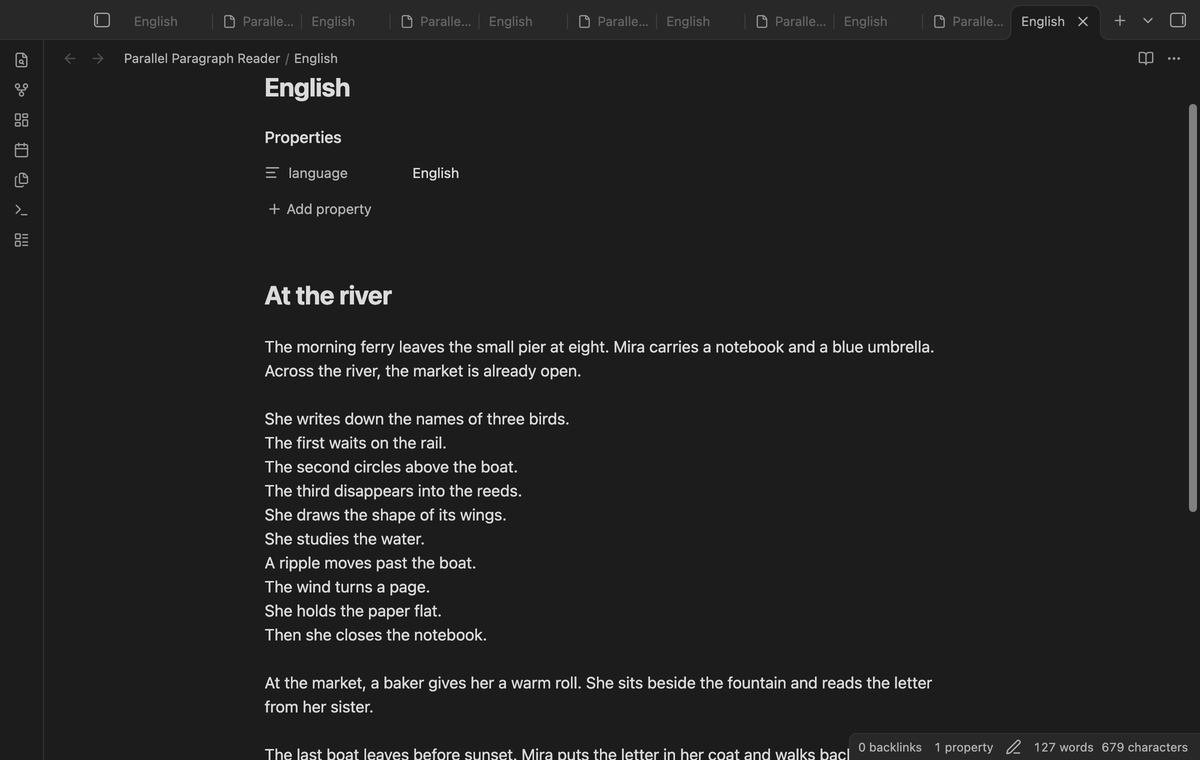
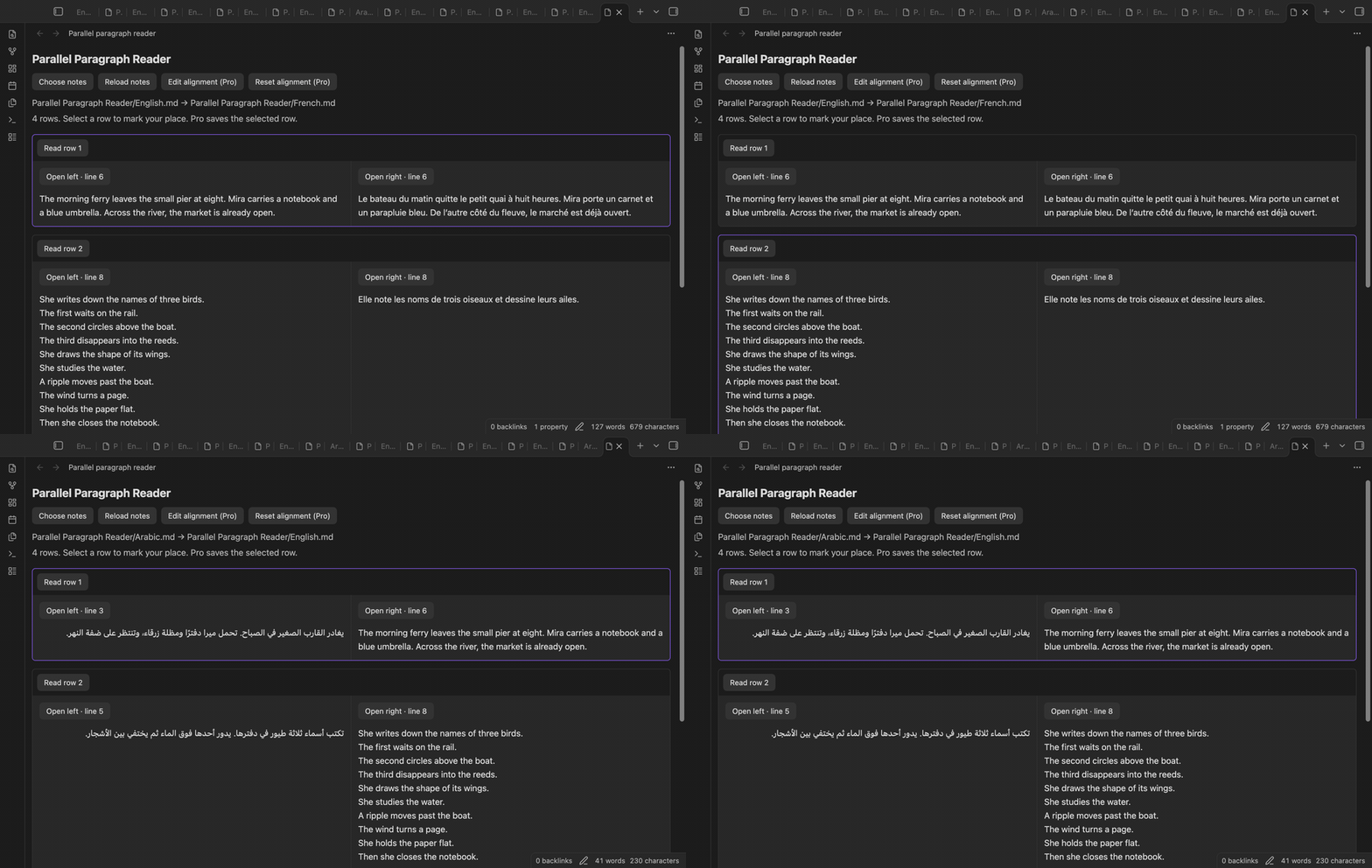
Run Choose two notes from the command palette. Search by note path in the first picker, then choose the second note. The first choice is the left text. The second choice is the right text. A new reading tab shows their paths above the rows. You can choose the same file on both sides for a comparison of its layout.
Pair prose blocks by order
A blank line separates prose blocks. Adjacent prose lines stay in one cell with their line breaks. YAML at the start, fenced code, headings, lists, tables, block quotes, and indented code are excluded. A line that contains a pipe character starts an excluded block. After a list, table, quote, or indented block, use a blank line before prose.
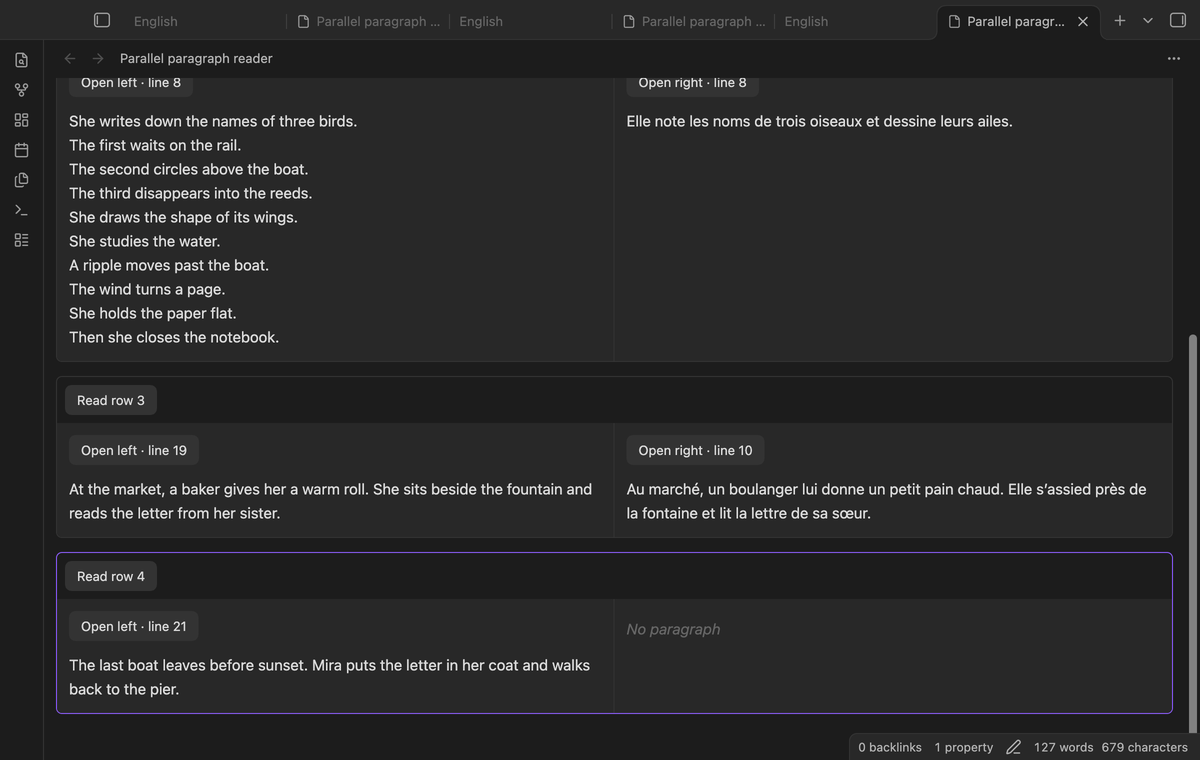
An extra paragraph has a cell marked No paragraph on the other side. This makes a length difference visible without changing the note. The reader accepts up to 100 prose blocks and 1,000,000 characters in each source. Larger input gives a size limit message.
Equal row height
The two cells share a grid row. Its height follows the taller cell. A paragraph with several lines does not push the next left paragraph beside the previous right paragraph. Use Read row to mark a pair with a border. This selection works in the free reader for the open pane.
Stack pairs in a narrow pane
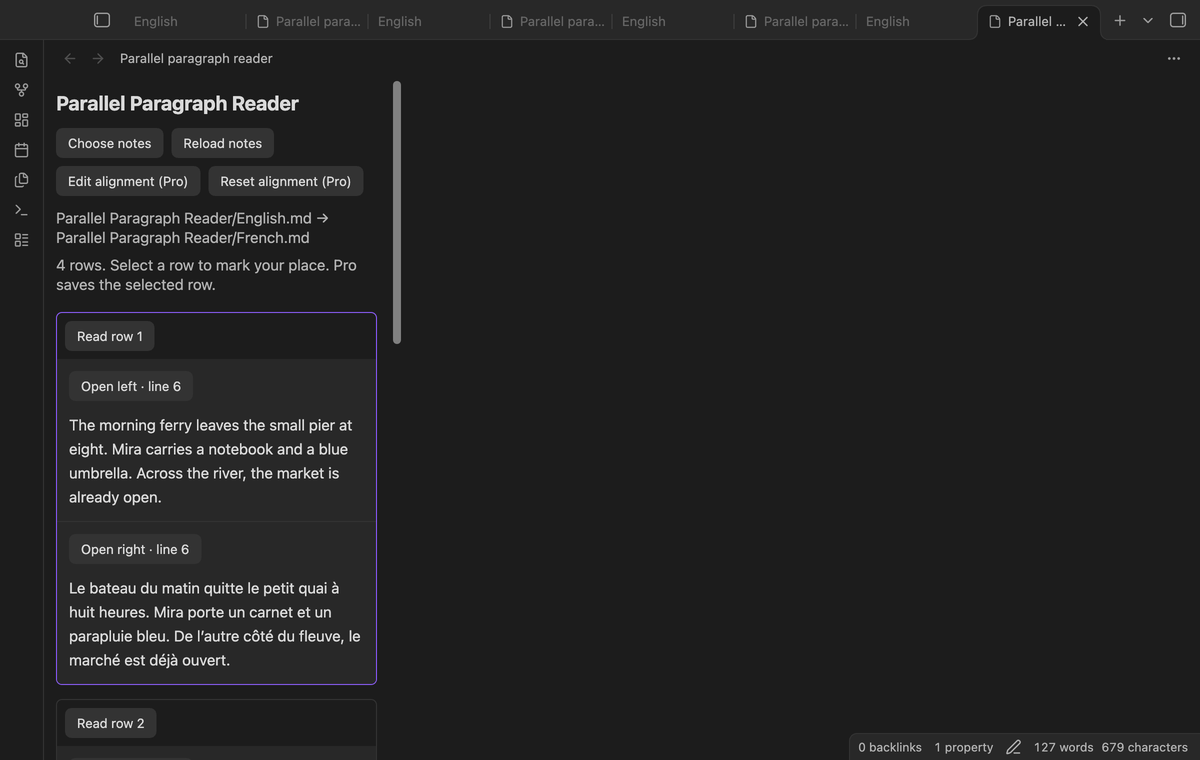
Below 600 pixels of pane content width, the right cell moves below the left cell. The next pair follows those two cells. Long text wraps inside the cell. The rule uses pane width, so a narrow desktop pane can use the same layout as a small screen.
Open the source paragraph
Select Open left or Open right in a cell. The plugin opens that source in a new tab in source mode. It places the cursor at the block's recorded start line and scrolls to that line with the public Editor API. After you edit the source, select Reload notes before you use another source link.
Read literal text in its direction
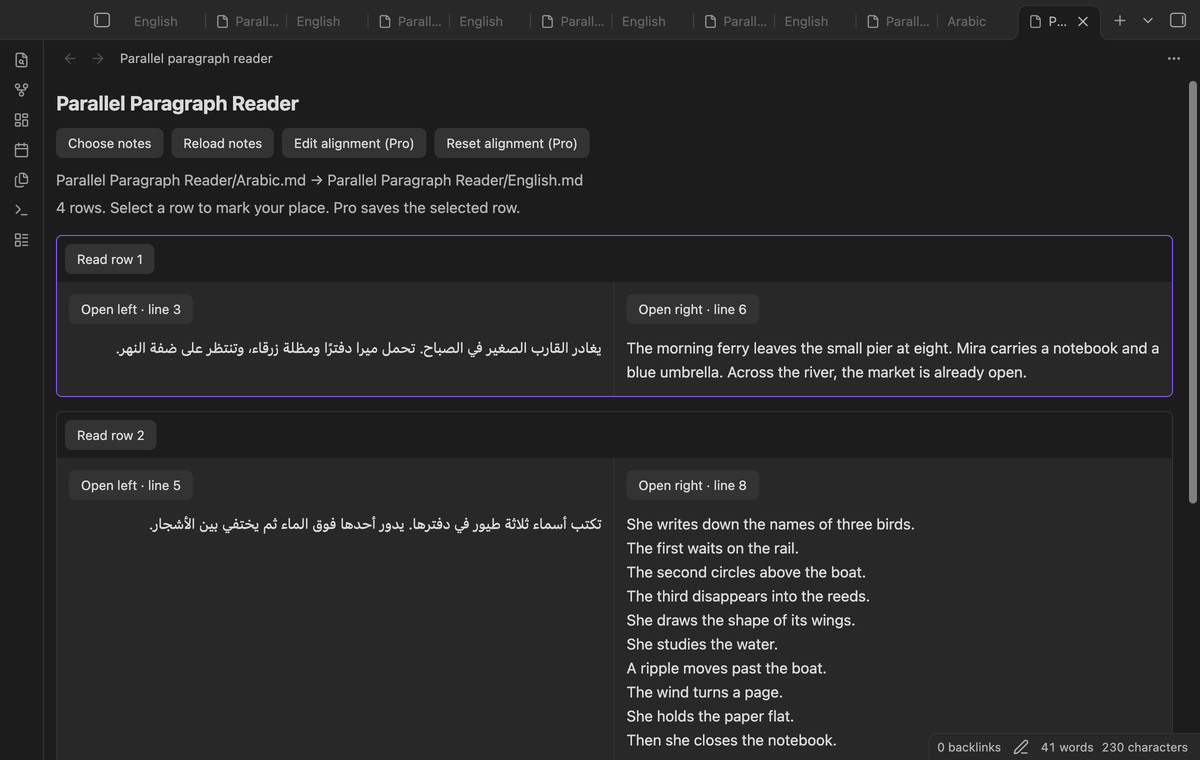
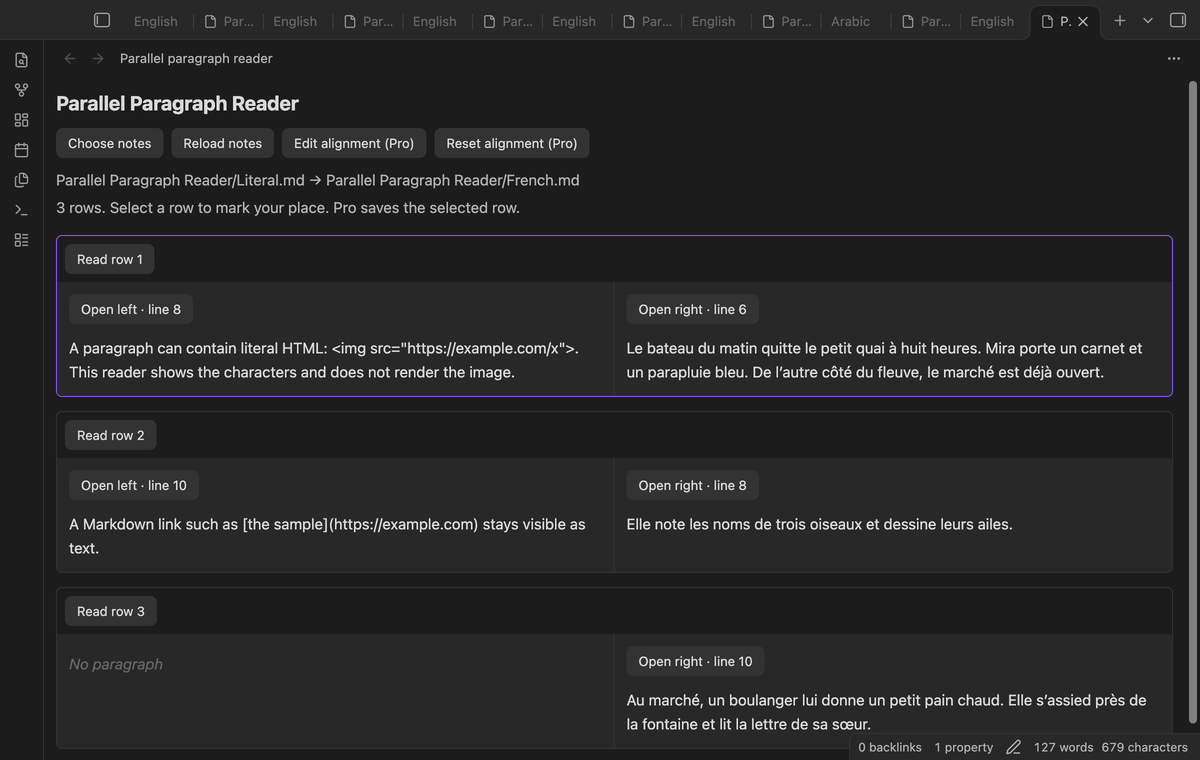
Each text cell uses the browser's automatic text direction. Arabic can run from right to left beside English. The left and right note choices keep their order. Within a supported prose block, Markdown and HTML stay visible as characters. An HTML image in a paragraph does not create an image element or load its URL.
Save manual alignment maps (Pro)
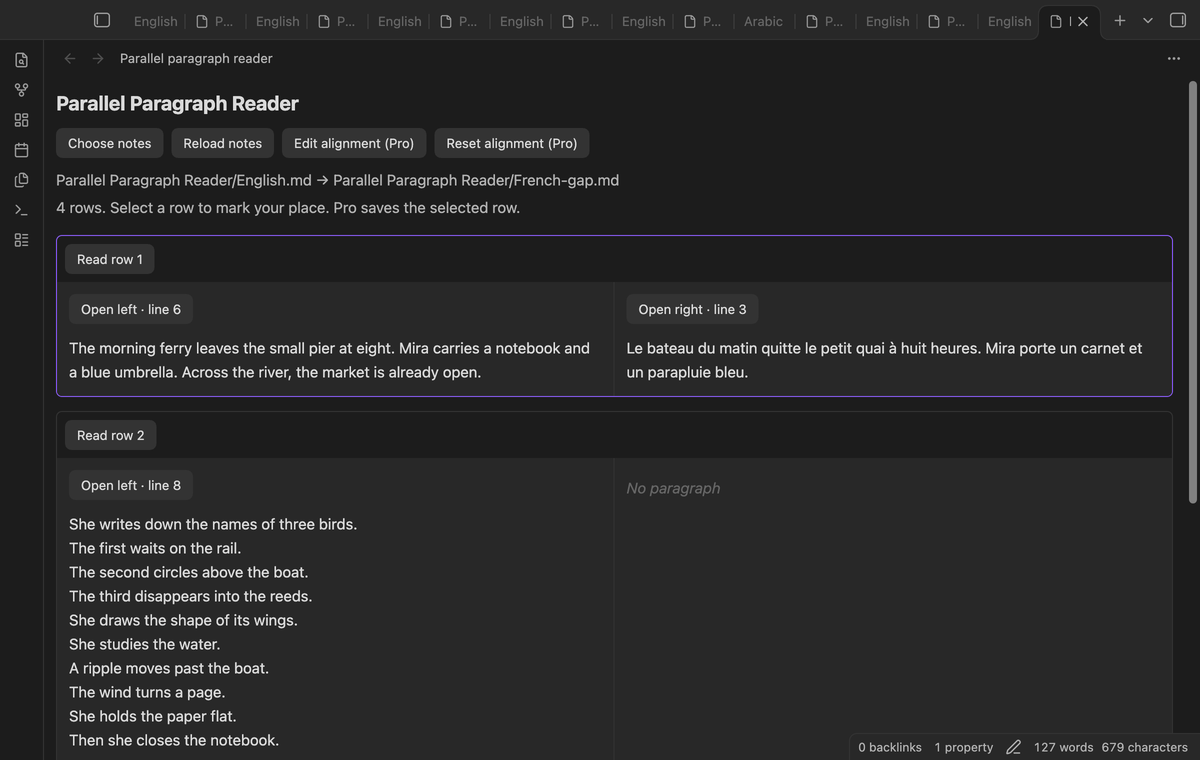
Select Edit alignment (Pro) to enter one pair per line. Use paragraph numbers separated by a comma. A dash means an empty cell. For example, 1,1, 2,-, and 3,2 place the second left paragraph in a row without a right paragraph. The editor requires each paragraph once, in its source order. It rejects missing, duplicate, reversed, or out of range numbers.
The map is stored in plugin data for this vault. Reset alignment (Pro) saves the default order. If prose changes, the stored map is ignored and the pane gives a message. The editor then starts from the stored map, and Read row does not replace it until you save a new map. Header edits do not change the prose stamp.
Remember the last row (Pro)
Select Read row or open a source link to save your place. Reopen the same ordered note pair to restore that row and scroll to it. Scrolling alone does not select a row. The plugin keeps up to 50 saved pairs. Renaming a source changes the pair key; choose the notes again after a rename.
Install
Use Obsidian 1.13.4 or later. For a manual installation, copy main.js, manifest.json, and styles.css into .obsidian/plugins/parallel-paragraph-reader/ in your vault. Open Community plugins in Settings and enable Parallel Paragraph Reader. Check the release source before you install a downloaded build. The code uses browser and public Obsidian APIs.
Usage
Start with short passages whose paragraph order is similar. Choose the original first and the second language next. Compare the first rows before you read further. If one version combines two paragraphs, the free order pairing can differ from the translation. A manual map can add empty cells, but it cannot merge paragraphs or infer meaning. Split passages in your own notes if you need a different block structure.
Settings
The settings tab contains the GitHub Sponsors controls and Clear saved pairs. That button removes local maps and row positions, then reloads open reader panes. There is no font setting; text uses the vault theme. Source edits appear after Reload notes. Saved pair data can contain note paths and prose text used to check whether a map is still valid. Treat plugin data as part of your vault backup.
FAQ
Does it synchronize two independent scroll panes? No. It shows one list of matched rows in one pane.
Does it write to my passages? Reading operations use cached reads and editor navigation. They do not modify source text. Pro saves plugin data separately.
What was not tested? A physical phone, a tablet, screen reader output, a live paid sponsorship, and a live GitHub device sign in were not tested. The 360 pixel layout test is a desktop browser test. It is not a phone test. Linux CI and custom themes were not tested in this run.
Why is the map ignored? A changed prose stamp makes an old map unsafe to reuse. Review the new paragraphs and save the map again. If a source was deleted, choose an existing note pair.
Payment, account and network
The core features are free. Pro features need a GitHub Sponsors sponsorship of theluckystrike: $5 a month or more, or $15 once. A total payment of $15 meets the payment requirement for Pro without further payment. Sign-in and the checks below still apply. Your notes stay readable and editable with or without Pro.
GitHub handles the payment. Sponsor at https://github.com/sponsors/theluckystrike. You need no account for the free features. Pro needs the GitHub account that sponsors.
Until you select "Sign in with GitHub" in the settings, Parallel Paragraph Reader makes no network requests. Sign in uses the GitHub device flow. Parallel Paragraph Reader sends its public client ID and the scope read:user to https://github.com/login/device/code and shows you a code. While you enter the code at https://github.com/login/device, it asks https://github.com/login/oauth/access_token every few seconds to check the sign-in status. The scope permits profile reads only. GitHub needs this access to show the sponsorship tier. It grants no repository scope and no write access.
After sign in, Parallel Paragraph Reader sends one query to https://api.github.com/graphql. It checks if the signed-in account sponsors theluckystrike. It asks for the tier and the total payment to theluckystrike. The plugin reuses a successful check for 7 days. Failed checks can retry after 6 hours. Select Refresh to request an earlier check. It sends no note content, file names or other vault data, and it has no telemetry.
After a successful check, Pro can work offline for up to 14 days. Sign out or a negative sponsorship answer turns Pro off. The plugin stores the GitHub token through the secret storage API of Obsidian. It does not put the token in its saved settings or its local sponsorship data. The local storage of this device keeps your GitHub login, the tier and the time of the last check. Sign out clears the token. You can also revoke the access in your GitHub settings, under Applications.
Support
Report a reproducible defect in the project's GitHub issue tracker. Include the plugin version, Obsidian version, and a small sample with private text removed. Describe the paragraph that differs from your expected row. Do not include a GitHub access token. The publisher is theluckystrike at notemods.com. This project uses the MIT license in the included LICENSE file.