Page Foundry
 grobmeier8 downloads
Publish notes as professional documents with portable presets.
- Overview
- Scorecard
- Updates12
Write in Obsidian. Publish letters, manuscripts and books.
Page Foundry turns Markdown into typeset PDFs, reflowable EPUB ebooks and editable Word documents. Build a book from your chapter notes, prepare a manuscript for submission, or write a letter with a reusable layout. Your notes remain the originals; publishing creates separate files.
Get started
Get Page Foundry from the Obsidian community listing. Stable release files are also on GitHub Releases, and BRAT remains available for beta builds. Page Foundry requires Obsidian 1.8.7 or newer and is licensed under Apache 2.0.
- Open the community listing and choose Add to Obsidian. See the installation guide for alternatives and the Sync Standard file-size limitation. For BRAT, add grobmeier/page-foundry.
- Enable Page Foundry in Community plugins.
- Run Page Foundry: Create new note, choose a starter and begin writing. When ready, run Page Foundry: Publish.
See installation and updates or go straight to the everyday guide. BRAT remains the beta channel for trying changes before a stable release; release notes identify each build.
From first draft to finished document
- Start with the right document. Letter, Submission letter, Manuscript, Book and Plain document are available directly. Enter a title and the filename follows; folder and filename overrides live under File location.
- Keep details readable. Save addresses, author details and publication information through a form. Change an individual note's document type without replacing its writing.
- Publish with a remembered layout. Choose PDF, EPUB or DOCX, review the design and save. Page Foundry remembers successful layouts per note. Changing layouts keeps compatible temporary choices; cancelling returns to your review.
- Reuse your work. Create recent brings back used starters. Save as note template turns a note into a reusable Markdown starting point. The built-in Cheat Sheet explains the everyday commands.
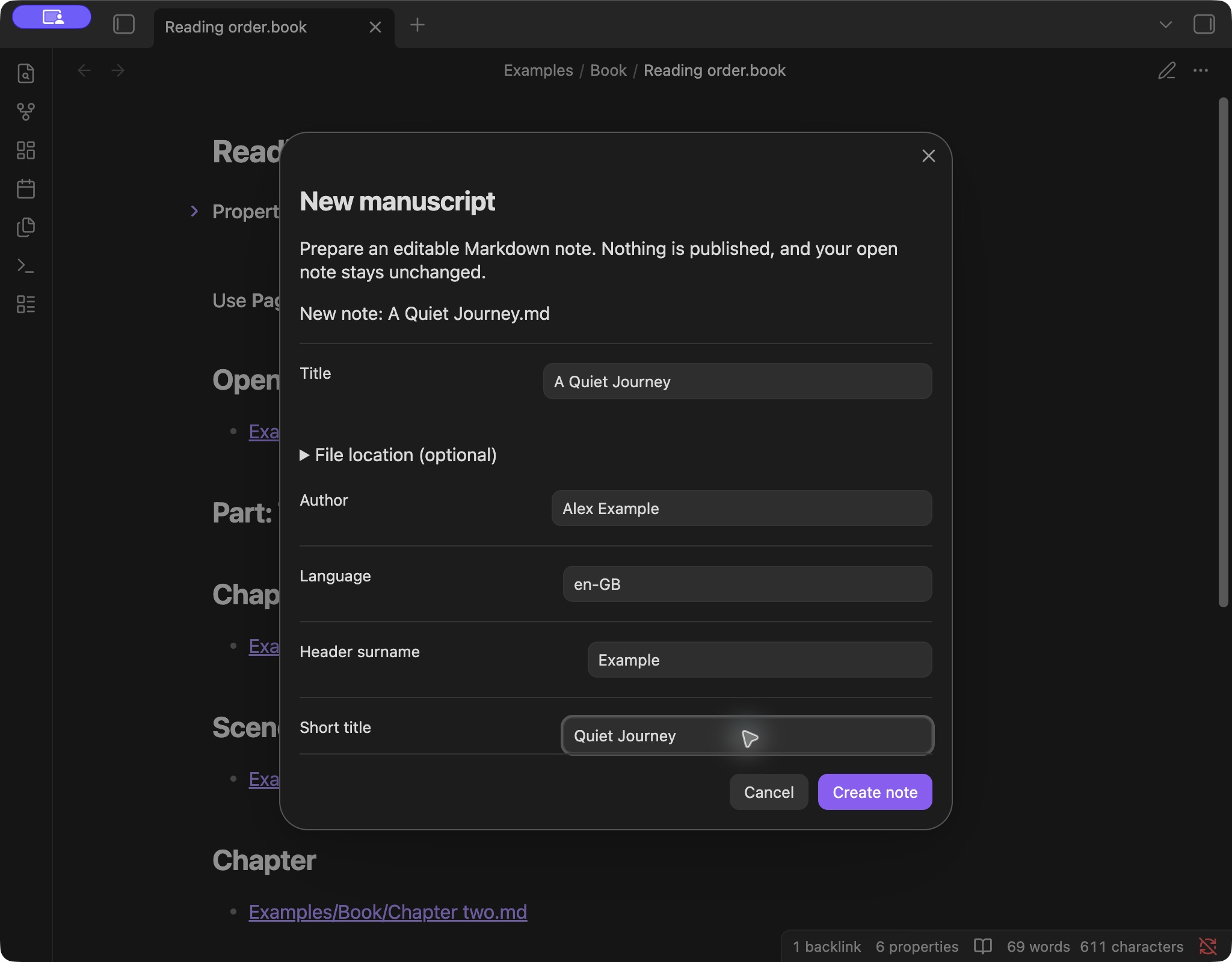
Letters keep the greeting, sign-off and signature in the writing, with separate sender and recipient addresses. Manuscript presets provide a title page, double-spaced body, running header and numbered body pages in A4 or US Letter. Use your publisher's requirements to choose the final settings.
Build a book from your notes
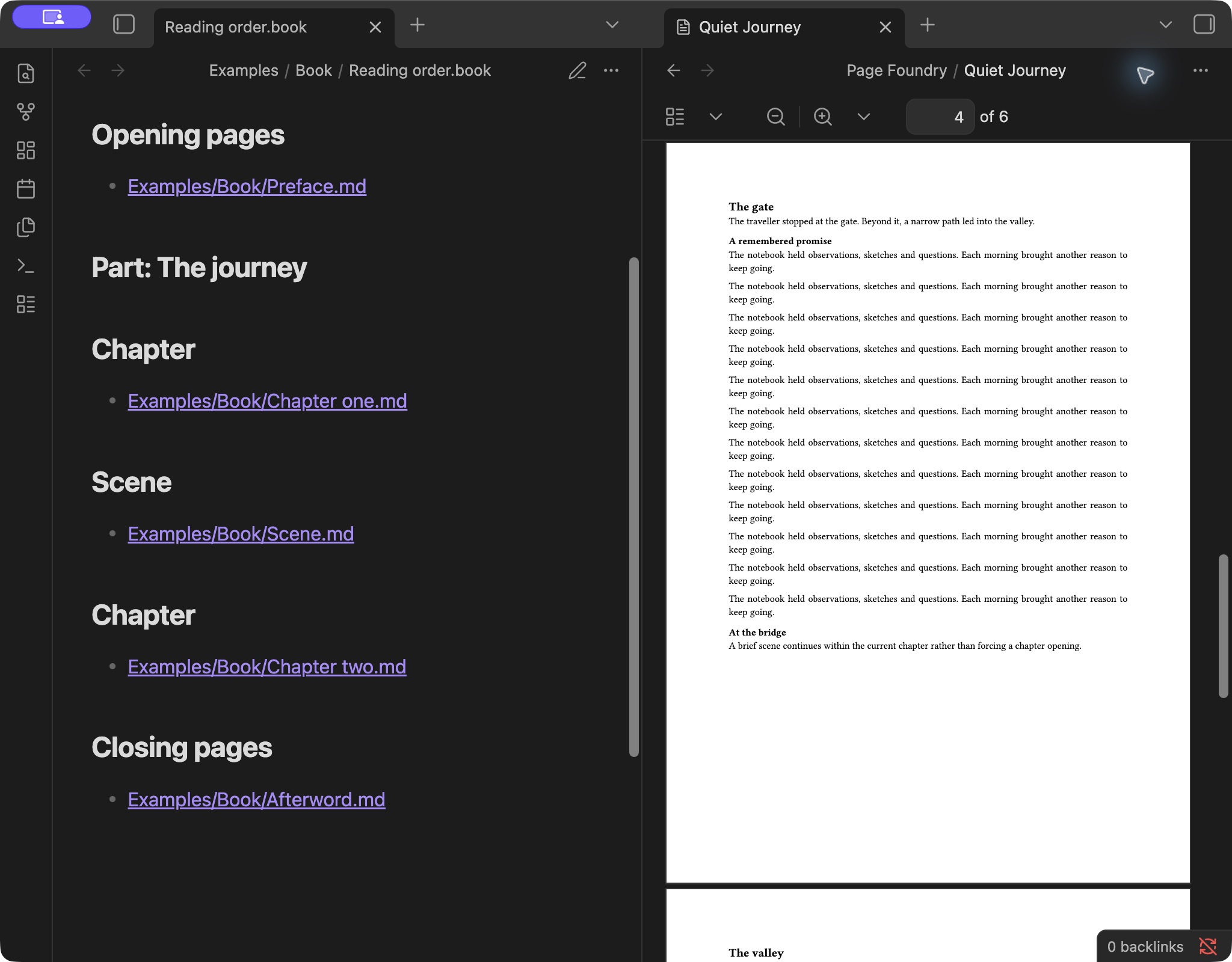
Create a Book, then open Edit document details to add chapter notes and arrange them. Include opening pages, parts, chapters, continuous scenes and closing pages. The reading-order plan is ordinary Markdown with headings and note links; the form manages the structure for you.
Publish the plan to build the whole book, or publish a chapter on its own. Reorder or revise your notes and publish again. Only included notes and their referenced images enter the book; chapter files stay unchanged.
Paperback proofs support 5 × 8, 5.5 × 8.5 and 6 × 9 inch interiors, white or cream paper, mirrored gutters and right-hand or next-page chapter starts. Page Foundry measures the generated pages to calculate gutters and produces a proof report. These are no-bleed, black-ink interiors for proofing; covers, spines and final retailer approval are separate production steps.
Make the design your own
Manage designs provides form-based book and document design editors. Book designs control title, imprint and contents pages, chapter openings, typography and running headers. Create a proof of an unsaved book design, adjust it, then save and reuse it.
Note templates supply starting text and properties; output designs control appearance. Keep your custom Markdown templates and versioned JSON design packs in your own vault or private storage and register their exact paths in settings. Private designs stay separate from the public plugin.
Start with the private-template walkthrough, or read note templates, book designs and the preset-pack reference. Print-page design controls apply to PDF; EPUB and DOCX use their own format-specific layouts.
Publish and find your files
Save to a configurable vault folder, normally Page Foundry. Existing files are preserved with numbered filenames. The result shows the actual saved path, with Show in folder and Open in default app on supported desktop hosts. EPUB and DOCX files can be hidden in Obsidian's sidebar even after a successful save. On hosts that support file sharing, Share or save elsewhere opens the system share sheet for Files and installed storage providers.
Markdown headings, lists, quotations, links, PNG/JPEG images, pipe tables and literal code blocks are supported. PDF tables wrap cells, repeat headings across pages and use stacked rows when a table would become too narrow. Publishing checks required details, resources and EPUB heading links, then rechecks changed inputs before creating the file. See supported content and limits.
Built with
The plugin is written in TypeScript using the Obsidian API for commands, forms, settings and vault access. A shared document model connects the authoring workflow to three format-specific renderers:
| Output | Technology | What it produces |
|---|---|---|
| Typst, compiled to WebAssembly and embedded through Typst.ts | Typeset pages, manuscript layouts and measured paperback proofs | |
| EPUB 3 | Semantic XHTML/CSS, packaged with fflate | Reflowable text, publication metadata, contents navigation and local images |
| DOCX | The docx TypeScript library | Editable Open XML documents with headings, tables, images and manuscript formatting |
unified/remark parses Markdown, including pipe tables and Obsidian image embeds; yaml reads saved note properties and book metadata. The PDF compiler loads on first use, with Libertinus Serif and DejaVu Sans Mono bundled for offline typesetting.
Rendering runs inside Obsidian on your device. The plugin reads the selected note or book, its referenced resources and explicitly registered templates and packs. It does not upload manuscripts or collect telemetry. Vault sync, sharing and backups remain under your own storage settings.
For the implementation details, see the rendering architecture.
Development and testing
Use Node.js 22.12 or newer and npm. esbuild bundles the plugin, TypeScript checks types, and the Node.js test runner exercises the authoring and export workflows.
npm ci
npm run verify
npm run test-vault
The example installer adds neutral notes to the ignored test vault without replacing existing writing, private designs, BRAT or settings. Install the plugin through BRAT, save pending edits and fully reload Obsidian, then open Start here. See the author test path and test-vault maintenance guide.
Desktop workflows have automated and native Obsidian checks. Physical iPad/iPhone/Android rendering, memory and sharing, and assistive-technology acceptance are ongoing. EPUB readers and retailer/physical proofs have separate acceptance checks.
Contributing and licence
Contributions are welcome. See CONTRIBUTING.md, SECURITY.md and CODE_OF_CONDUCT.md. The roadmap links the tracked design capabilities and remaining validation work, including fonts, ornaments and opening initials.
Copyright 2026 Christian Grobmeier. Licensed under the Apache License, Version 2.0.