Osmosis
 Sawyer Rensel636 downloads
Absorb knowledge faster. Turn your notes into mind maps you study with spaced repetition.
- Overview
- Scorecard
- Updates5
Osmosis
Absorb knowledge faster.
An Obsidian plugin that turns your notes into mind maps you study with spaced repetition.
Install Osmosis · Quick start · Documentation

Your learning has flow.
Write notes and study cards together in one app. Organize your thoughts with style.
Your memory is connected.
Answer flashcards on a visual map. Learn facts while seeing the big picture.
Your notes should last.
Osmosis authors your content in plain text — readable in any editor and yours to keep forever.
Mind maps
Visualize your thoughts.
Headings become branches. Lists become nodes. Every edit on the map is an edit to the file.
|
Interactive mind mapping Add a node, drag a branch under a new parent, fold a subtree. Osmosis syncs your notes as you edit the map. 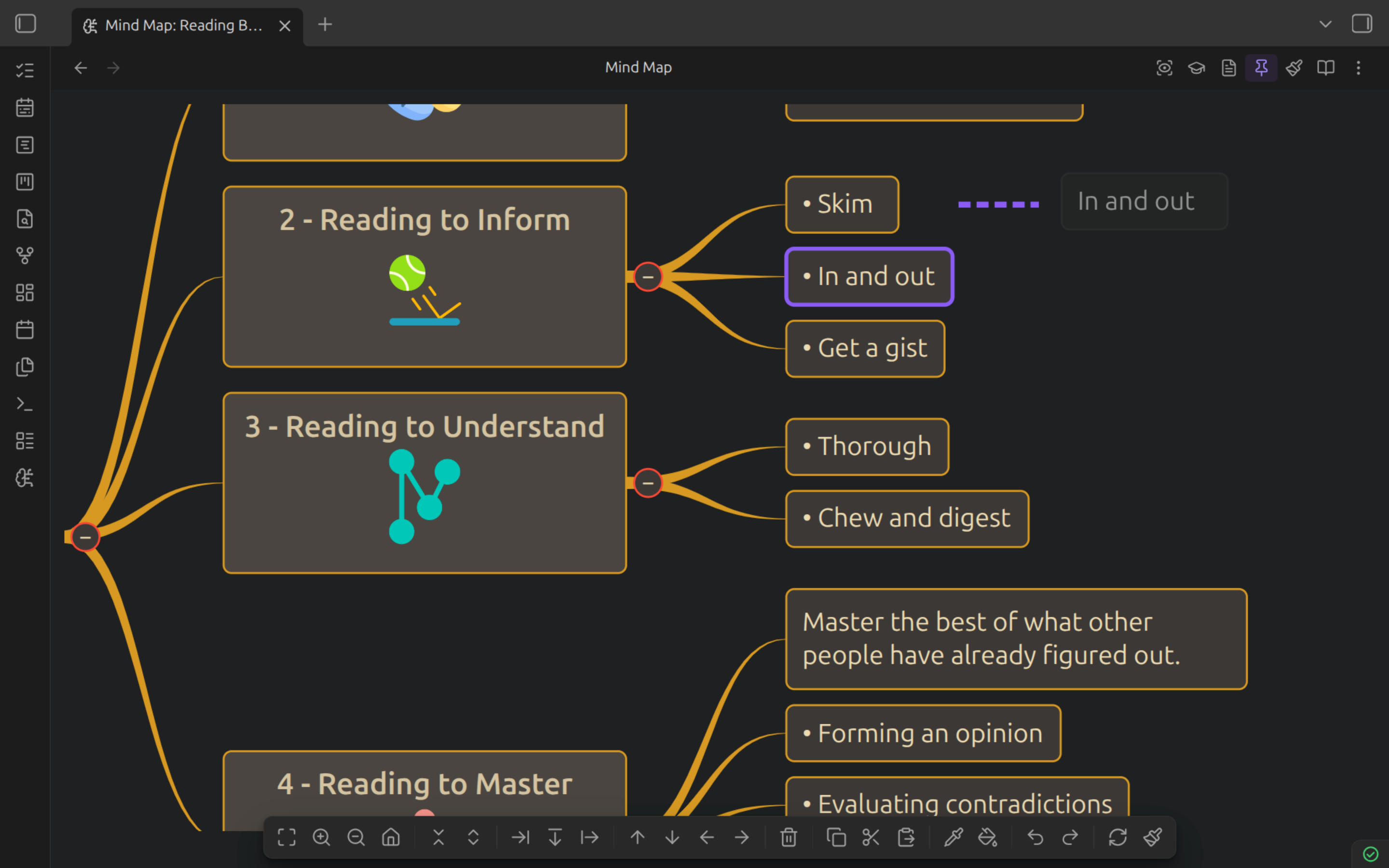
|
Colorful theming Layout, spacing, branch lines, and per-node shape and colour — all saved in the note's frontmatter, so a map travels with its file. 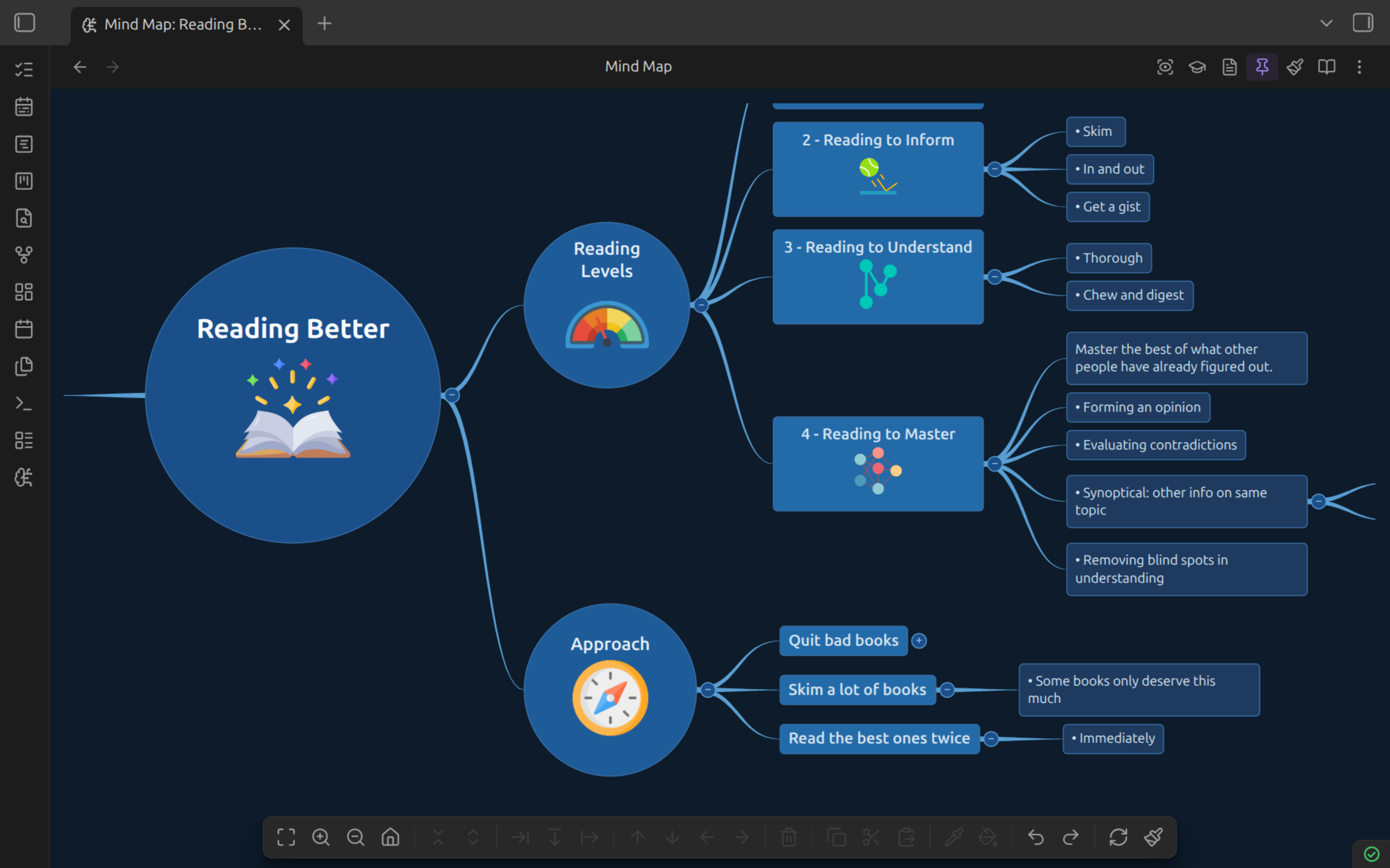
|
|
Maps inside maps Embed a note with 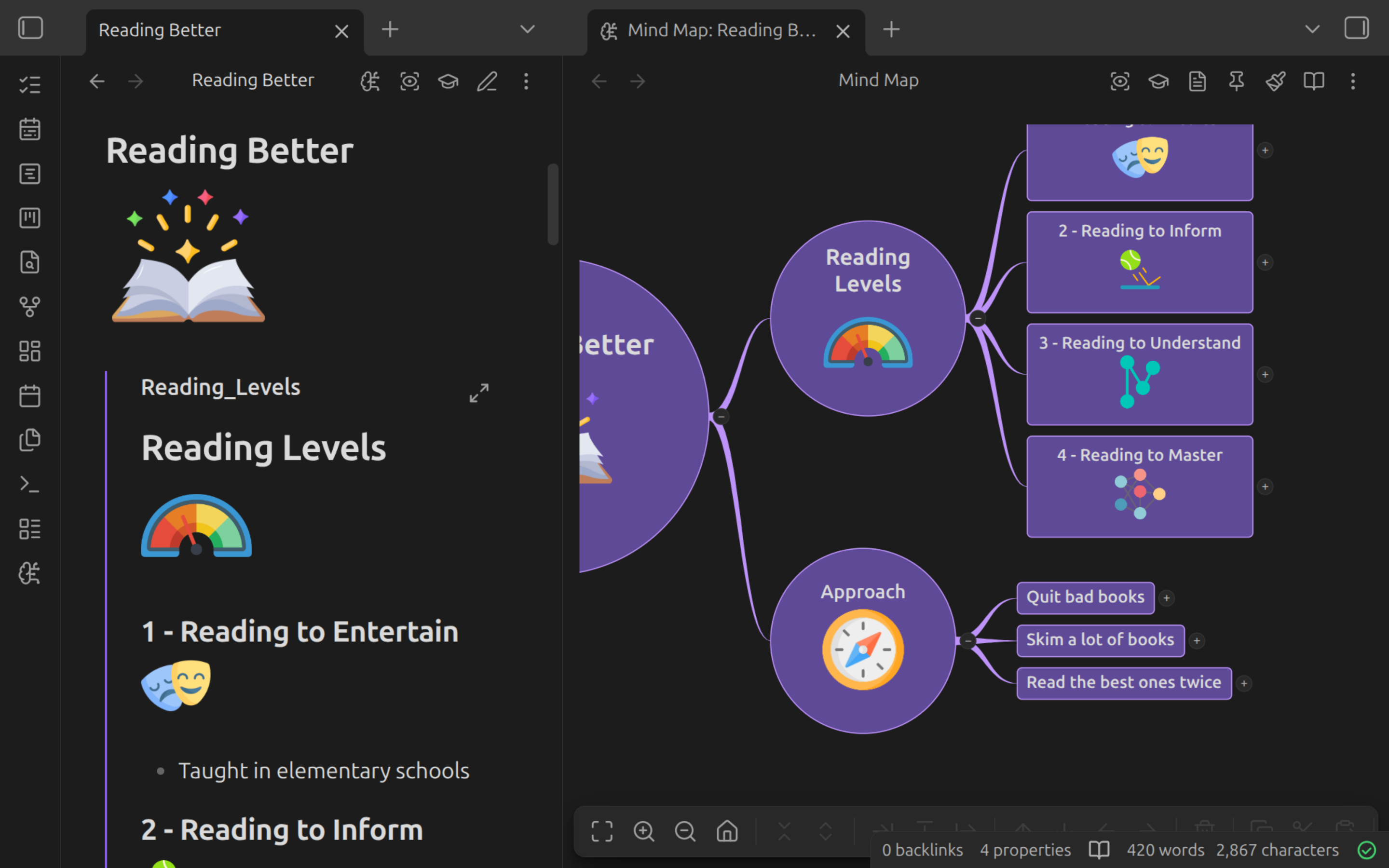
|
Enhanced Markdown support Tables, code blocks, images, callouts, and LaTeX render inside the node — just like they do in your notes. 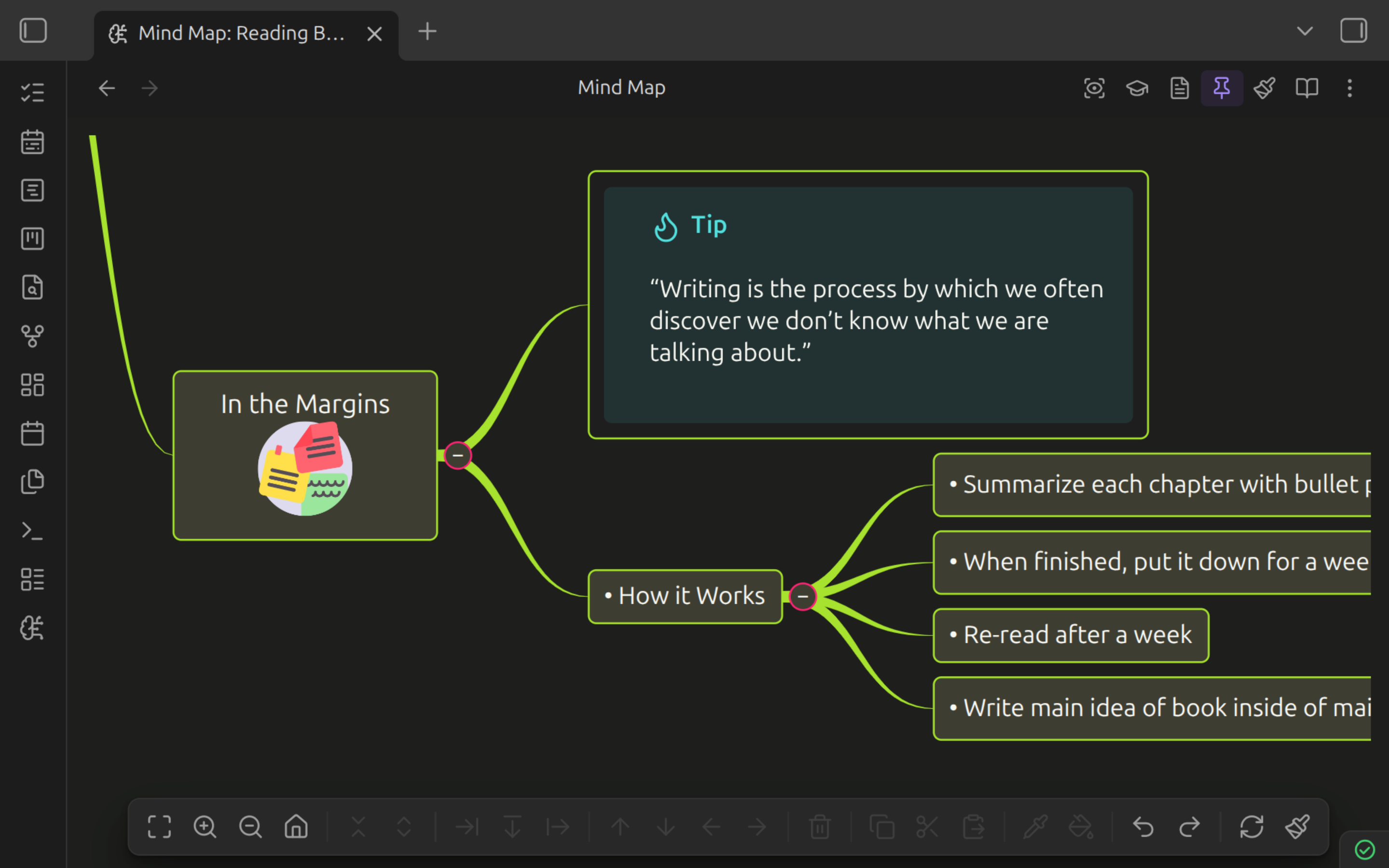
|
Flashcards
Cards that live in your notes.
Write a card where the idea comes up. Seven card types, all landing in the Markdown file you were already writing — and Rapid Capture turns a run of typing into cards as you go.
|
Basic A classic front and a back experience. 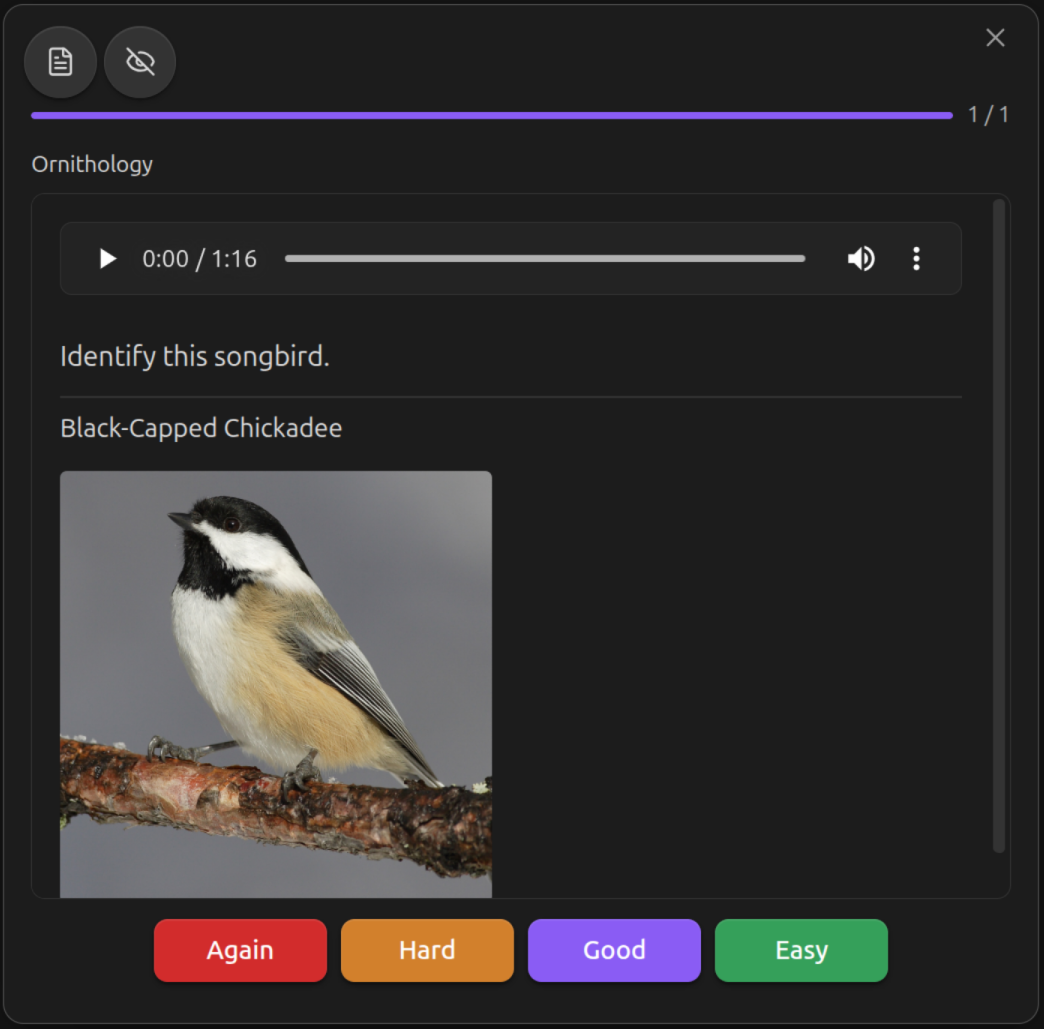
|
Bidirectional One fence, two cards, scheduled apart. 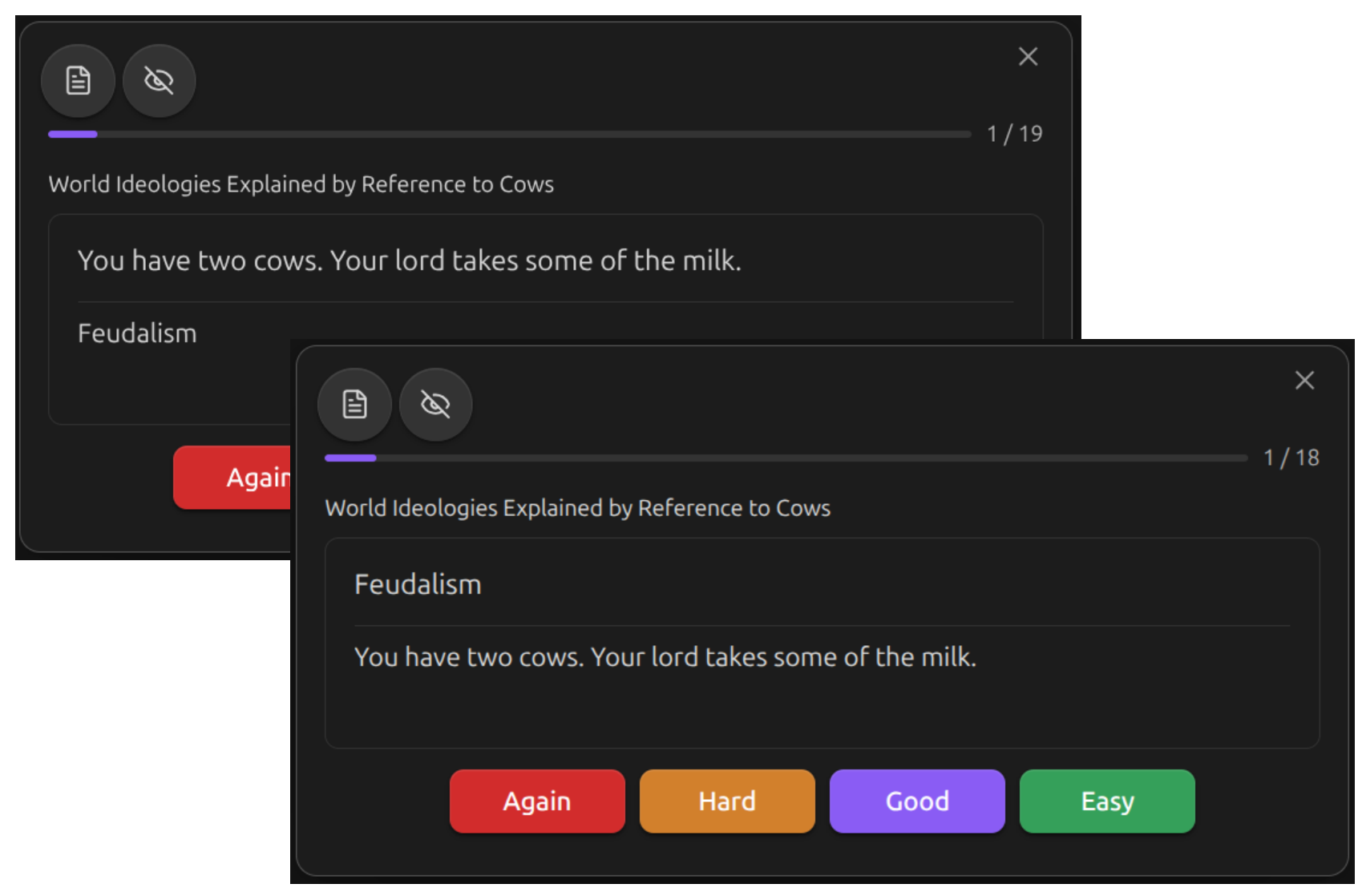
|
|
Type-in Type the answer instead of flipping the card. 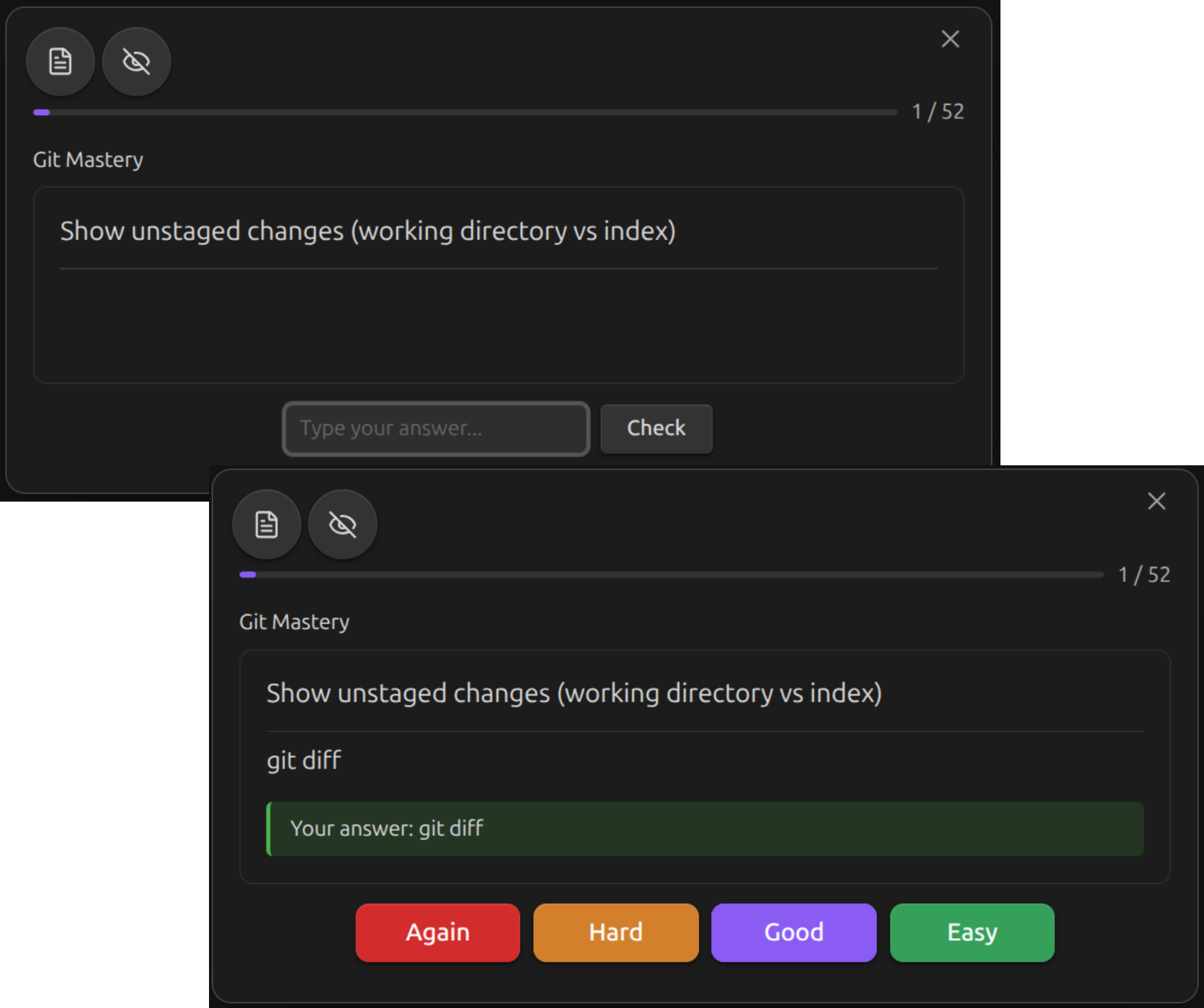
|
Cloze deletion Blank out a span; each blank is a card. 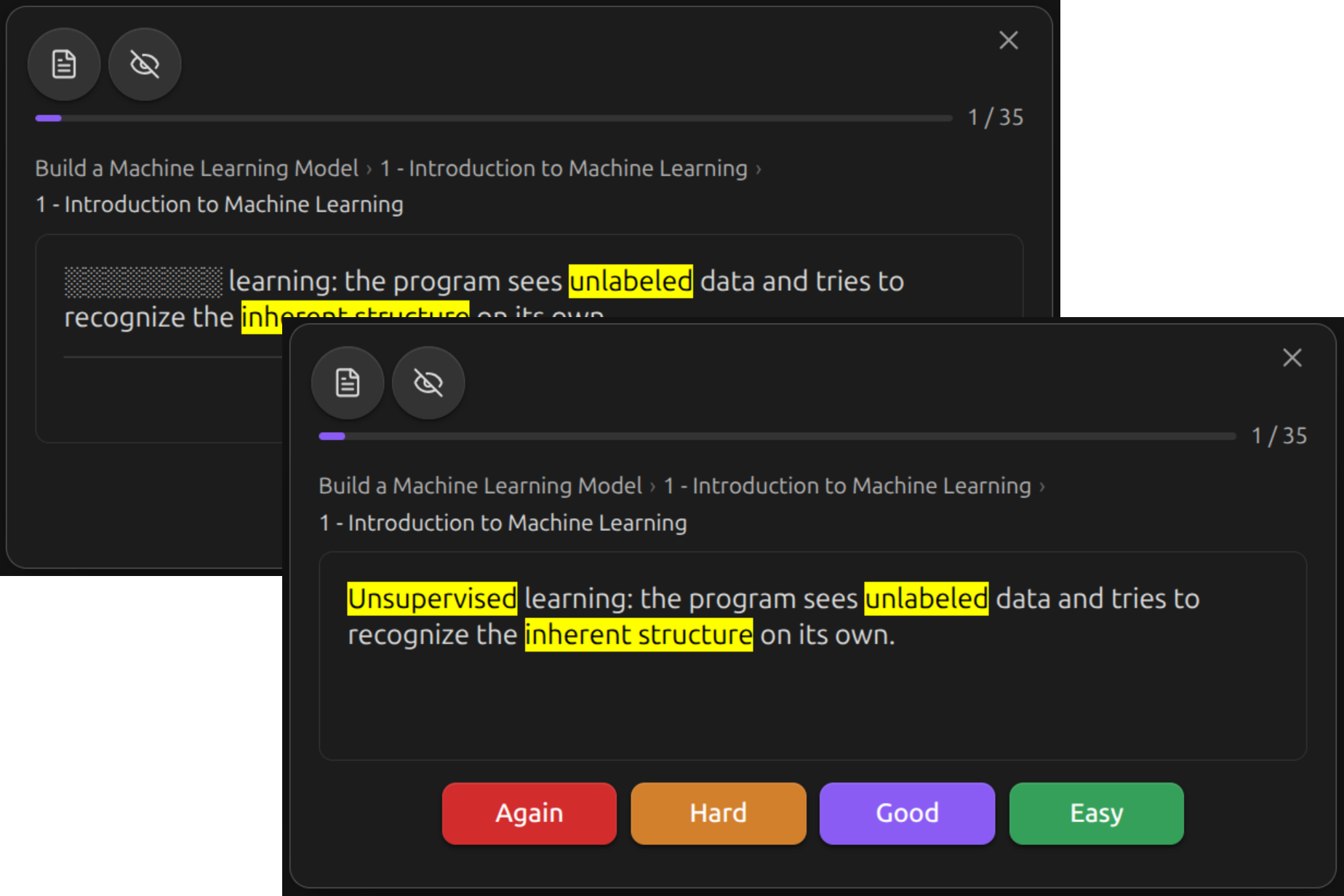
|
|
Code cloze Hide code, highlighting left intact. 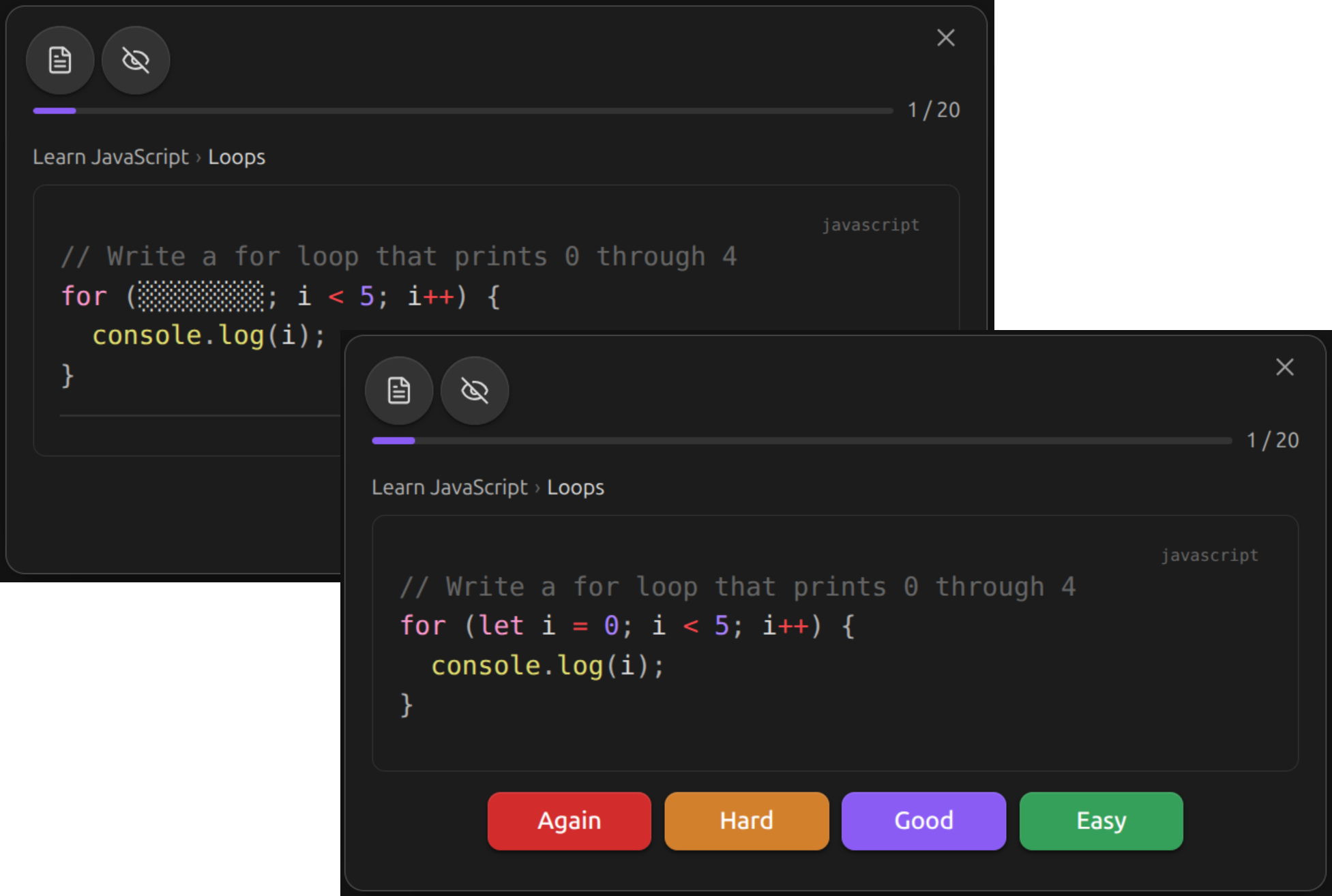
|
Image occlusion Mask a diagram; each group is a card. 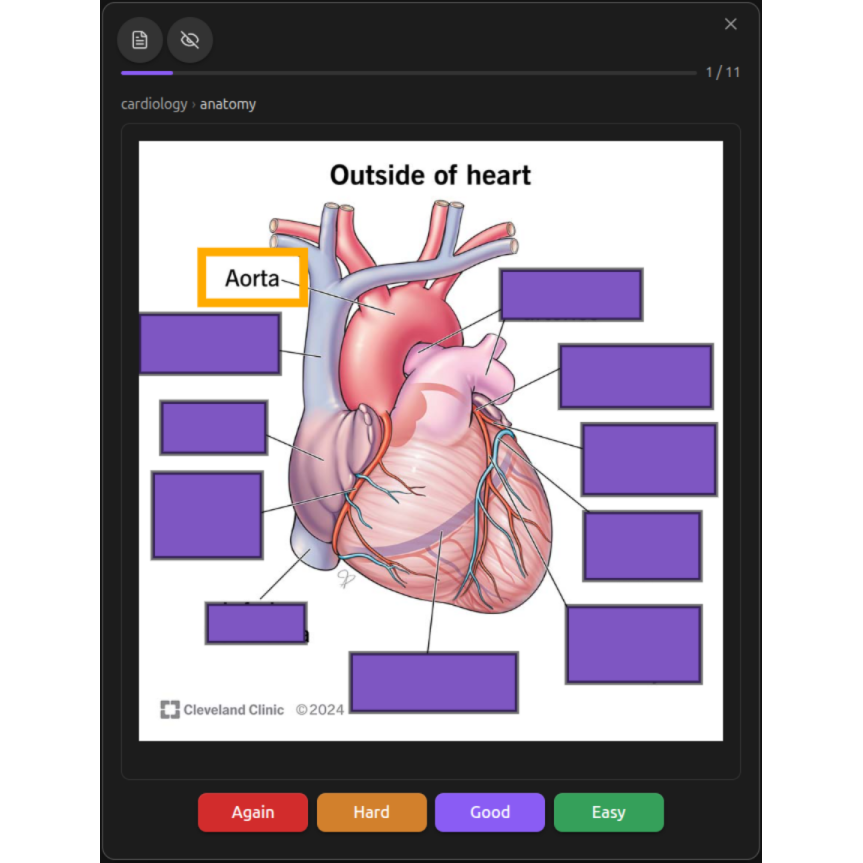
|
|
Line cards One command cards a whole note, line by line. 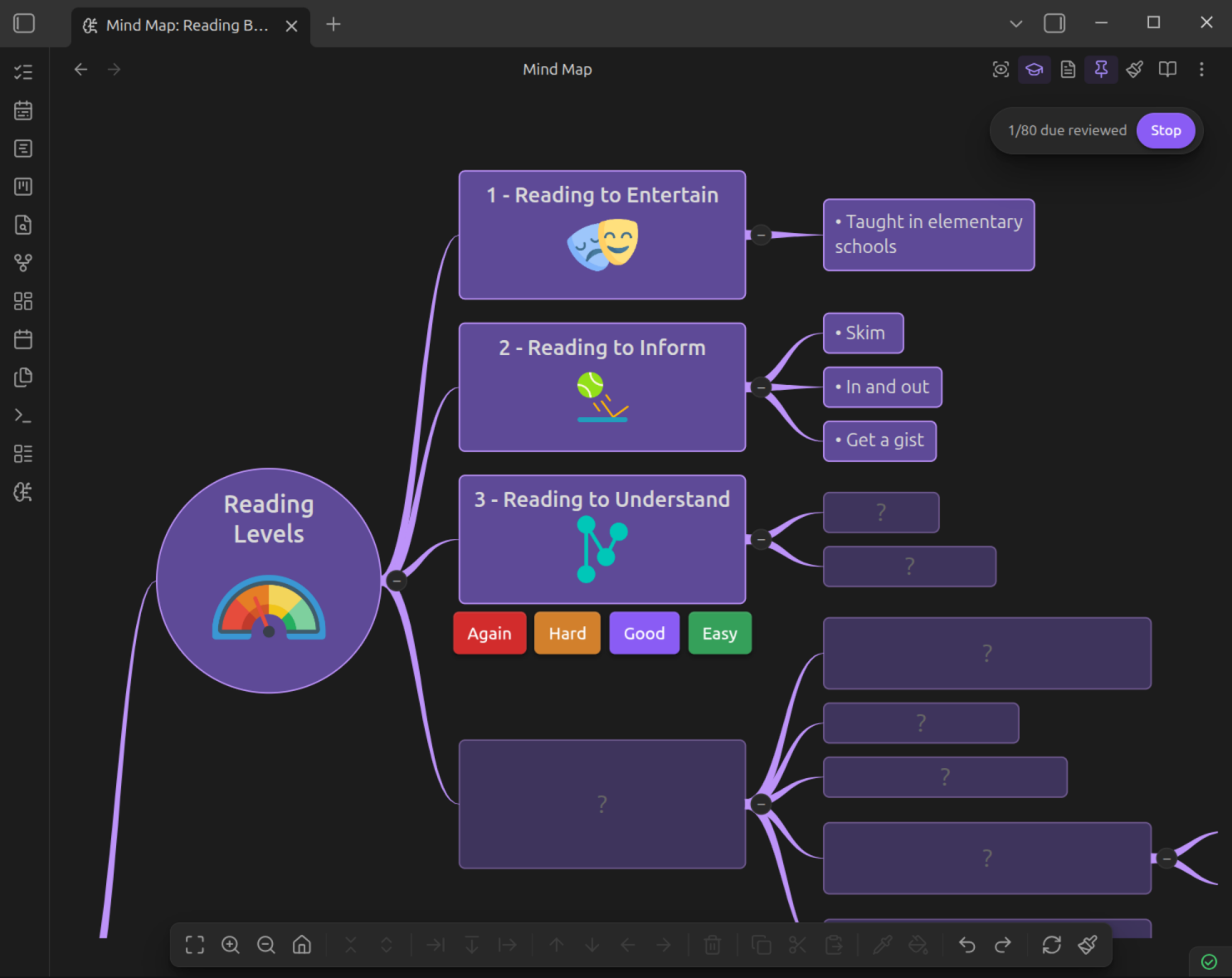
|
All seven, in depth How each type is written, and when to reach for it. |
Studying
Three ways to study the same card.
Study any card in any mode, scheduled by FSRS — a system built on memory research. Rate a card anywhere and its schedule updates consistently.
|
On the map Spatial study hides due cards behind placeholders while the rest of the map stays visible — you recall a fact with everything it connects to still on screen. 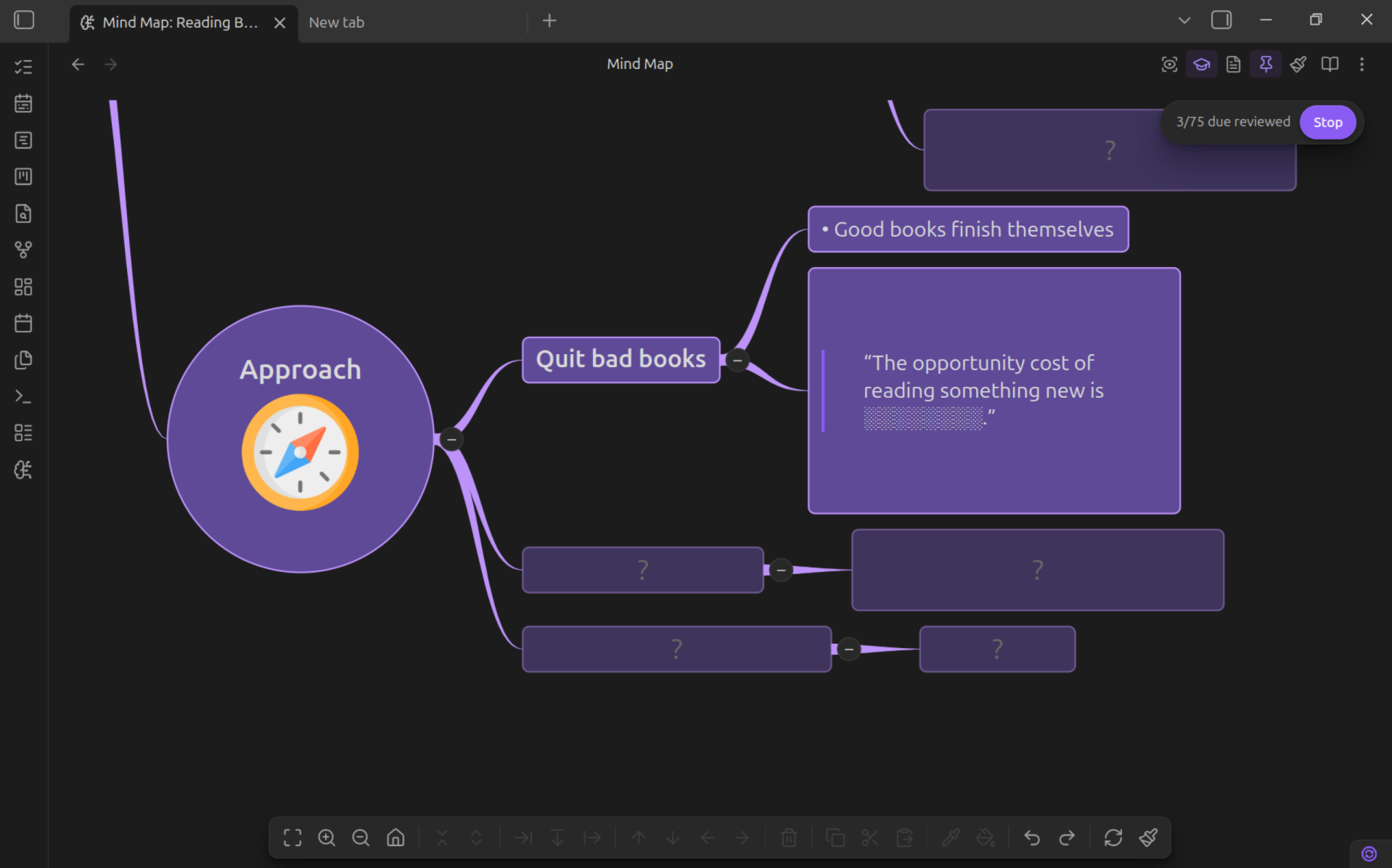
|
In the note Contextual study hides what's due, reveals it in place, and lets you rate it and read on. Peek mode reveals a card and leaves its schedule untouched. 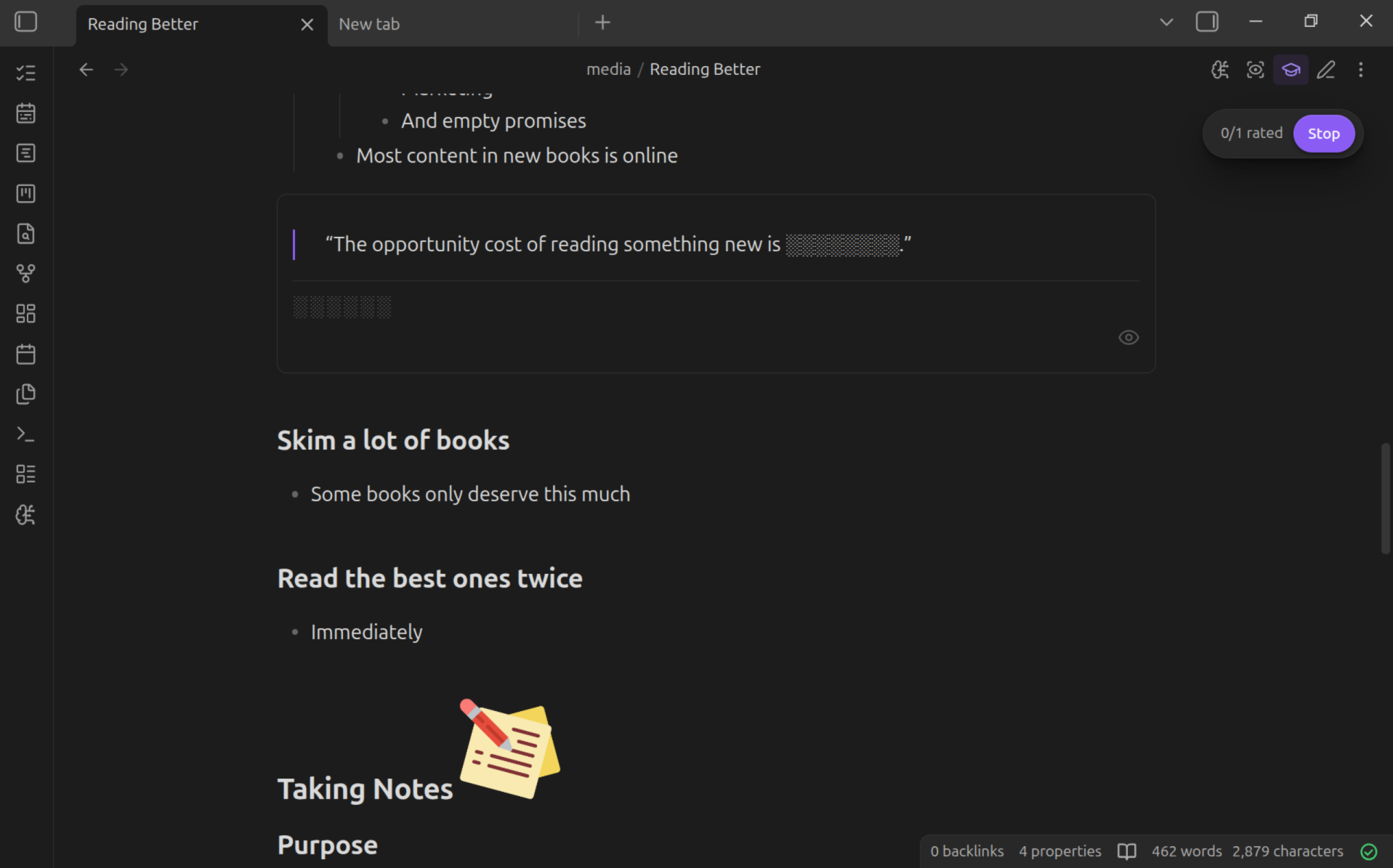
|
From a window Sequential study is the classic deck run: one card at a time, with multi-level undo that restores each card's previous schedule as it steps back. 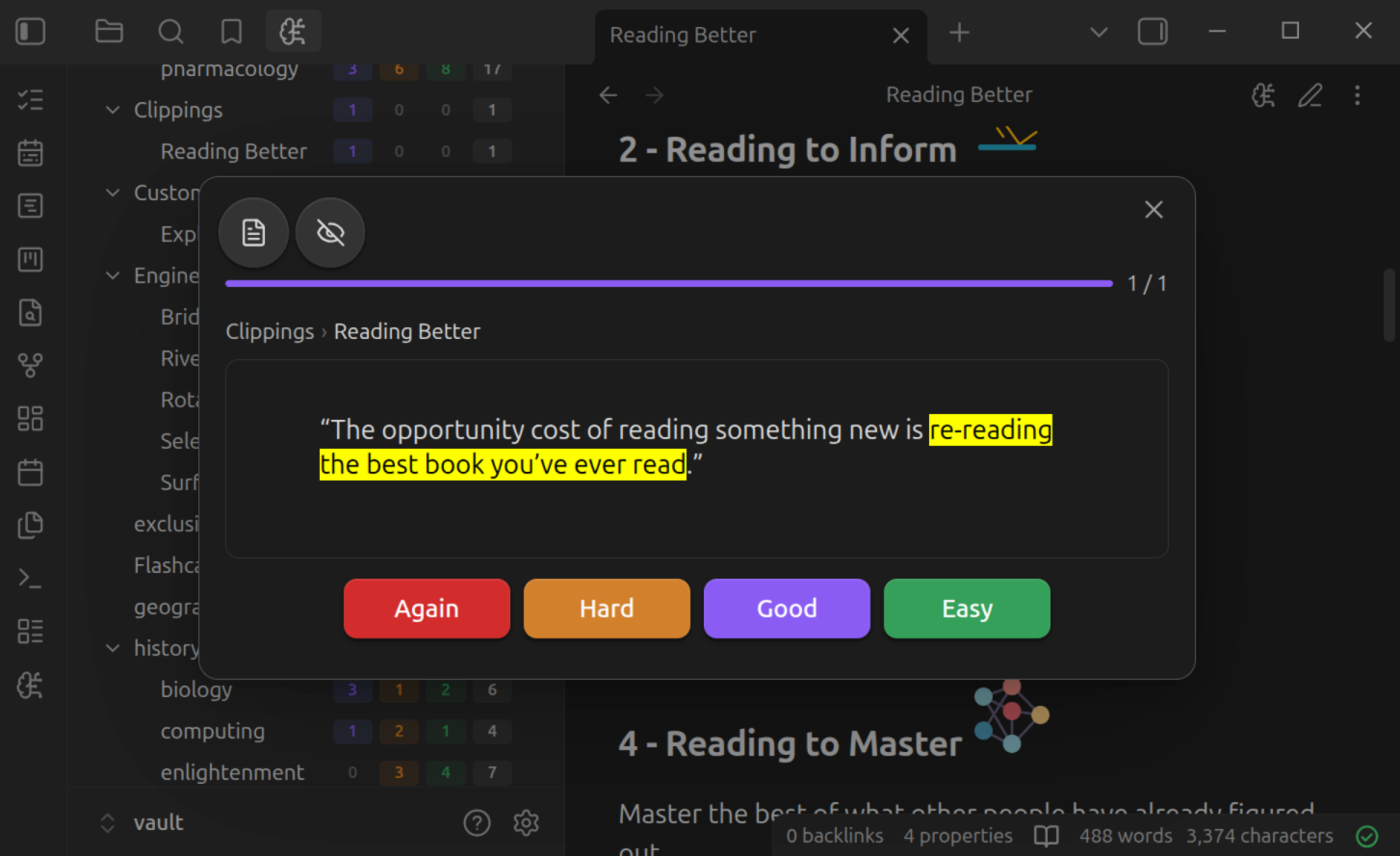
|
Dashboard
A clear view of your learning.
Navigate your decks, get a birds-eye view of your learning patterns, and find every flashcard in your vault with ease.
|
Analyze your growth A year-long heatmap, true retention, interval and stability, answer buttons, and your load for the weeks ahead — plus recall by study mode, which shows how well the facts you studied in context are holding. 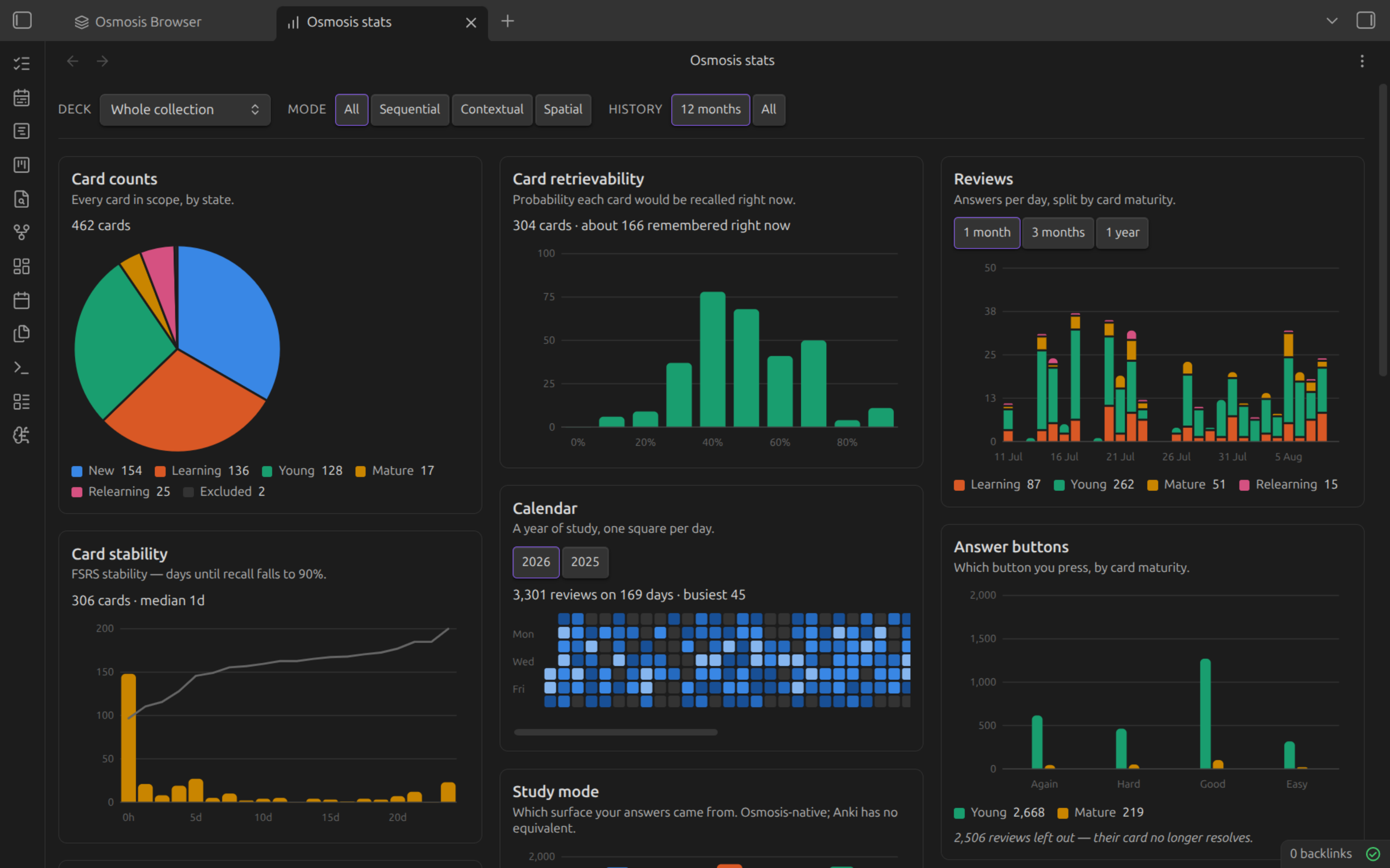
|
Find any card The browser is a Bases view, so Obsidian's own filtering narrows it to the notes you care about. Then suspend, reset, change deck, or delete flashcards — with undo if you change your mind. 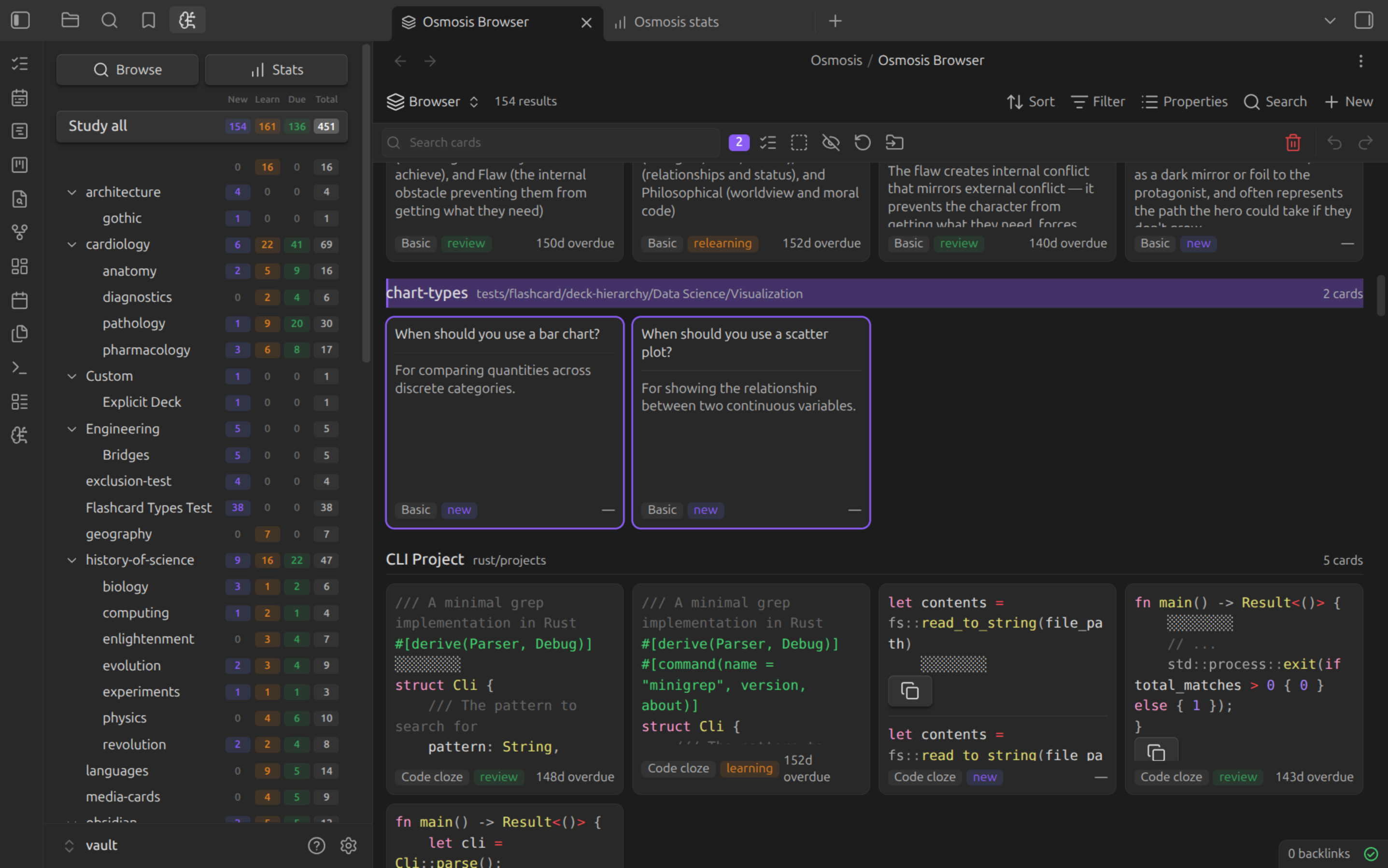
|
Your data
Plain Markdown. Forever.
A card's schedule lives in the fence that holds it, or in the note's frontmatter beside the line it belongs to. Your vault syncs the way it always has — Obsidian Sync, iCloud, Dropbox, Git — and your review history goes with it.
Because it is only ever text, an AI assistant can read and write your study material natively — and so can every other tool that has ever opened a Markdown file.
## Ownership and borrowing

- Each value has exactly one owner ^b3f1a2

```osmosis
id: os-3jds9x
due: 2026-05-02T19:52:12.592Z
stability: 2.0215
difficulty: 6.3909
reps: 3
lapses: 0
state: review
last-review: 2026-04-30T19:52:12.592Z
learning-steps: 0

What happens when an owner goes out of scope?
***
The value is dropped and its memory freed.
```
Fully featured.
| Two-way everything | Edit the note, the map, or the card — the other two follow, immediately. |
| Keyboard first | Full keyboard control of map editing, navigation, and a review session. |
| Built for mobile | Touch gestures throughout, a reading-mode default for phones, and capture designed for thumbs. |
| Rich nodes | Images, LaTeX, code blocks, tables, callouts, checkboxes, and embeds render inside the map. |
| Undo that fits the map | Map edits have their own history — one step per operation, with configurable depth and memory. |
| Opt in, or opt out | Per note, per folder, per tag — and exclusion always wins, so a vault-in-a-vault stays out. |
| Native block IDs | Cards anchor to Obsidian's own ^block-ids, so [[note#^id]] links work and history survives edits. |
| Every review, logged | An append-only history in your vault, per month and per device, that syncs with your notes. |
| Free and open source | GPL-3.0, developed in the open, with every feature available to everyone. |
Installation
From Community Plugins
- Open Settings → Community Plugins → Browse
- Search for "Osmosis"
- Click Install, then Enable
Or open the listing in the plugin directory: Install Osmosis
Manual installation
- Download
main.js,manifest.json, andstyles.cssfrom the latest release - Create the folder
.obsidian/plugins/osmosis/in your vault - Copy the downloaded files into that folder
- Run Reload app without saving from the command palette
- Open Settings → Community Plugins and enable "Osmosis"
Requirements
| Obsidian | 1.13.0 or later, desktop or mobile |
| Bases | Obsidian's Bases core plugin, for the card browser. Everything else works without it |
Start with one note.
Open any Markdown file you already have, press the mind map button, and see the structure you have been writing all along.
1. Open a mind map. Open a note and click the brain-circuit icon in the editor header bar — your headings and lists appear as an interactive map.
2. Write a flashcard. Add an osmosis fence anywhere in a note. The *** separator divides the front from the back:
```osmosis
What is the capital of France?
***
Paris
```
3. Opt the note in. Cards aren't generated until a note opts in — the card-insertion commands do this for you, or add it yourself:
---
osmosis-cards: true
---
4. Study. Click the brain-circuit icon in the left ribbon to open the dashboard, then pick a deck.
Documentation
Full documentation lives at sawyerrensel.github.io/Osmosis.
| Section | What's in it |
|---|---|
| Getting Started | Installation, quick start |
| Mind Mapping | Editing, navigation, styling, transclusion |
| Flashcards | Card types, decks, rapid capture, image occlusion, line cards |
| Studying | Study modes, spaced repetition, dashboard, statistics, card browser |
| Reference | Commands, settings, data storage, mobile |
| Changelog | What changed, release by release |
Development
Osmosis is TypeScript, bundled with esbuild, tested with Vitest.
git clone https://github.com/SawyerRensel/Osmosis.git
cd Osmosis
npm install
| Command | What it does |
|---|---|
npm run dev |
Build and watch for changes |
npm run build |
Type-check and produce a production build |
npm run lint |
ESLint, including eslint-plugin-obsidianmd rules |
npm test |
Run the Vitest unit suite |
The build writes main.js, manifest.json, and styles.css into
vault/.obsidian/plugins/Osmosis/. Open vault/ in Obsidian to test your
changes against a real vault.
Contributing
Issues and pull requests are welcome.
- Found a bug? Open a bug report
- Have an idea? Open an idea
- Sending a PR? Make sure
npm run lint,npm test, andnpm run buildall pass, and describe what you changed and how you tested it.
License
GPL-3.0-only © 2026 Sawyer Rensel
Acknowledgments
- Obsidian — The incredible knowledge base application
- FSRS — Free Spaced Repetition Scheduler
- Anki — Inspiration for spaced repetition workflows
- Xmind — Inspiration for mind mapping UX
- Minder — Open-source mind mapping software
- obsidian-spaced-repetition — The original Obsidian spaced repetition plugin
- Decks — Modern flashcard plugin for Obsidian using FSRS