Org Reader
 esenonfossiio3 downloads
Read Org files in a clean rendered view: headings, TODO keywords, tags, lists, tables, code blocks and links, with a switch to edit the source.
- Overview
- Scorecard
- Updates4
Obsidian plugin that opens .org files in a clean, easy-to-read view, and edits them in
a CodeMirror editor with Org highlighting, folding and Org-style keys. It has its own Org
parser and renderer, so it does not depend on any other Org plugin and replaces
Orgmode (cm6). A button in the view header switches between reading and editing.
Only one plugin can handle the
.orgextension. If you use Orgmode (cm6), disable it first (Settings → Community plugins) and restart Obsidian. Org Reader shows a notice on startup when the extension is already taken.
Screenshots
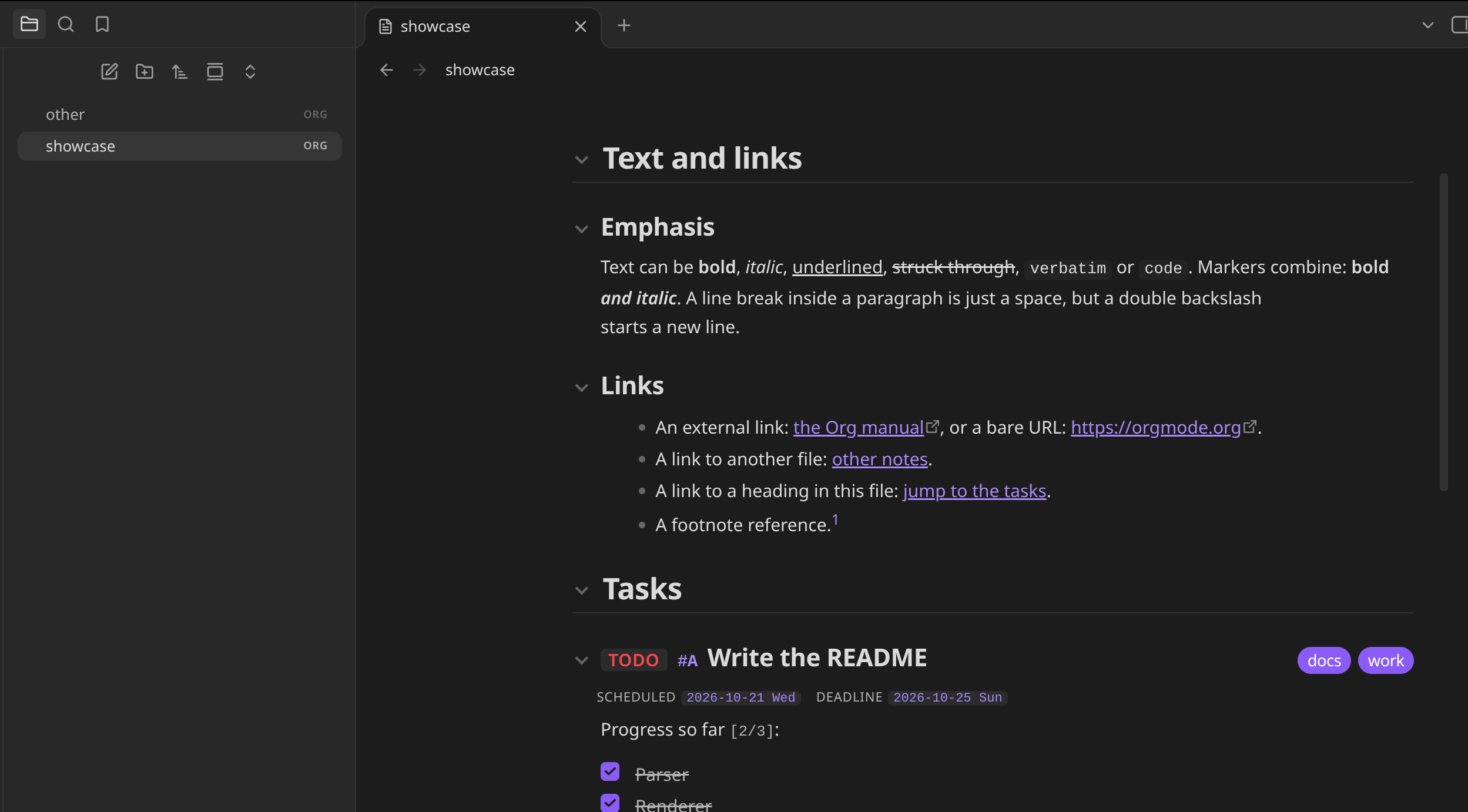
Reading view: headings, inline formatting, links, TODO keywords, tags and dates.
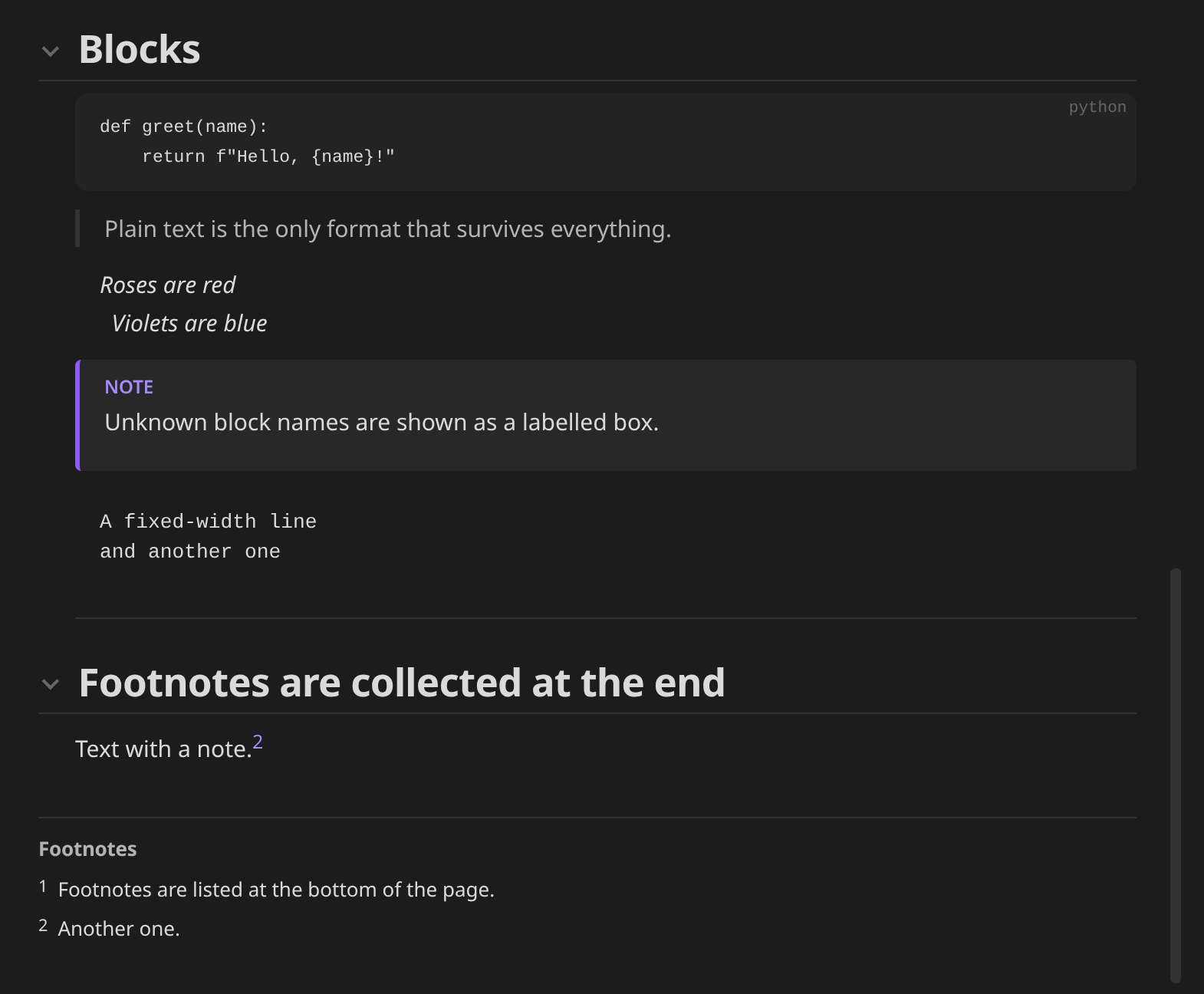
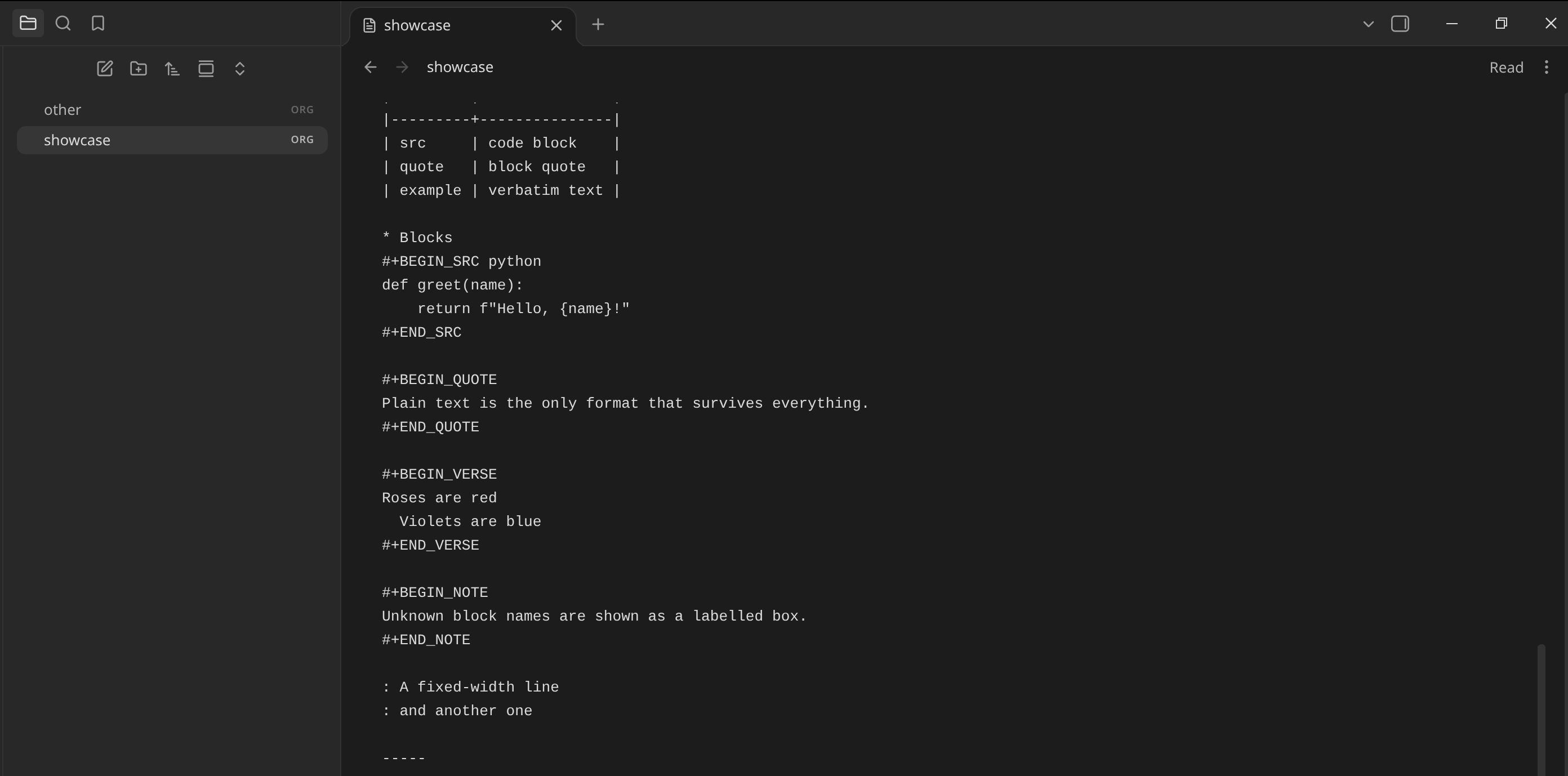
Code, quote, verse and note blocks, with footnotes collected at the end.
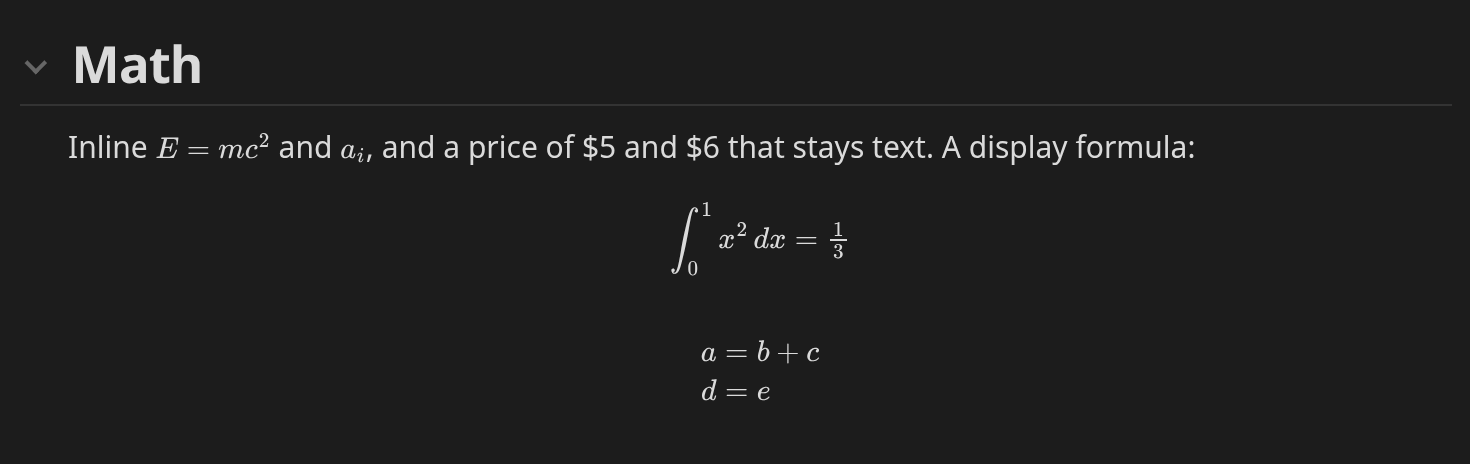
LaTeX math, inline and display, typeset with Obsidian's MathJax.
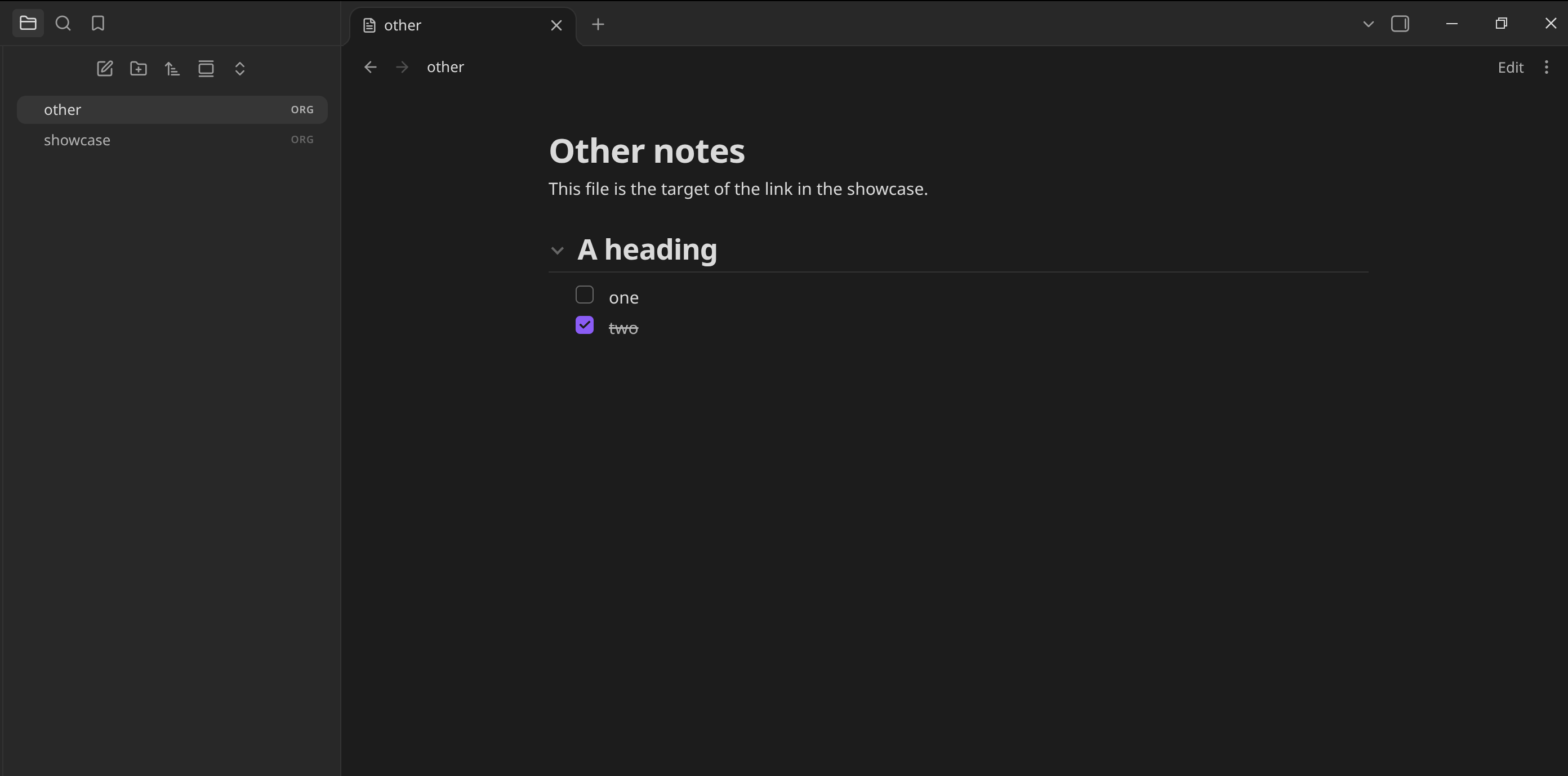
Task lists, in a small file.
The editor: the same file as text, one click away with the Edit button.
Editing
In editing mode the file is a CodeMirror editor with Org syntax highlighting (headings, TODO keywords, tags, links, timestamps, markup, blocks, tables, math). Keys, which are also commands you can bind in Settings → Hotkeys:
| Key | On a heading | On a list item | Elsewhere |
|---|---|---|---|
Tab |
fold / unfold | indent the item and its children | insert two spaces |
Shift-Tab |
cycle folding of the whole file: overview → contents → all | dedent the item and its children | cycle folding |
Shift-Right / Shift-Left |
next / previous TODO state | normal selection | |
Alt-Right / Alt-Left |
demote / promote the heading | indent / dedent the item | |
Alt-Shift-Right / Alt-Shift-Left |
demote / promote the subtree | indent / dedent with children | |
Alt-Up / Alt-Down |
move the subtree up / down | move the item up / down | |
Alt-Enter |
new heading after the subtree | new item (with [ ] if it has a checkbox) |
|
Ctrl-c Ctrl-c |
toggle the checkbox |
Headings, #+BEGIN blocks and drawers can be folded. Other plugins (such as Org Journal)
can extend the editor through view.codeMirror.
What it renders
| Org | Shown as |
|---|---|
* Heading, ** Sub |
Collapsible headings with a size per level |
TODO / DONE, custom #+TODO: words |
Coloured keyword badges |
[#A], :tag1:tag2: |
Priority and tag pills |
SCHEDULED:, DEADLINE:, CLOSED:, <2026-10-20 Tue> |
Date badges |
:PROPERTIES: drawers |
Hidden by default (setting); other drawers are collapsed |
*bold* /italic/ _underline_ +strike+ =verbatim= ~code~ |
Inline formatting |
[[url][text]], [[file:note.org]], [[*Heading]], bare URLs |
Links; file and heading links work inside Obsidian |
[[file:image.png]] |
The image from your vault |
- item, 1. item, - [X] task, - term :: text |
Lists, nested lists, checkboxes, description lists |
| a | b | |
Tables (rows above the |---+---| rule are the header) |
#+BEGIN_SRC, _EXAMPLE, _QUOTE, _VERSE, _CENTER, _COMMENT, others |
Code and text blocks |
[fn:1] and [fn:1] text |
Footnotes collected at the end |
$x^2$, \(x\), \[x\], $$x$$, \begin{equation}...\end{equation} |
LaTeX math, typeset with Obsidian's built-in MathJax |
#+TITLE, #+AUTHOR, #+DATE |
Page header |
#+STARTUP: overview / content |
Opens folded |
#+CAPTION: |
Figure captions for tables and blocks |
Not rendered: sub/superscripts, Org entities such as \alpha (write $\alpha$ instead), inline source blocks, the agenda, table
formulas and Babel execution. Unknown syntax is shown as plain text, never dropped.
Commands
Run from the command palette (Ctrl+P, prefix "Org Reader: ").
- New Org file: creates an empty
.orgfile (next to the active file, or where Obsidian puts new notes) and opens it for editing. Also in the ribbon and in the folder menu of the file explorer. - Toggle reading and editing
- Fold all headings / Show headings only / Unfold all headings
- The editing keys above, as commands: next/previous TODO state, promote/demote heading or subtree, move up/down, toggle checkbox, new heading or item, fold at cursor, cycle folding
Settings
- Open files in: reading or editing.
- Show property drawers, Show comments.
- LaTeX math: typeset formulas, or show them as written.
- Follow #+STARTUP: open folded when the file says
overvieworcontent.
Install
Until the plugin is in the community list, install it with
BRAT: add ESeNonFossiIo/obsidian-org-reader.
Or copy main.js, manifest.json and styles.css from the
latest release into
<vault>/.obsidian/plugins/org-reader/.
Development
npm ci
npm test         # parser unit tests (node --test, Node 22)
npm run build    # bundles src/main.js to main.js
npm run dev      # rebuild on change
The code is split by concern; only view.js and main.js use the Obsidian API, and editor.js uses CodeMirror (provided by Obsidian):
src/parser.js: Org text to a document tree. Pure, unit-tested.src/render.js: tree to DOM (noinnerHTML). Links and images go through callbacks.src/highlight.js,src/edit.js: editor highlighting and Org editing operations, also pure and tested.src/editor.js: the CodeMirror editor (extensions, folding, key bindings).src/view.js,src/main.js,src/settings.js: the view, plugin and settings tab.
To try changes in a vault, put the vault's plugin folder (a real folder, not a symlink) in a
one-line .deploy-target file, or set OBSIDIAN_PLUGIN_DIR; every build then copies
main.js, manifest.json and styles.css there.
Releasing
With a clean master that is pushed, run npm version X.Y.Z (or patch, minor,
major). It runs the tests, bumps package.json, package-lock.json, manifest.json
and versions.json, commits, tags X.Y.Z (no v) and pushes. The Release workflow then
builds and publishes main.js, manifest.json and styles.css with provenance
attestations.
License
MIT