Search...Search plugins and themes...
⌘K
Sign in
  • Get started
  • Download
  • Pricing
  • Enterprise
  • Account
  • Obsidian
  • Overview
  • Sync
  • Publish
  • Canvas
  • Mobile
  • Web Clipper
  • CLI
  • Learn
  • Help
  • Developers
  • Changelog
  • About
  • Roadmap
  • Blog
  • Resources
  • System status
  • License overview
  • Terms of service
  • Privacy policy
  • Security
  • Community
  • Plugins
  • Themes
  • Discord
  • Forum / 中文论坛
  • Merch store
  • Brand guidelines
Follow us
DiscordTwitterBlueskyThreadsMastodonYouTubeGitHub
© 2026 Obsidian

Open Related Url

dpickettdpickett4k downloads

Open URLs found in a note's YAML frontmatter.

Add to Obsidian
  • Overview
  • Scorecard
  • Updates8

An obsidian plugin. On any given note, you can use this to open urls that are mentioned in the note's YAML front matter.

Use Cases

Obsidian is great for notes, and I often need to correlate my notes with a task list or a set of files. If you follow Tiago Forte's PARA method, he recommends you have a similar folder structure across all of your systems.

For me, the two most useful things to correlate are tasks and files. If you supply a tasksUrl that perhaps points to Asana or Clickup, you can open the correlating URL in seconds. This is also true if you supply a filesUrl that may point to a Google Drive or Dropbox folder.

Overview Video
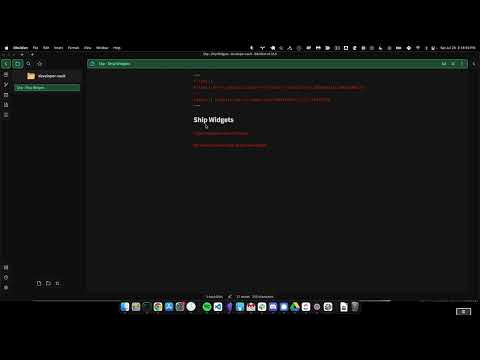
Overview Video

Open Related Url Command

Let's imagine you have an Obsidian note with the following YAML frontmatter:

alias: "Build Widgets"
taskUrl: https://clickup.com
fileUrl: https://drive.google.com

When you open the command palette and invoke the Open Related URL command, it will search your frontmatter to look for keys that end in Url (by default: this a setting you can override in your settings).

The plugin will then present you with all of the options that met the conditions above. When you select one, it will open the correlating URL.

Quick Nav

If you have url frontmatter keys that you consistently use in your note metadata, you can add obsidian keybindings to quickly navigate to those Urls.

Define Quick Urls in Your Settings

In your plugin settings for Open Related URL, supply the names of the common keys in a comma delimited list. Do not include the Url suffix. My setting is set to task, file so that I can configure quick URLs for taskUrl and fileUrl keys respectively.

Map Your Keybindings

Once you've specified your Quick Urls, you can map keybindings by pressing the hotkeys button next to "Open Related URL" in your Community Plugins menu.

Trigger Your Keybindings

When in a note that has your previously configured Quick Url in the front matter, use the newly assigned keybinding to quickly navigate to where you want to go.

64%
HealthFair
ReviewCaution
About
Open URLs listed in a note's YAML front matter by scanning for keys ending with "Url" and present matching options to open in your browser. Define common frontmatter keys as quick URLs and assign keybindings to jump directly to linked tasks, files, or web resources.
LinksPropertiesHotkeys
Details
Current version
0.0.12
Last updated
4 years ago
Created
4 years ago
Updates
8 releases
Downloads
4k
Compatible with
Obsidian 0.12.0+
Platforms
Desktop, Mobile
License
MIT
Report bugRequest featureReport plugin
Author
dpickettdpickett
danpickett.com
GitHubdpickett
  1. Community
  2. Plugins
  3. Links
  4. Open Related Url

Related plugins

Wikilink Types

Type @ inside wikilink aliases to add relationship types, auto-synced to YAML frontmatter.

Insert Heading Link

Add a command to create a link to a heading.

Advanced Canvas

Supercharge your canvas experience. Create presentations, flowcharts and more.

Smart Connections

AI link discovery copilot. See related notes as you write. Lookup using semantic (vector) search across your vault. Zero-setup local model for embeddings, no API keys, private.

Excalidraw

Visual PKM powerhouse. Create and edit Excalidraw drawings.

Meta Bind

Make your notes interactive with inline input fields, metadata displays, and buttons.

Link Favicons

See the favicon for a linked website.

Advanced URI

Control everything with URI.

Waypoint

Easily generate dynamic MOCs in your folder notes using waypoints. Enables folders to show up in the graph view and removes the need for messy tags!

Auto Link Title

Automatically fetches the titles of links from the web.