
- Overview
- Scorecard
- Updates4
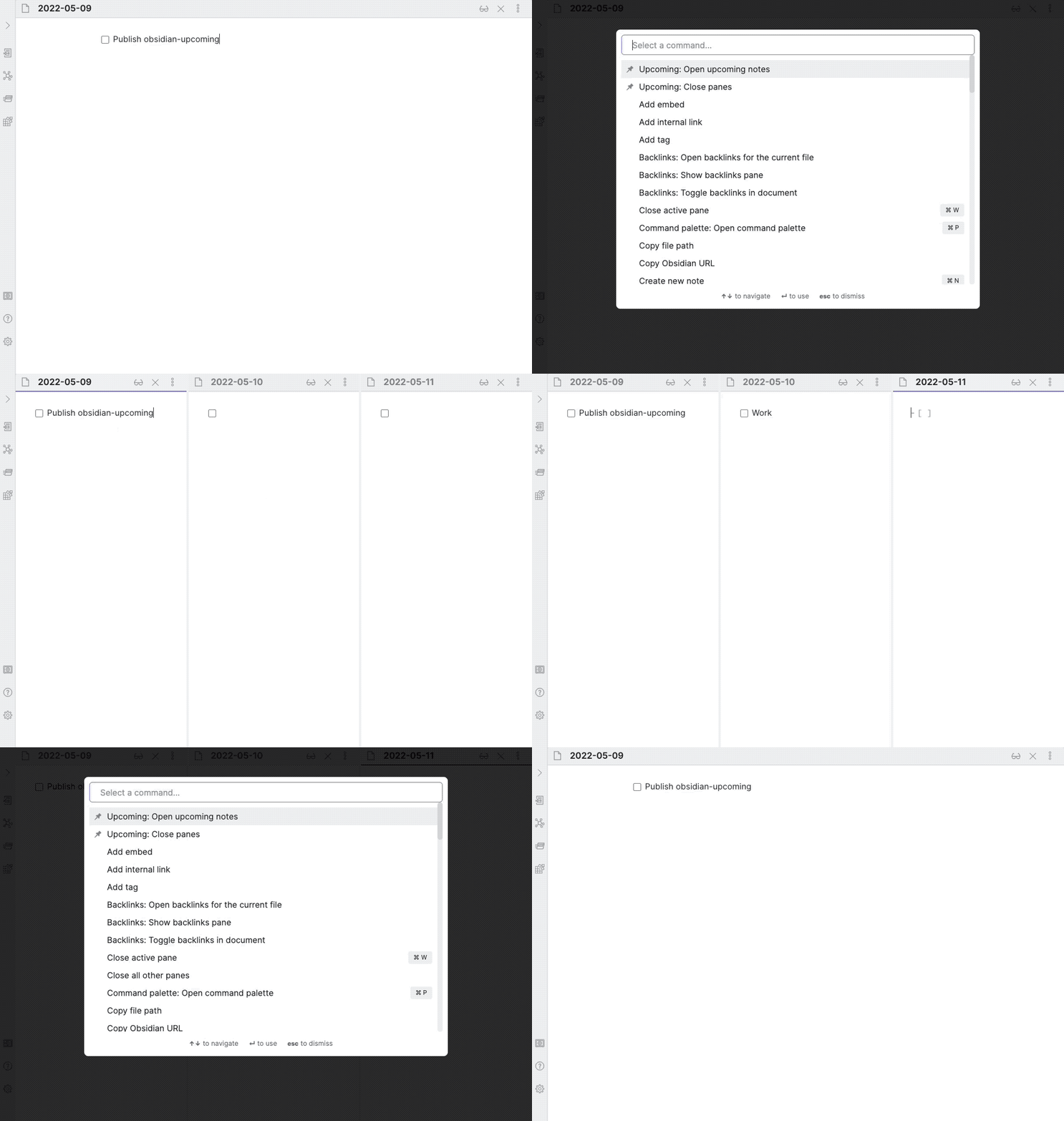
An Obsidian plugin that opens upcoming (and/or past) daily notes in their own panes/tabs/windows, so you can see and plan ahead. Check out the plugin settings before using the provided commands:
- Open upcoming notes: If a daily note is in the currently active pane, this command will open upcoming notes relative to that date. Otherwise, it will start from today.
- Close notes: Closes all daily note opened previously by the plugin.
How to Install
From inside Obsidian…
- Go to Settings → Community plugins.
- Disable Safe mode.
- Click Browse, search for Upcoming, and click Install.
- Click the toggle button to enable the plugin.
For manual installation, download this repo and copy over main.js and manifest.json to your vault: VaultFolder/.obsidian/plugins/obsidian-upcoming/.
Development
- Clone this repo.
yarnto install dependencies.yarn devto start compilation in watch mode.bash install-built.sh /path/to/your/vault -dto create symbolic links of built files to your vault for quick development.
Release
- Run
yarn build. - Bump version in
manifest.jsonandversions.json. - Add changes in
CHANGELOG.md. - Add a new release in Github with the changelog texts and the built
main.jsandmanifest.jsonattached.
Support
If you really like this plugin and want to support its development, please consider buying me a coffee 🙂 Thanks!
HealthFair
ReviewSatisfactory
About
Open upcoming and past daily notes in separate panes, tabs, or windows to view and plan ahead. Start the sequence from the active daily note or from today when no daily note is active. Close all previously opened daily notes with a single action.Details
Current version
0.4.0
Last updated
4 years ago
Created
4 years ago
Updates
4 releases
Downloads
4k
Compatible with
Obsidian 0.14.6+
Platforms
Desktop, Mobile
License
MIT
Sponsor