TimeStamper
 gru8047k downloads
Insert a customized or predefined time- or date-stamp at the current cursor position.
- Overview
- Scorecard
- Updates4
Add time- or date stamps to your note:
- Two format strings can be pre-configured in the plugin settings (and inserted via command or hot-key)
- An ad-hoc customized time stamp can be inserted via a dialog (last recently used format is saved and provided as suggestion)
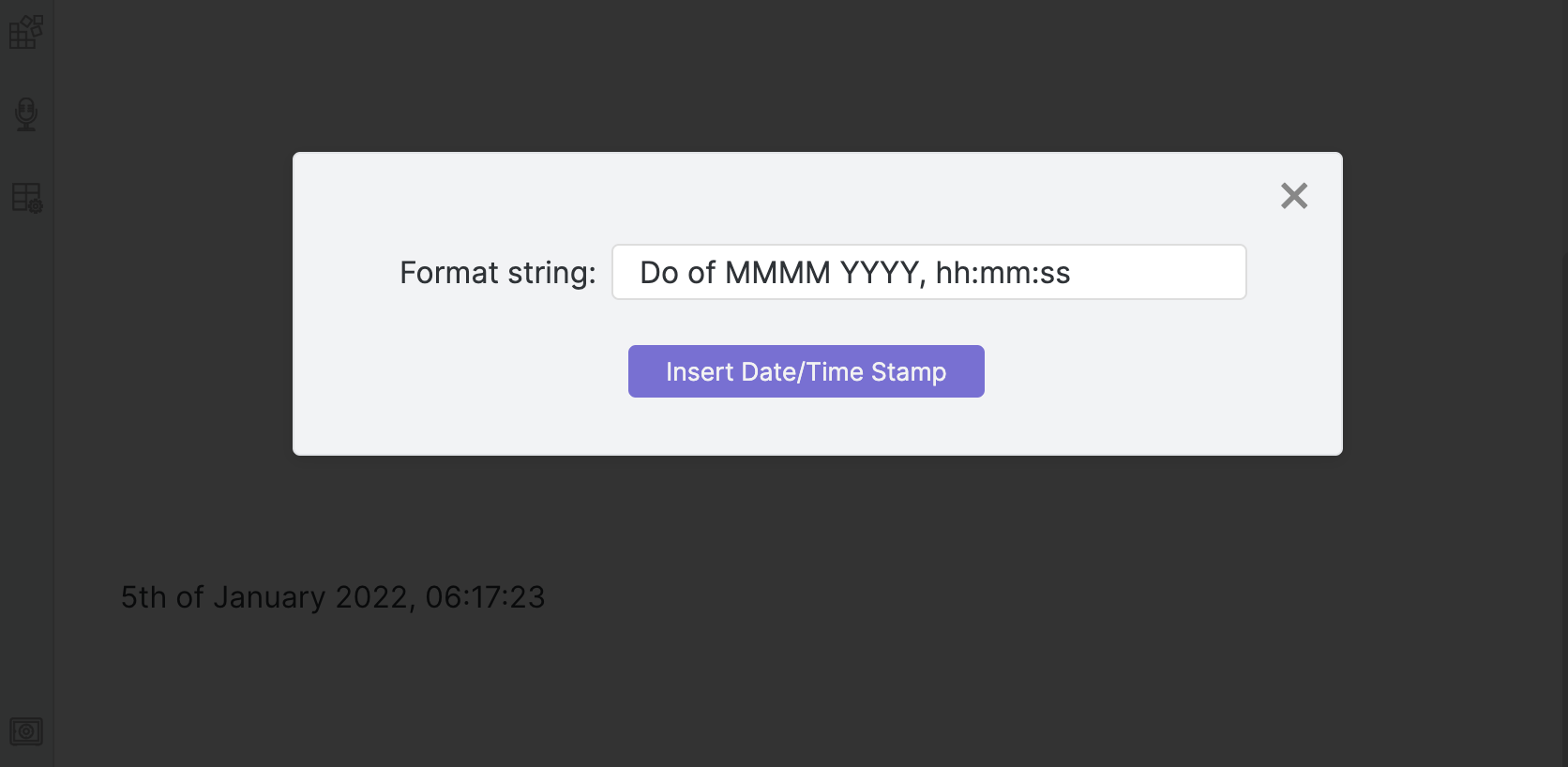
Desktop as well as mobile versions of Obsidian are supported.
Plugin Settings
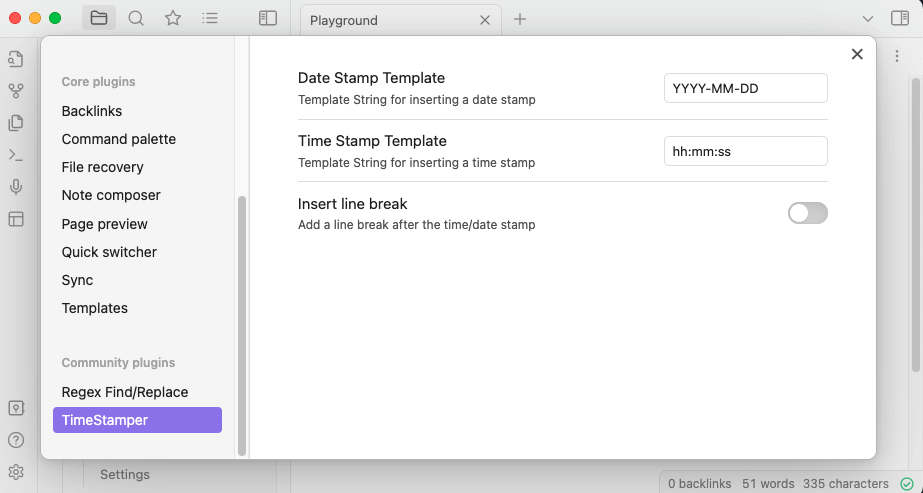
The plugin comes with some options for configuration:
- A default template string for quick-insert of a time stamp (via command or configurable hot-key)
- A default template string for quick-insert of a date stamp (via command or configurable hot-key)
- An option to specify if a line-break should be added after the inserted time/date stamp automatically
Hotkey Configuration
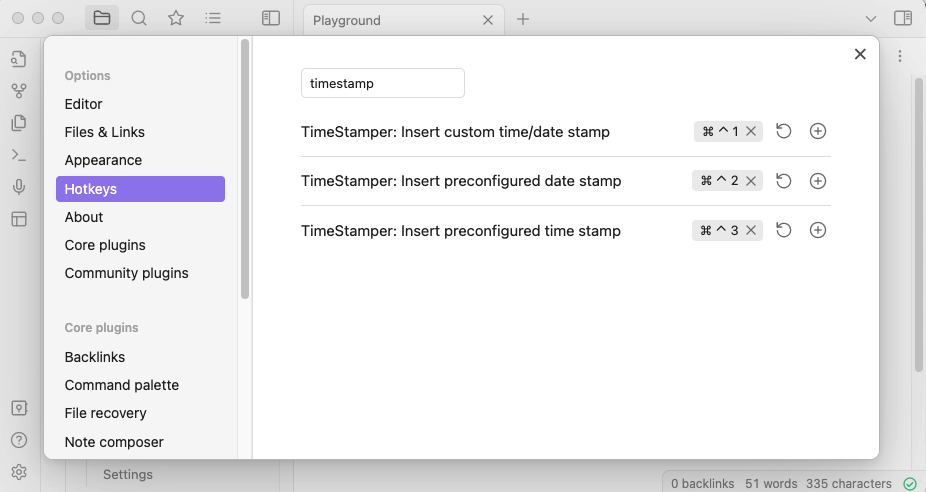
Hot-Keys can be configured for in the Obsidian Hotkeys-Options Page for quick access to the following commands:
- Open dialog to enter a custom time/date format string
- Insert pre-defined time stamp
- Insert pre-defined date stamp
Format String
The plugin uses moment.js which comes with Obsidian by default, hence all known tokens from moment.js can be used to create your customized time/date stamp: Full ist of supported tokens
| Token | Output | |
|---|---|---|
| Month | M | 1 2 ... 11 12 |
| Mo | 1st 2nd ... 11th 12th | |
| MM | 01 02 ... 11 12 | |
| MMM | Jan Feb ... Nov Dec | |
| MMMM | January February ... November December | |
| Quarter | Q | 1 2 3 4 |
| Qo | 1st 2nd 3rd 4th | |
| Day of Month | D | 1 2 ... 30 31 |
| Do | 1st 2nd ... 30th 31st | |
| DD | 01 02 ... 30 31 | |
| Day of Year | DDD | 1 2 ... 364 365 |
| DDDo | 1st 2nd ... 364th 365th | |
| DDDD | 001 002 ... 364 365 | |
| Day of Week | d | 0 1 ... 5 6 |
| do | 0th 1st ... 5th 6th | |
| dd | Su Mo ... Fr Sa | |
| ddd | Sun Mon ... Fri Sat | |
| dddd | Sunday Monday ... Friday Saturday | |
| Day of Week (Locale) | e | 0 1 ... 5 6 |
| Day of Week (ISO) | E | 1 2 ... 6 7 |
| Week of Year | w | 1 2 ... 52 53 |
| wo | 1st 2nd ... 52nd 53rd | |
| ww | 01 02 ... 52 53 | |
| Week of Year (ISO) | W | 1 2 ... 52 53 |
| Wo | 1st 2nd ... 52nd 53rd | |
| WW | 01 02 ... 52 53 | |
| Year | YY | 70 71 ... 29 30 |
| YYYY | 1970 1971 ... 2029 2030 | |
| Era Year | y | 1 2 ... 2020 ... |
| Week Year | gg | 70 71 ... 29 30 |
| gggg | 1970 1971 ... 2029 2030 | |
| Week Year (ISO) | GG | 70 71 ... 29 30 |
| GGGG | 1970 1971 ... 2029 2030 | |
| AM/PM | A | AM PM |
| a | am pm | |
| Hour | H | 0 1 ... 22 23 |
| HH | 00 01 ... 22 23 | |
| h | 1 2 ... 11 12 | |
| hh | 01 02 ... 11 12 | |
| k | 1 2 ... 23 24 | |
| kk | 01 02 ... 23 24 | |
| Minute | m | 0 1 ... 58 59 |
| mm | 00 01 ... 58 59 | |
| Second | s | 0 1 ... 58 59 |
| ss | 00 01 ... 58 59 | |
| Fractional Second | S | 0 1 ... 8 9 |
| SS | 00 01 ... 98 99 | |
| SSS | 000 001 ... 998 999 | |
| SSSS ... SSSSSSSSS | 000[0..] 001[0..] ... 998[0..] 999[0..] | |
| Time Zone | z or zz | EST CST ... MST PST |
| Z | -07:00 -06:00 ... +06:00 +07:00 | |
| ZZ | -0700 -0600 ... +0600 +0700 | |
| Unix Timestamp | X | 1360013296 |
| Unix Millisecond Timestamp | x | 1,36001E+12 |
HealthFair
ReviewSatisfactory
About
Insert time- or date-stamps into notes using two preconfigured templates or an ad-hoc format dialog. Save and reuse the last custom format and use moment.js tokens for flexible formatting. Work on both desktop and mobile Obsidian.Details
Current version
1.3.0
Last updated
4 years ago
Created
5 years ago
Updates
4 releases
Downloads
47k
Compatible with
Obsidian 0.12.17+
Platforms
Desktop, Mobile
License
MIT