
- Overview
- Scorecard
- Updates17
This plugin lets you insert video thumbnails into your notes to help you keep track of what you're actually linking.
Works with Youtube and Vimeo.
Usage
Use the "Insert thumbnail from URL in clipboard" command
OR
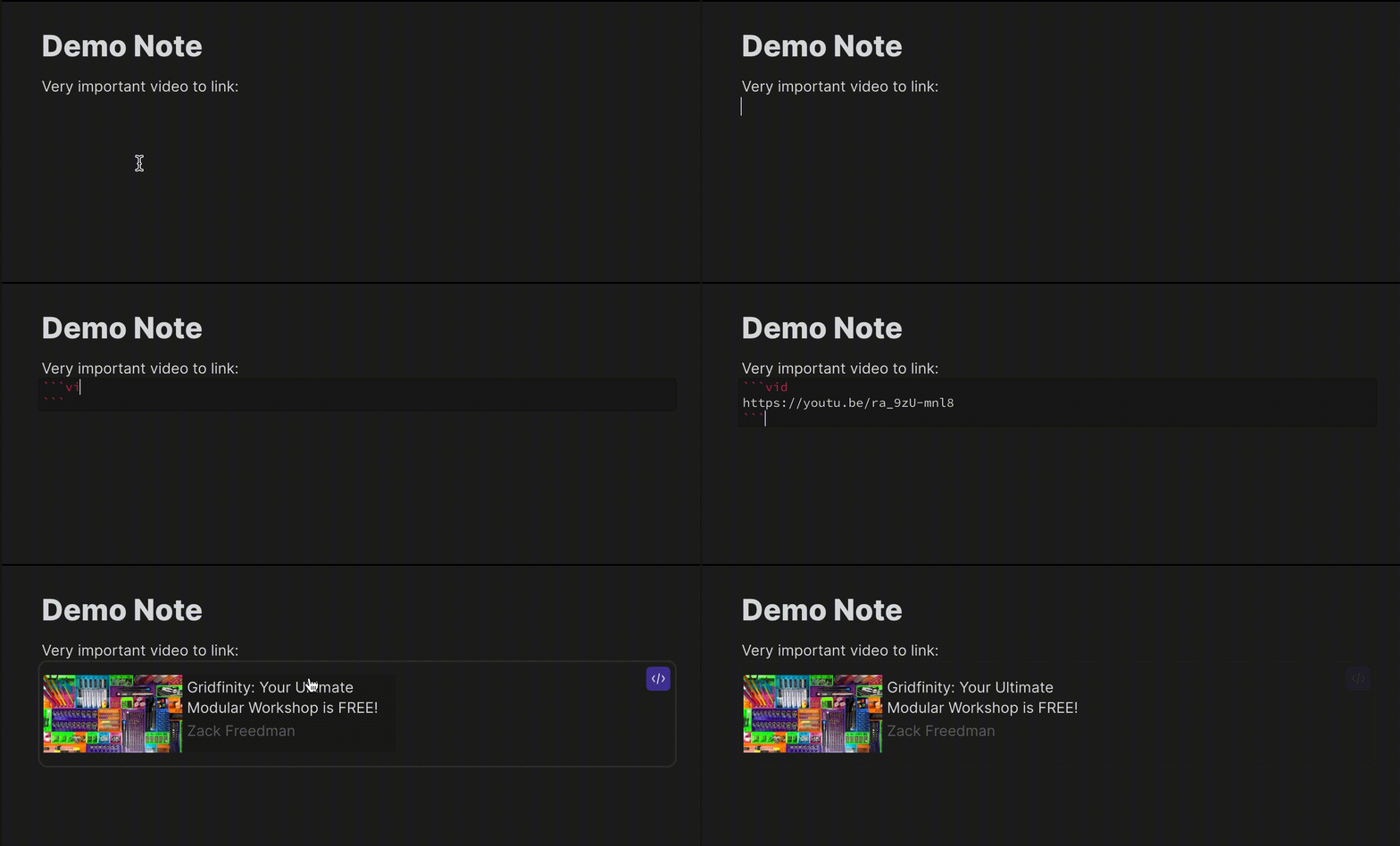
Manually place a code block with the vid type, and include the link to your video:
```vid
https://youtu.be/dQw4w9WgXcQ
```
Commands
Insert thumbnail from URL in clipboard
If you have a video URL in your clipboard, this command will create the code block for you.
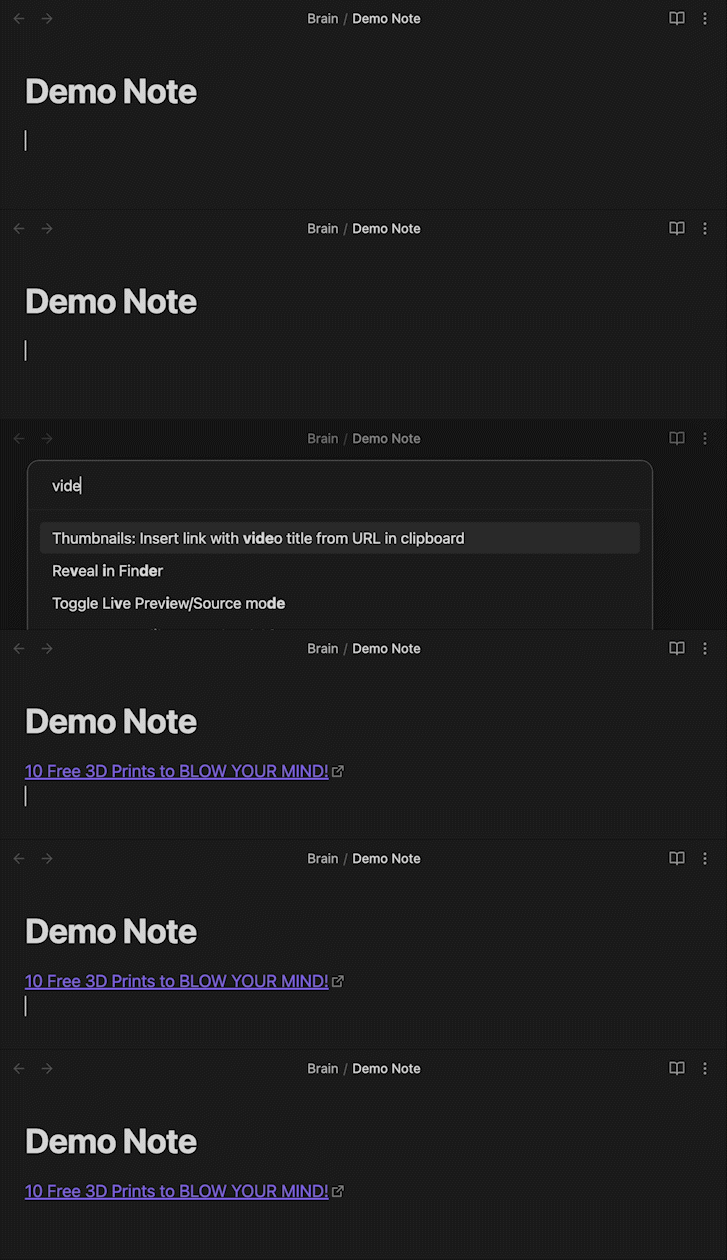
Insert video title link from URL in clipboard
If you have a video URL in your clipboard, this command will automatically create a link with the text set to the video title.
Offline Settings
Save Thumbnail Info
Default: Enabled
When offline, thumbnails will have blank images but still show the title and channel.
Save Images
Default: Disabled
Store your thumbnail images locally in a location you specify.
HealthGood
ReviewCaution
About
Insert video thumbnails into notes to preview linked YouTube and Vimeo videos. Use clipboard commands to auto-create thumbnail blocks or title links, show titles and channels offline, and optionally store thumbnail images locally.Details
Current version
1.3.1
Last updated
2 years ago
Created
4 years ago
Updates
17 releases
Downloads
27k
Compatible with
Obsidian 1.0.0+
Platforms
Desktop, Mobile
License
MIT