Relative Line Numbers
 nadavspi112k downloads
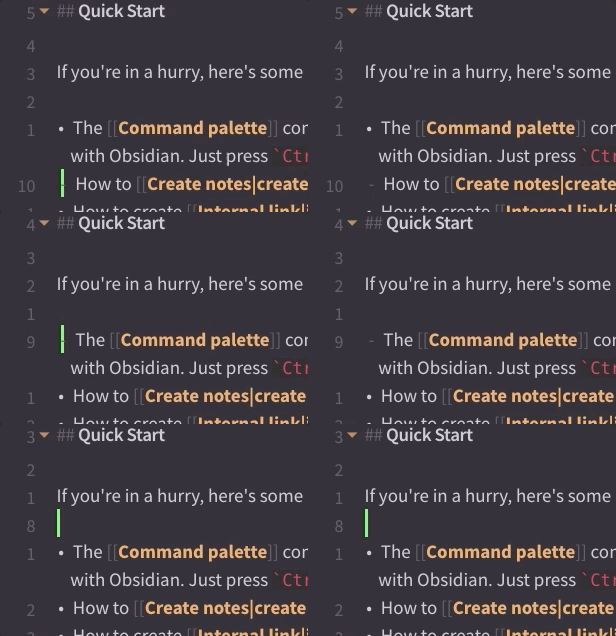
Enable relative line numbers in editor mode.
- Overview
- Scorecard
- Updates6
This Obsidian plugin enables relative line numbers (similar to Vim's relativenumber) in editor mode.
Note: the "Show line number" setting must be enabled in Editor options.
HealthFair
ReviewSatisfactory
About
Display relative line numbers in Obsidian's editor mode, mirroring Vim's relativenumber for quick movement context. Enable line numbers in Editor options to show the current line as 0 and other lines as distance counts.Details
Current version
3.0.0
Last updated
3 years ago
Created
6 years ago
Updates
6 releases
Downloads
112k
Compatible with
Obsidian 1.4.16+
Platforms
Desktop, Mobile