
- Overview
- Scorecard
- Updates6
This is a plugin for Obsidian to display QR Codes.
The library used for generating QR Codes is node-qrcode.
Installation
From within Obsidian
From Obsidian v0.9.8, you can activate this plugin within Obsidian by doing the following:
- Open Settings > Third-party plugin
- Make sure Safe mode is off
- Click Browse community plugins
- Search for "QR Code Generator"
- Click Install
- Once installed, close the community plugins window and activate the newly installed plugin
From Github
- Clone this repository
- Follow the instructions of the official Obsidian Sample Plugin to deploy it in your local installation
Usage
Type the qrcode keyword to use the QR Code Plugin.
```qrcode
https://github.com
```
The result will be this:
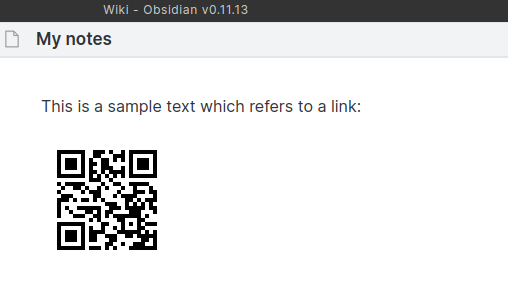
For complex QR Code generation (which means customizable codes) use the keyword qrcode-complex instead.
```qrcode-complex
{
   "text": "this is my data",
   "width": 400,
   "margin": 20,
   "dark": "#0FF",
   "light": "#FFF",
   "errorCorrectionLevel": "M"
}
```
You have the following options:
| parameter | required | description |
|---|---|---|
| text | yes | The data/content for the code |
| width | optional (default = auto) | integer value for the size |
| margin | optional (default = 4) | Define how much wide the quiet zone should be. |
| dark | optional (default = #000000) | RGB or RGBA Hex-Code for the dark Pixels |
| light | optional (default = #FFFFFF) | RGB or RGBA Hex-Code for the light Pixels |
| errorCorrectionLevel | optional (default = L) | Defines the error resistance. Possible values: L = 7% / M = 15% / Q = 25% / H = 30% - The percentage indicates the maximum amount of damaged surface after which the symbol becomes unreadable. |
Version History
1.2.1
- Issue #7: Changed the plugin name to be compliant with the Obsidian rules.
1.2.0
- Updated to new plugin structure
- Some small code refactorings
1.1.0
- Fixed the import issue
- Updated to qrcode lib version 1.5
1.0.2
- Error Correction Level added
1.0.1
- Fixed Issue #1 New Keyword for complex QR Codes with settings
- Plugin class name changed
1.0.0
- Initial Release
📈 Star History
HealthGood
ReviewSatisfactory
About
Generate QR codes directly in your notes with a simple qrcode block or use qrcode-complex for fully customizable codes. Customize text, size, margin, colors, and error-correction level to create tailored QR images.Details
Current version
1.2.1
Last updated
3 years ago
Created
5 years ago
Updates
6 releases
Downloads
12k
Compatible with
Obsidian 0.9.12+
Platforms
Desktop, Mobile
License
MIT