Search...Search plugins and themes...
⌘K
Sign in
  • Get started
  • Download
  • Pricing
  • Enterprise
  • Account
  • Obsidian
  • Overview
  • Sync
  • Publish
  • Canvas
  • Mobile
  • Web Clipper
  • CLI
  • Learn
  • Help
  • Developers
  • Changelog
  • About
  • Roadmap
  • Blog
  • Resources
  • System status
  • License overview
  • Terms of service
  • Privacy policy
  • Security
  • Community
  • Plugins
  • Themes
  • Discord
  • Forum / 中文论坛
  • Merch store
  • Brand guidelines
Follow us
DiscordTwitterBlueskyThreadsMastodonYouTubeGitHub
© 2026 Obsidian

Local File Interface

qawatakeqawatake5k downloads

Commands for moving files in and out of the vault.

Add to Obsidian
  • Overview
  • Scorecard
  • Updates3

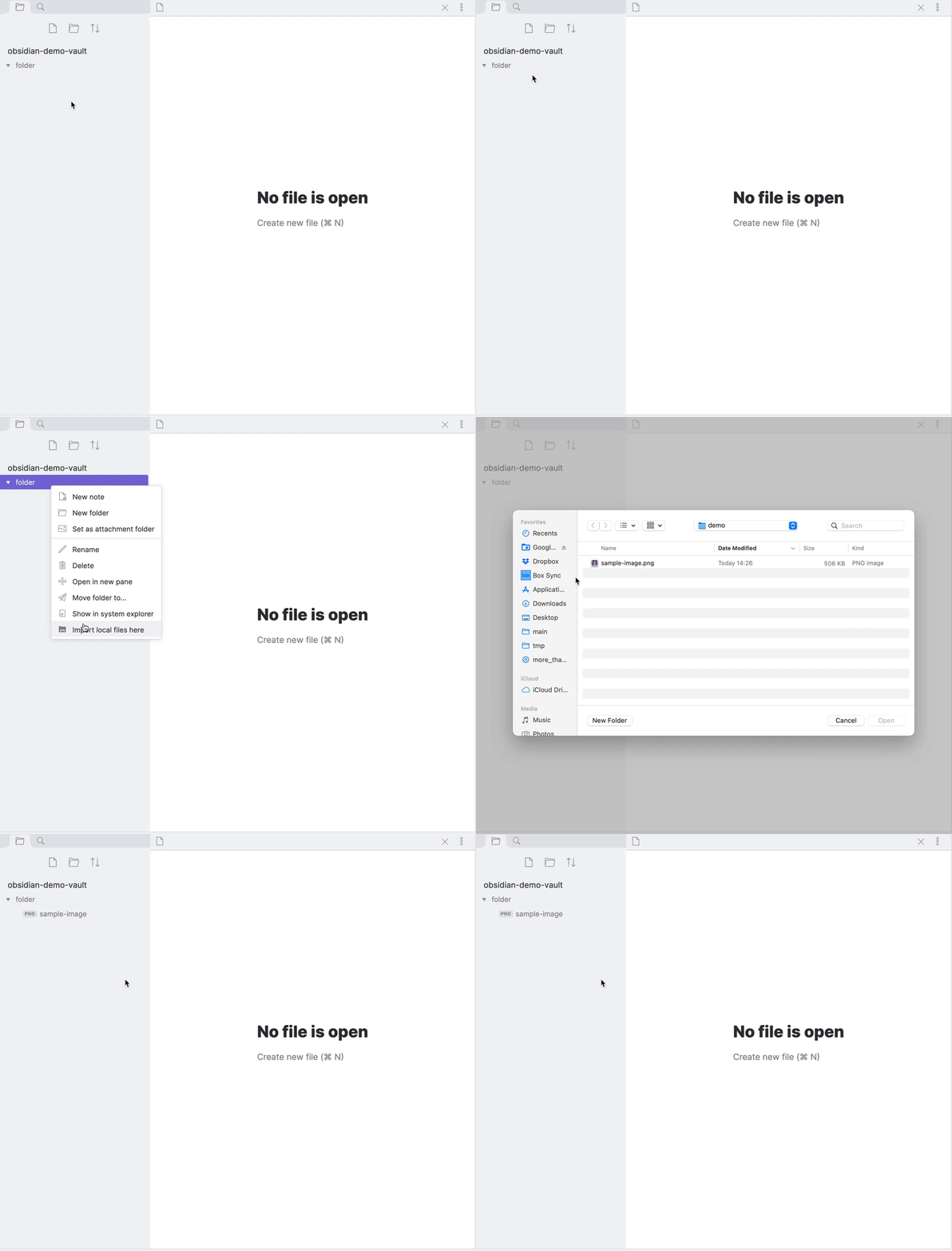
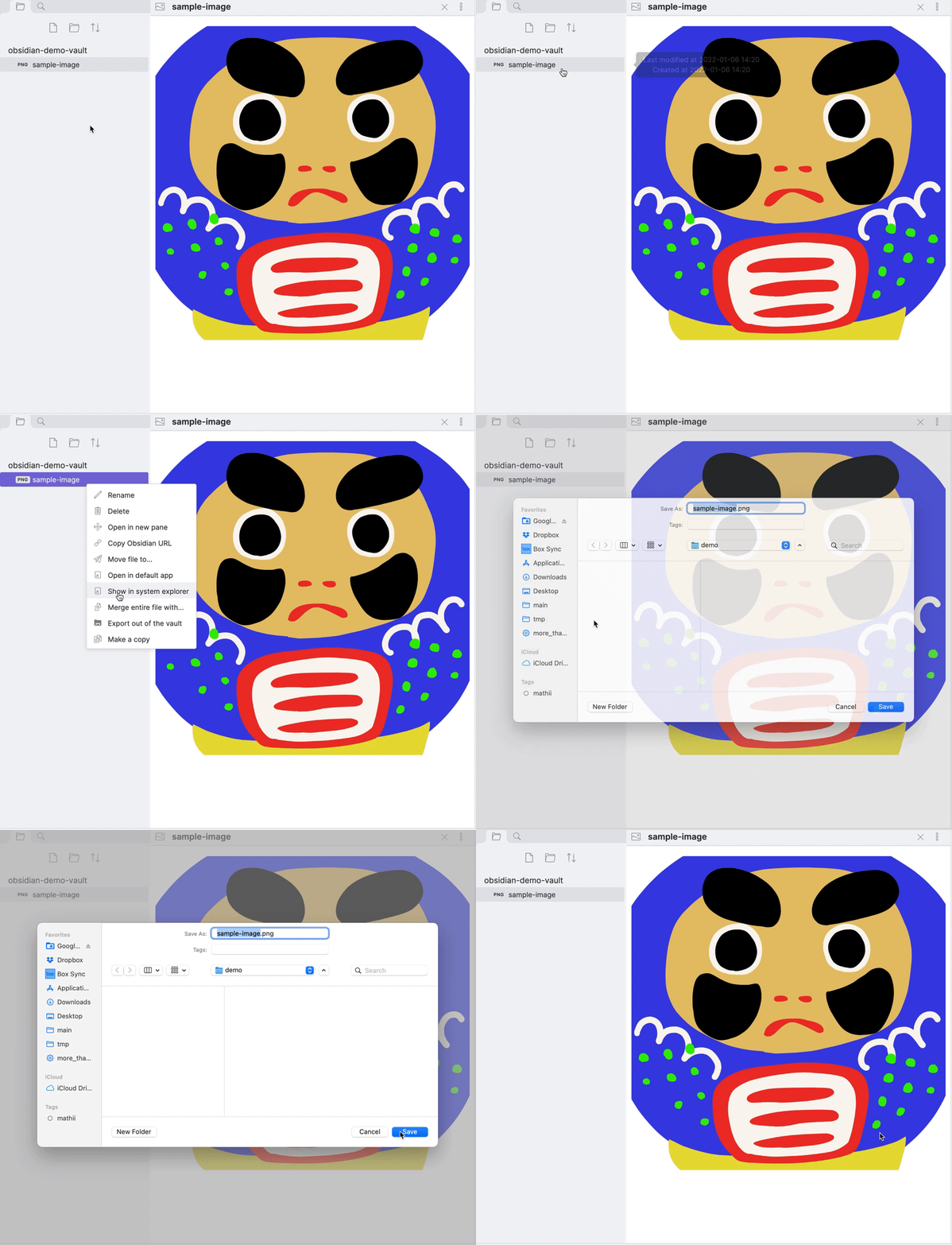
This plugin provides commands for moving files in and out of the vault. There are four features as follows.

  1. a command to import local files outside the vault,
  2. a command to export files in the vault to other locations in the device,
  3. a folder menu for import files,
  4. a file menu for exporting.

1. Command to import local files outside the vault
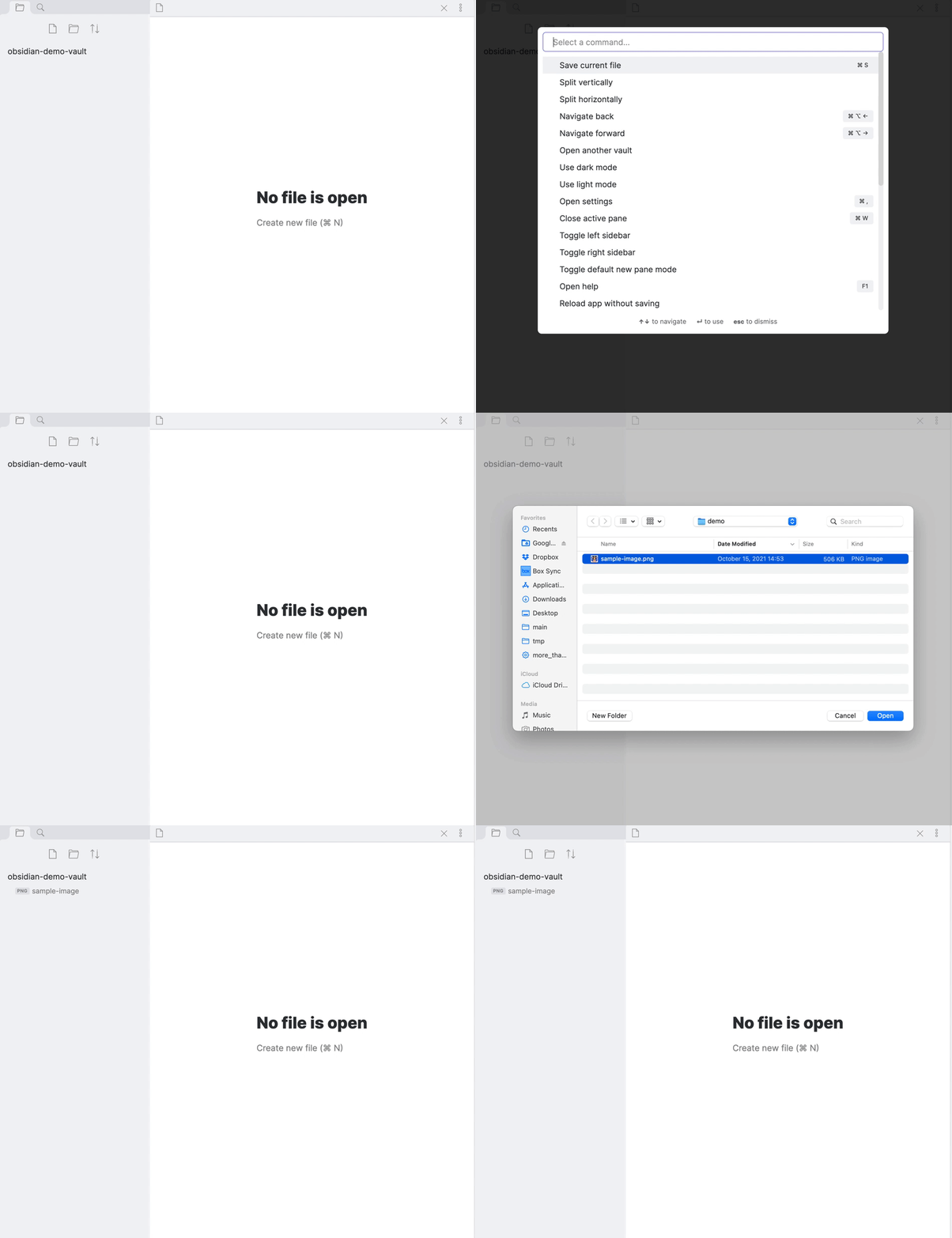
Image from Gyazo

2. Command to export files in the vault to other locations in the device
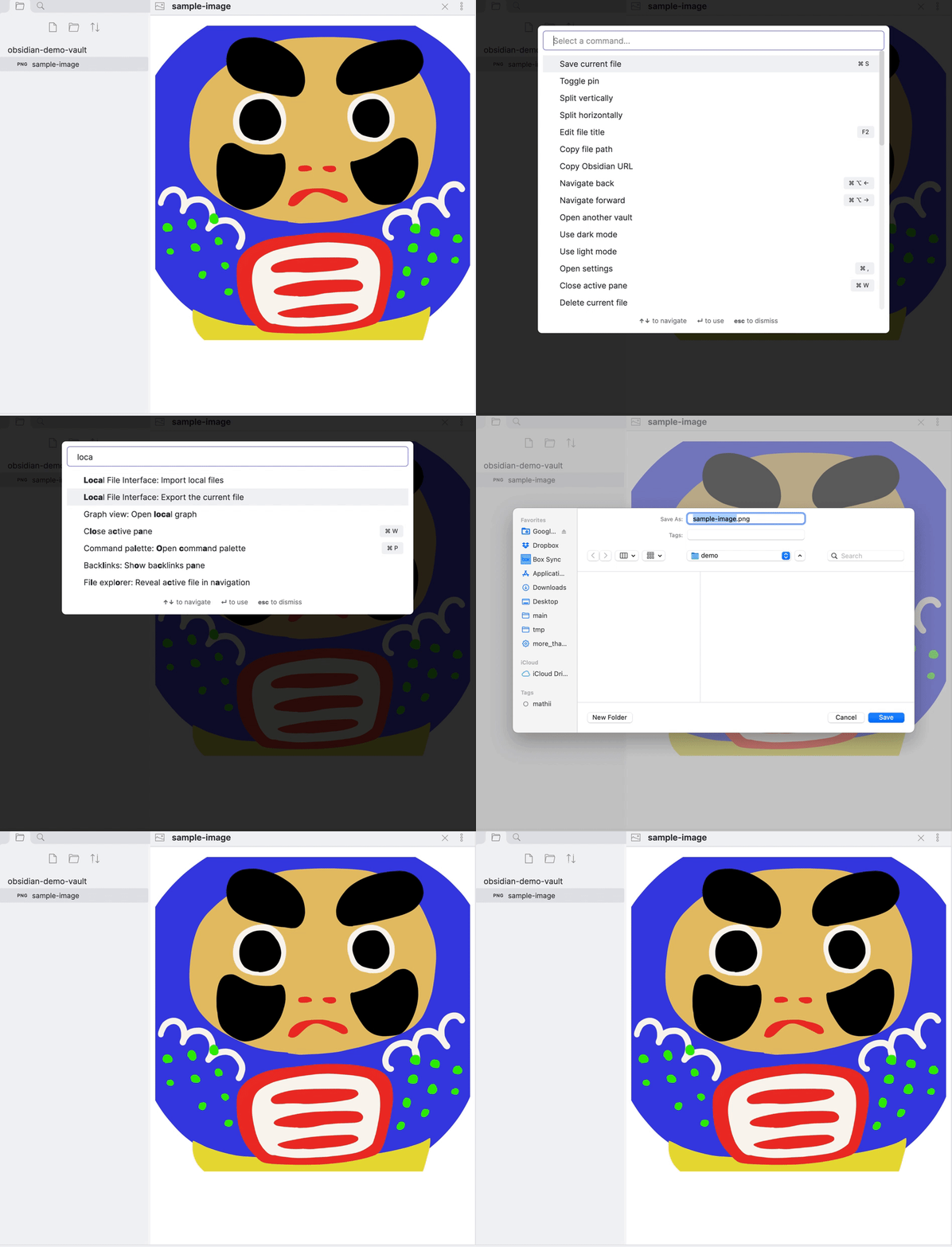
Image from Gyazo

3. Folder menu for importing files

Image from Gyazo

4. File Menu for exporting

Image from Gyazo

HealthFair
ReviewCaution
About
Import files from anywhere on your device into the vault and export vault files to other device locations. Add folder and file context menus plus commands for fast, one-step import and export operations.
FilesImportExport
Details
Current version
0.1.0
Last updated
4 years ago
Created
4 years ago
Updates
3 releases
Downloads
5k
Compatible with
Obsidian 0.12.0+
Platforms
Desktop, Mobile
License
MIT
Report bugRequest featureReport plugin
Author
qawatakeqawatake
github.com/qawatake/obsidian-binary-file-manager-plugin
GitHubqawatake
  1. Community
  2. Plugins
  3. Files
  4. Local File Interface

Related plugins

RSS Dashboard

A dashboard for organizing and consuming RSS feeds, YouTube channels, and podcasts with smart tagging, media playback, and seamless content flow.

Advanced Exclude

Enhances the Excluded files setting bringing gitignore syntax.

Notebook Navigator

A better file browser and calendar inspired by Apple Notes, Bear, Evernote and Day One.

Importer

Convert your data to Markdown files you can use in Obsidian. Works with Apple Notes, OneNote, Evernote, Notion, Google Keep, and many other formats.

Recent Files

Display a list of recently opened files.

Omnisearch

Intelligent search for your notes, PDFs, and OCR for images.

Local REST API with MCP

Unlock your automation needs by interacting with your notes over a secure REST API.

Claudian

Embeds Claude Code/Codex as an AI collaborator in your vault. Your vault becomes agent's working directory, giving it full agentic capabilities: file read/write, search, bash commands, and multi-step workflows.

Multi Properties

Add properties to multiple notes at once. Either right-click a folder or select multiple notes and right-click the selection.

Zotero Integration

Insert and import citations, bibliographies, notes, and PDF annotations from Zotero.