Search...Search plugins and themes...
⌘K
Sign in
  • Get started
  • Download
  • Pricing
  • Enterprise
  • Account
  • Obsidian
  • Overview
  • Sync
  • Publish
  • Canvas
  • Mobile
  • Web Clipper
  • CLI
  • Learn
  • Help
  • Developers
  • Changelog
  • About
  • Roadmap
  • Blog
  • Resources
  • System status
  • License overview
  • Terms of service
  • Privacy policy
  • Security
  • Community
  • Plugins
  • Join the community
  • Discord
  • Forum / 中文论坛
  • Merch store
  • Brand guidelines
Follow us
DiscordTwitterBlueskyThreadsMastodonYouTubeGitHub
© 2026 Obsidian

Grandfather

noatpadnoatpad9k downloads

Display the time and date in the status bar.

Add to Obsidian
  • Overview
  • Scorecard
  • Updates2

A rather simple plugin that displays the time (and date, if you desire) on your status bar. I just made this to dabble with the Obsidian API as I migrate my notes to it.

You can select from a list of predefined time formats, or use a custom format that you can define youself, which you can find information about here.
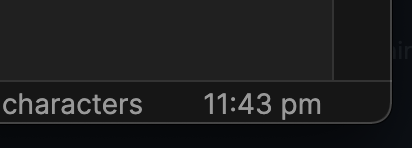
Demo image

Installation

From Obsidian

  • Within Obsidian, browse community plugins in Settings -> Community plugins & search for this plugin
  • Install and enable the Grandfather plugin

From GitHub Releases

  • Go to the latest release here, & download the grandfather.zip file
  • Extract the zip's contents to your vault's plugin folder: <vault>/.obsidian/plugins
  • Reload Obsidian & enable the plugin in Settings -> Community Plugins

From GitHub repo

  • Clone the repo
  • Run npm i && npm run build to build the plugin file locally
  • Copy manifest.json and dist/main.js to a new folder in your vault's plugin folder: <vault>/.obsidian/plugins
  • Reload Obsidian & enable the plugin in Settings -> Community Plugins

Development

You can also continue to develop and customize the plugin to your liking (it's still a simple clock though, so I'd be surprised honestly):

  • Clone the repo
  • Run npm i to install dependencies
  • Run npm run dev to run a watch script that'll automatically move changes to your plugins folder
    • Remember to change TEST_VAULT in rollup.config.dev.js to the vault you'll be testing the plugin on
  • Reload Obsidian if necessary
59%
HealthNeeds work
ReviewSatisfactory
About
Display the current time and optional date in the status bar. Choose from predefined time formats or set a custom format for a personalized clock.
Status barDatesInterface
Details
Current version
1.0.1
Last updated
5 years ago
Created
5 years ago
Updates
2 releases
Downloads
9k
Compatible with
Obsidian 0.9.8+
Report bugRequest featureReport plugin
Author
noatpadnoatpad
github.com/noatpad
GitHubnoatpad
  1. Community
  2. Plugins
  3. Status bar
  4. Grandfather

Related plugins

Day Planner (OG)

Day planning from a simple task list in a Markdown note (bare bones, preserves the features and behavior of the original plugin).

Pomodoro Timer

Manage your daily focus using the Pomodoro Technique.

Widgets

Add widgets to your notes like clock, countdown, and quotes.

Hider

Hide interface elements such as tooltips, status bar, titlebar, and more.

Day Planner

Day planning from a task list in a Markdown note with enhanced time block functionality.

Meta Bind

Make your notes interactive with inline input fields, metadata displays, and buttons.

Commander

Customize your workspace by adding commands everywhere, create macros and supercharge your mobile toolbar.

Tasks

Track tasks across your vault. Supports due dates, recurring tasks, done dates, sub-set of checklist items, and filtering.

Iconic

Customize your icons and their colors directly from the UI, including tabs, files & folders, bookmarks, tags, properties, and ribbon commands.

Reminder

Manage Markdown TODOs with reminder.