Search...Search plugins and themes...
⌘K
Sign in
  • Get started
  • Download
  • Pricing
  • Enterprise
  • Account
  • Obsidian
  • Overview
  • Sync
  • Publish
  • Canvas
  • Mobile
  • Web Clipper
  • CLI
  • Learn
  • Help
  • Developers
  • Changelog
  • About
  • Roadmap
  • Blog
  • Resources
  • System status
  • License overview
  • Terms of service
  • Privacy policy
  • Security
  • Community
  • Plugins
  • Themes
  • Discord
  • Forum / 中文论坛
  • Merch store
  • Brand guidelines
Follow us
DiscordTwitterBlueskyThreadsMastodonYouTubeGitHub
© 2026 Obsidian

Format code

ivariableivariable12k downloads

Commands to format code (internally uses prettier).

Add to Obsidian
  • Overview
  • Scorecard
  • Updates1

This is a plugin for Obsidian that introduces custom commands to format code.

Currently supports the following languages:

  • JSON
  • YAML
  • HTML
  • GraphQL
  • TypeScript

Prettier is used under the hood.

How to use
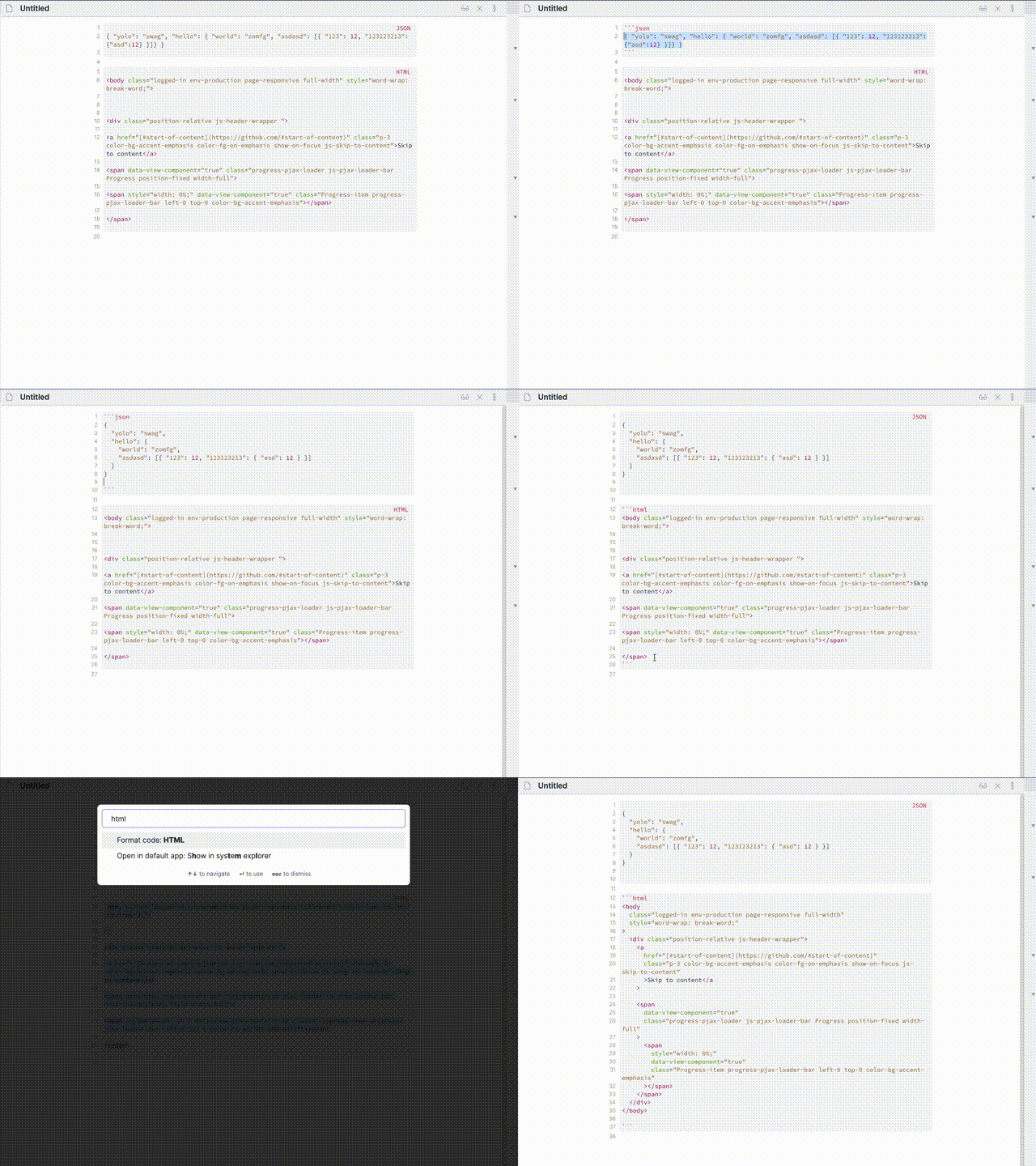
How to use

How to install

Until this plugin is not published in the Obsidian ecosystem you can install it using How to develop instructions

How to develop

  1. Clone the repository to .obsidian/plugins/obsidian-format-code
  2. npm i
  3. npm run dev
  4. Launch Obsidian
  5. Enable plugin in the Obsidian settings under "Community plugins" > "Installed plugins"" >"Format code"
57%
HealthFair
ReviewCaution
About
Format code blocks written in JSON, YAML, HTML, GraphQL, and TypeScript using Prettier. Apply custom commands to clean up and standardize embedded code snippets inside your notes.
CodeFormattingLanguages
Details
Current version
0.0.1
Last updated
4 years ago
Created
4 years ago
Updates
1 release
Downloads
12k
Compatible with
Obsidian 0.12.0+
Platforms
Desktop, Mobile
License
MIT
Report bugRequest featureReport plugin
Author
ivariableivariable
github.com/iVariable
GitHubivariable
  1. Community
  2. Plugins
  3. Code
  4. Format code

Related plugins

Easy Typing

Auto format when typing.

ruby.wasm

Run ruby code in your notes using WebAssembly.

Templater

Create and use dynamic templates.

Mermaid Tools

Improved Mermaid.js experience: visual toolbar with common elements and more.

Linter

Format and style your notes. Linter can be used to format YAML tags, aliases, arrays, and metadata; footnotes; headings; spacing; math blocks; regular Markdown contents like list, italics, and bold styles; and more with the use of custom rule options.

Simplified Chinese Word Splitting

Adds Simplified Chinese word splitting support for the editor and Vim mode.

PlantUML

Generate PlantUML diagrams.

Admonition

Admonition block-styled content.

LanguageTool

Unofficial integration of the LanguageTool spell and grammar checker.

Kroki

Render Kroki diagrams.