Search...Search plugins and themes...
⌘K
Sign in
  • Get started
  • Download
  • Pricing
  • Enterprise
  • Account
  • Obsidian
  • Overview
  • Sync
  • Publish
  • Canvas
  • Mobile
  • Web Clipper
  • CLI
  • Learn
  • Help
  • Developers
  • Changelog
  • About
  • Roadmap
  • Blog
  • Resources
  • System status
  • License overview
  • Terms of service
  • Privacy policy
  • Security
  • Community
  • Plugins
  • Themes
  • Discord
  • Forum / 中文论坛
  • Merch store
  • Brand guidelines
Follow us
DiscordTwitterBlueskyThreadsMastodonYouTubeGitHub
© 2026 Obsidian

Camera

aldrinjensonaldrinjenson15k downloads

Create and save snaps or video recordings.

Add to Obsidian
  • Overview
  • Scorecard
  • Updates11

Camera plugin for Obsidian(https://obsidian.md).

Note: This software is in Beta and may have some issues in certain systems like mobile devices

Features

  • Take photo and video recordings and have them saved in vault
  • Create and paste links to the recording automatically if a markdown file is open
  • File picker

Note

  • This was built primarily with Obsidan-desktop in mind
  • Mobile version mostly works, but there may be some differences depending on the mobile manufacturer

Installataion

Install directly by browsing from community plugins.

Or

Manual Installation:

  • Create a new folder called obsidian-camera in VaultFolder/.obsidian/plugins folder
  • Copy the main.js and manifest.json files to this folder
  • reload Obsidian
  • enable "Obsidian Camera" extension under Settings>Community plugins>Installed pluggins

Usage:

  • Open command palette and search for "camera" once the extension is enabled OR
  • Click the camera icon in the left ribbon

Demo
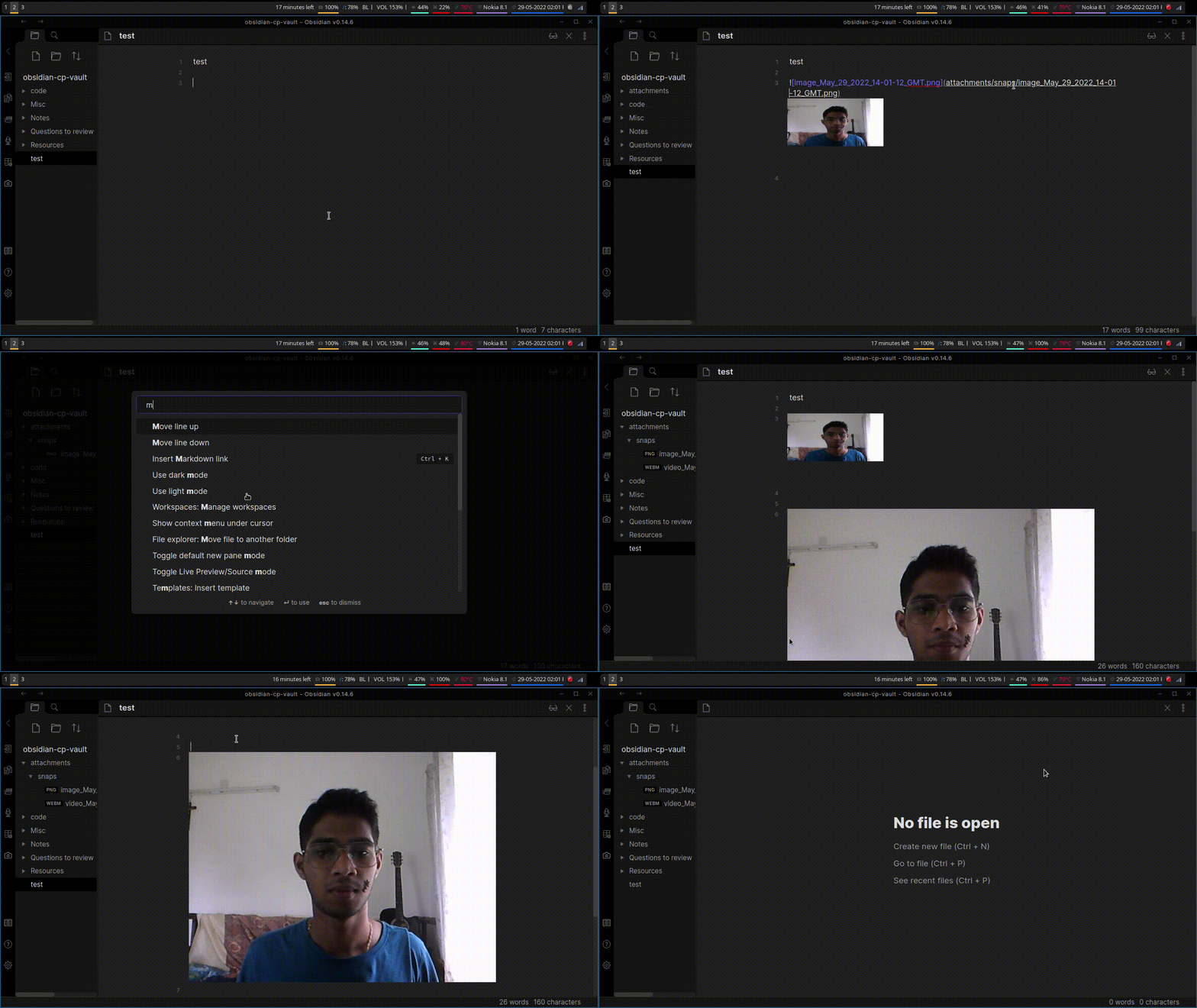
demo.gif

64%
HealthFair
ReviewCaution
About
Capture photos and videos directly into your vault and save recordings as files. Insert links to recordings automatically into the open Markdown note and browse saved media with a file picker. Target desktop use; expect some differences on mobile devices.
AttachmentsImagesFiles
Details
Current version
1.8.0
Last updated
2 years ago
Created
4 years ago
Updates
11 releases
Downloads
15k
Compatible with
Obsidian 0.14.6+
Platforms
Desktop, Mobile
Report bugRequest featureReport plugin
Author
aldrinjensonaldrinjenson
aldrinjenson.github.io/
GitHubaldrinjenson
  1. Community
  2. Plugins
  3. Attachments
  4. Camera

Related plugins

Image Converter

Convert, compress, resize, annotate, markup, draw, crop, rotate, flip, align, drag-resize, rename with variables, and batch process images: WEBP, JPG, PNG, HEIC, TIF

Image Context Menus

Image context menus (mostly on right click): Copy to clipboard, Open in default app, Show in system explorer, Reveal file in navigation, Open in new tab.

Ink

Hand write or draw directly between paragraphs using a digital pen, stylus, or Apple pencil.

Local Images Plus

A reincarnation of Local Images to download images in Markdown notes to local storage.

Paste image rename

Rename image after pasting, support name pattern and auto renaming.

Image auto upload

Upload images from your clipboard by PicGo.

Janitor

Perform cleanup tasks on your vault.

Custom Attachment Location

Customize attachment location with variables($filename, $data, etc) like Typora.

Imgur

Upload images from your clipboard to imgur.com and embeds uploaded image to your note.

Notebook Navigator

A better file browser and calendar inspired by Apple Notes, Bear, Evernote and Day One.