Search...Search plugins and themes...
⌘K
Sign in
  • Get started
  • Download
  • Pricing
  • Enterprise
  • Account
  • Obsidian
  • Overview
  • Sync
  • Publish
  • Canvas
  • Mobile
  • Web Clipper
  • CLI
  • Learn
  • Help
  • Developers
  • Changelog
  • About
  • Roadmap
  • Blog
  • Resources
  • System status
  • License overview
  • Terms of service
  • Privacy policy
  • Security
  • Community
  • Plugins
  • Themes
  • Discord
  • Forum / 中文论坛
  • Merch store
  • Brand guidelines
Follow us
DiscordTwitterBlueskyThreadsMastodonYouTubeGitHub
© 2026 Obsidian

Aggregator

seraphliseraphli5k downloads

Gather information from files, and make a summary in the file.

Add to Obsidian
  • Overview
  • Scorecard
  • Updates7

This plugin helps you gather information from files, and make a summary in the file.

Although it is difficult to write the regular expression, once it's done, it will help you a lot.

Preview

A collection of blocks with a tag. Example1
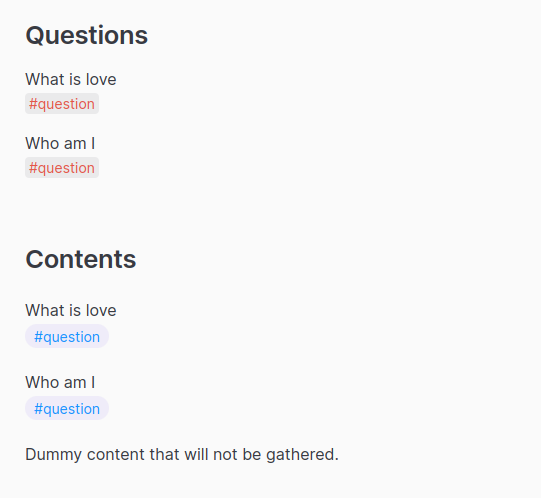
example1-preview

A collection of annotator blocks with tags. Example2
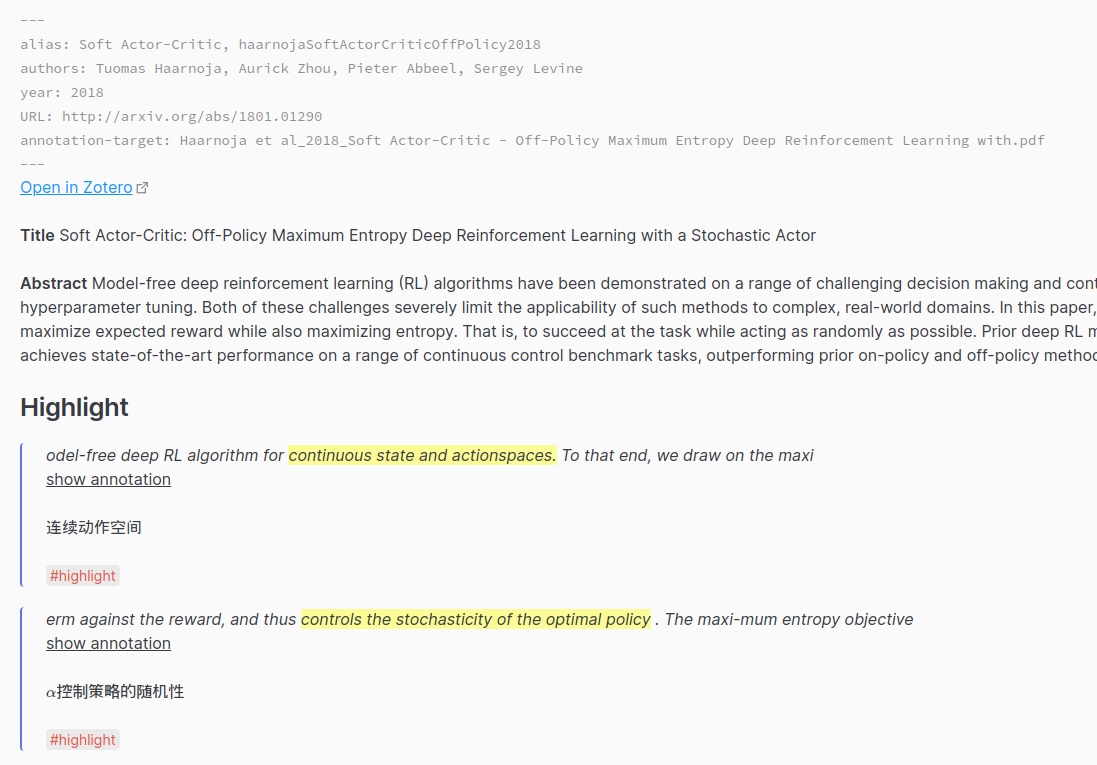
example2-preview

A stat table that is generated from a folder with custom helper supported. Example3
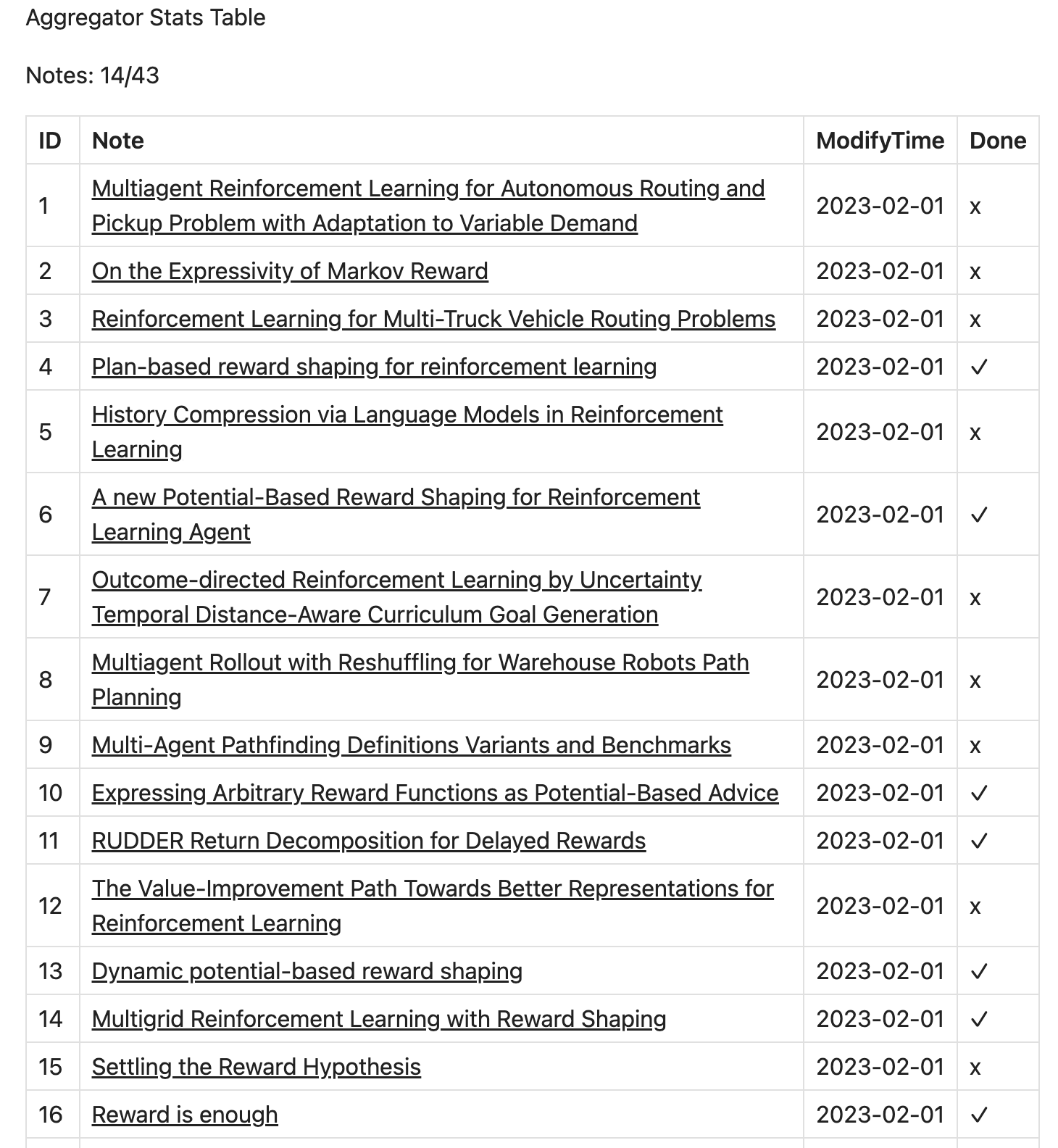
example3-preview

Usage

Create a code block like this, and set the language to the aggregator. Then this plugin will find content based on RegExp and render the result with the template.

scope:
    - Current File
matches:
    - regex: '(?<=^>%%COMMENT%%\n)(?:(?!^>%%TAGS%%).*\n)+(?=^>%%TAGS%%\n>.*#[a-zA-Z0-9\_]+)'
      template: '{{{result.match.[0]}}}'

If you want to sort the results, you can specify the fields and orders like this.

scope:
    - Current File
    - Papers
matches:
    - regex: '^\w[^\#]*\#[a-zA-Z0-9\_]+\s*$'
      template: '{{{result.match.[0]}}}'
    - regex: '(?<=^>%%COMMENT%%\n)(?:(?!^>%%TAGS%%).*\n)+(?=^>%%TAGS%%\n>.*#[a-zA-Z0-9\_]+)'
      template: '{{{result.match.[0]}}}'
order:
    fields: filename, line
    orders: asc, asc

Argument Explain

Check out Arguments.md.

Example Usage

Check out docs for detailed examples.

Settings

Note the default join string is not empty. It's just the text area can not display \n\n.

File Indicator is a Handlebars template. Available data: file: TFile, index: number starts at 1.

See Also

obsidian-link-embed

Thanks

  • tag-summary
  • tracker
HealthGood
ReviewRisks
About
Gather content from notes using user-defined regular expressions and render summaries with Handlebars templates. Extract blocks, tagged items, or generate stat tables across files or folders and sort results by fields. Preview and embed aggregated output inline.
TemplatingDataSearch
Details
Current version
0.3.1
Last updated
Last year
Created
4 years ago
Updates
7 releases
Downloads
5k
Compatible with
Obsidian 0.15.0+
Platforms
Desktop, Mobile
License
MIT
Report bugRequest featureReport plugin
Author
seraphliseraphli
github.com/Seraphli
GitHubseraphli
  1. Community
  2. Plugins
  3. Templating
  4. Aggregator

Related plugins

Snippets Manager

Snippets manager with full mobile support. You can manage code snippets, infos like passport number, email signature or anything.

Smart Connections

Find related notes and excerpts while writing. Your AI link building copilot displays relevant content in graph + list view. A local embedding model powers semantic search. Zero setup. No API key.

Quick Switcher++

Enhanced Quick Switcher, search open panels, and symbols.

Omnisearch

Intelligent search for your notes, PDFs, and OCR for images.

Tracker

Track occurrences and numbers in your notes.

Templater

Create and use dynamic templates.

QuickAdd

Quickly add new notes or content to your vault.

Folder notes

Create notes within folders that can be accessed without collapsing the folder, similar to the functionality offered in Notion.

Quiet Outline

Make outline quiet and more powerful, including no-auto-expand, rendering heading as Markdown, and search support.

LifeOS

Life management system.