Obligator
 newbrict13k downloads
A fully featured replacement for the built-in daily notes plugin. Obligator functions like a virtual bullet journal by copying over unchecked to-do items to your new daily note, along with adding any scheduled items you've set up.
- Overview
- Scorecard
- Updates41
Obligator replaces and extends the function of the built in Daily notes plugin.
Unchecked to-do items will be copied over to the new daily note, along with all
of the headings and formatting structure you used to organize them, and any
scheduled notes that you've set up. It is a convenient way to manage your
to-do list, and leaves you with running history of notes that you can
reference if you want to.
How to use Obligator
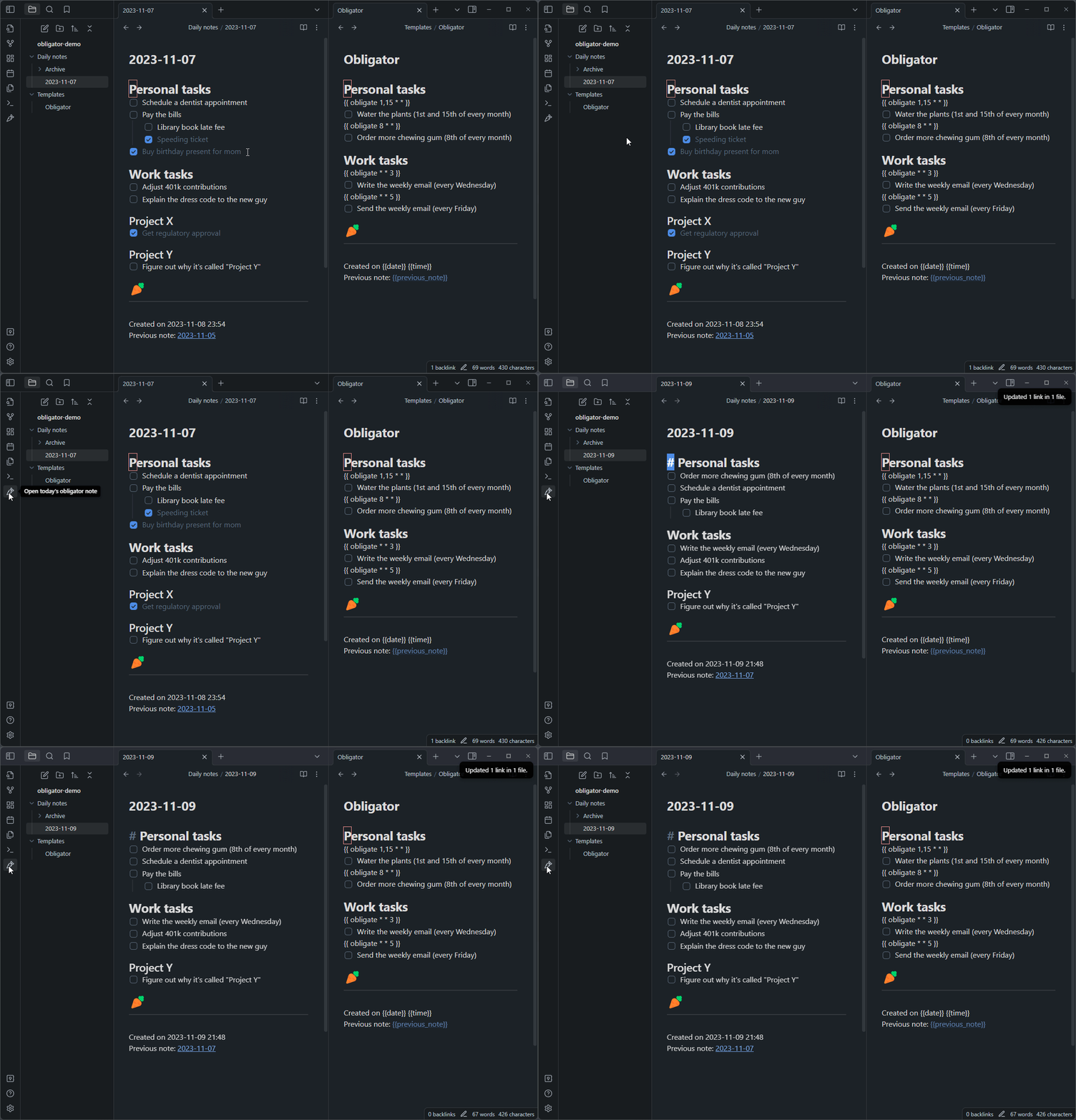
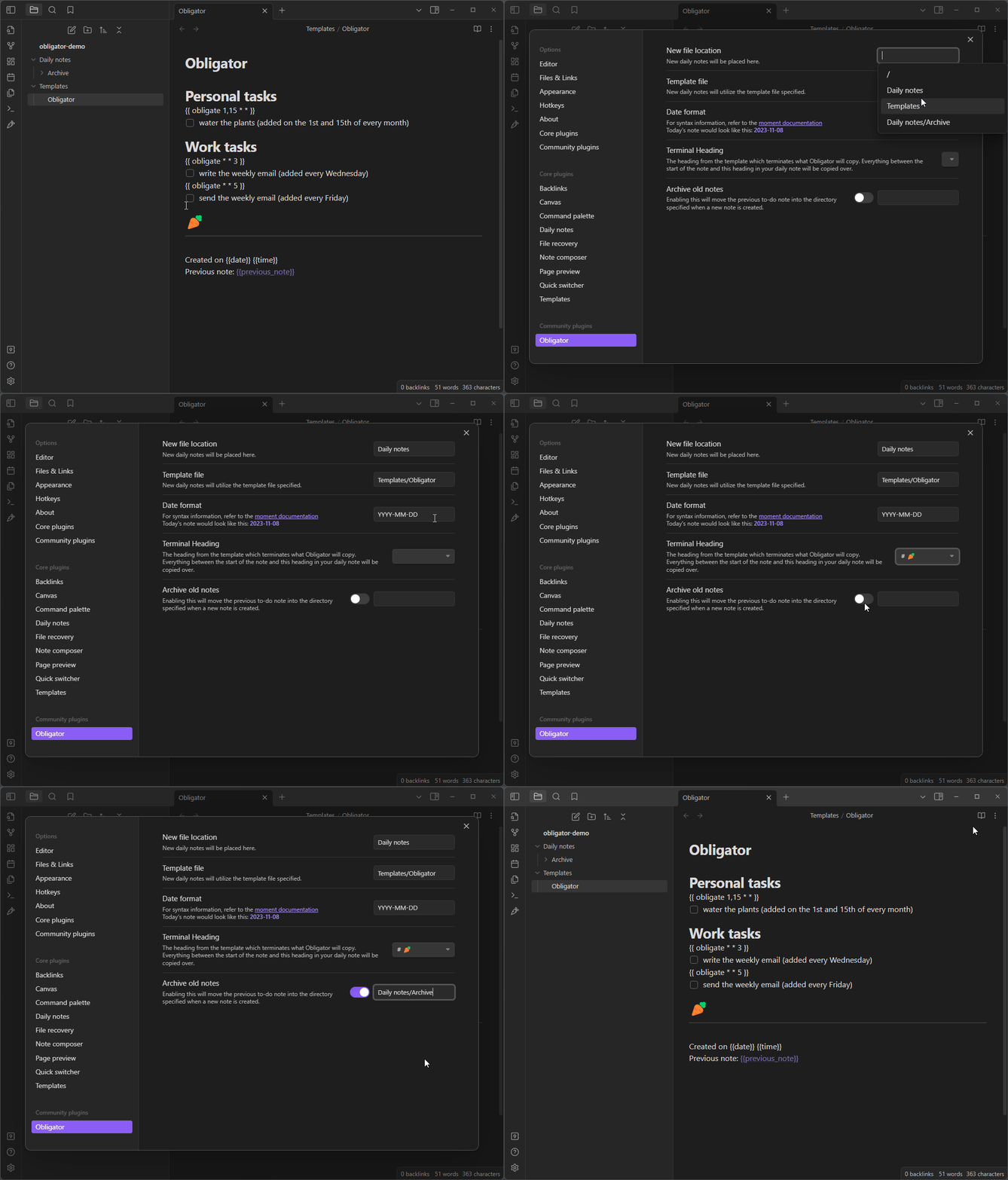
Make sure you have fully filled out the settings page, then click the carrot icon on the sidebar to open your daily note. If today's note doesn't already exist, a new note file will be made reflecting today's date. If it does exist, it will simply bring you to the existing file -- so feel free to click that carrot to your hearts content.
See the example template file for some inspiration on how to set up your daily note. Here is an animation showing a valid template and a how to set up the settings properly with that template:
Nested folder date format
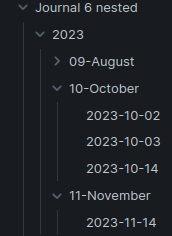
You may use a directory structure in your date format, for example:
YYYY/MM-MMMM/YYYY-MM-DD. This will create notes in a structure that looks
something like this:
The archive function will not delete directories if you use this in combination with a nested directory structure. I suggest only using a nested structure for the archive date format.
Template macros
{{date}}, {{time}}, and {{title}} work as they normally would.
{{previous_note}} and {{previous_note_path}} create back-links to the previous note from the current note. If there is no previous note, then these variables will be blank.
{{next_note}} and {{next_note_path}} create forward-links to the next note from the last note. These are added to the last note only when a new note is made.
{{ obligate * * * }} is a very powerful macro. It lets you set up recurring to-do items in your template. It uses a simplified version of the cron syntax, where the asterisk represent day-of-the-month, month-of-the-year, and day-of-the-week in that order. See crontab.guru to play around with the syntax. The obligate macro will add the immediately proceeding line if you the date matches for any day between your last note and today. See the example template file for plenty of common examples. If you are confused about this and want some help, just open a GitHub issue.
Comparison with rollover-daily-todos
I was motivated to create this project because my to-do list is extensive, with lots of formatting that I wanted to maintain between notes, but rollover-daily-todos copies only the unchecked to-do items and places them all into a specified header, killing all of the formatting.
Here is a basic overview of the differences between the two:
Obligator copies over all unchecked to-do items as well as all the formatting that wraps them.
Rollover-daily-todos only copies unchecked to-do items, and places them under one heading.
Obligator does not rely on the
Daily notesorPeriodic notesplugin.Obligator has the {{ obligate * * * }} macro for automatically scheduling to-do items in new notes.
Obligator has an old note archiving feature to keep your notes directory clean.
Obligator has the ability to delete empty headings to keep your daily note clean.
Obligator deals with nested to-do items hierarchically, so a checked parent with any amount of unchecked children will get copied over wholly to preserve the structure.
& More!
Building
yarn install(install dependencies)yarn build(compile typescript to javascriptmain.js)- restart Obsidian, or toggle on and off the plugin
- For development,
yarn devlistens for changes and rebuilds automatically.
Releasing
yarn versionyarn release
Attributions
- File suggestions code taken from mirnovov