Search...Search plugins and themes...
⌘K
Sign in
  • Get started
  • Download
  • Pricing
  • Enterprise
  • Account
  • Obsidian
  • Overview
  • Sync
  • Publish
  • Canvas
  • Mobile
  • Web Clipper
  • CLI
  • Learn
  • Help
  • Developers
  • Changelog
  • About
  • Roadmap
  • Blog
  • Resources
  • System status
  • License overview
  • Terms of service
  • Privacy policy
  • Security
  • Community
  • Plugins
  • Themes
  • Discord
  • Forum / 中文论坛
  • Merch store
  • Brand guidelines
Follow us
DiscordTwitterBlueskyThreadsMastodonYouTubeGitHub
© 2026 Obsidian

Note to RED

yeban8090yeban80905k downloads

Convert Markdown notes to RED (Xiaohongshu) style images

Add to Obsidian
  • Overview
  • Scorecard
  • Updates20

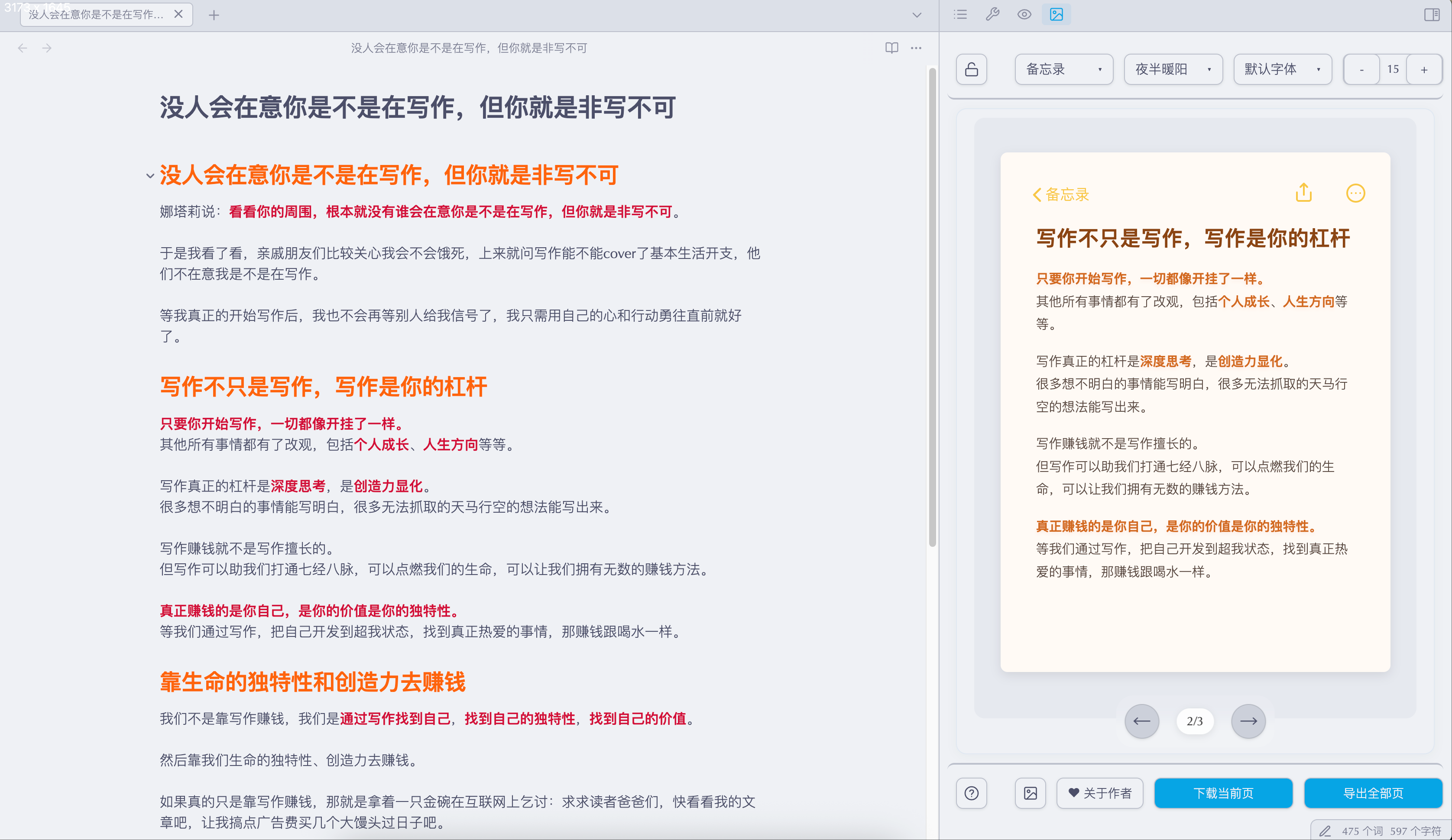
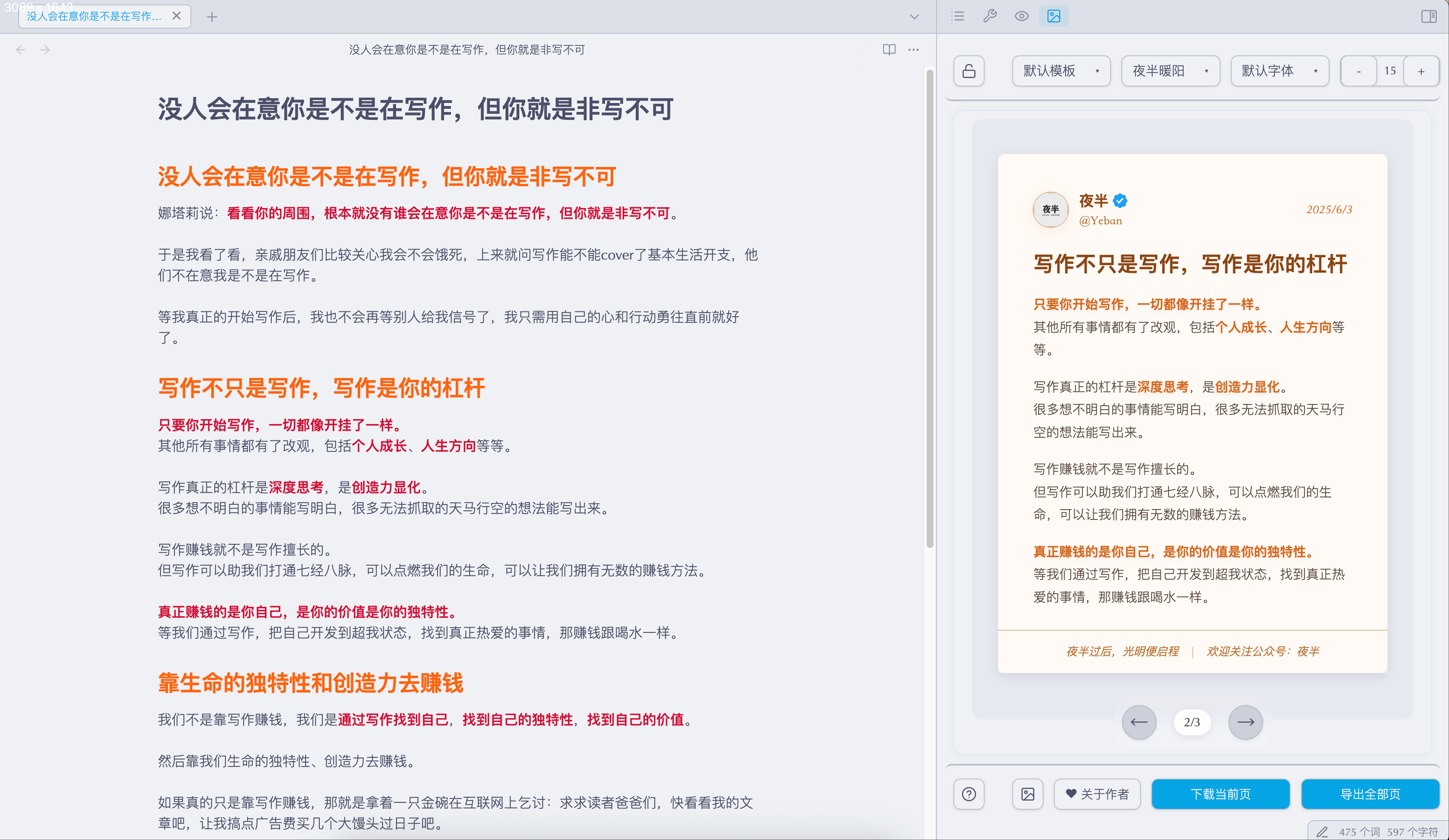
一键将 Obsidian 笔记转换为小红书图片的插件。

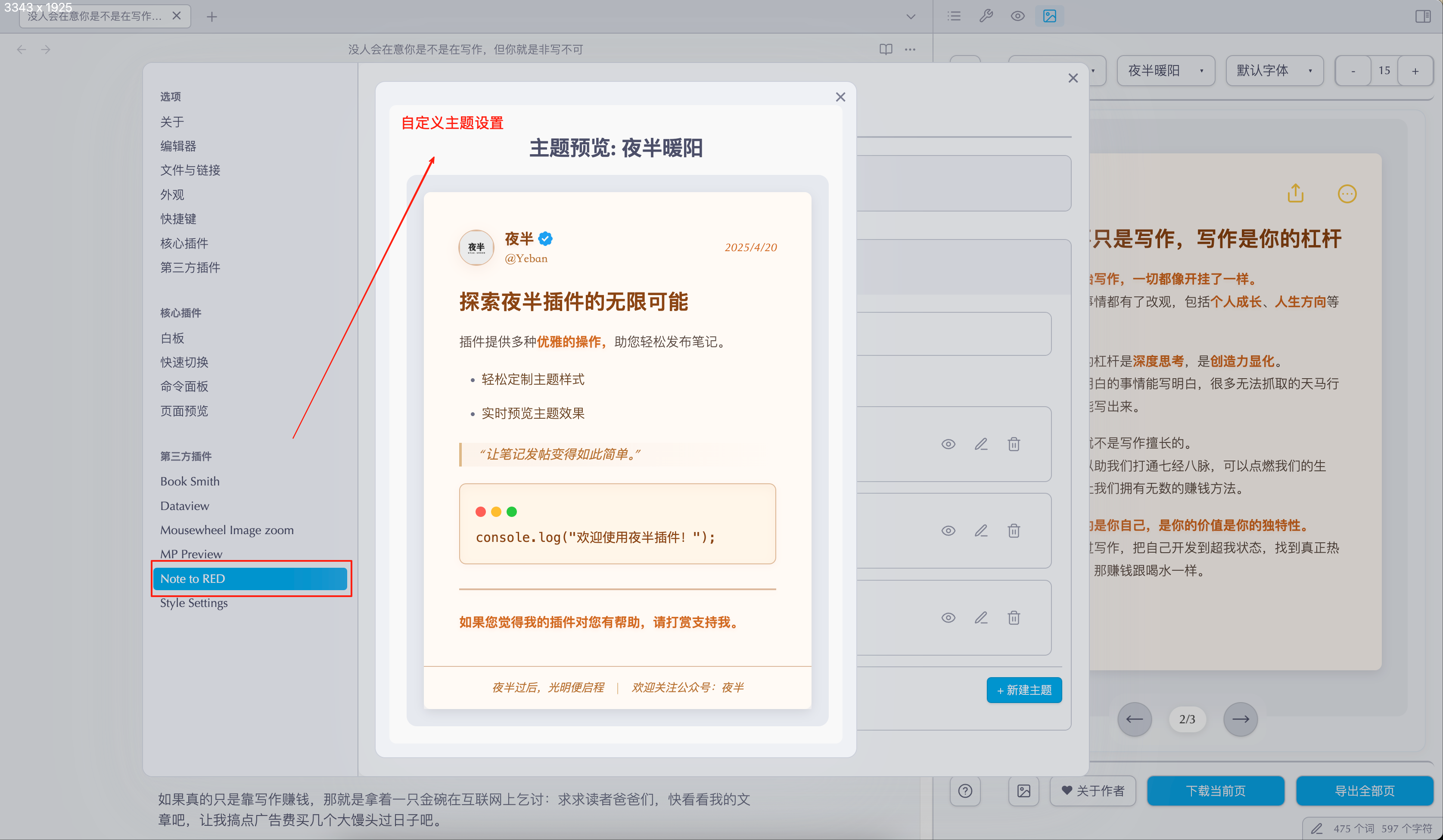
功能演示
功能演示1 功能演示2 功能演示3

功能特点

  • 📝 可设置使用一级或二级标题分割内容,每个标题自动生成一张配图
  • 🎨 提供多种精美模板,支持自定义字体和字号
  • 🎯 支持自定义主题,可调整颜色、字体、间距等样式
  • 👤 可自定义用户头像、昵称和页脚文案
  • 🔄 实时预览编辑效果
  • 📥 支持单页导出和批量导出
  • 🔒 锁定功能避免预览刷新打断书写

使用方法

  1. 核心用法:在设置中选择标题级别(一级#或二级##),用对应标题分割内容,每个标题生成一张小红书配图
  2. 首图制作:单独调整首节字号至20-24px,使用【下载当前页】导出
  3. 长文优化:内容较多的章节可调小字号至14-16px后单独导出
  4. 批量操作:保持统一字号时,用【导出全部页】批量生成
  5. 模板切换:顶部选择器可切换不同视觉风格
  6. 实时编辑:解锁状态(🔓)下编辑文档即时预览效果

安装方法

从 Obsidian 社区插件安装(推荐)

  1. 打开 Obsidian 设置
  2. 转到第三方插件设置
  3. 关闭安全模式
  4. 点击浏览社区插件
  5. 搜索 "Note to RED"
  6. 点击安装并启用插件

手动安装

  1. 下载最新版本的 release 文件: https://github.com/Yeban8090/note-to-red/releases
  2. 解压后将文件夹复制到 Obsidian 插件目录:{vault}/.obsidian/plugins/
  3. 重启 Obsidian
  4. 在设置中启用插件

使用技巧

  • 在设置中选择适合的标题级别(一级#或二级##)来分割不同的图片内容
  • 一级标题适合大章节分割,二级标题适合小章节分割
  • 调整字号大小以适应不同长度的内容
  • 可以自定义头像和用户信息
  • 支持实时预览和编辑
  • 提供多种模板以适应不同场景
  • 可以创建和编辑自定义主题,精确控制样式效果
    • 支持调整文字颜色、大小、间距
    • 可自定义背景、页眉、页脚样式
    • 提供多个预设主题作为参考

支持的语言

插件界面目前支持:

  • 简体中文

支持作者

如果这个插件对你有所帮助,可以考虑请作者喝杯咖啡 ☕:

微信支付
微信支付
支付宝
支付宝
Buy Me a Coffee

您的支持是我持续改进这个插件的动力!

许可证

MIT License。查看 LICENSE 获取更多信息。

73%
HealthGood
ReviewCaution
About
Convert Obsidian notes into Xiaohongshu-style images, auto-generating one image per H1/H2 heading. Choose from multiple templates, customize fonts, colors, spacing, avatar, nickname and footer, preview edits in real time, and export single or batch images with an optional lock to prevent refresh.
ImagesExportAppearance
Details
Current version
1.0.19
Last updated
9 months ago
Created
Last year
Updates
20 releases
Downloads
5k
Compatible with
Obsidian 0.15.0+
Platforms
Desktop only
License
MIT
Report bugRequest featureReport plugin
Author
yeban8090yeban8090
GitHubyeban8090
  1. Community
  2. Plugins
  3. Images
  4. Note to RED

Related plugins

Pretty Properties

Makes note properties look more fun: adds side image, banners, list property colors and allows to hide specific properties.

Pixel Banner

Enhance your notes with customizable banner images.

Heading Level Indent

Indenting content under headers based on their level.

Export Image plugin

Easily convert your article to image.

Minimal Theme Settings

Control the colors and fonts in Minimal Theme.

Hider

Hide interface elements such as tooltips, status bar, titlebar, and more.

Style Settings

Adjust theme, plugin, and snippet CSS variables.

Image Converter

Convert, compress, resize, annotate, markup, draw, crop, rotate, flip, align, drag-resize, rename with variables, and batch process images: WEBP, JPG, PNG, HEIC, TIF

Link Favicons

See the favicon for a linked website.

Image Context Menus

Image context menus (mostly on right click): Copy to clipboard, Open in default app, Show in system explorer, Reveal file in navigation, Open in new tab.