Search...Search plugins and themes...
⌘K
Sign in
  • Get started
  • Download
  • Pricing
  • Enterprise
  • Account
  • Obsidian
  • Overview
  • Sync
  • Publish
  • Canvas
  • Mobile
  • Web Clipper
  • CLI
  • Learn
  • Help
  • Developers
  • Changelog
  • About
  • Roadmap
  • Blog
  • Resources
  • System status
  • License overview
  • Terms of service
  • Privacy policy
  • Security
  • Community
  • Plugins
  • Themes
  • Discord
  • Forum / 中文论坛
  • Merch store
  • Brand guidelines
Follow us
DiscordTwitterBlueskyThreadsMastodonYouTubeGitHub
© 2026 Obsidian

Navbar Composer

volodymyrkovalvolodymyrkoval37 downloads

Compose the mobile navigation bar: any command, any icon, any order, separately for phone and tablet.

Add to Obsidian
Navbar Composer screenshot
  • Overview
  • Scorecard
  • Updates1

Customise Obsidian's mobile navigation bar: add buttons for any command, hide the built-in ones and change their order. Works on phones and on tablets, where Obsidian normally hides the bar. Each device has its own layout.
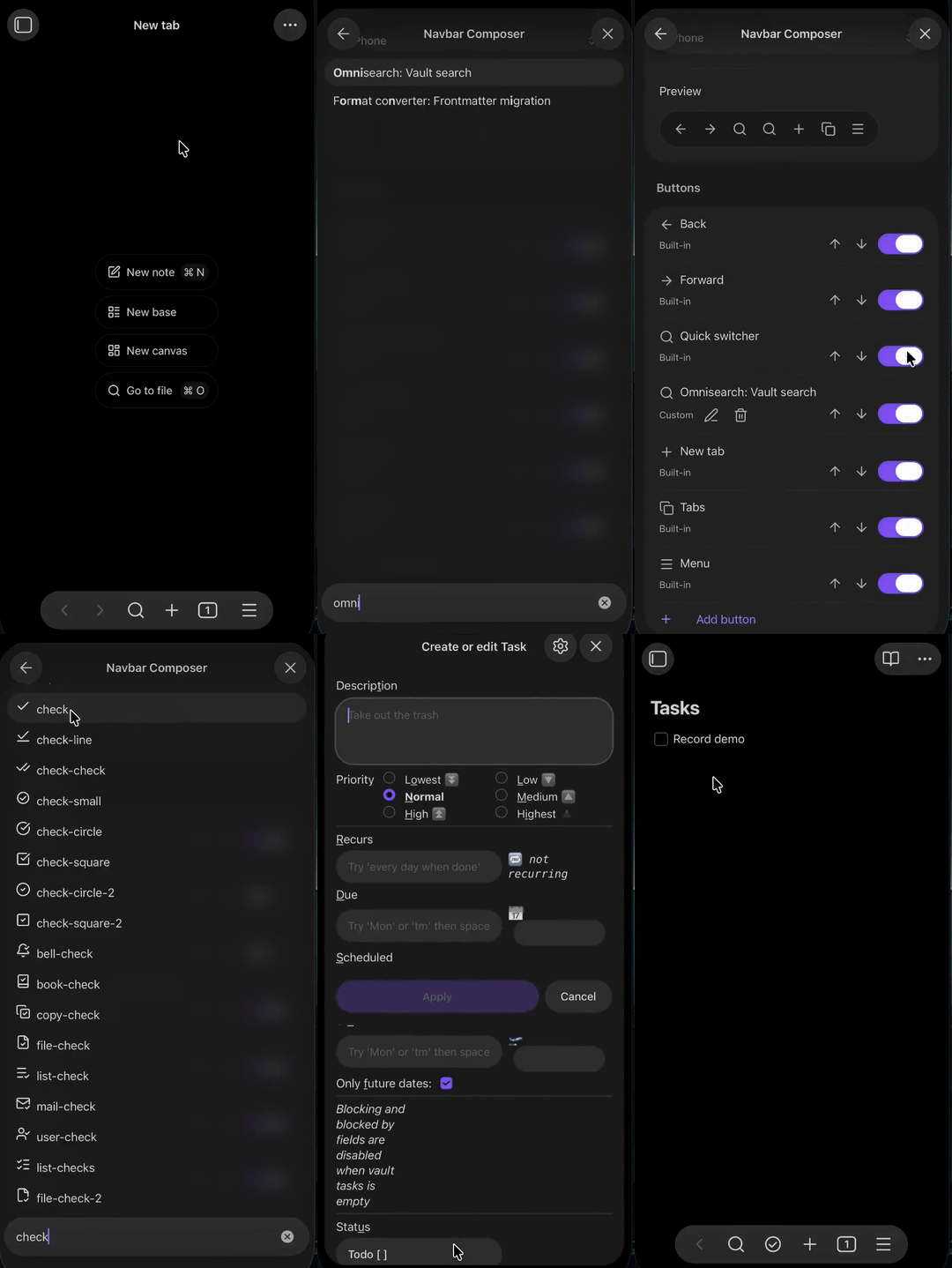
Navbar Composer demo

Setup

  1. Install Navbar Composer from Community plugins and enable it.
  2. Open Settings → Navbar Composer and choose the device.
  3. Tap Add button, then choose a command and an icon.
  4. Use ↑/↓ to reorder and the toggles to show or hide buttons. Changes apply immediately.

On tablets, the bar appears once at least one button is turned on. It hides while you scroll down or edit, as on a phone.

Notes

  • The device type is detected when Obsidian starts. Rotation, Split View and Stage Manager don't switch layouts until a restart.
  • The plugin uses undocumented parts of Obsidian, so an Obsidian update may break it until the plugin is updated.

License

MIT

HealthExcellent
ReviewSatisfactory
About
Customize the mobile navigation bar by adding buttons for any command, hiding built-in buttons, and reordering items. Show the bar on tablets, keep separate layouts per device, and apply changes instantly.
NavigationCommands
Details
Current version
1.0.0
Last updated
3 days ago
Created
3 days ago
Updates
1 release
Downloads
37
Compatible with
Obsidian 1.13.0+
Platforms
Desktop, Mobile
License
MIT
Report bugRequest featureReport plugin
Author
volodymyrkovalvolodymyrkoval
github.com/volodymyrkoval
GitHubvolodymyrkoval
volodymyrkoval
  1. Community
  2. Plugins
  3. Navigation
  4. Navbar Composer

Related plugins

Quick Switcher++

Enhanced Quick Switcher, search open panels, and symbols.

Note Toolbar

Add customizable toolbars to your notes.

Tab Switcher

Switch your tabs with Ctrl + Tab in recently used order like in a browser.

Leader Hotkeys

Add leader hotkey support to any command (like tmux or vim).

Homepage

Open a note, base, or workspace on startup, or set it for quick access later.

Notebook Navigator

A better file browser and calendar inspired by Apple Notes, Bear, Evernote and Day One.

Breadcrumbs

Visualise the hierarchy of your vault using a breadcrumb trail or matrix view.

Copilot

Run AI agents such as Claude Code, Codex, and OpenCode inside your vault. Turn your second brain into a smart assistant that gets knowledge work done.

Quick Explorer

Perform file explorer operations (and see your current file path) from the title bar, using the mouse or keyboard.

Footnote Shortcut

Makes creating footnotes more fun!