Modern Outline
 KreNtal916 downloads
A modern and customizable minimap outline for your notes.
- Overview
- Scorecard
- Updates5
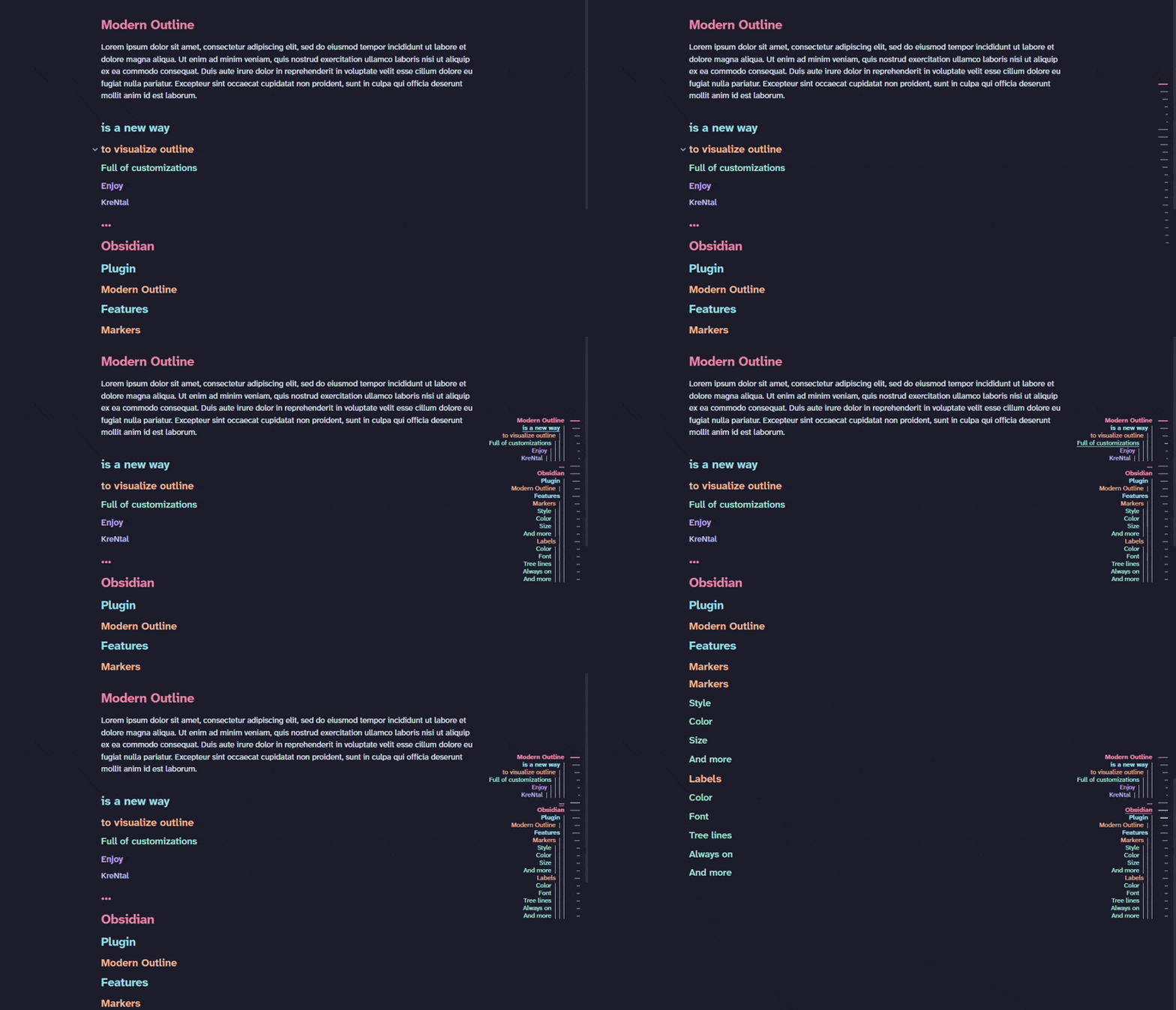
A modern minimap outline for Obsidian. Displays your note's headings as small markers overlaid on the edge of the note, hover to reveal heading names, click to jump.
Features
- Marker strip overlaid directly on the note, no sidebar panel needed.
- Different marker shapes.
- Hover the strip to reveal all heading labels.
- Active heading highlighted as you scroll, works in both editing and reading mode.
- Click any marker or label to jump to that heading.
- Labels always visible mode: skip the hover, show labels at all times.
- Label hierarchy: show heading depth via indent, font size, or both.
- Tree lines: vertical lines connecting each heading to its children.
- Fully themeable: independent marker/label colors, highlight color, marker shape & size, label font.
- Adapts to dense notes: spacing compresses and the active heading stays in view.
Theme headings option uses the heading colors defined by your active Obsidian theme (e.g.
--h1-color … --h6-color), falling back to a built-in palette when the theme doesn't define them.
Usage
Open any note — the outline strip appears automatically on the edge of the note. Hover the strip to reveal heading labels with a slide animation, then click any label to jump to that heading.
Use the ribbon icon or the command Modern Outline: Toggle to show or hide the strip.
All visual options are under Settings → Community plugins → Modern Outline:
- Layout — left/right side, vertical alignment, and animations on/off
- Markers — style (Dash, Pill, Circle, Diamond, Literal, Hash), size, and color theme
- Labels — color, font, hierarchy style, and always-visible mode
- Headings — minimum and maximum heading level to display
Installation
From the community plugin list
- Open Settings → Community plugins → Browse
- Search for Modern Outline and install it
- Enable it in Settings → Community plugins
Manual
- Download
main.js,styles.css,manifest.jsonfrom the latest release - Copy them into
<vault>/.obsidian/plugins/modern-outline/ - Reload Obsidian and enable the plugin in Settings → Community plugins
Motivation
- Wanted to show modern and beautiful outline in my notes.
- Dind't want to have them in a side panel.