Minimal Text AI
 huasan2 downloads
Format, polish, and translate Markdown with AI and review changes inline.
- Overview
- Scorecard
- Updates2
English · 简体中文

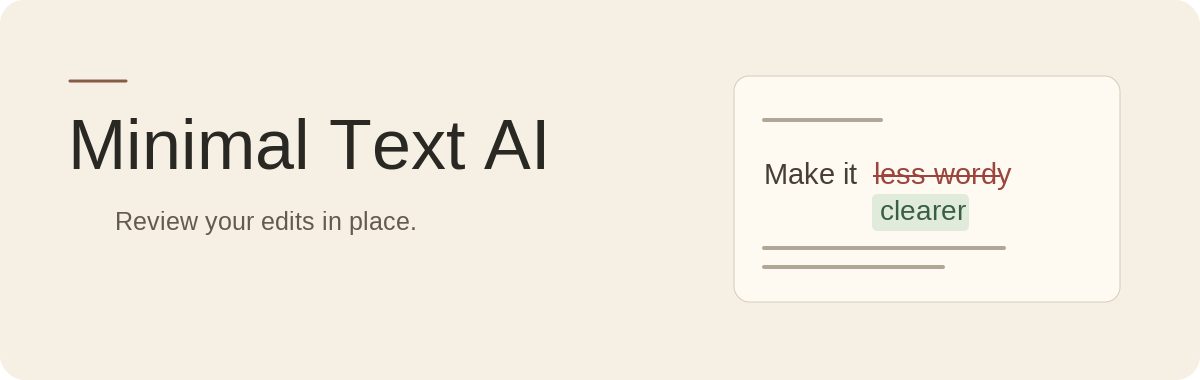
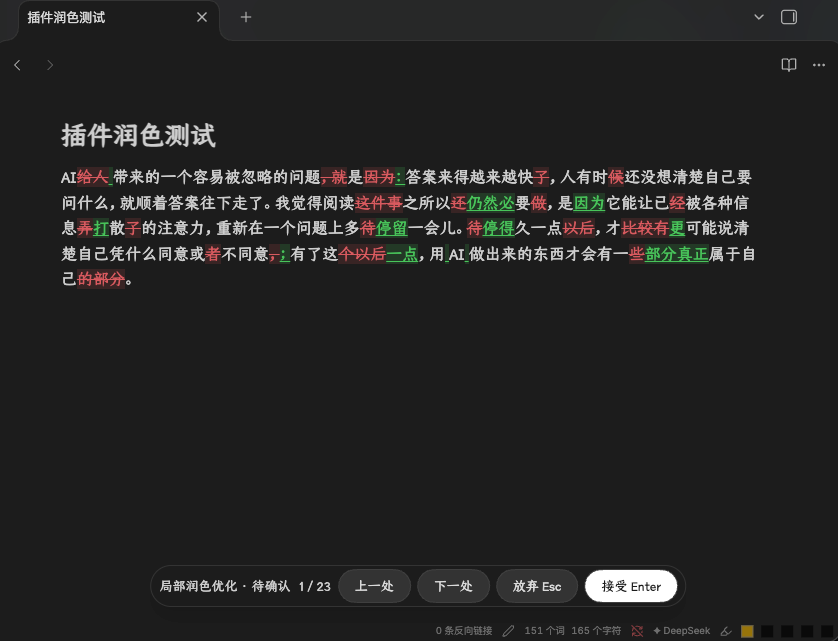
Format, polish, and translate Markdown in the Obsidian editor. Review wording changes inline before applying them. Formatting-only edits apply automatically.
Features
- Format a selection or the whole note. Polish or translate selected text.
- Jump between changes in the inline diff. Press
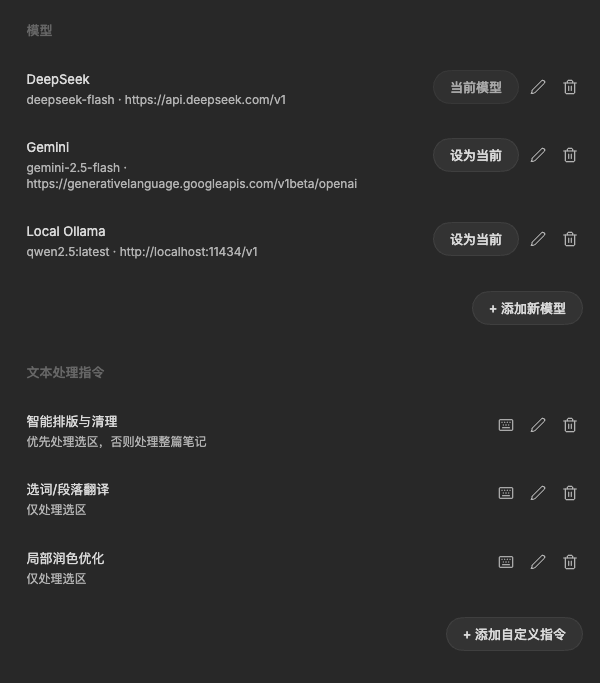
Enterto apply orEscto discard. - Switch between DeepSeek, Gemini, local Ollama, or a custom OpenAI-compatible endpoint from the desktop status bar or command palette.
- Customize command prompts and assign hotkeys.
- Open the AI edit history from the editor context menu to compare changes, copy the original text, or revert an edit when the note still matches that revision.
Installation
- Download
main.js,manifest.json, andstyles.cssfrom the latest release. - Place the three files in
.obsidian/plugins/minimal-text-ai/inside your vault. If your vault uses a custom configuration folder, use that folder in place of.obsidian. - In Obsidian, open Settings → Community plugins and enable Minimal Text AI. Reload Obsidian if the plugin does not appear.
Usage
- Open Settings → Minimal Text AI, choose a model, and enter its API key or configure a local endpoint.
- Select text and run a command from the editor context menu or command palette. The formatting command uses the whole note when no text is selected. Built-in command labels are displayed in Chinese.
- If an inline diff appears, review the changes and press
Enterto apply orEscto discard.
Edits and data
The inline preview uses CodeMirror decorations. When you apply a change, the plugin saves the original text and makes one editor edit that you can undo with Cmd/Ctrl + Z. Edit history is stored in minimal-text-ai-history/ inside your vault's configuration folder. API keys are stored in the plugin's local data.json.
Each command sends the selected text or note and its prompt to the configured model endpoint. The DeepSeek and Gemini presets use api.deepseek.com and generativelanguage.googleapis.com, respectively. Both require a provider account and API key. Charges and data handling depend on the provider. The same applies to custom remote endpoints.
The plugin is free. With Ollama running on your device, requests stay on that device and require no remote account.
Build from source
npm ci
npm run build
The build produces main.js. Install it with the repository's manifest.json and styles.css using the steps above.
Feedback and support
To report a problem, open an issue with your Obsidian version and steps to reproduce it.
HuaSan · WeChat huasanai · X @yfusionai · Douyin
If the plugin saves you time, you can support it by scanning the QR code below.

License
The project is licensed under MIT. The bundled fast-diff dependency is licensed under Apache-2.0.