
- Overview
- Scorecard
- Updates4
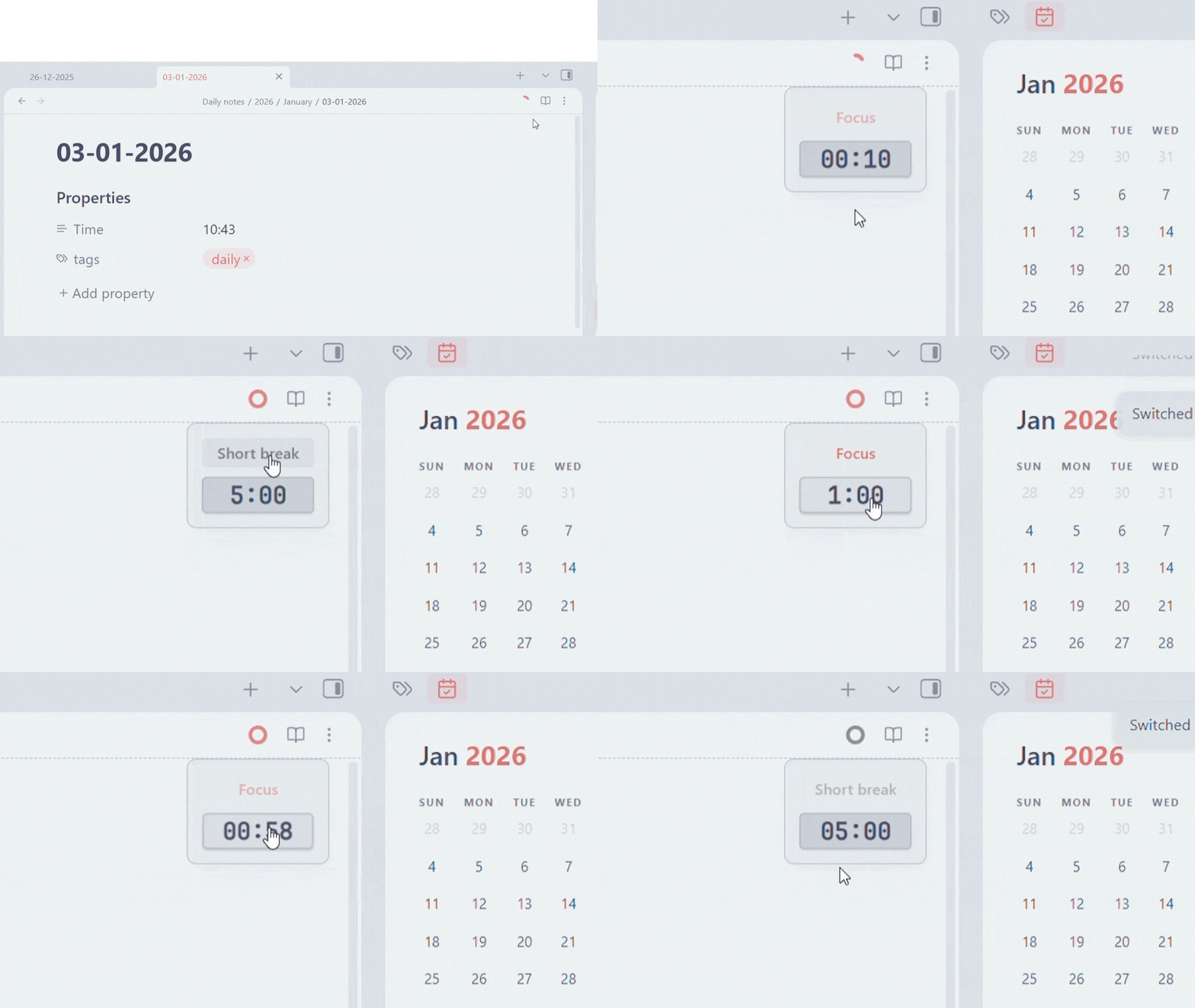
Minidoro is a simple, unobtrusive Pomodoro timer to help you focus. Minidoro integrates directly into your workspace, providing a visual timer in the header and customizable settings to fit your workflow.
Support Me
If you find this plugin helpful, please consider supporting its development.
Screenshots
Features
- Minimalist Design: A clean, circular progress indicator in the header that doesn't clutter your workspace.
- Easy Controls: A hover-activated control panel to start, pause, resume, and reset your timer.
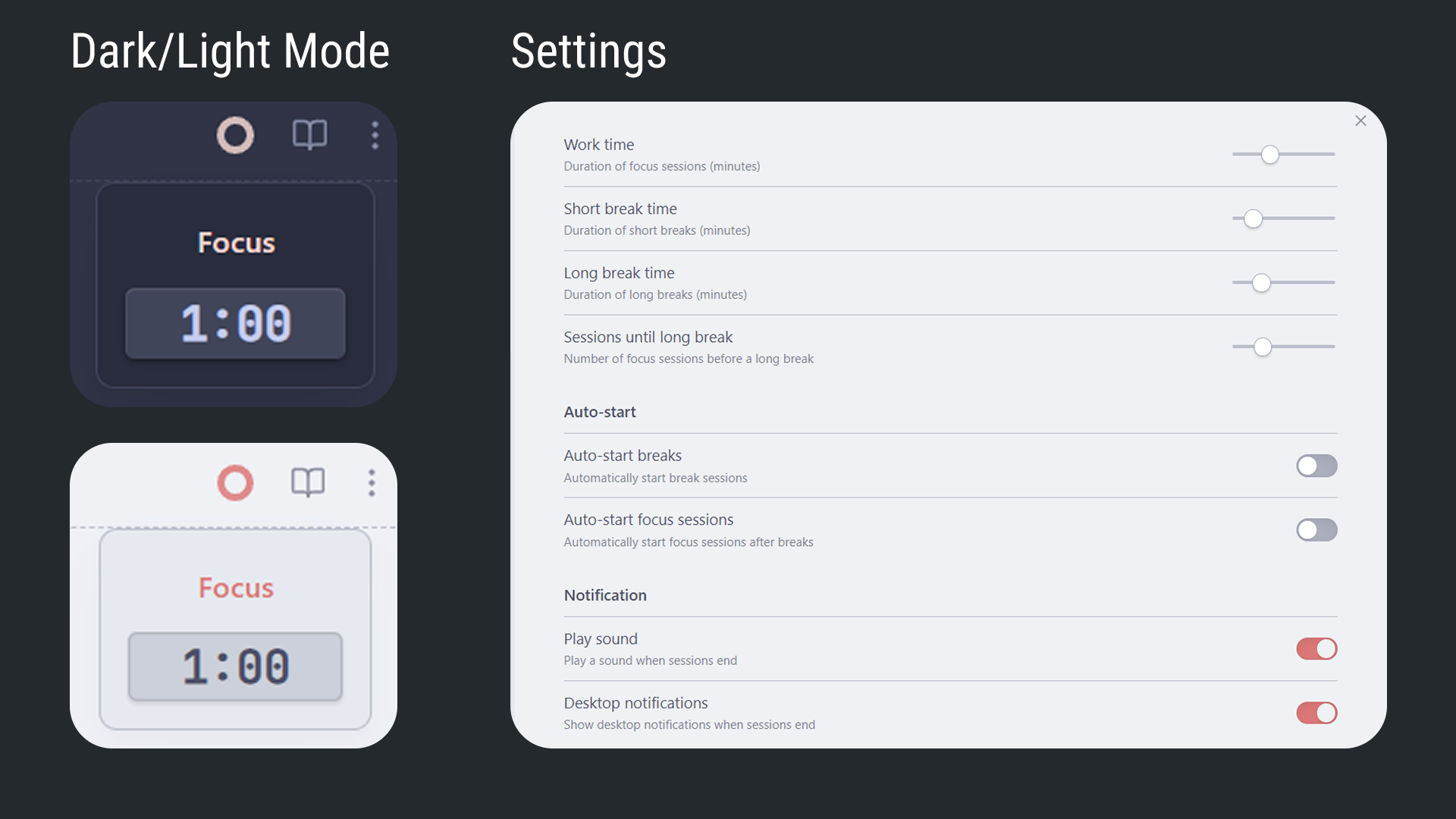
- Customizable Sessions: Set your own durations for work, short breaks, and long breaks.
- Flexible Workflow:
- Manually switch between Work, Short Break, and Long Break modes when the timer is idle.
- Configure the number of work sessions before a long break.
- Automations:
- Optionally auto-start break sessions after a work session completes.
- Optionally auto-start work sessions after a break completes.
- Notifications:
- Receive desktop notifications when a session ends.
- Get an audible sound alert at the end of each session.
- Persistent Pinning: Pin the control panel to keep it visible.
How to Use
- Access the Timer: The Pomodoro timer icon will appear in the header of your active pane.
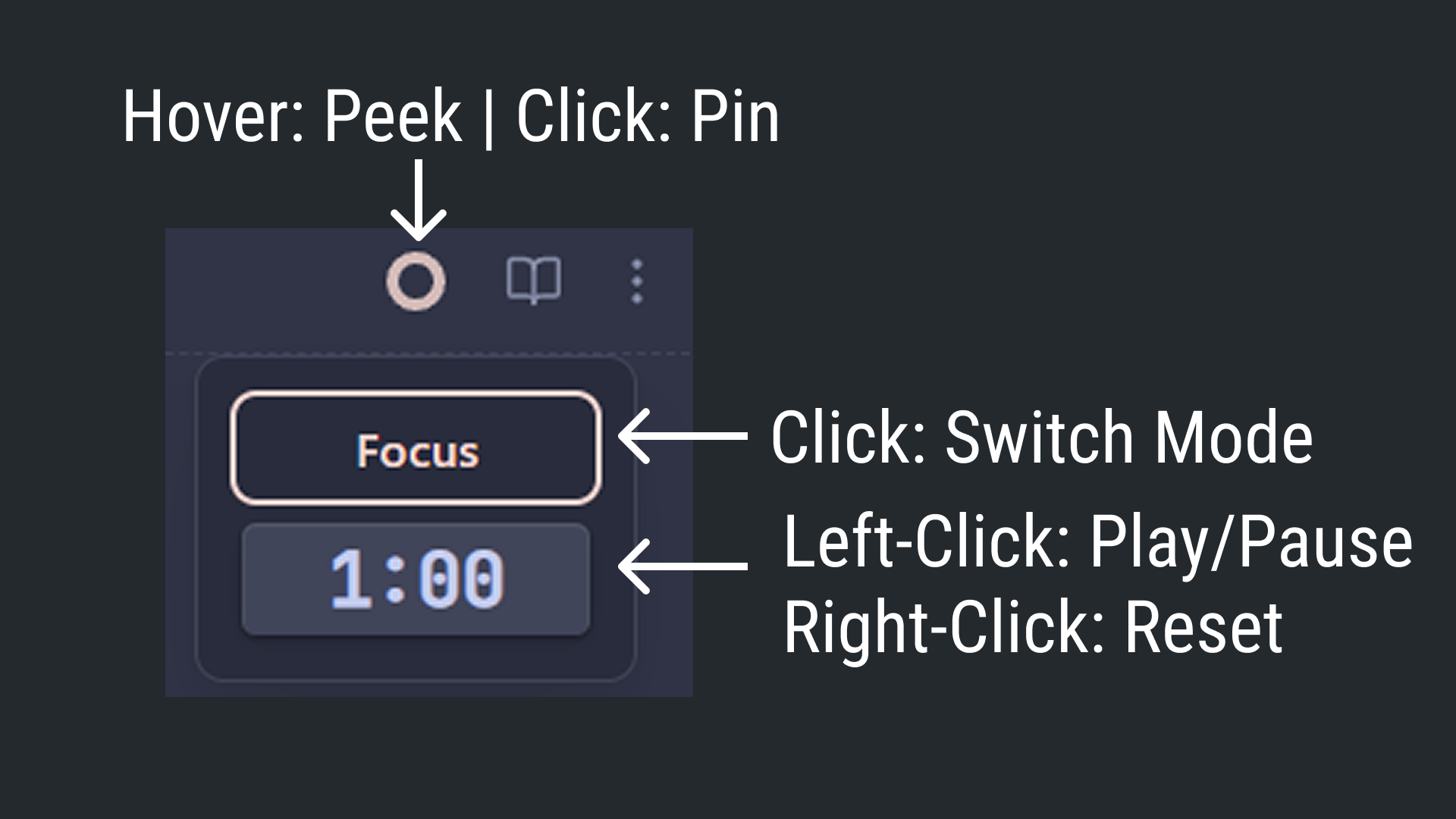
- View Controls: Hover over the timer icon to reveal the control panel.
- Start/Pause/Resume: Left-click the time display to start, pause, or resume the timer.
- Reset: Right-click the time display to reset the current session.
- Switch Modes: When the timer is reset (idle), click the mode name (e.g., "Focus") to cycle through Work, Short Break, and Long Break.
- Pin the Panel: Click the timer icon itself to pin the control panel open. Click it again to unpin.
Installation
- Open Obsidian's Settings.
- Go to the Community plugins tab.
- Make sure "Restricted mode" is off.
- Click Browse to open the community plugins browser.
- Search for "Minidoro" and click Install.
- Once installed, click Enable to activate the plugin.
Configuration
You can customize the timer to your liking in the plugin settings:
- Work time (minutes): Set the duration for your focus sessions.
- Short break time (minutes): Set the duration for short breaks.
- Long break time (minutes): Set the duration for long breaks.
- Sessions until long break: Define how many work sessions to complete before a long break is triggered.
- Auto-start breaks: Toggle whether breaks should start automatically after a work session.
- Auto-start focus sessions: Toggle whether work sessions should start automatically after a break.
- Play sound: Enable or disable the sound notification at the end of a session.
- Desktop notifications: Enable or disable desktop notifications.
License
This plugin is released under the MIT License. See the LICENSE file for more details.
HealthGood
ReviewSatisfactory
About
Add a minimalist Pomodoro timer to the header with a circular progress indicator and hover-activated controls to start, pause, resume, and reset. Customize work/short/long durations, auto-start and session count, get desktop and sound notifications, and pin the control panel for persistent access.Details
Current version
1.0.11
Last updated
9 months ago
Created
Last year
Updates
4 releases
Downloads
3k
Compatible with
Obsidian 0.15.0+
Platforms
Desktop, Mobile
License
MIT
Sponsor