Search...Search plugins and themes...
⌘K
Sign in
  • Get started
  • Download
  • Pricing
  • Enterprise
  • Account
  • Obsidian
  • Overview
  • Sync
  • Publish
  • Canvas
  • Mobile
  • Web Clipper
  • CLI
  • Learn
  • Help
  • Developers
  • Changelog
  • About
  • Roadmap
  • Blog
  • Resources
  • System status
  • License overview
  • Terms of service
  • Privacy policy
  • Security
  • Community
  • Plugins
  • Themes
  • Discord
  • Forum / 中文论坛
  • Merch store
  • Brand guidelines
Follow us
DiscordTwitterBlueskyThreadsMastodonYouTubeGitHub
© 2026 Obsidian

Mermaid ELK Renderer

smolblackholesmolblackhole134 downloads

Re-enables the ELK (Eclipse Layout Kernel) renderer for Mermaid diagrams.

Add to Obsidian
  • Overview
  • Scorecard
  • Updates3

Re-enables the ELK (Eclipse Layout Kernel) renderer for Mermaid diagrams in Obsidian.

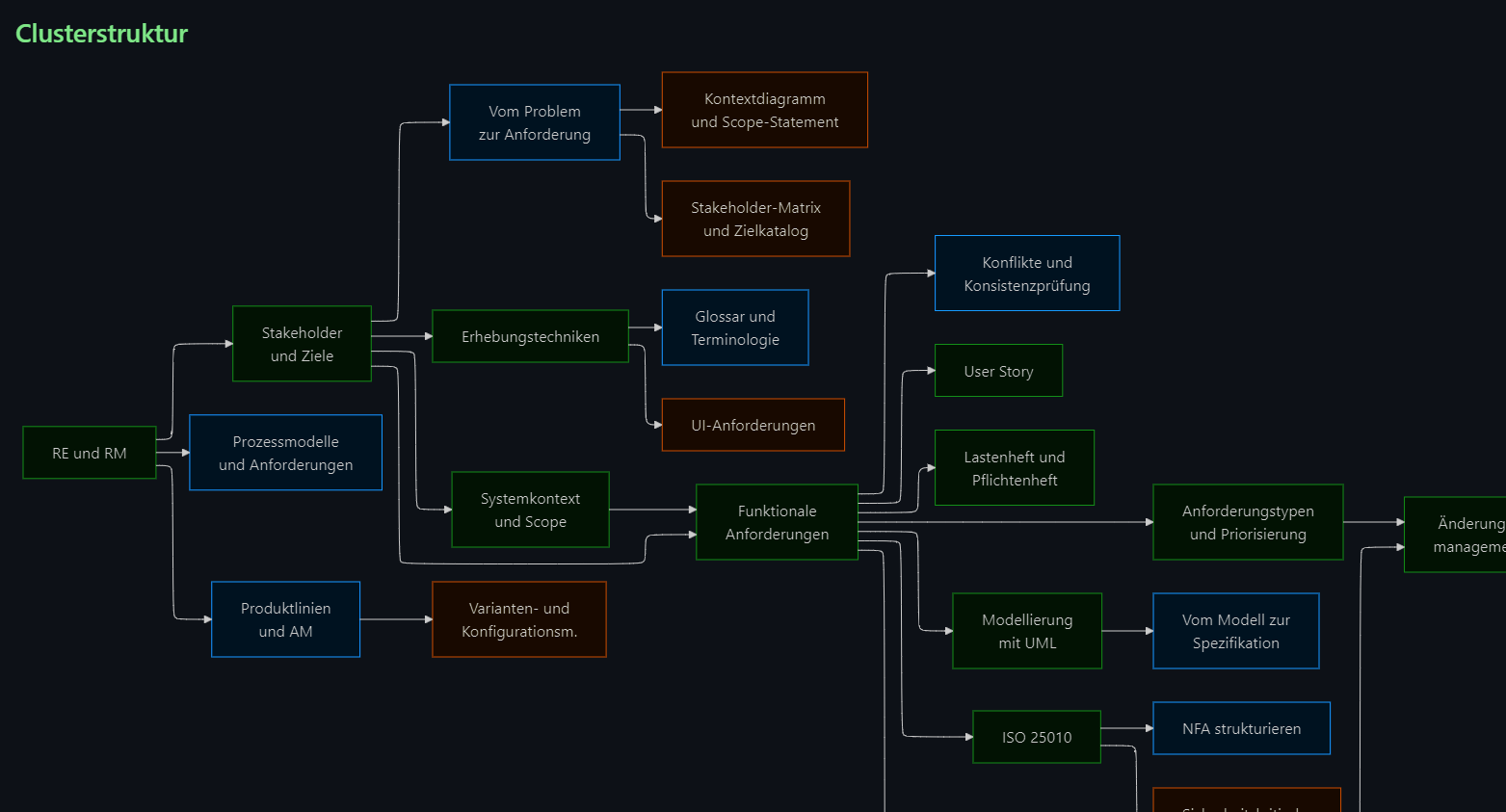
If you ever looked at a Mermaid graph and thought, "this could use more layout engine and slightly more chaos," this plugin is for you.

What this plugin does

  • Registers ELK layouts via @mermaid-js/layout-elk.
  • Enables ELK only where %% elk %% is present, unless you explicitly route all diagrams through ELK.
  • Can optionally render through bundled Mermaid 11 when Obsidian's built-in Mermaid is too old for newer diagram types.
  • Preserves existing frontmatter, so things like theme: neutral or look: handDrawn still work.
  • Adds guardrails for common Mermaid label edge cases, because users are creative and regexes are patient.

[!important] Bundled Mermaid 11 loads a newer Mermaid version If you enable Use bundled Mermaid 11, this plugin loads Mermaid 11.15.0 from the plugin itself instead of Obsidian's older bundled Mermaid. This is the switch to flip if examples from the official Mermaid docs work there but not in stock Obsidian. Official Mermaid docs: Mermaid introduction [!tip] Start simple In most cases you only need one thing: add %% elk %% to the diagram you want to route through ELK.

[!question] Need more control later? Check the advanced settings guide in docs/advanced-settings.md.

Installation

Via Community Plugins

  1. Open Settings -> Community plugins.
  2. Search for Mermaid ELK Renderer.
  3. Install and enable it.

Manual installation

  1. Download the latest main.js, manifest.json, and styles.css from the release.
  2. Open your vault's plugin folder.
  3. Create a folder named mermaid-elk-renderer.
  4. Copy the three files into that folder.
  5. Enable the plugin in Obsidian.

Quick start

Add %% elk %% near the top of any Mermaid block:

```mermaid
%% elk %%
flowchart LR
    A[Start] --> B[Analyze]
    B --> C[Done]
```

That is enough to get ELK layout on that diagram.

Small examples

[!info] Why these are images The diagrams below are prerendered SVGs. The raw Mermaid source only works live when the plugin is enabled, Use bundled Mermaid 11 is on, and the %% elk %% marker routes the diagram through the plugin.

ELK flowchart

Prerendered ELK flowchart

```mermaid
---
config:
  look: handDrawn
  theme: neutral
---
%% elk %%
flowchart LR
    Draft["1. Draft"] --> Review["2. Review"]
    Review --> Ship["3. Ship"]
```
Mermaid 11 XY chart

Prerendered Mermaid 11 XY chart

```mermaid
%% elk %%
xychart-beta
    title "Feature requests"
    x-axis [Q1, Q2, Q3, Q4]
    y-axis "Count" 0 --> 12
    bar [3, 7, 10, 8]
    line [2, 5, 9, 11]
```
Mermaid 11 architecture diagram

Prerendered Mermaid 11 architecture diagram

```mermaid
%% elk %%
architecture-beta
    group app(cloud)[App]

    service web(server)[Web] in app
    service db(database)[DB] in app
    service disk(disk)[Assets] in app

    web:R -- L:db
    disk:T -- B:web
```

[!example] Want more than the tiny version? Open the Mermaid 11 showcase page in docs/mermaid-11-examples.md.

Everyday tips

[!tip] Use per-diagram routing first Keep Apply elk to all diagrams off until you know you want ELK everywhere. [!example] Mermaid config is preserved Existing frontmatter such as look: handDrawn or theme: neutral stays intact when the plugin injects layout: "elk". [!warning] Restart note The plugin tries to rerender previews immediately after changes. A full Obsidian restart is still the cleanest reset after changing plugin settings. This is a limitation of how Mermaid and Obsidian's rendering pipeline work.

Settings

Open Settings -> Community plugins -> Mermaid ELK Renderer.

The most important options are:

  • Debug logging: enables local debug logs in the developer console.
  • Escape numbered labels: prevents labels like 1. Step from being interpreted as Markdown lists by Mermaid.
  • Apply elk to all diagrams: routes every Mermaid diagram through ELK, even without the marker.
  • Override existing layout: replaces an existing Mermaid config.layout value with elk.
  • Use bundled Mermaid 11: uses bundled Mermaid 11.15.0 instead of Obsidian's Mermaid.
  • Default Mermaid look and Default Mermaid theme: set global defaults for routed diagrams without overwriting diagram-specific frontmatter.

[!tip] Looking for newer Mermaid features? Turn on Use bundled Mermaid 11. That makes the plugin load the newer Mermaid runtime from the plugin and is the option most people want when they are following the official Mermaid docs. Docs: mermaid.js.org/intro [!danger] Danger zone The regex overrides are for real edge cases. If your diagrams already render correctly, leave that section alone and enjoy your day. If they do not, open an issue: github.com/SmolBlackHole/mermaid-elk-renderer/issues

Mermaid docs

If you want the full Mermaid feature set, syntax, and examples, start here:

  • Mermaid introduction

More docs

  • Advanced settings and examples
  • Mermaid 11 example renders
  • Support, bug reports, and debug reports
  • Development notes

What it does not do

  • It does not magically make Obsidian's built-in Mermaid support every new Mermaid feature unless you enable bundled Mermaid 11.
  • It does not phone home.
  • It does not judge your diagrams. Much.

License

MIT

94%
HealthExcellent
ReviewSatisfactory
About
Re-enable the ELK layout engine for Mermaid diagrams and apply ELK layouts on a per-diagram basis by adding %% elk %% to the code block. Keep default Mermaid rendering for other diagrams, preserve custom classDef styling, and respect Obsidian's light/dark color scheme.
VisualizationDrawingCharts
Details
Current version
1.1.0
Last updated
Yesterday
Created
2 months ago
Updates
3 releases
Downloads
134
Compatible with
Obsidian 1.10.3+
Platforms
Desktop, Mobile
License
MIT
Report bugRequest featureReport plugin
Author
smolblackholesmolblackhole
GitHubsmolblackhole
  1. Community
  2. Plugins
  3. Visualization
  4. Mermaid ELK Renderer

Related plugins

Excalidraw

Visual PKM powerhouse. Create and edit Excalidraw drawings.

Mermaid Tools

Improved Mermaid.js experience: visual toolbar with common elements and more.

Life Tracker

Capture and visualize the data that matters in your life.

Charts

Easily create interactive charts in your notes.

Kroki

Render Kroki diagrams.

Charts View

Visualize data from your notes with plots and graphs.

tldraw

Integration with tldraw, allowing users to draw and edit content on a virtual whiteboard.

Bases Charts

Bases views for scatter, line, and bar charts.

Advanced Canvas

Supercharge your canvas experience. Create presentations, flowcharts and more.

Maps

Adds a map layout to bases so you can display notes as an interactive map view.