Media Lens
 stephquery271 downloads
Inspect and compare metadata for images, video, audio, and subtitle files.
- Overview
- Scorecard
- Updates5
View detailed metadata for your media files without leaving Obsidian. Add images, videos, audio files, or subtitle files into the sidebar panel to instantly see format details, codec information, resolution, bitrate, duration, and more.
Compare two files side by side to analyze differences, perfect for reviewing exports, checking transcodes, or auditing deliverables.
Features
Inspect any media file
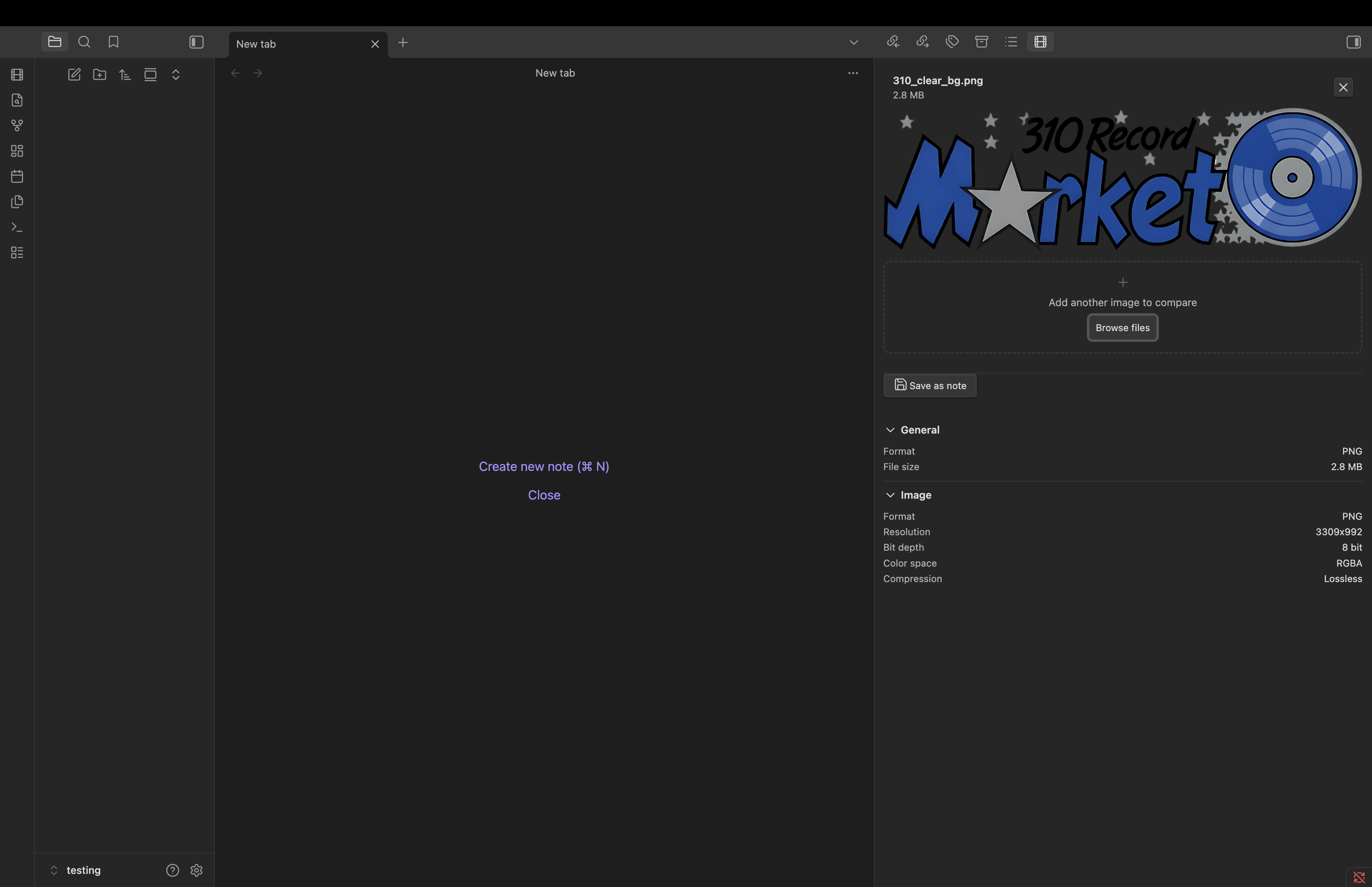
Drop a file into the sidebar or browse from your file system. Media Lens parses the file locally and displays organized metadata in collapsible sections (General, Video, Audio, Text, Image).
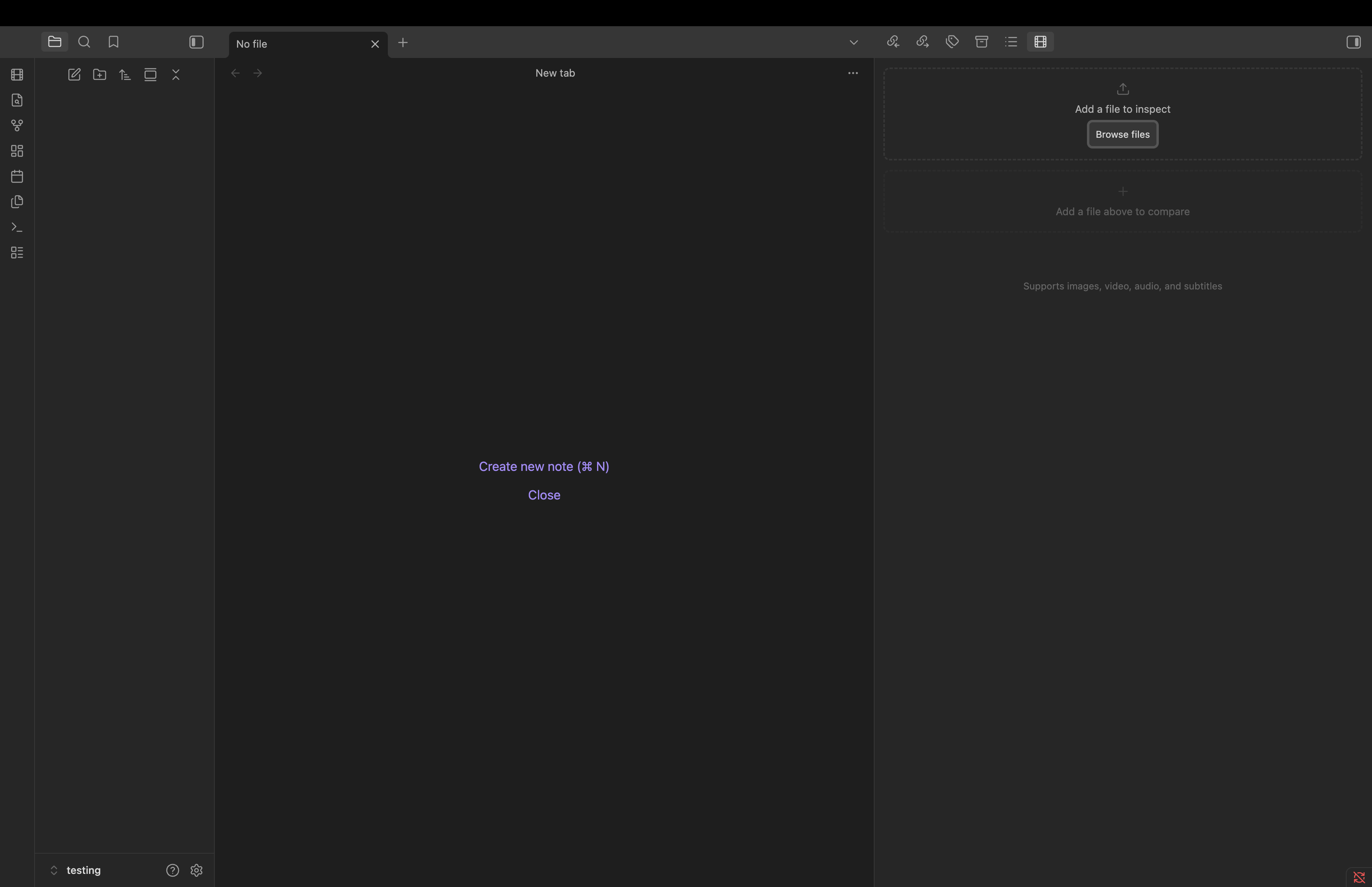
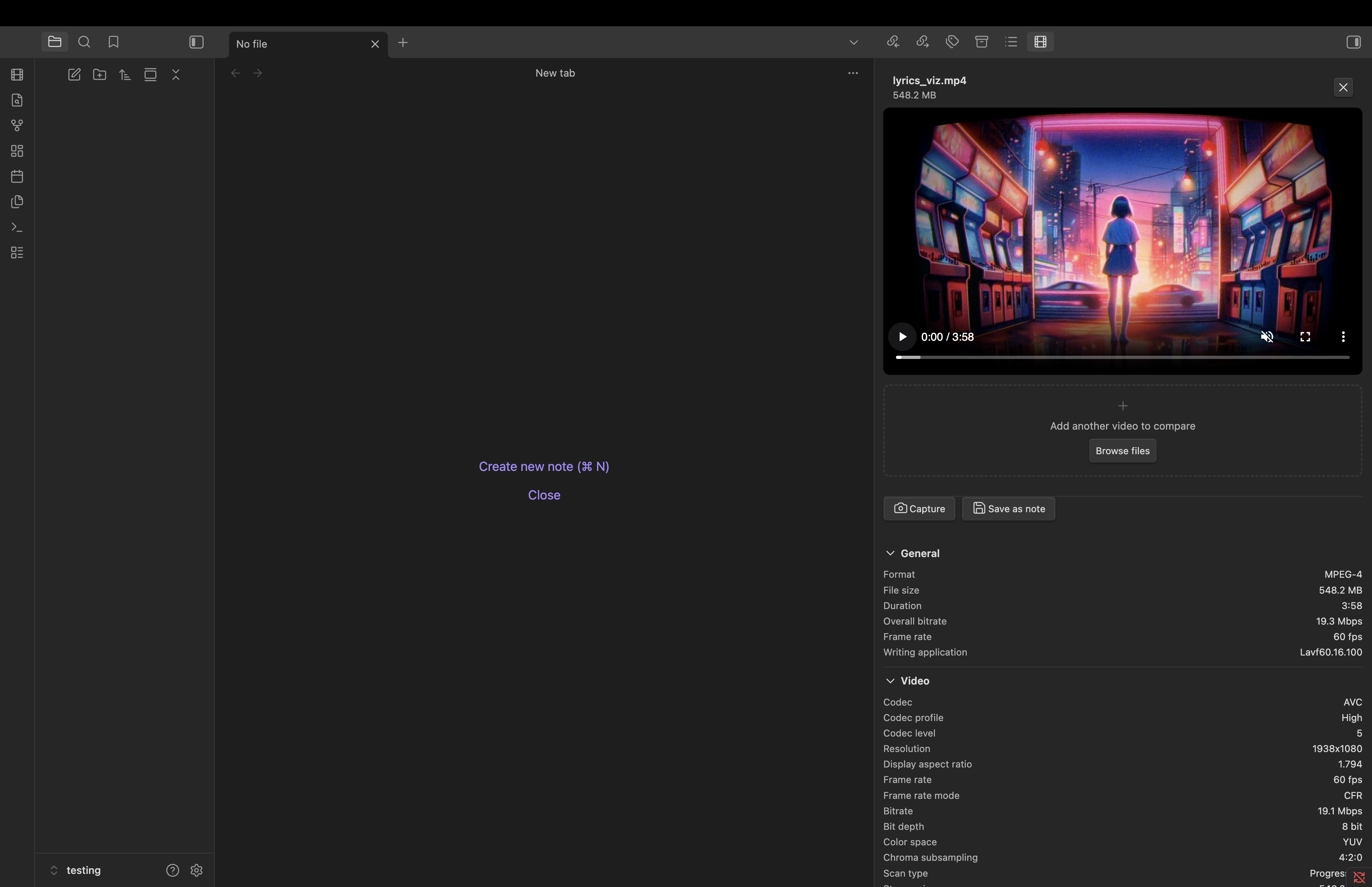
Supported formats: MP4, MOV, MKV, AVI, WebM, JPEG, PNG, GIF, WebP, TIFF, BMP, SVG, MP3, FLAC, WAV, AAC, OGG, SRT, VTT, ASS, and many more.
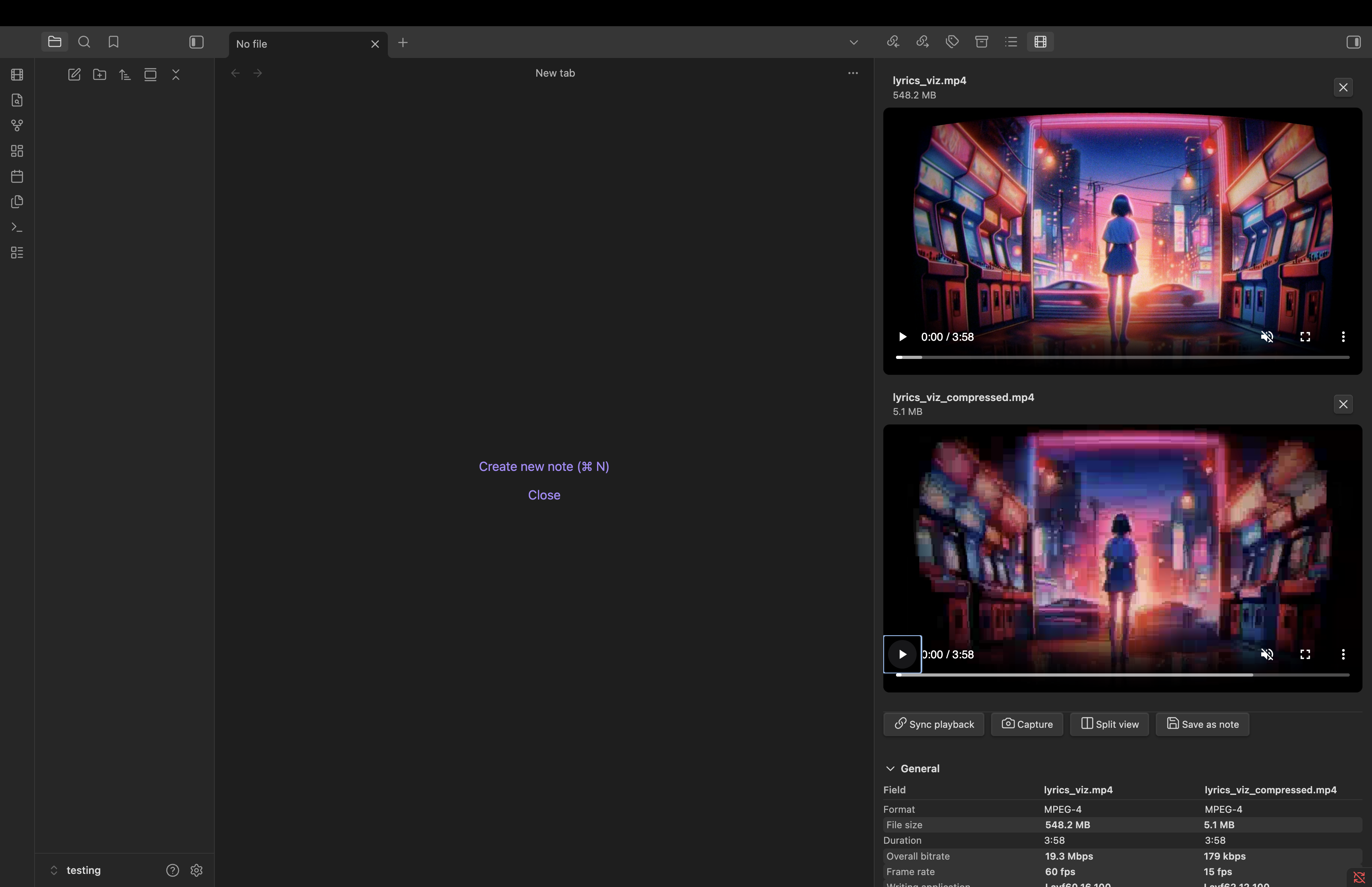
Compare two files
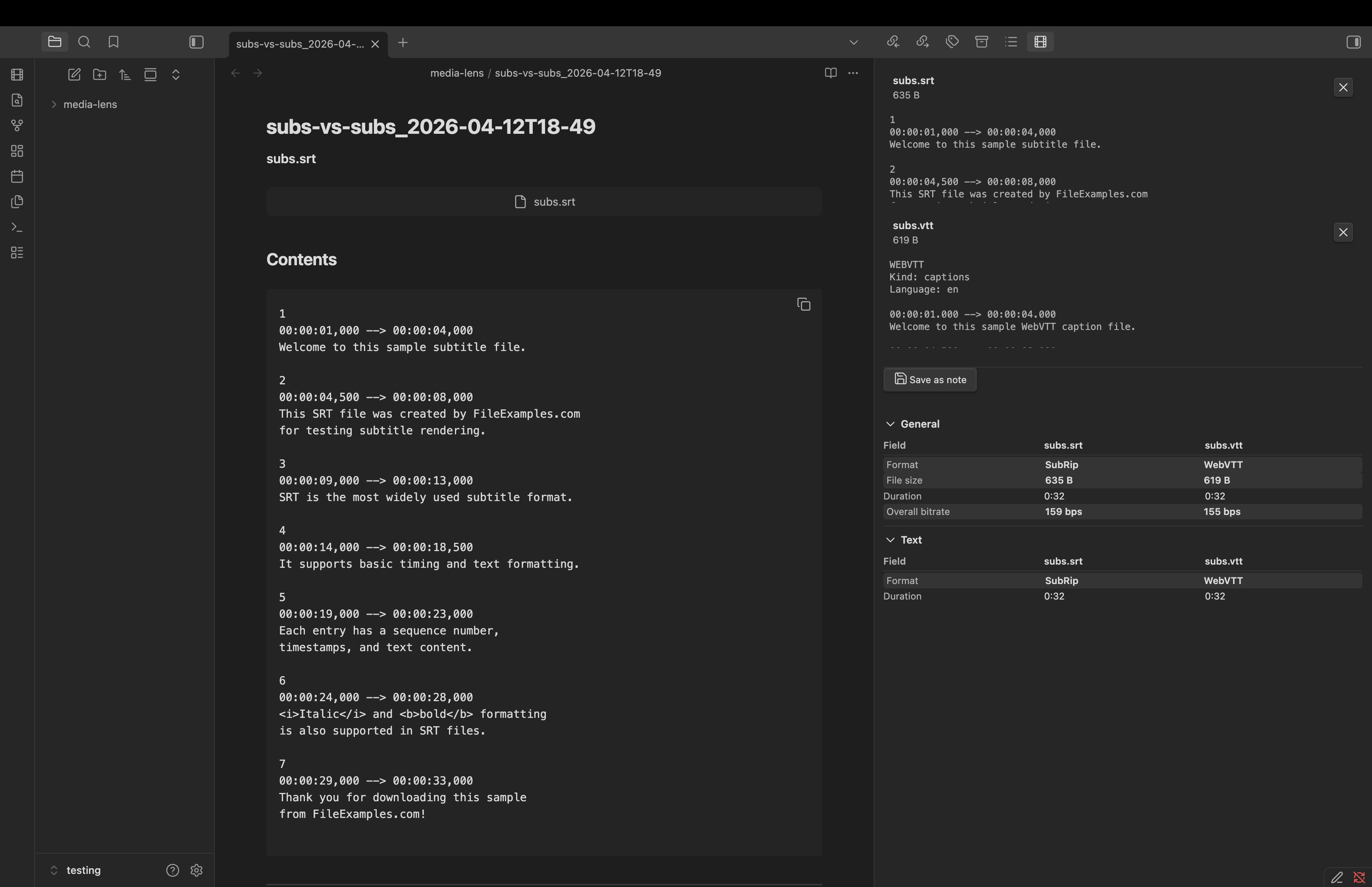
Load a second file of the same type to see a side-by-side metadata comparison with differences highlighted. Useful for comparing original vs compressed, different export settings, or before/after edits.
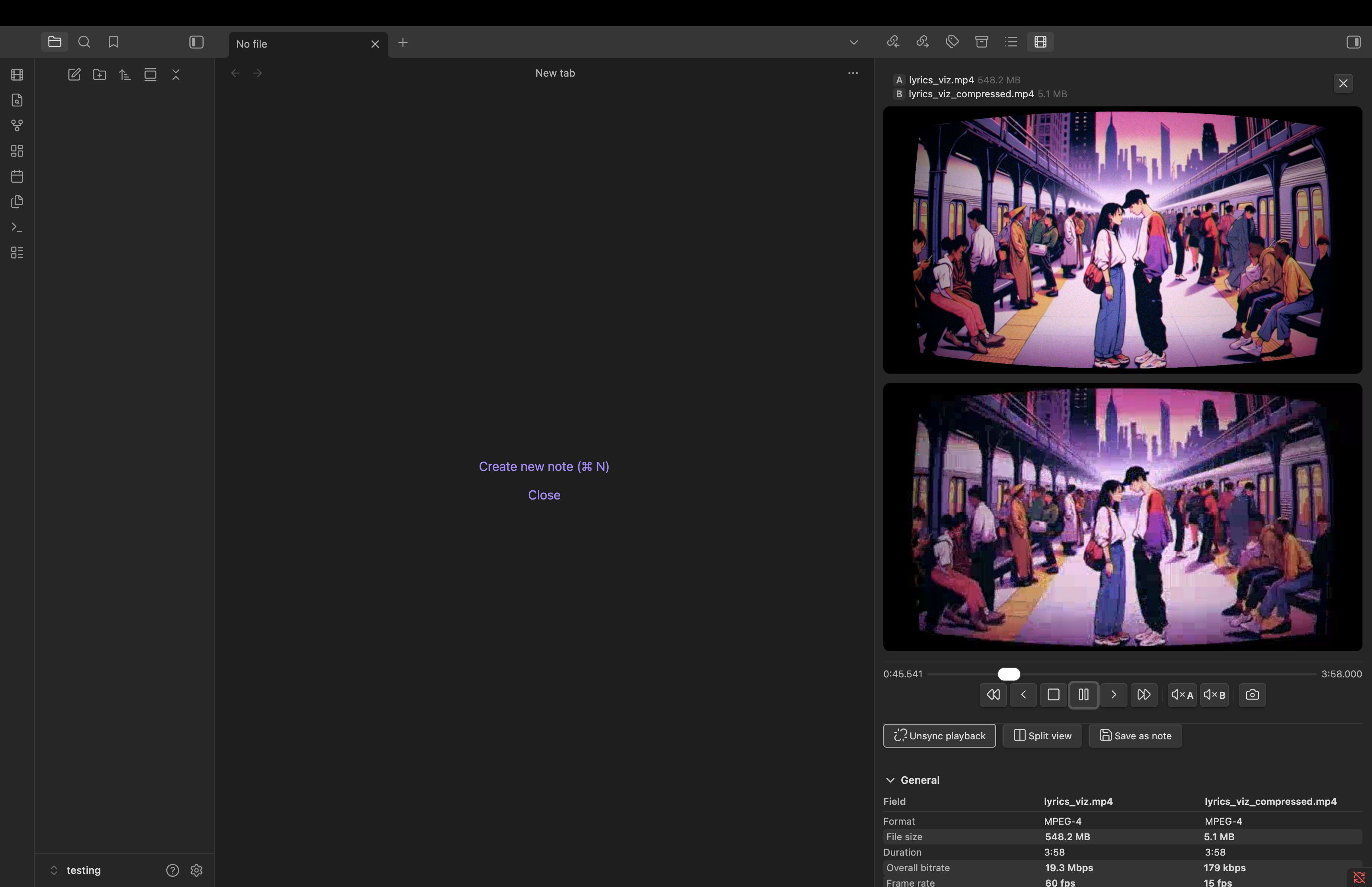
Synced video playback
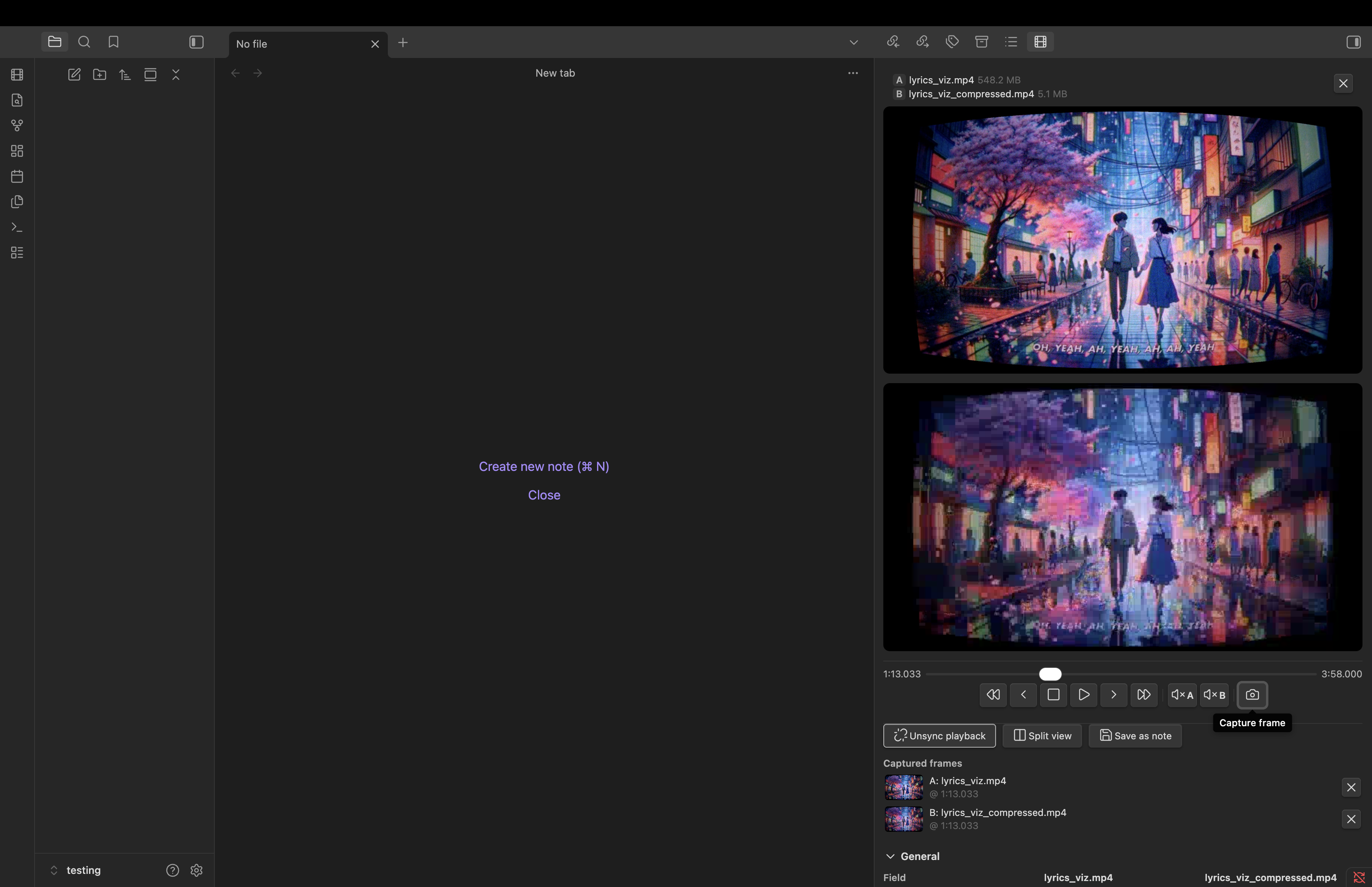
Compare two video encodes with synchronized playback. A unified transport bar controls both videos — scrub, play/pause, step frame-by-frame, skip forward/back, and mute each player independently.
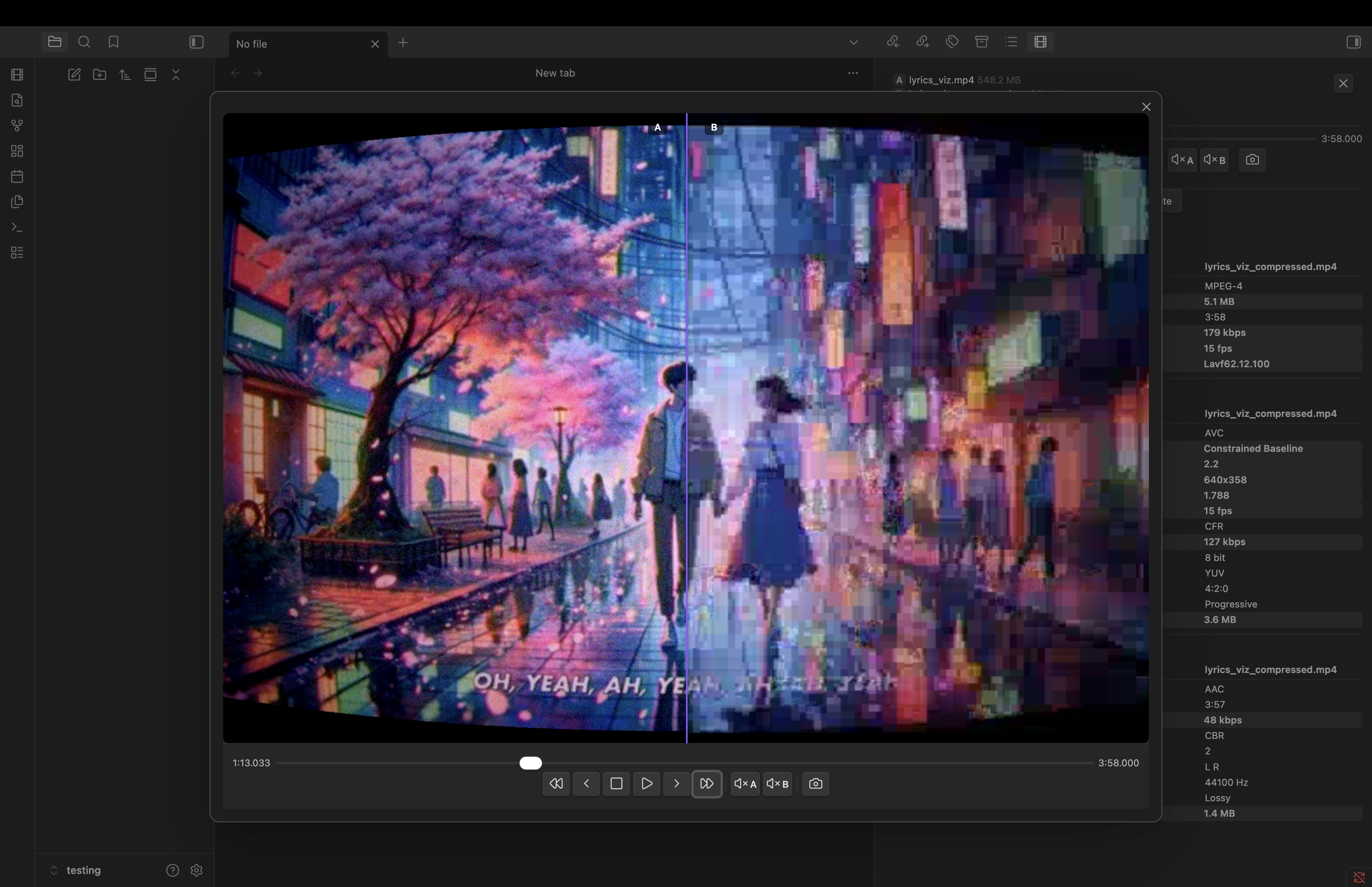
Split view
Open a modal that overlays both videos with a draggable vertical divider. Drag the divider to reveal more of either source for additional visual quality comparison.
Frame capture
Grab screenshots from video players at any point. In synced mode, both players are aligned to the same frame before capturing. Split view captures a composite showing both sources split at the divider (labeled A|B).
Save as note
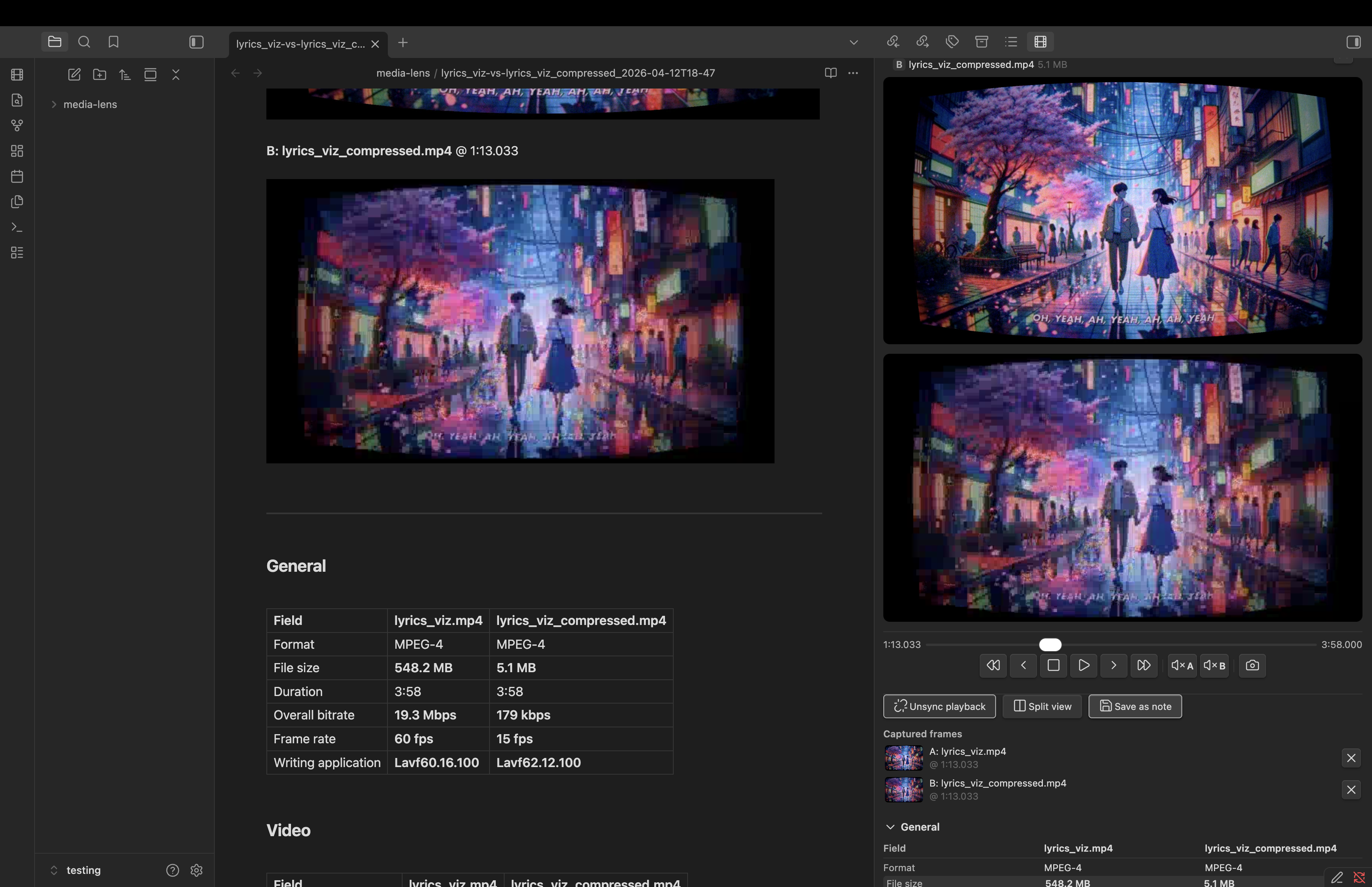
Persist any inspection or comparison as a markdown note in your vault. Notes include embedded media, captured frame screenshots, and metadata tables organized by section. Auto-named with timestamps and auto-incremented to avoid overwrites.
Media previews
Images render inline. Videos and audio files get playback controls. Subtitles show a text preview.
Privacy
All processing happens locally. No data is sent to any server.
Use Cases
- Video QC — compare encodes, verify codec settings, check bitrate, resolution, and HDR metadata
- Photography — view EXIF data, camera settings, GPS coordinates
- Audio — inspect ID3 tags, check sample rate, bitrate, and channel layout
- Subtitles — verify format, cue count, and duration
- Archival — catalog and document media file properties
Installation
Community Plugins
Pending.
Manual
- Download
main.js,styles.css, andmanifest.jsonfrom the latest release - Create a folder:
your-vault/.obsidian/plugins/media-lens/ - Copy the downloaded files into that folder
- Enable the plugin in Settings → Community Plugins
Usage
- Click the film strip icon in the left ribbon, or run the Show panel command
- Drag a media file into the drop zone, or click Browse files
- Metadata appears in collapsible sections below the preview
- Load a second file of the same type to compare
- Click Sync playback to link both video players
- Click Split view to open the full-screen visual comparison
- Click the camera icon to capture frames
- Click Save as note to persist everything as a markdown note
Compatibility
- Desktop: Supported
- Mobile: Not recommended — WASM loading and video playback may have limited support on mobile devices
- Minimum Obsidian version: 1.7.2
Support
Found a bug or have a feature request? Open an issue on GitHub.
Development
npm install
npm run dev        # watch mode
npm run build      # production build
npm run lint       # eslint
npm test           # vitest
npm run test:watch # vitest watch mode
License
Uses mediainfo.js for media file parsing.