Search...Search plugins and themes...
⌘K
Sign in
  • Get started
  • Download
  • Pricing
  • Enterprise
  • Account
  • Obsidian
  • Overview
  • Sync
  • Publish
  • Canvas
  • Mobile
  • Web Clipper
  • CLI
  • Learn
  • Help
  • Developers
  • Changelog
  • About
  • Roadmap
  • Blog
  • Resources
  • System status
  • License overview
  • Terms of service
  • Privacy policy
  • Security
  • Community
  • Plugins
  • Join the community
  • Discord
  • Forum / 中文论坛
  • Merch store
  • Brand guidelines
Follow us
DiscordTwitterBlueskyThreadsMastodonYouTubeGitHub
© 2026 Obsidian

Mathpad

canna71canna7115k downloads

Computer algebra system and calculator.

Add to Obsidian
  • Overview
  • Scorecard
  • Updates24

Mathpad is a Computer Algebra System (CAS) or, simply put, a calculator on steroid. It is based on Nerdamer Nerdamer for the symbolic and numeric calculations and on function-plot for the 2D plotting

It consists of a sidebar, code block and inline block support.

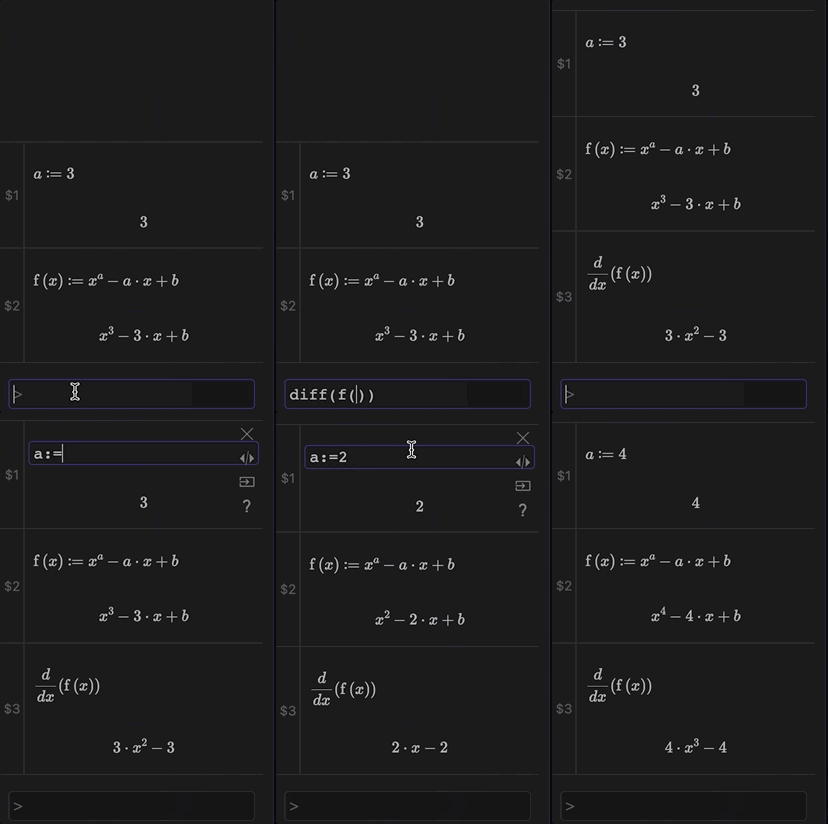
The sidebar works as a stand-alone numeric and symbolic calculator that could also be used to copy the results as a dynamic code block, or as static LaTeX into Obsidian notes.

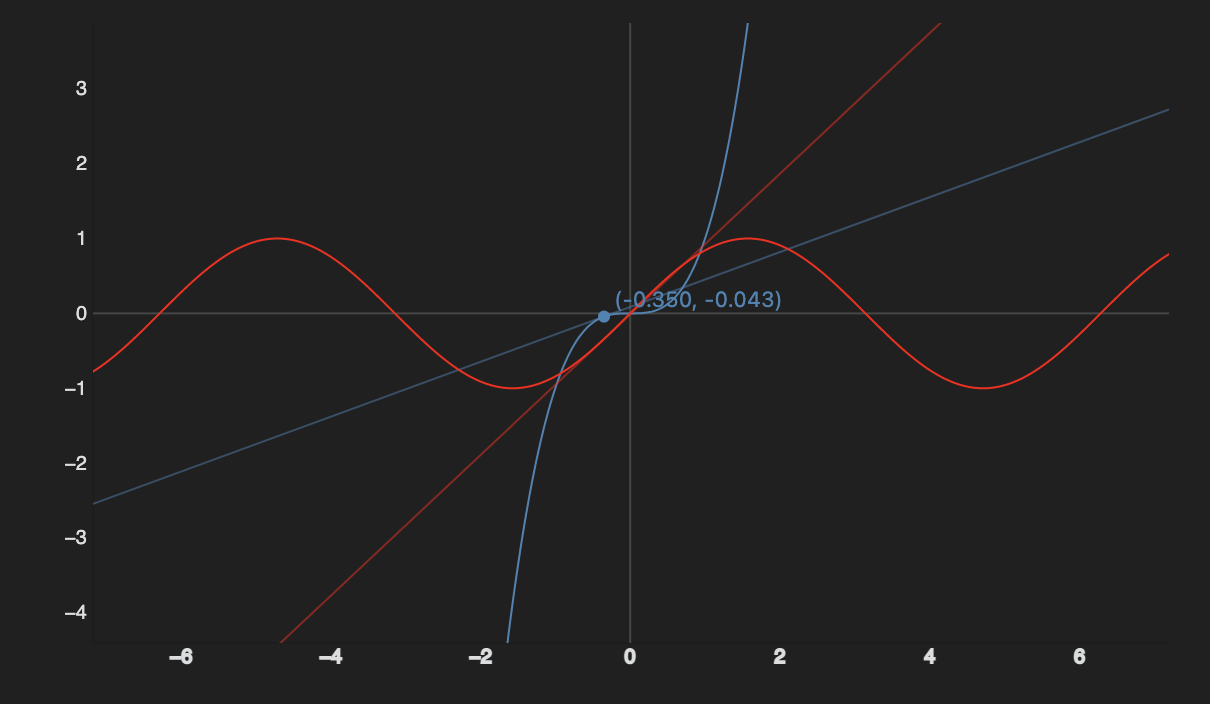
Code Blocks and Inline Code allows to insert computations and plotting inside Obsidian notes.

Here a preview of the sidebar:
And here a preview of Inline Code:

Also plotting:
Please read the Documentation for a full description.

66%
HealthFair
ReviewCaution
About
Perform symbolic and numeric calculations and render 2D plots with a built-in CAS sidebar powered by Nerdamer. Insert computations and plots inline or as code blocks, and export results as dynamic code or static LaTeX into notes.
MathChartsSidebar
Details
Current version
0.8.14
Last updated
3 years ago
Created
4 years ago
Updates
24 releases
Downloads
15k
Compatible with
Obsidian 0.15.0+
License
OTHER
Report bugRequest featureReport plugin
Sponsor
Buy Me a Coffee
Author
canna71canna71
github.com/Canna71
GitHubcanna71
  1. Community
  2. Plugins
  3. Math
  4. Mathpad

Related plugins

Notebook Navigator

Alternative file browser with folders, tags, properties, shortcuts, previews, keyboard navigation, drag and drop, and pinned notes.

Recent Files

Display a list of recently opened files.

Tracker

Track occurrences and numbers in your notes.

TagFolder

Show tags as folder.

Checklist

Consolidate checklists across all files into a single view.

Custom File Explorer sorting

Manual or automatic config-driven reordering and sorting of files and folders in File Explorer.

Charts

Easily create interactive charts in your notes.

Tag Wrangler

Rename, merge, toggle, and search tags from the tag pane.

Sheet Plus

Create Excel-like spreadsheets and easily embed them in Markdown.

Novel Word Count

Display a word count, page count, creation date, or other statistics for each file, folder and vault in the File Explorer pane.