MarinMind
 xiewangsun35 downloads
Read PDF and EPUB books, turn highlights and excerpts into knowledge cards, organize them on mind maps, and review with built-in spaced repetition.
- Overview
- Scorecard
- Updates8
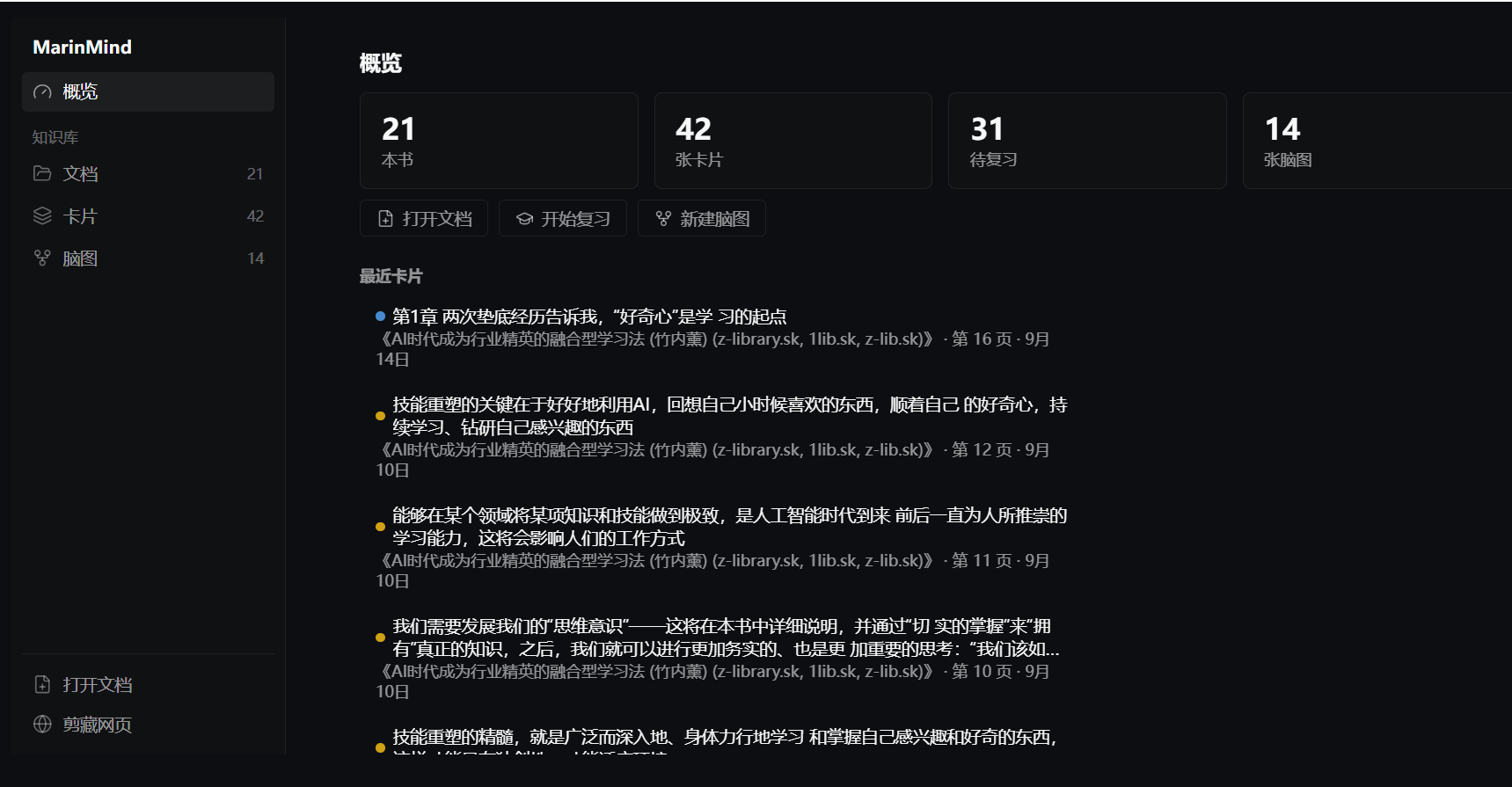
An all-in-one study tool for Obsidian that combines an e-book reader, a mind map, and flashcards with spaced repetition.
Read and annotate → every excerpt becomes a knowledge card → drag cards onto mind maps → review them until they stick.
Features
Desktop-only: this plugin relies on Node.js/Electron APIs (file system access, system tray, native window capture), so it does not run on mobile.
| Module | Description |
|---|---|
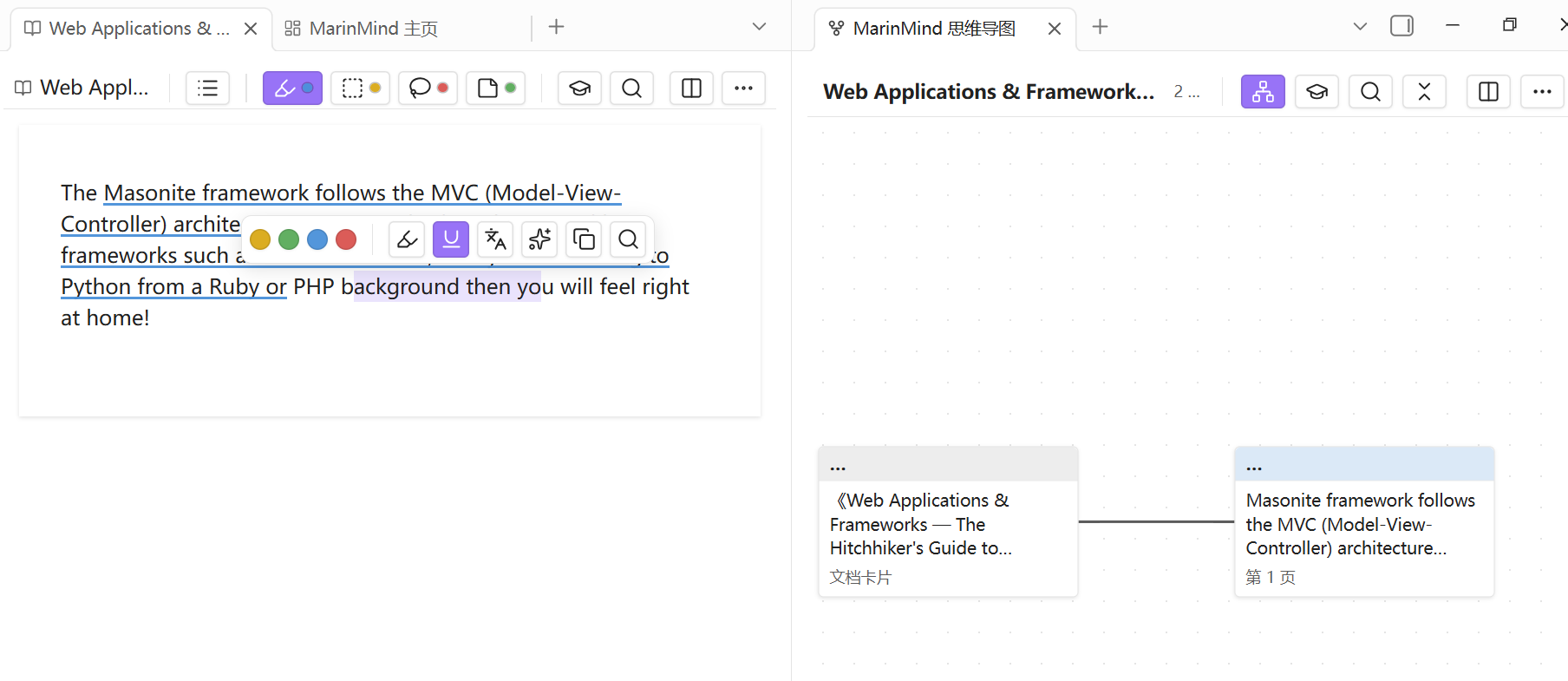
| Reading & annotating | Read PDF / EPUB / MOBI books; highlight, and excerpt text, rectangular areas, free-form lasso regions, handwriting, photos, and voice notes |
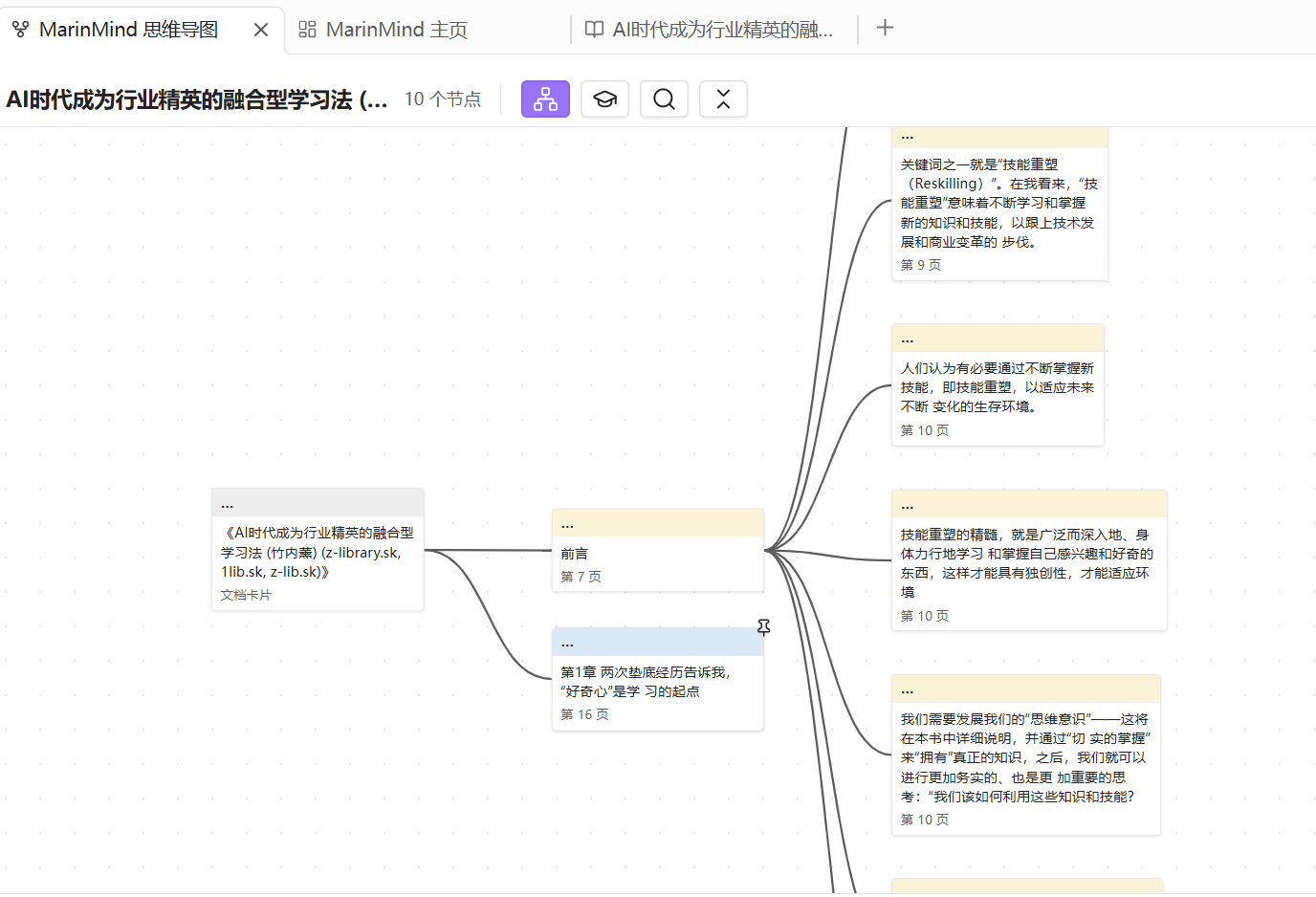
| Excerpt → card | Every excerpt automatically becomes a knowledge card — one piece of data, three uses (mind map node, flashcard, back-link to the source) |
| Mind maps | Drag cards onto an infinite canvas to build mind maps; cards link back to the exact position in the book (page + coordinates); merge and bi-link cards |
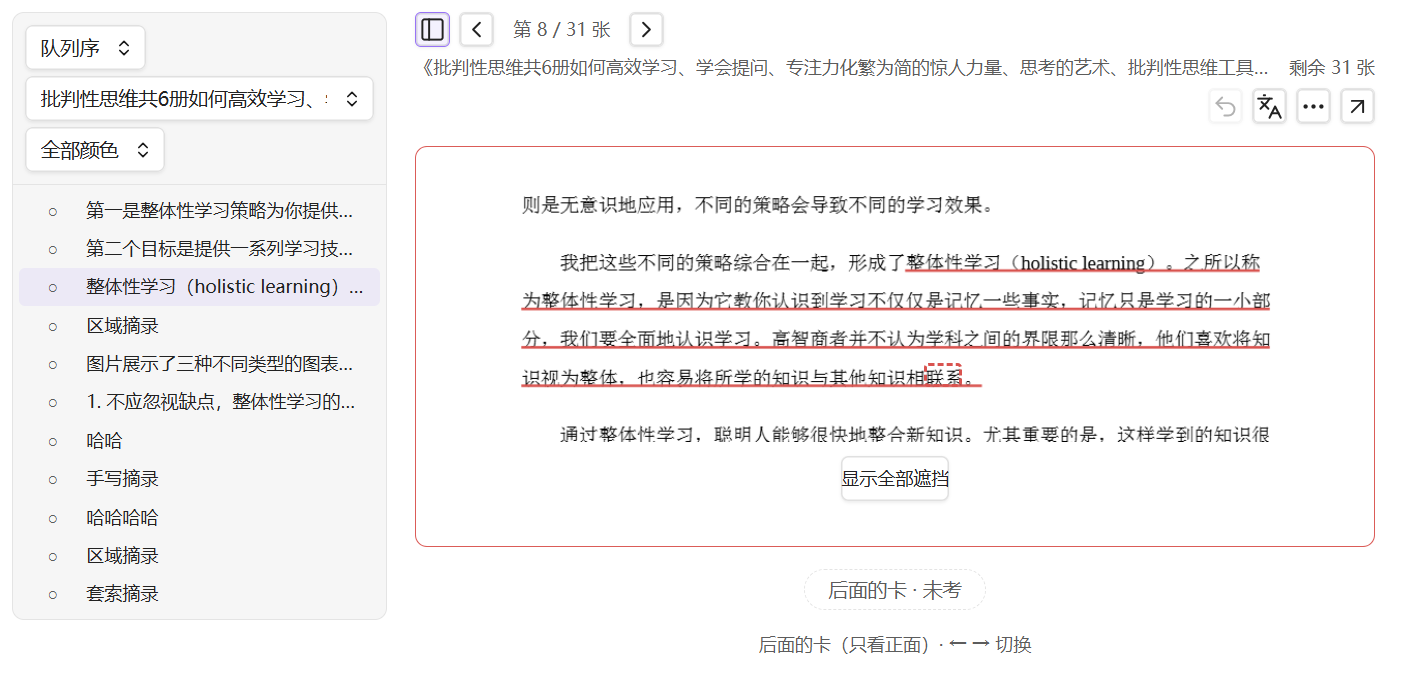
| Flashcards | Turn any card into a flashcard and review with a built-in FSRS-style spaced repetition scheduler, covering the full study loop from preview to long-term retention |
| Multi-pane workspace | Reader, mind map, and cards side by side with study / research layouts and adjustable linkage |
| OCR | Recognize text in scanned PDFs (Chinese & English mixed) |
| Mixed documents | Put multiple books in one notebook and build cross-book mind maps |
| Extras | Web clipping, screen capture with a tray shortcut, translation, and an AI assistant that works on your excerpts |
Installation
From the community directory (once reviewed and published)
Settings → Community plugins → Browse → search "MarinMind" → Install → Enable.
Beta testing with BRAT
- Install the BRAT plugin.
- BRAT settings → Add Beta plugin →
xiewangsun/marinmind. - Enable "MarinMind" in Community plugins.
Manual
Download main.js, manifest.json, and styles.css from the latest release into <vault>/.obsidian/plugins/marinmind/, then enable the plugin in settings.
Usage
A complete Chinese tutorial (18 chapters, covering import, excerpts, mind maps, review, backup, settings, AI, and more) is available at docs/使用教程.md.
The basic flow:
- Open the MarinMind home view and import a PDF / EPUB / MOBI book.
- Excerpt while reading — text, area, lasso, handwriting, photo, or voice.
- Drag cards onto a mind map and organize them.
- Send cards to review and let spaced repetition do the rest.
Data & privacy
- All data (books, cards, mind maps, settings) is stored locally in your vault under the
MarinMind/folder (configurable in settings; desktop installations may also use a folder outside the vault). - The plugin collects no telemetry, analytics, or usage statistics. Nothing leaves your machine except the explicitly user-triggered network requests listed below.
- Backup: export everything to a
.marginpkgarchive (a zip of your data, books, and attachments) from settings.
Network usage
All network requests are user-initiated and use API keys you configure yourself:
| Feature | Endpoints |
|---|---|
| AI assistant | Any OpenAI-compatible endpoint you configure (default preset: api.deepseek.com); web-search-augmented answers can also use OpenRouter's :online suffix |
| Web search (for AI) | Tavily (api.tavily.com), Bocha (api.bochaai.com), or a self-hosted SearXNG instance — whichever you configure |
| Translation | Google Translate, Baidu, Youdao, or DeepL — whichever you configure |
| OCR | On first use, downloads the OCR engine and language data from public CDNs (jsDelivr / tessdata.projectnaptha.com) |
| Web clipper | Fetches any URL you enter and downloads images from that page into your vault |
Development
npm install # install dependencies
npm run dev # dev mode: esbuild watch, rebuilds main.js on change
npm run build # production build: tsc type-check, then esbuild bundle
npm test # run all tests (vitest)
For debugging, symlink or copy this folder into your vault's .obsidian/plugins/marinmind/ (it must contain main.js, manifest.json, and styles.css), then enable the plugin.
中文说明
本插件为中文优先开发,完整中文使用教程见 docs/使用教程.md。