
- Overview
- Scorecard
- Updates17
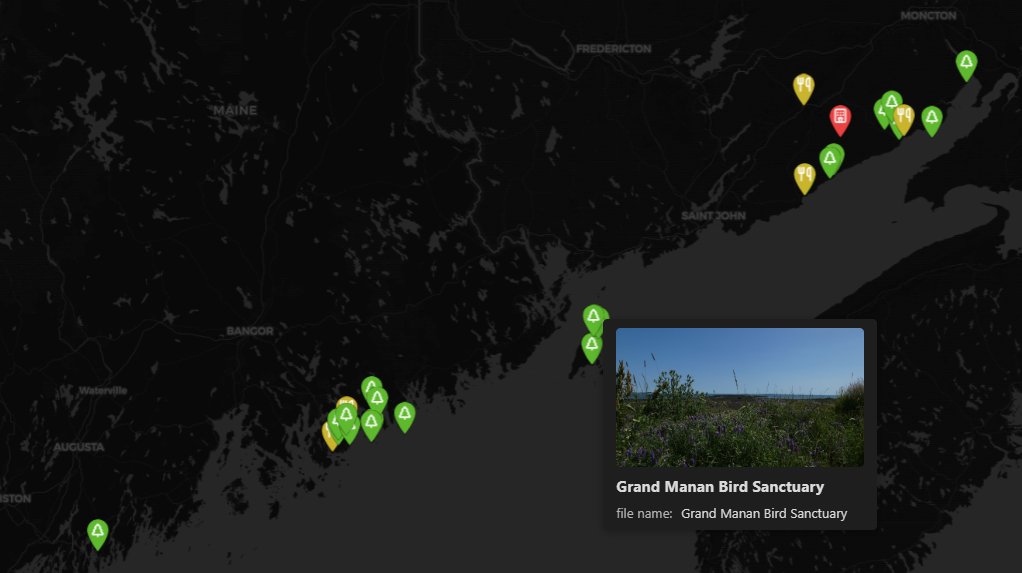
A performant and customizable map layout for Obsidian Bases. This plugin functions similarly to the official Maps plugin, but is more performant for big vaults, adds extensibility with a tag hierarchy, adds thumbnail support to locations, and allows more customizability in general.
Usage
Setting up coordinates
Option 1: Use global frontmatter keys
In plugin settings, set:
- Latitude key (e.g.,
latorlocation[0]) - Longitude key (e.g.,
lngorlocation[1])
These will be used as the global default.
Option 2: Use a coordinates property in your base
In your base view options, set the "Coordinates property" to a property containing coordinates.
The property value should be either:
- A list:
[latitude, longitude] - A string:
"latitude,longitude"
If you have separate latitude and longitude properties, you can make a formula (virtual property) to combine them.
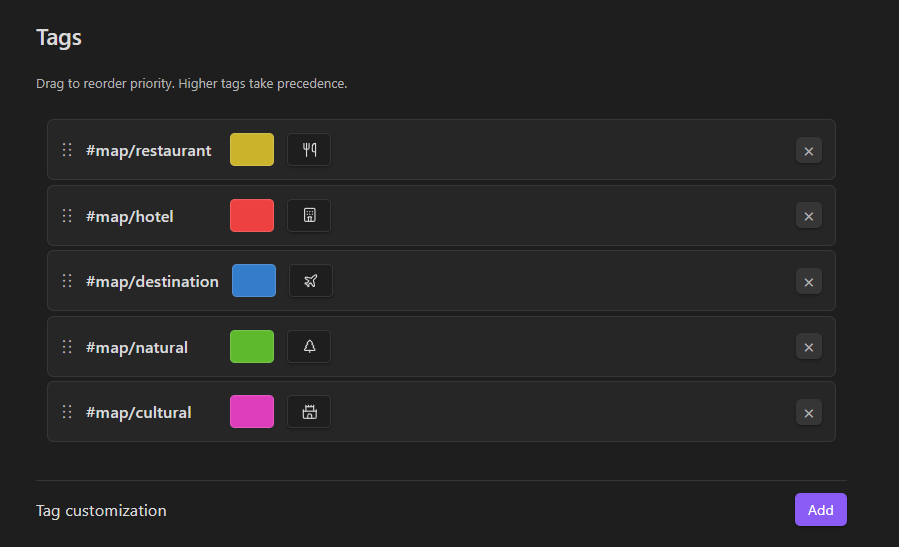
Customizing tags
In plugin settings under "Tags":
- Click "Add" to create a tag customization
- Choose a tag from your vault
- Pick a color and optional icon
- Drag tags to reorder priority
Higher tags take precedence in locations with multiple tags.
Using timeline view
The timeline view type filters map markers by date.
- Date property: Property containing dates (supports
YYYY-MM-DD,YYYY-MM,YYYY, and negative years like-1000-01-01for BC) - Group by property: Deduplicate markers with the same value - for tracking the same object at different times
- Grouping uniqueness mode: Show all entries, only the most recent, or only the least recent per group (per date property)
The slider and text box filter markers up to a specific date. You can manually type in the text box the exact date you want to jump to. The granularity level is determined by the dropdown.
Using search and geocoding
Enable "Search geocoding" in plugin settings to add a search bar to your map views.
The search bar supports:
- Natural language search: Type location names and select from search results
- Coordinate paste: Paste coordinates in various formats:
- Decimal degrees:
40.7128, -74.0060 - Degrees/minutes/seconds formats
- Google Maps links
- Other common coordinate formats
- Decimal degrees:
Select a result from the dropdown to navigate to that location on the map.
Customizing map appearance
In plugin settings under "Map":
- Stroke width for icons: Adjust the outline thickness of map markers (0.5-5)
- Fill icons: Toggle whether icons are filled or outlined
- Auto-center on update: Automatically zoom and center the map when data changes
- Transition duration: Control the animation speed when the map view changes (0-2000ms)
Performance optimization
Thumbnail cache: Enable in settings under "Performance" to cache downsized versions of location cover images for instant tooltips.
- Thumbnail target size: Set the target file size for cached thumbnails (10-50 KB)
- Cache status: View number of cached thumbnails and total cache size
- Rebuild cache: Regenerate all thumbnails if images have changed
- Clear cache: Delete all cached thumbnails