Search...Search plugins and themes...
⌘K
Sign in
  • Get started
  • Download
  • Pricing
  • Enterprise
  • Account
  • Obsidian
  • Overview
  • Sync
  • Publish
  • Canvas
  • Mobile
  • Web Clipper
  • CLI
  • Learn
  • Help
  • Developers
  • Changelog
  • About
  • Roadmap
  • Blog
  • Resources
  • System status
  • License overview
  • Terms of service
  • Privacy policy
  • Security
  • Community
  • Plugins
  • Themes
  • Discord
  • Forum / 中文论坛
  • Merch store
  • Brand guidelines
Follow us
DiscordTwitterBlueskyThreadsMastodonYouTubeGitHub
© 2026 Obsidian

Mandala Grid

panatgithubpanatgithub656 downloads

Mandala grid (3×3 / 9×9) editor built on Lineage.

Add to Obsidian
  • Overview
  • Scorecard
  • Updates7

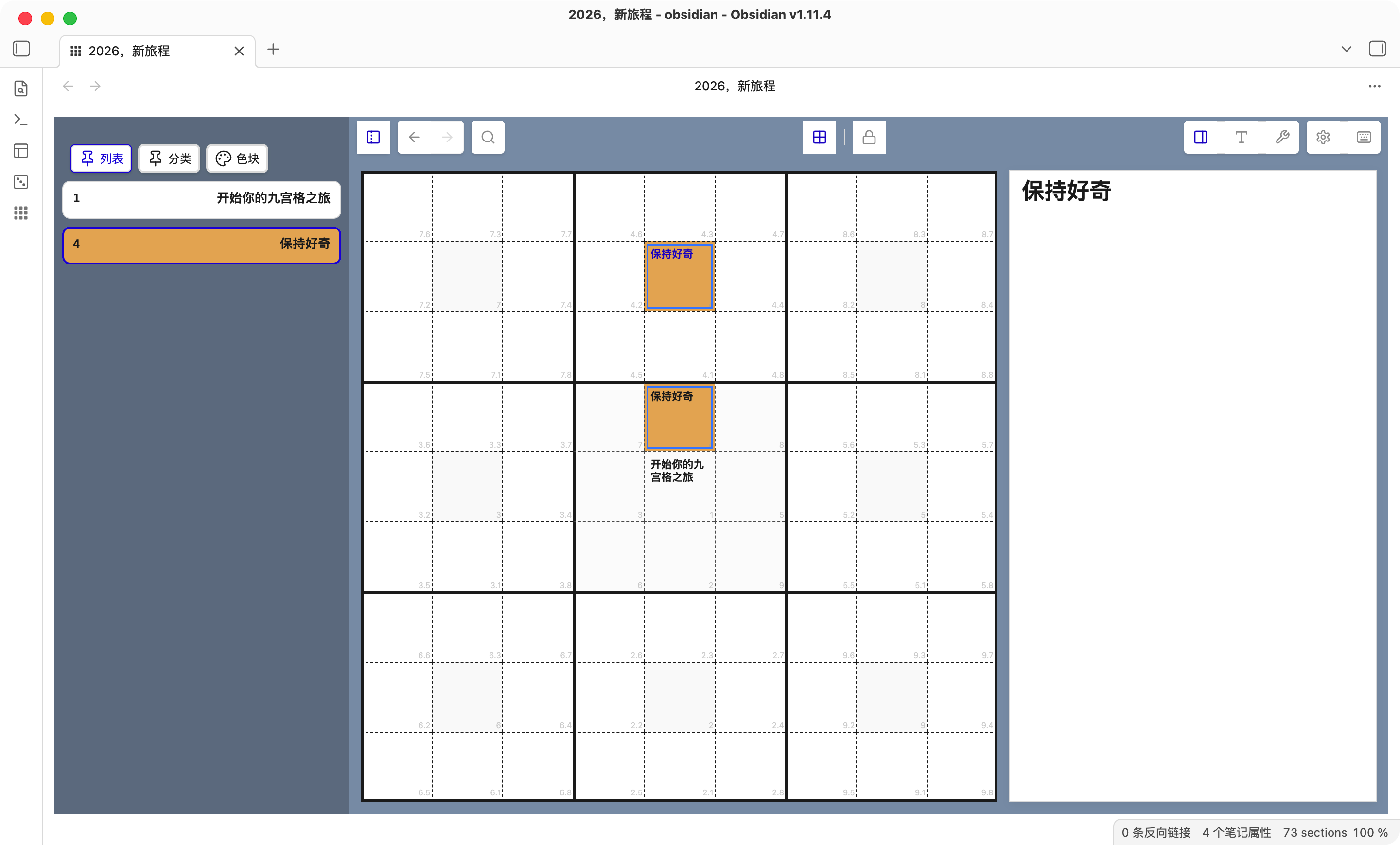
Mandala Grid is an Obsidian plugin that organizes Markdown content in 3x3 and 9x9 mandala layouts for structured thinking, topic breakdown, and writing workflows.

It lets you switch between tree and mandala views, edit cells in place, swap or pin nodes, apply section colors, and use a day-plan template flow inside the same document.

Mandala Grid 是一款 Obsidian 插件,用九宫格/曼陀罗视图来组织与编辑 Markdown 内容,适合进行主题拆解、层级梳理与结构化写作。
alt text

Usage

  • Open the Mandala Grid view from the toolbar button, file context menu, or command palette.

  • Edit, swap, pin, and color-mark topics and subtopics directly inside the mandala grid.

  • Use the day-plan template scene from the command palette when you want a daily planning workflow.

  • 可通过功能按钮、文件右键菜单或命令面板打开 Mandala Grid 视图。

  • 支持在九宫格中进行主题与子主题的编辑、交换、固定与颜色标记。

  • 支持「日计划」模板场景,可通过命令面板触发相关功能。

Compatibility

  • The same content can be viewed and edited in both the tree view and the mandala grid view.

  • 同一份内容可在树状视图与九宫格视图之间切换使用。

HealthExcellent
ReviewSatisfactory
About
Organize Markdown notes in a nine-grid (mandala) view to break down themes, map hierarchies, and structure writing. Edit, swap, pin, and color-mark cells; use a daily-plan template and switch seamlessly between tree and mandala views.
VisualizationWritingTemplating
Details
Current version
1.2.12
Last updated
3 months ago
Created
8 months ago
Updates
7 releases
Downloads
656
Compatible with
Obsidian 1.7.2+
Platforms
Desktop, Mobile
License
MIT
Report bugRequest featureReport plugin
Author
panatgithubpanatgithub
GitHubpanatgithub
  1. Community
  2. Plugins
  3. Visualization
  4. Mandala Grid

Related plugins

StoryLine

Transform your vault into a powerful book planning and writing tool. Corkboard, KanbanBoard view, timeline, plotlines,character tracking, and more.

Excalidraw

Visual PKM powerhouse. Create and edit Excalidraw drawings.

Breadcrumbs

Visualise the hierarchy of your vault using a breadcrumb trail or matrix view.

Advanced Canvas

Supercharge your canvas experience. Create presentations, flowcharts and more.

Maps

Adds a map layout to bases so you can display notes as an interactive map view.

Mermaid Tools

Improved Mermaid.js experience: visual toolbar with common elements and more.

Longform

Helps you write and edit novels, screenplays, and other long projects.

Templater

Create and use dynamic templates.

QuickAdd

Quickly add new notes or content to your vault.

Folder notes

Create notes within folders that can be accessed without collapsing the folder, similar to the functionality offered in Notion.