Loupe
 Casper2k downloads
See and preview the files Obsidian normally hides — Office (Word/Excel/PowerPoint), HTML, CSV/TSV, JSON, and 50+ code & config formats — right in the file explorer.
- Overview
- Scorecard
- Updates6

Loupe
See the files Obsidian hides.
Preview Office, HTML, spreadsheets, JSON & 50+ code & config formats — right in your file explorer.
What it does
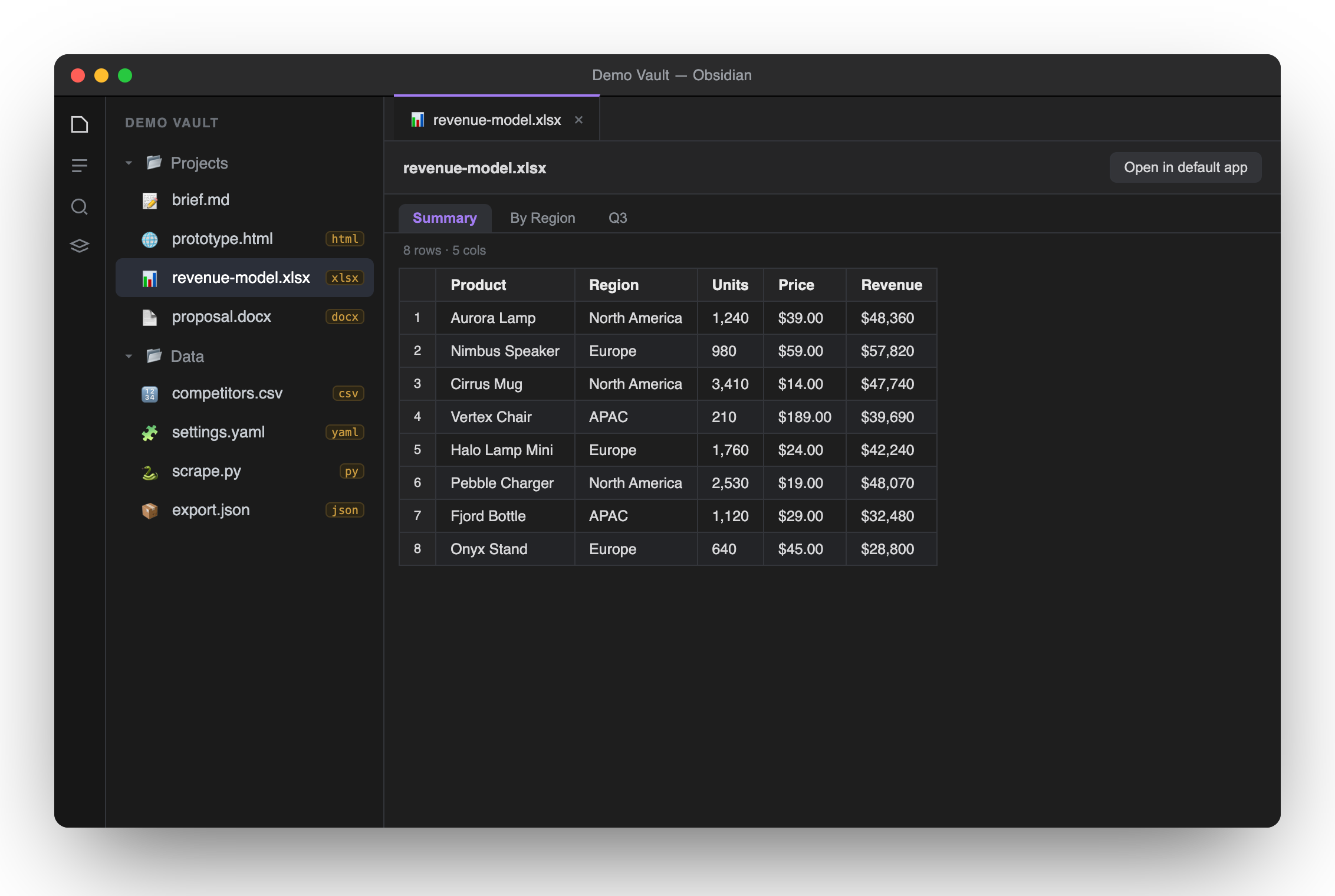
Obsidian only shows Markdown and a handful of media types in its file explorer — everything else stays invisible. Loupe reveals the rest and previews it inline, without leaving Obsidian.
Supported formats
| Category | Extensions | How it's previewed |
|---|---|---|
| Web | html htm |
Sandboxed iframe (interactive prototypes run) |
| Spreadsheets | xlsx xls xlsm xlsb ods |
Multi-sheet tabs, rendered as tables (SheetJS) |
| Delimited | csv tsv |
Quote-aware table with row numbers |
| Word | docx |
Converted to clean, sanitized HTML (mammoth) |
| Data | json |
Pretty-printed & syntax-highlighted |
| Code & config (50+) | js ts tsx py go rs java c cpp cs php rb swift sh yaml toml ini env xml sql css scss vue graphql dockerfile txt log … |
Highlighted with Obsidian's own engine |
| Visible + open externally | pptx ppt odp odt epub zip rtf … |
"Open in default app" button |
.svg, audio/video and.mdare handled natively by Obsidian, so Loupe leaves them alone — no conflicts. Extensions are claimed defensively, so Loupe coexists with other viewer plugins.
Install
Manually
- Download
main.js,manifest.jsonandstyles.cssfrom the latest release. - Put them in
<your-vault>/.obsidian/plugins/loupe/. - In Obsidian: Settings → Community plugins, reload, and enable Loupe.
Via BRAT — add the beta plugin casperkwok/obsidian-loupe.
Privacy
Everything is parsed locally on your machine. No network requests, no uploads, no telemetry. .docx output is sanitized before it touches the DOM, and .html runs in an opaque-origin sandbox that can't reach Obsidian.
Desktop only (it bundles local Office/text parsers).
Development
npm install
npm run build     # esbuild bundles src/main.ts -> main.js (inlines SheetJS + mammoth)
Then copy manifest.json, main.js and styles.css into your vault's plugin folder. The landing page lives in docs/ (GitHub Pages); the screenshot generator is in screenshots/.
License
MIT © Casper