Local Ollama with Web Search
 Frank Lechtenberg39 downloads
Chat with local Ollama AI models directly in Obsidian. Includes built-in DuckDuckGo web search – no API key, no cloud, no telemetry.
- Overview
- Scorecard
- Updates8
Ein Obsidian-Plugin, das lokale KI-Modelle via Ollama direkt in Obsidian einbindet – als Schreib- und Strukturassistent mit integrierter Websuche. Vollständig lokal, keine Cloud, keine API-Kosten, keine Datenweitergabe.
Features
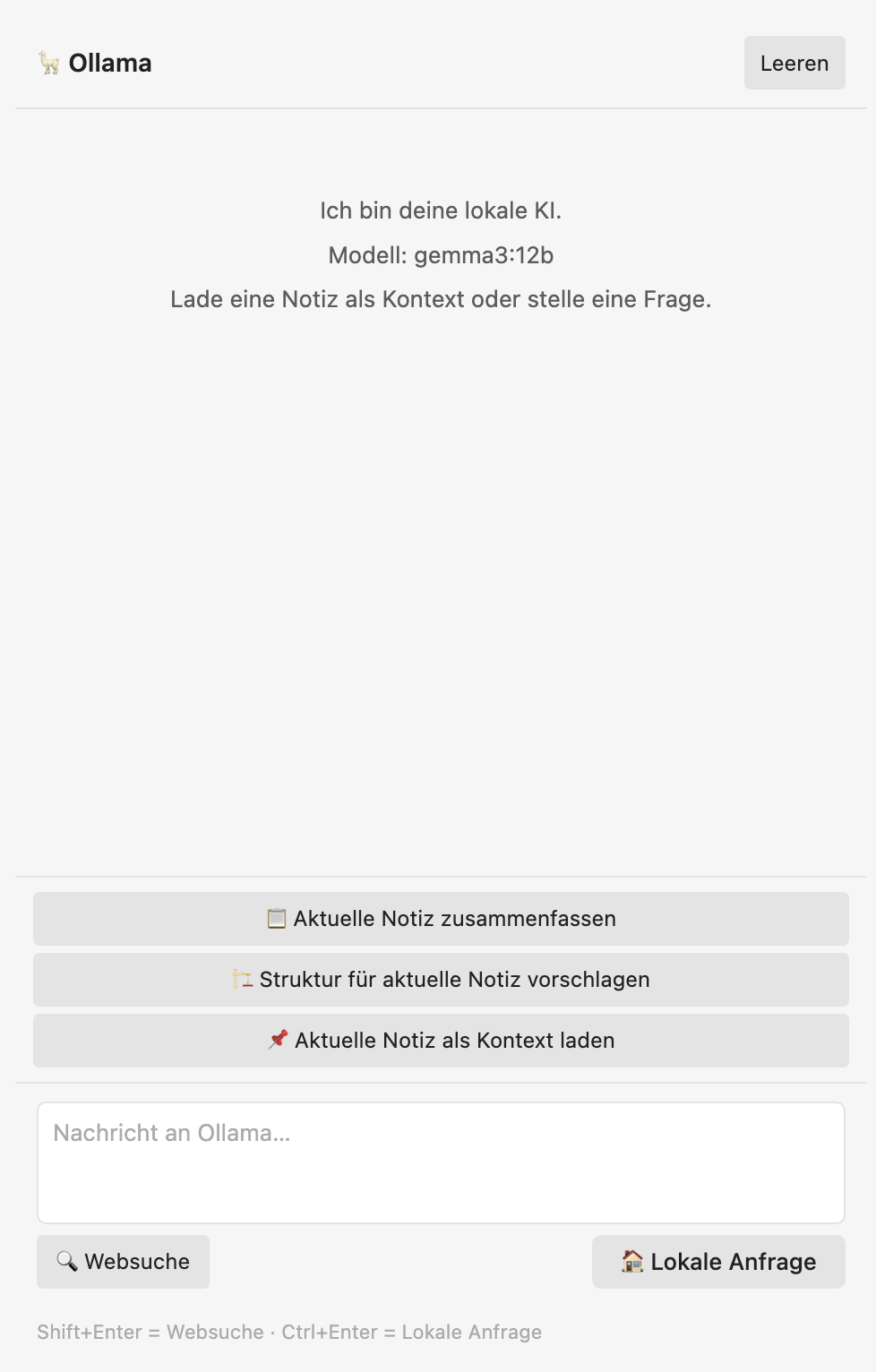
- Websuche direkt im Chat – sucht automatisch via DuckDuckGo, speist die Ergebnisse als Kontext in Ollama ein und antwortet mit Quellenangaben – kein Browser, kein externes Tool nötig
- Lokale Anfragen – klassischer Chat mit dem lokalen Modell ohne Internetzugriff
- Notiz zusammenfassen – aktuelle Notiz mit einem Klick komprimieren
- Struktur vorschlagen – Gliederung für die offene Notiz entwickeln
- Kontext laden – Notiz als Hintergrundwissen für den Chat bereitstellen
- Vollständig lokal – keine Cloud, kein API-Token, keine Telemetrie
Websuche
Das Plugin sucht direkt über die freie DuckDuckGo-Engine – kein API-Key, keine Registrierung, keine Kosten. Die Top-5-Treffer werden automatisch als Kontext an das lokale Modell übergeben, das daraus eine strukturierte Antwort mit Quellenangaben [1], [2] etc. formuliert.
Nutzung:
- Suchanfrage ins Textfeld eingeben
Shift+Enterdrücken oder auf 🔍 Websuche klicken
Lokale Anfragen (ohne Internet) mit Ctrl+Enter oder 🏠 Lokale Anfrage.
Voraussetzungen
1. Ollama installieren
macOS / Linux:
curl -fsSL https://ollama.com/install.sh | sh
Windows: Installer unter ollama.com/download herunterladen.
2. Modell laden
ollama pull gemma3:12b
Empfohlene Modelle je nach Hardware:
| Modell | RAM-Bedarf | Stärke |
|---|---|---|
gemma3:12b |
~8 GB | Bestes Deutsch, wenig Halluzination – Empfehlung |
llama3.1:8b |
~5 GB | Sehr stabil, breiter Einsatz |
qwen2.5:7b |
~5 GB | Mehrsprachig, Strukturierung |
gemma3:4b |
~3 GB | Für ältere/schwächere Hardware |
Hinweis zu Modellgrößen: 7B- und 8B-Modelle neigen stärker zu Halluzinationen als 12B-Modelle. Für zuverlässiges Deutsch empfehlen wir
gemma3:12bauf Systemen mit mindestens 16 GB RAM.
3. Ollama starten
Ollama läuft nach der Installation automatisch im Hintergrund. Prüfen mit:
ollama list
Installation
Via BRAT (empfohlen)
- BRAT Plugin in Obsidian installieren und aktivieren
- BRAT-Einstellungen öffnen → Add Beta Plugin
- URL eingeben:
https://github.com/Geolech/obsidian-local-ollama - Add Plugin klicken → Plugin aktivieren
Manuell
- Neueste Version unter Releases herunterladen
main.js,manifest.jsonundstyles.cssin den Ordner.obsidian/plugins/euria-obsidian/im Vault kopieren- Obsidian neu starten → Plugin in den Einstellungen aktivieren
Einrichtung
- Obsidian → Einstellungen → Lokales Ollama
- Modell aus der Dropdown-Liste wählen (wird automatisch von Ollama geladen)
- Optional: System-Prompt anpassen
Das Plugin verbindet sich automatisch mit http://localhost:11434 – keine weitere Konfiguration nötig.
Tastenkürzel
| Aktion | Shortcut |
|---|---|
| Websuche starten | Shift + Enter |
| Lokale Anfrage senden | Ctrl + Enter |
| Chat leeren | Schaltfläche oben rechts |
Lizenz
MIT – Frank Lechtenberg, TH OWL