Search...Search plugins and themes...
⌘K
Sign in
  • Get started
  • Download
  • Pricing
  • Enterprise
  • Account
  • Obsidian
  • Overview
  • Sync
  • Publish
  • Canvas
  • Mobile
  • Web Clipper
  • CLI
  • Learn
  • Help
  • Developers
  • Changelog
  • About
  • Roadmap
  • Blog
  • Resources
  • System status
  • License overview
  • Terms of service
  • Privacy policy
  • Security
  • Community
  • Plugins
  • Themes
  • Discord
  • Forum / 中文论坛
  • Merch store
  • Brand guidelines
Follow us
DiscordTwitterBlueskyThreadsMastodonYouTubeGitHub
© 2026 Obsidian

LiftOff

hpasichpasic689 downloads

Mobile-first gym workout tracker. Log sets, reps, and weights with speed-optimized UX. Data stored as markdown in your vault.

Add to Obsidian
  • Overview
  • Scorecard
  • Updates9

Mobile-first gym workout tracker for Obsidian. Log sets, reps, and weights with speed-optimized UX. All data stored as markdown in your vault.
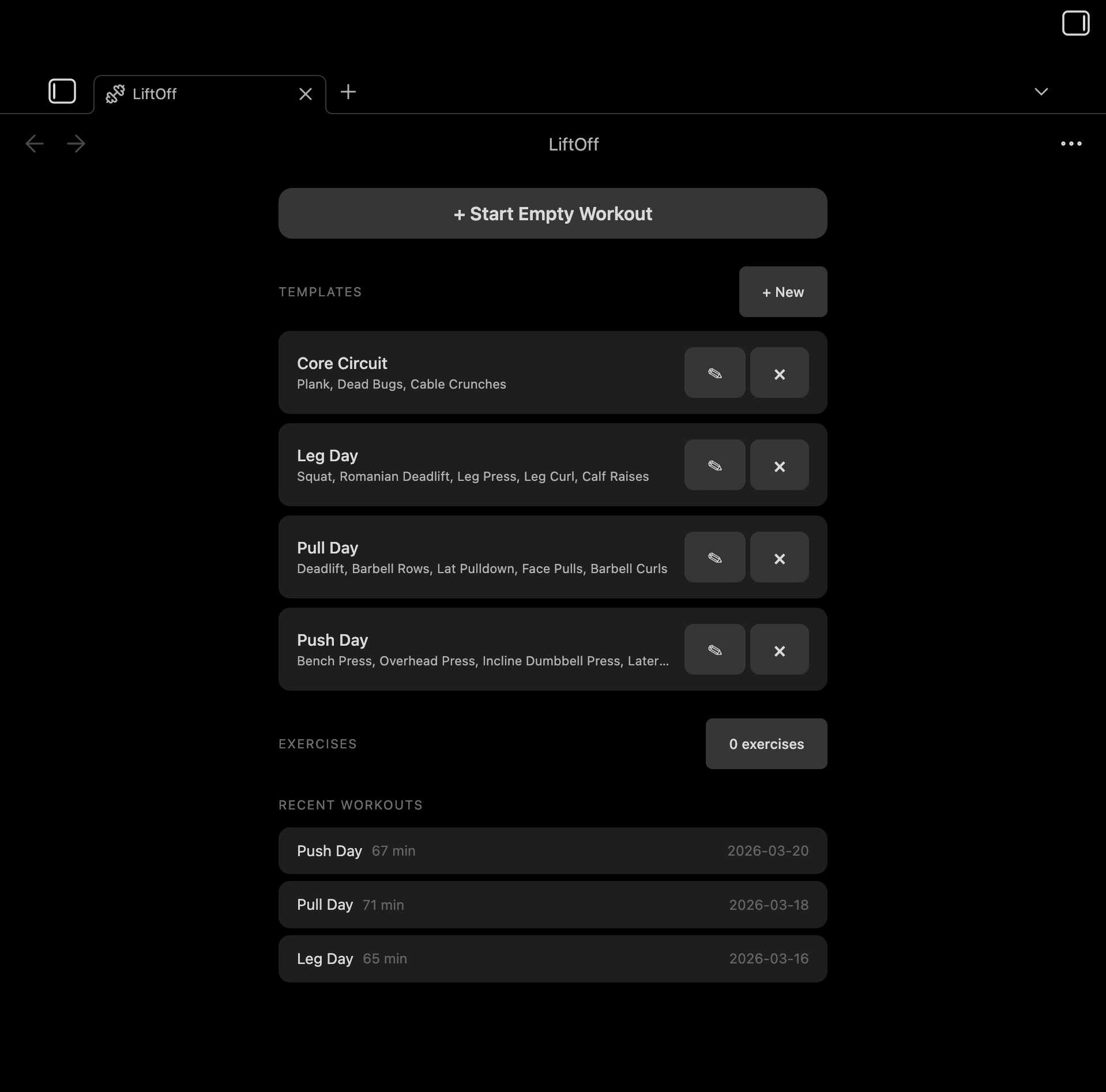
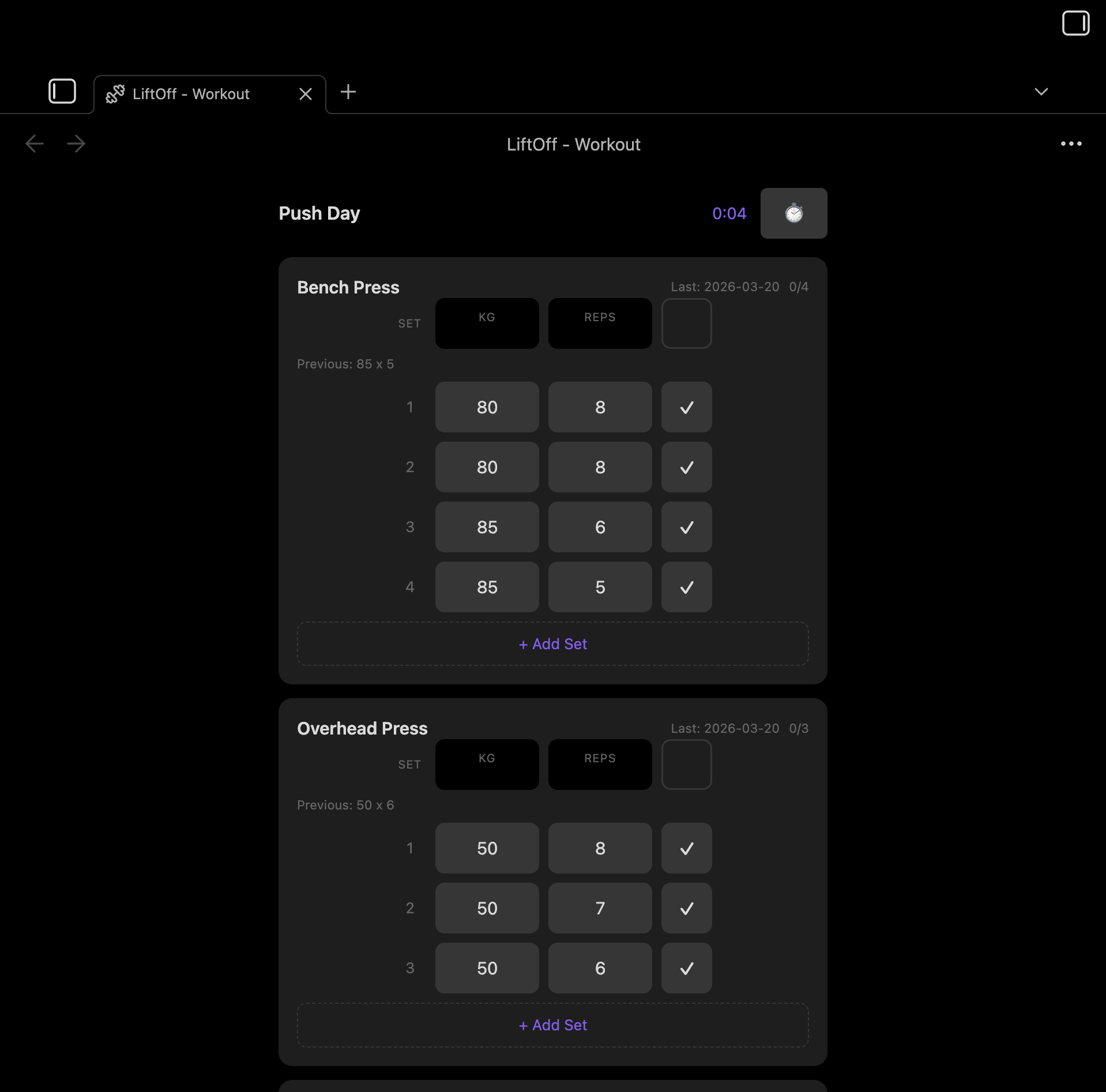
Home screen with templates and recent workouts Active workout tracking

Features

  • Start workouts from templates or build your own
  • Log sets with weight and reps, pre-filled from your last session
  • Tag sets as warmup, working, drop, or failure — just tap the set number to cycle
  • Automatic personal-record detection with a 🏆 badge the moment you beat a best
  • Post-workout summary appended to every note: duration, working sets, total volume, and PRs
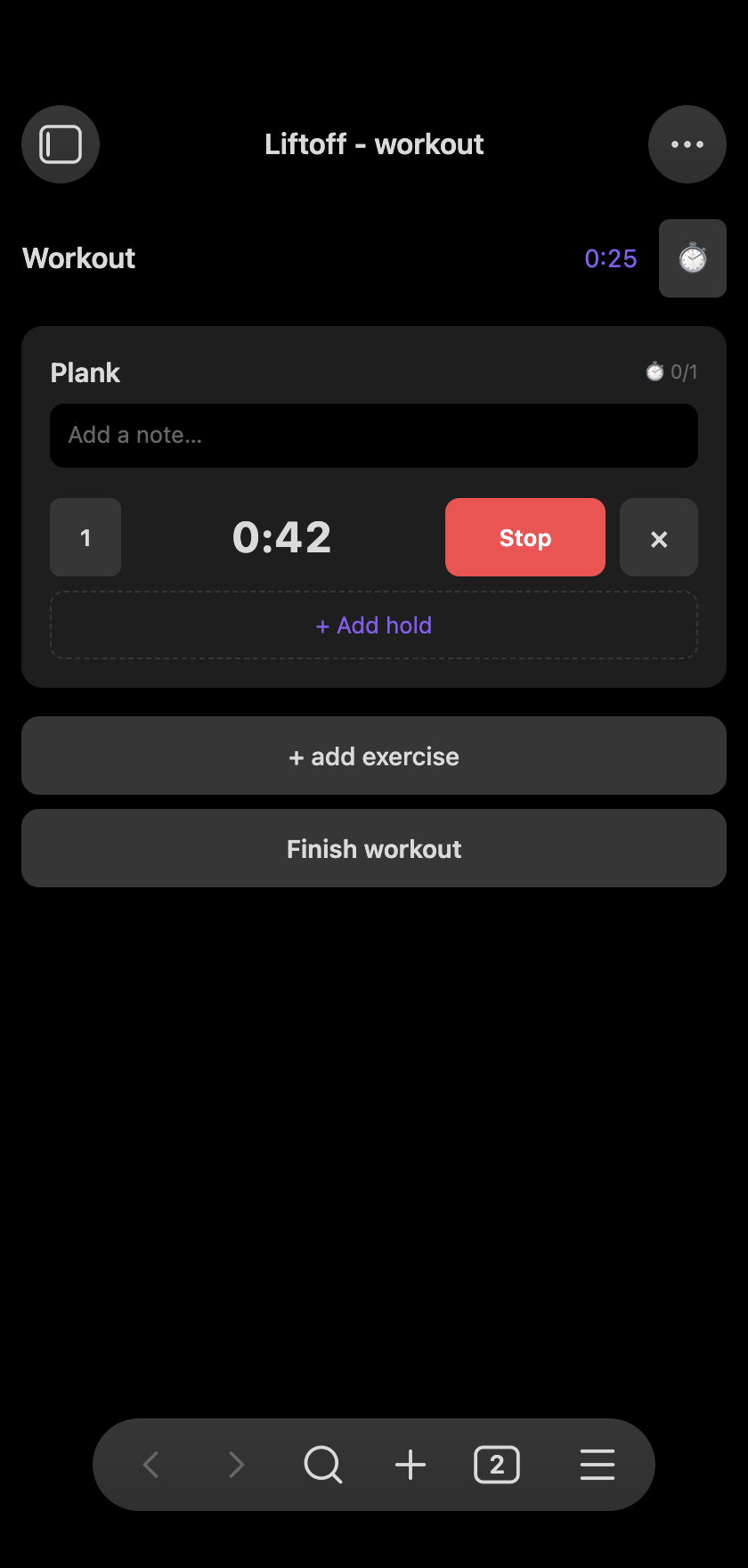
  • Duration exercises — a count-up stopwatch for planks, dead hangs, and L-sits
  • Built-in rest timer with auto-start, plus an interval timer for HIIT
  • Free-text notes per exercise
  • Exercise library with search
  • Workout history stored as plain markdown files
  • Works great on mobile

Workout tracking

Log sets with weight and reps. Previous session data is pre-filled so you can pick up where you left off. Tap the set number to cycle its type — Warmup, working, Drop, or Failure — and warmups and drop sets are automatically excluded from volume and PR calculations. Add a free-text note to any exercise to capture how it felt.
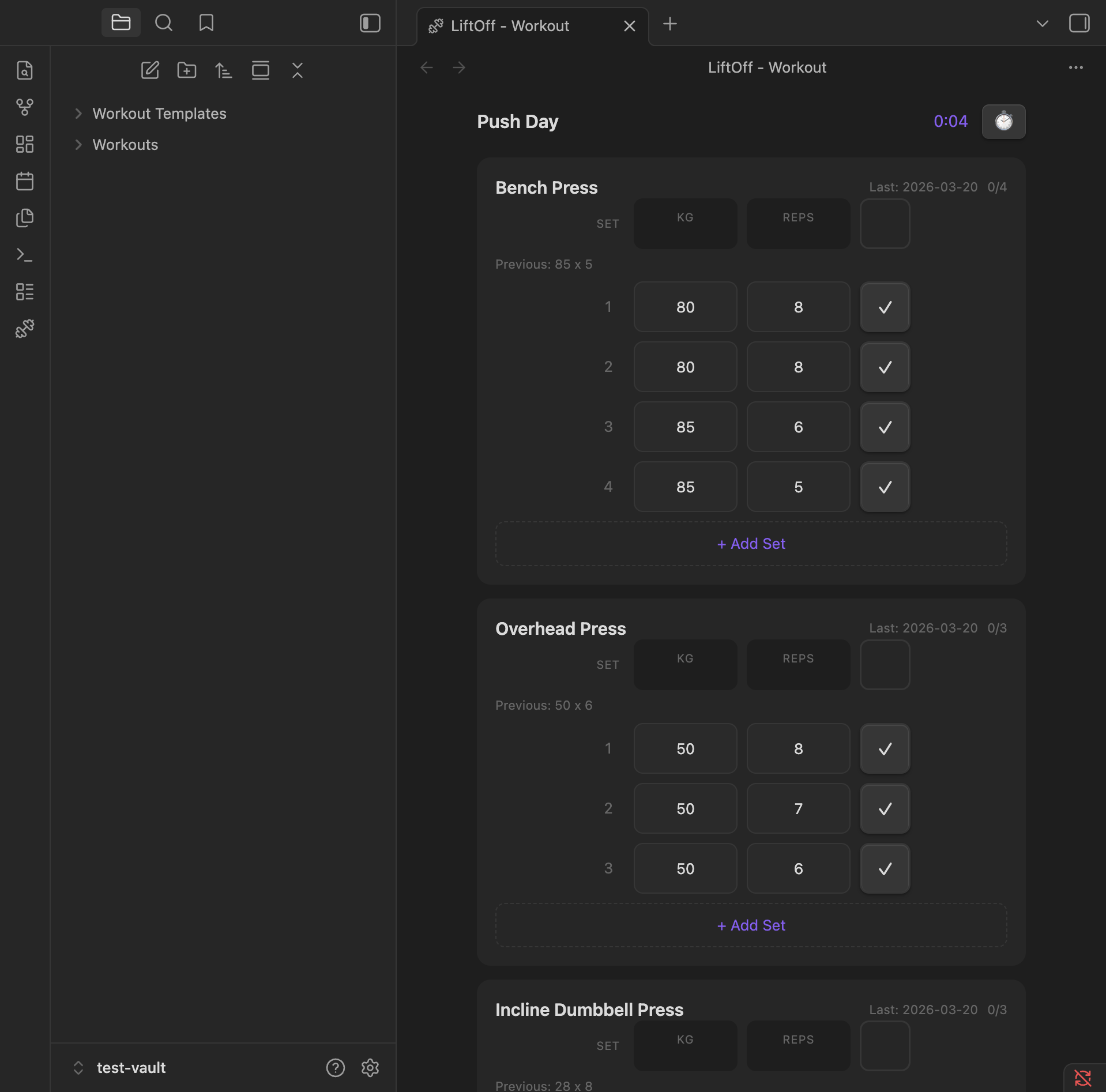
Active workout

Personal records

When a working set beats your history, LiftOff flashes a 🏆 badge on the row. It tracks three kinds of PR:

  • Heaviest weight ever lifted for the exercise
  • Best estimated 1RM (Epley: weight × (1 + reps / 30))
  • Best single-set volume (weight × reps)

Bests update mid-workout, so back-to-back PRs both light up.

Post-workout summary

Every saved workout gets a ## Summary section with total duration, working-set count, total volume, and the PRs you hit — a clean, readable record right in the note.
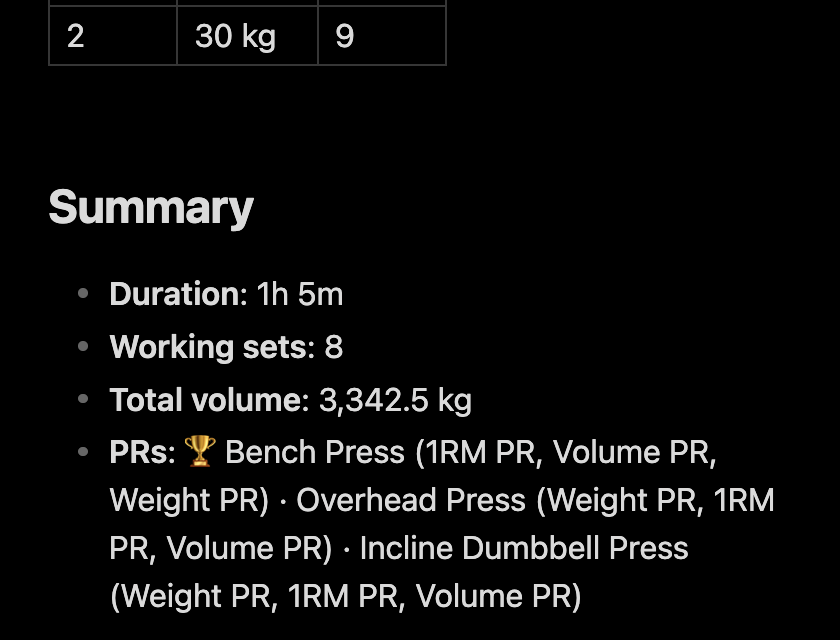
Workout summary

Timers and holds

A built-in rest timer with preset durations, an interval timer for HIIT-style work/rest sets, and count-up duration holds for static exercises like planks, dead hangs, and L-sits.
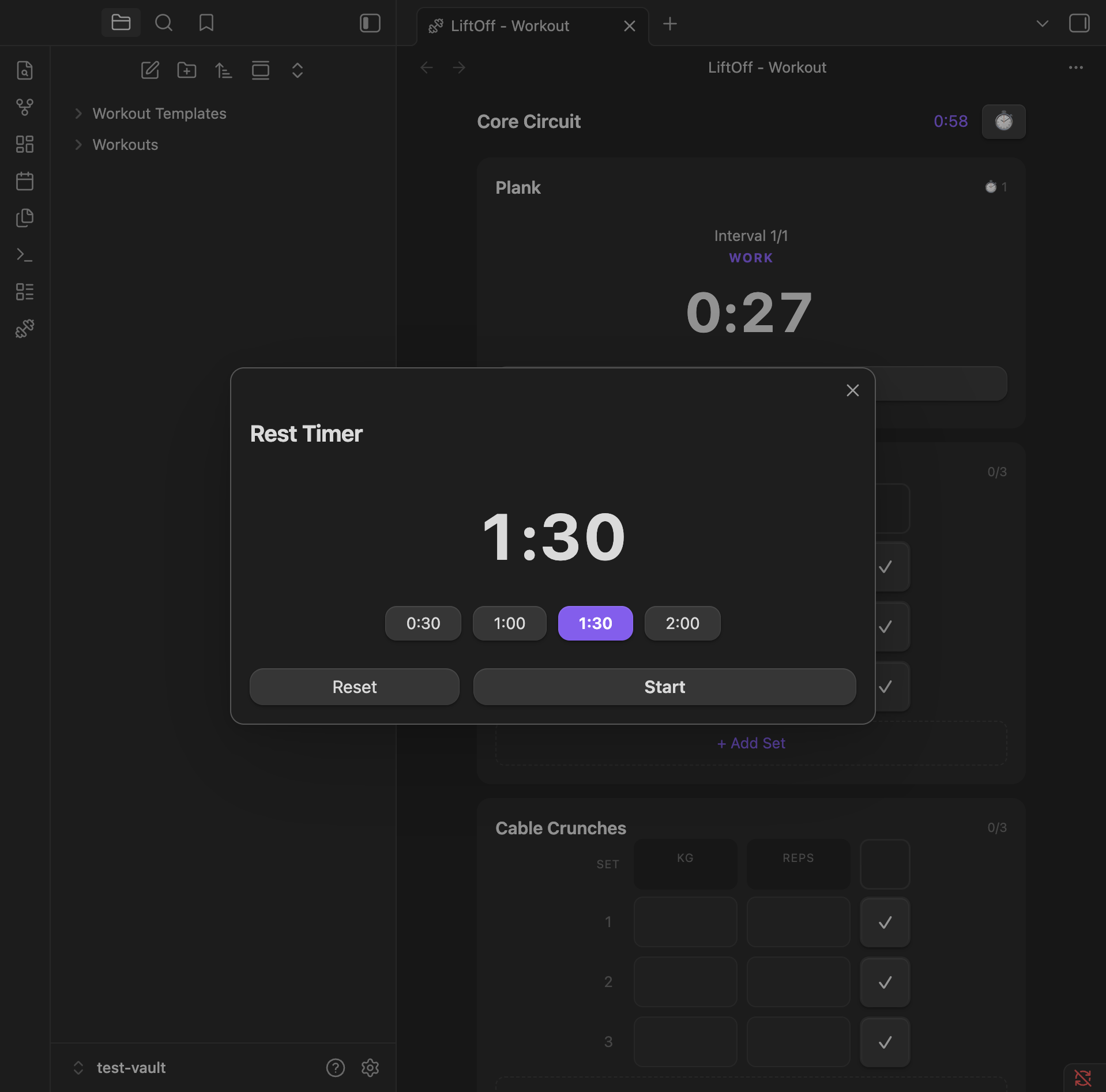
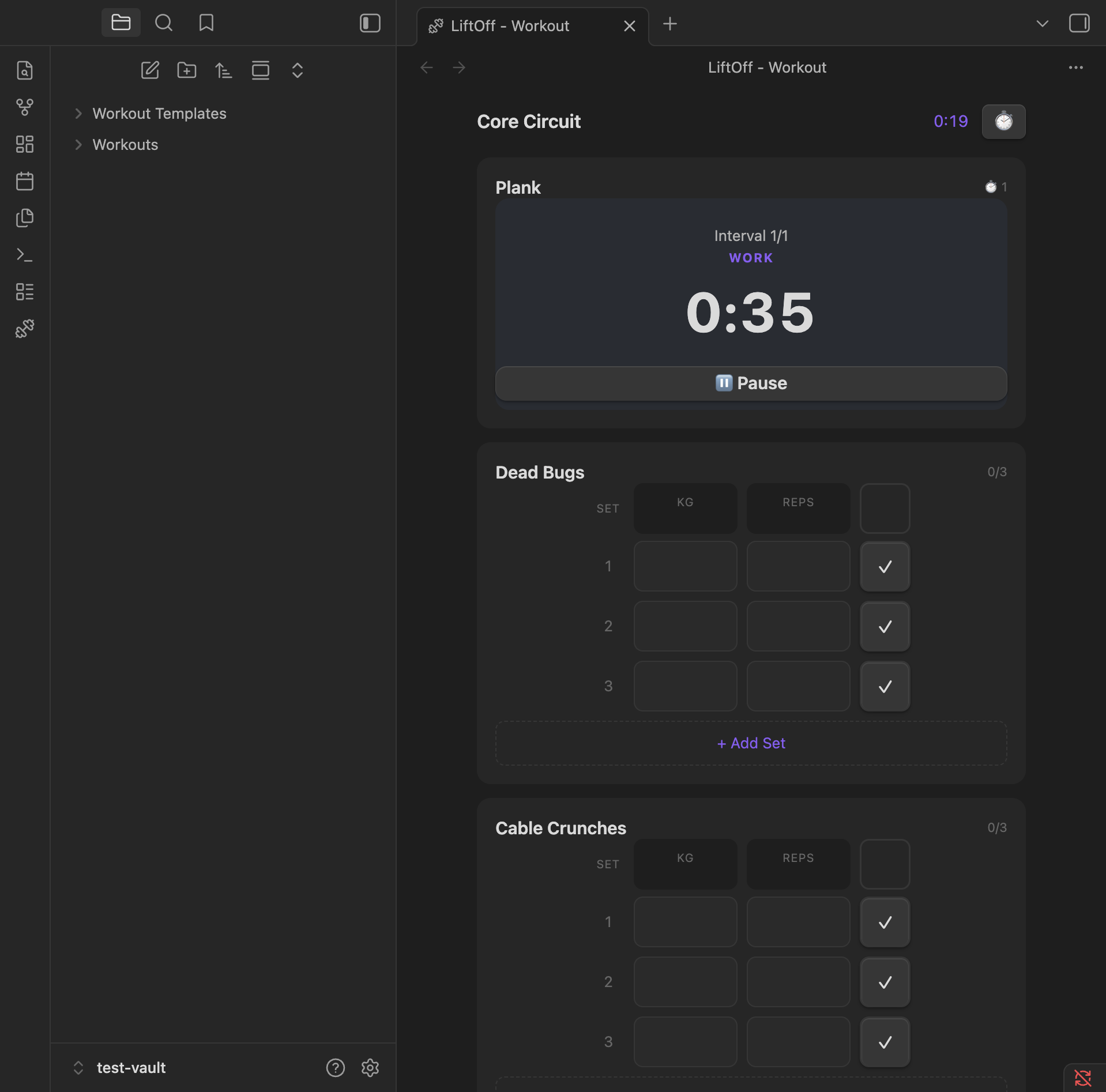
Rest timer with preset durations Interval timer during work phase

Count-up stopwatch for a max-hold exercise

Settings

Configure workout and template folders, default weight unit, and rest timer presets.
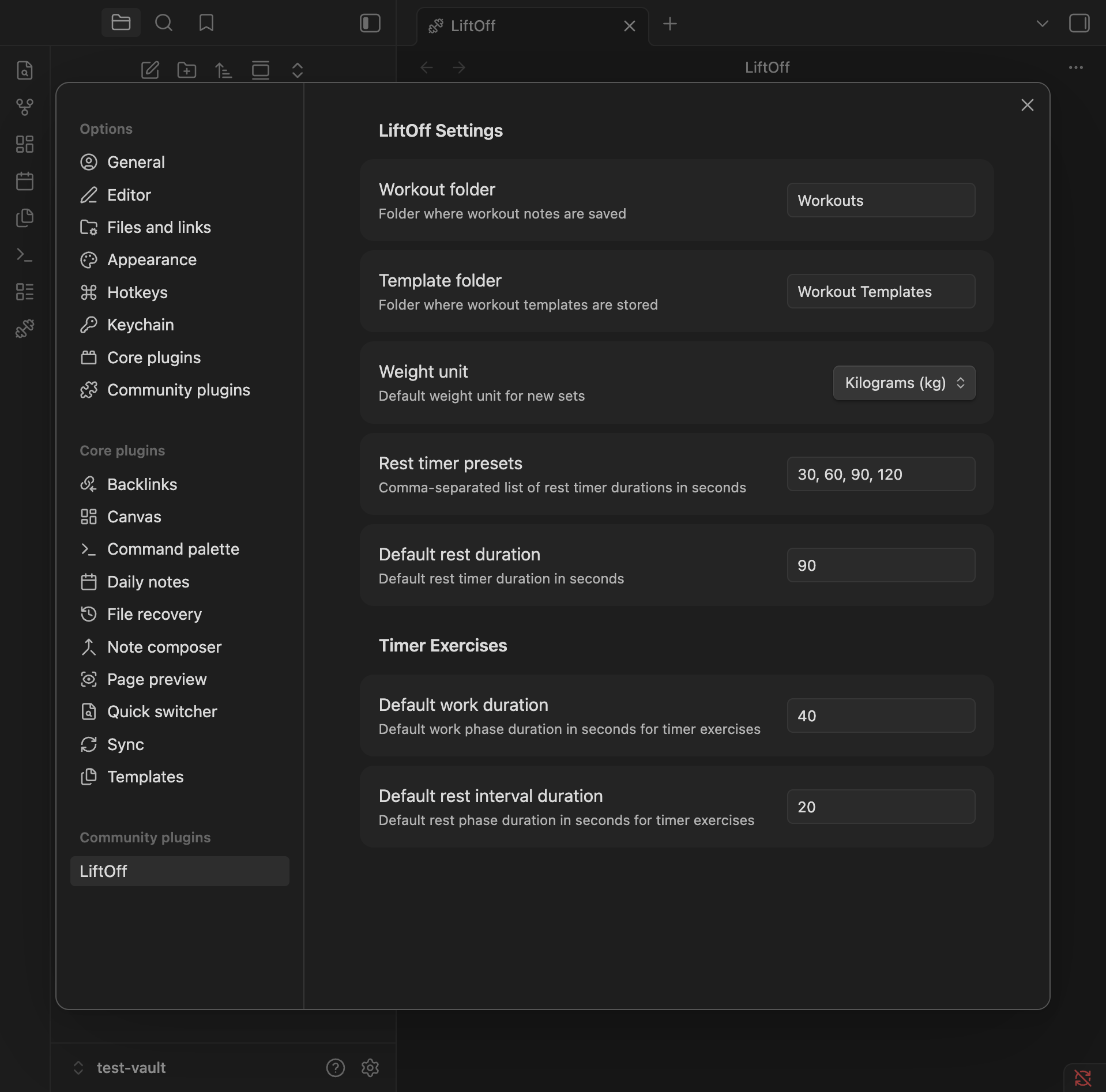
Settings

Installation

From Community Plugins

  1. Open Settings > Community Plugins
  2. Search for "LiftOff"
  3. Click Install, then Enable

Manual

  1. Download main.js, manifest.json, and styles.css from the latest release
  2. Create a folder your-vault/.obsidian/plugins/liftoff/
  3. Copy the downloaded files into that folder
  4. Enable the plugin in Settings > Community Plugins
HealthExcellent
ReviewPassed
About
Track gym workouts in Obsidian with a mobile-first interface, logging sets, reps, weight, and RPE as plain Markdown files. Start workouts from templates or custom routines, use a searchable exercise library, and run auto-start rest and interval timers. View recent workout history at a glance.
TemplatingDataSearch
Details
Current version
0.3.3
Last updated
6 days ago
Created
5 months ago
Updates
9 releases
Downloads
689
Compatible with
Obsidian 1.7.2+
Platforms
Desktop, Mobile
License
MIT
Report bugRequest featureReport plugin
Sponsor
Ko-fi
Author
hpasichpasic
GitHubhpasic
  1. Community
  2. Plugins
  3. Templating
  4. LiftOff

Related plugins

Snippets Manager

Snippets manager with full mobile support. You can manage code snippets, infos like passport number, email signature or anything.

Quick Switcher++

Enhanced Quick Switcher, search open panels, and symbols.

Omnisearch

Intelligent search for your notes, PDFs, and OCR for images.

Tracker

Track occurrences and numbers in your notes.

Templater

Create and use dynamic templates.

QuickAdd

Quickly add new notes or content to your vault.

Folder notes

Create notes within folders that can be accessed without collapsing the folder, similar to the functionality offered in Notion.

Smart Connections

Find related notes and excerpts while writing. Your AI link building copilot displays relevant content in graph + list view. A local embedding model powers semantic search. Zero setup. No API key.

Quiet Outline

Make outline quiet and more powerful, including no-auto-expand, rendering heading as Markdown, and search support.

LifeOS

Life management system.