LaTeX Live
 Qiulin Fan73 downloads
Edit .tex files with live compilation and PDF preview, using the TeX distribution installed on your machine (pdfLaTeX, XeLaTeX, LuaLaTeX, latexmk, SyncTeX).
- Overview
- Scorecard
- Updates8
A live mathematics editor for your LaTeX projects: rendered proofs, fast PDF feedback and AI completion in Obsidian.
English
Your template, a live mathematics editor
ElegantBook, directly in the editor. Read and write rendered formulas, numbered theorem blocks, proofs and references while the original template produces the PDF beside them. Enter a formula to edit its TeX; leave it to see the result. Switch the whole pane between live editing and source whenever you need to.
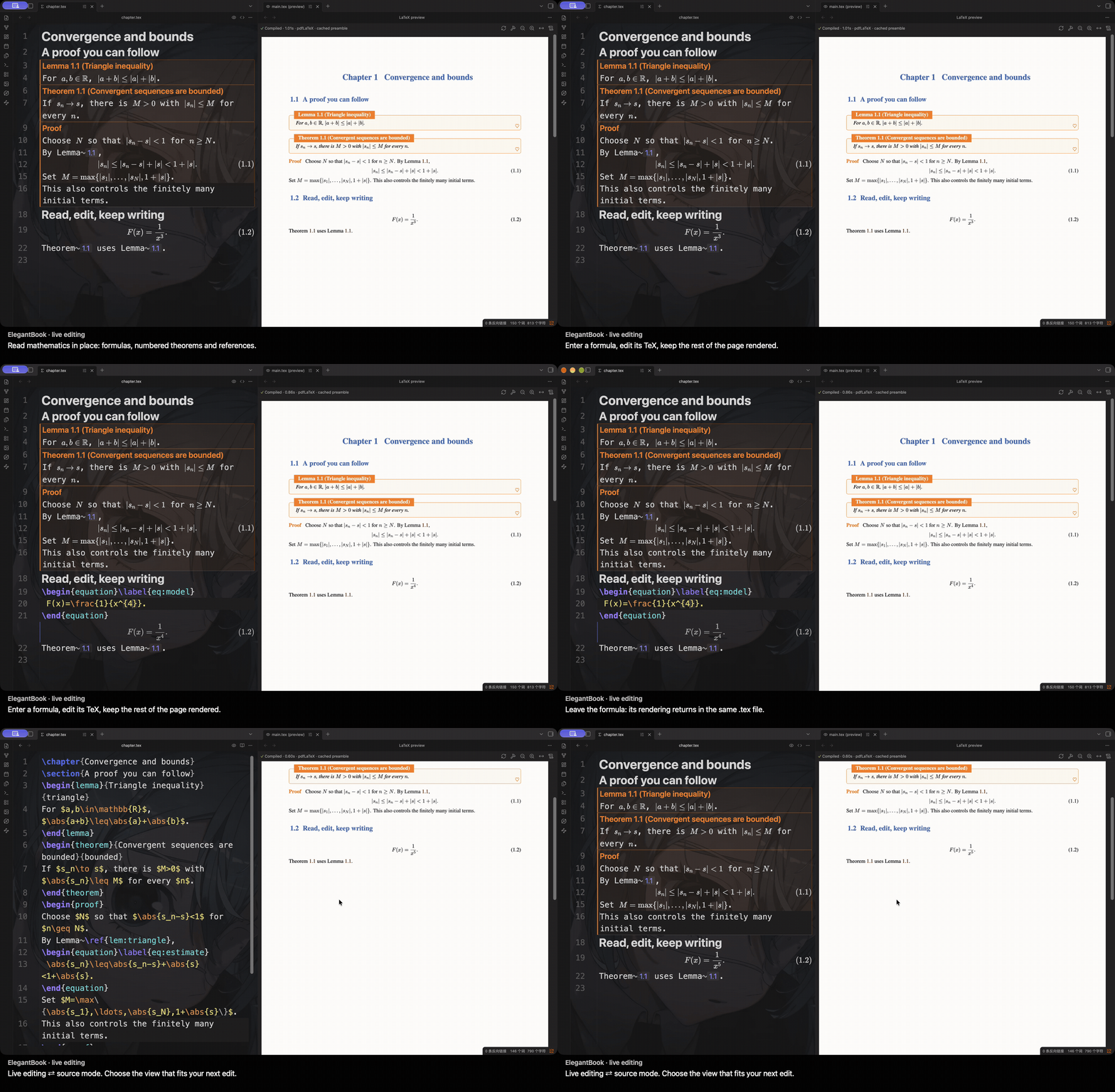
Watch the Retina-resolution video.
The project stays ordinary .tex. Formulas use project macros, theorem headings follow the template, and reference chips use compiled numbering.
Fast PDF feedback, both directions
Keep the native PDF beside your writing. Jump from your cursor to the typeset passage, or double-click the PDF to return to its source—even across chapter files. This 4.8-second recording shows the return from PDF to a different source file.
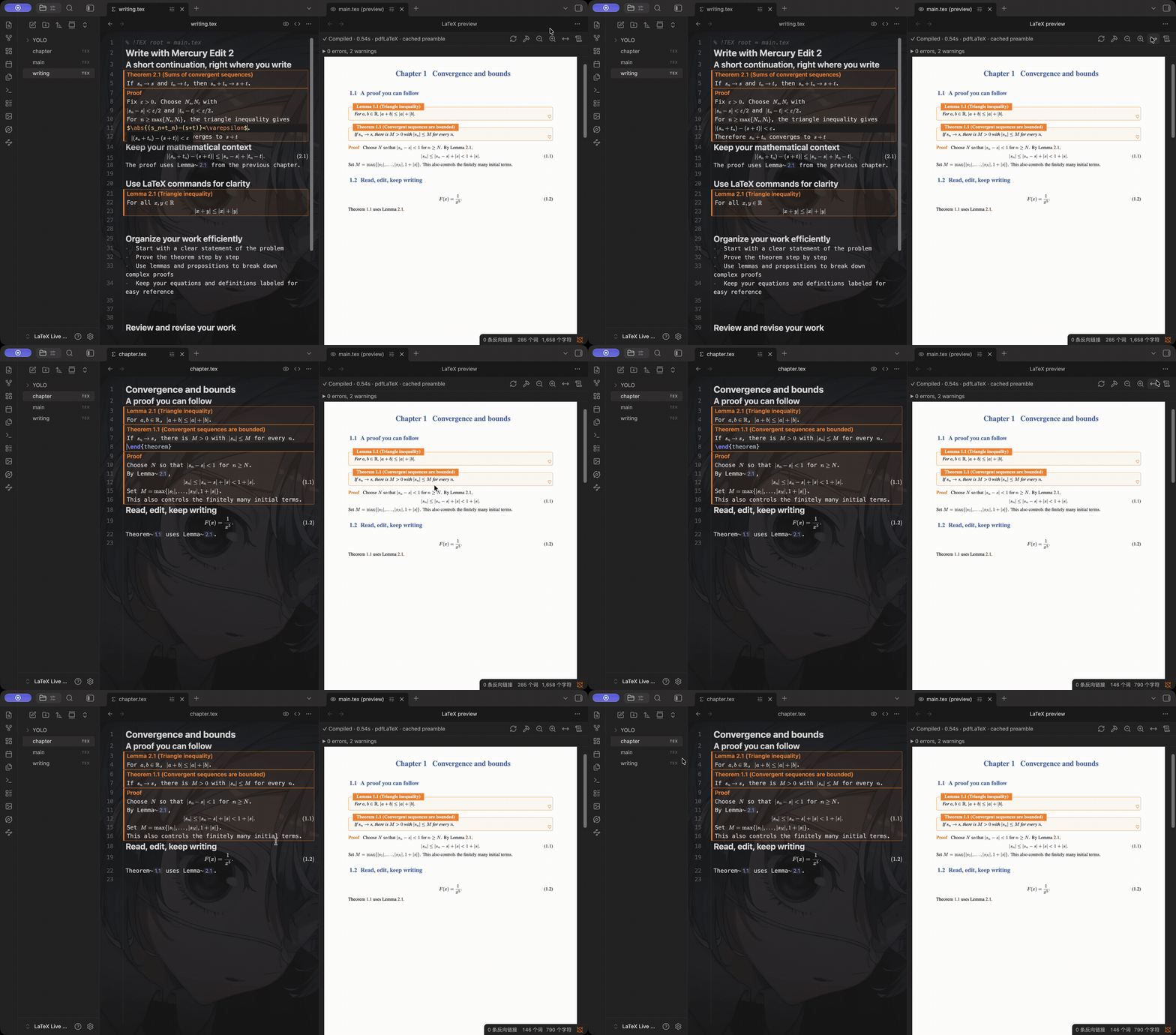
Watch automatic compilation and both navigation directions in the extended Retina video.
In the separate same-source Overleaf comparison below, the observed median PDF wait is 76–79% shorter with LaTeX Live. Recording details.
Write with YOLO + Mercury Edit 2
Let YOLO continue your LaTeX while you work in live editing mode. The separately installed plugin supplies ghost-text completion from your configured model; Mercury Edit 2 is shown here. Press Tab to accept, or Undo to restore the original source. Enter continues normal writing.
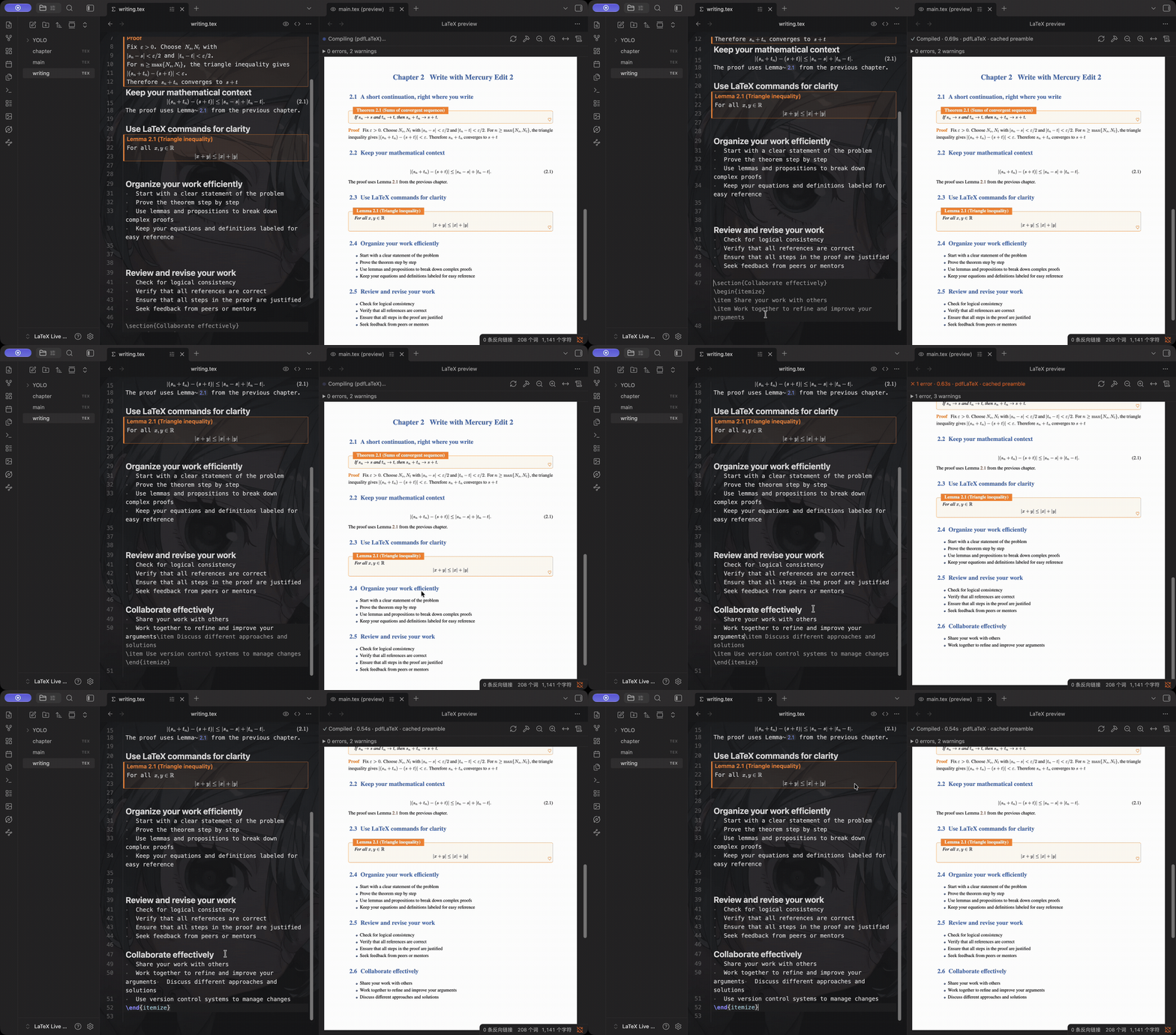
This 5-second clip preserves the actual suggestion, editing and PDF update at normal speed.
Watch suggestion, acceptance and Undo in the extended Retina video · Recording evidence.
Advantages over Overleaf for individual writing
For individual mathematical writing, LaTeX Live connects the parts you use all day:
- Faster PDF feedback in the measured workflow. Three warm edits of the same one-page source: 0.87 s median in LaTeX Live 0.1.1 versus 3.7–4.1 s observed median interval in Overleaf Cloud Free—about 4.2–4.7× as fast.
- Read mathematics while editing it. Template-aware theorem blocks, project macros and local source reveal keep the argument readable while you make changes.
- Inspect proof references in place. Open a reference graph, expand statements and proofs, and continue along the argument in a small window.
- Choose your writing tools. Combine texlab snippets and diagnostics with YOLO completion, your preferred model, ordinary files and Git.
- Share a mathematical reading edition. Export self-contained HTML with embedded resources, theorem structure, numbering and linked references.
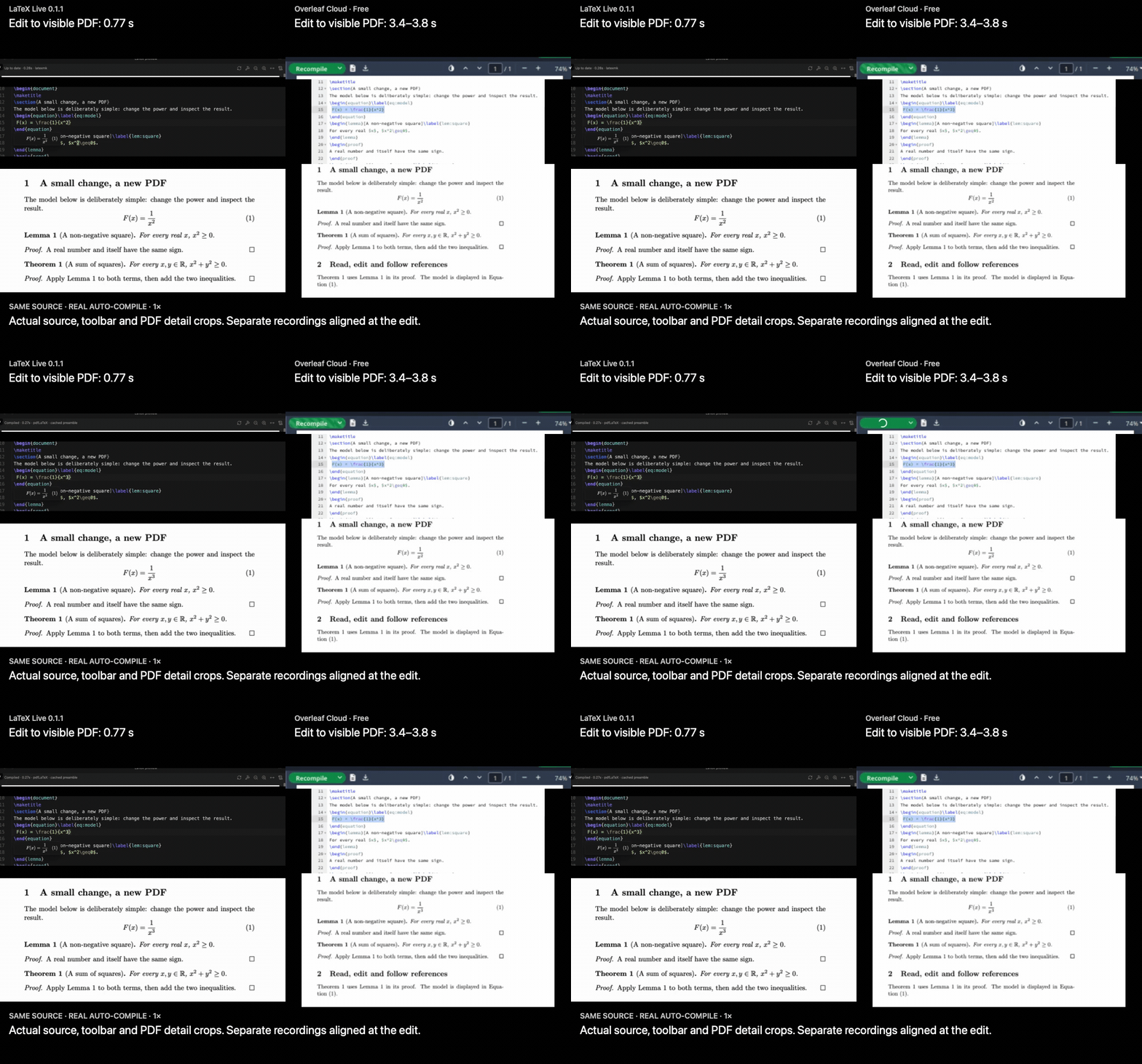
Both sides use pdfLaTeX / TeX Live 2026. The local measurement includes the default 400 ms delay and preamble cache. These numbers describe this machine, account and document; source, all samples and method are available. LaTeX Live currently focuses on individual writing; shared live editing is outside its scope. See the full comparison.
Hover a reference, follow a proof
Hover a theorem reference to open its proof-reference graph in a small window. Click a node to expand its statement and proof, follow another reference, or open the exact source location.
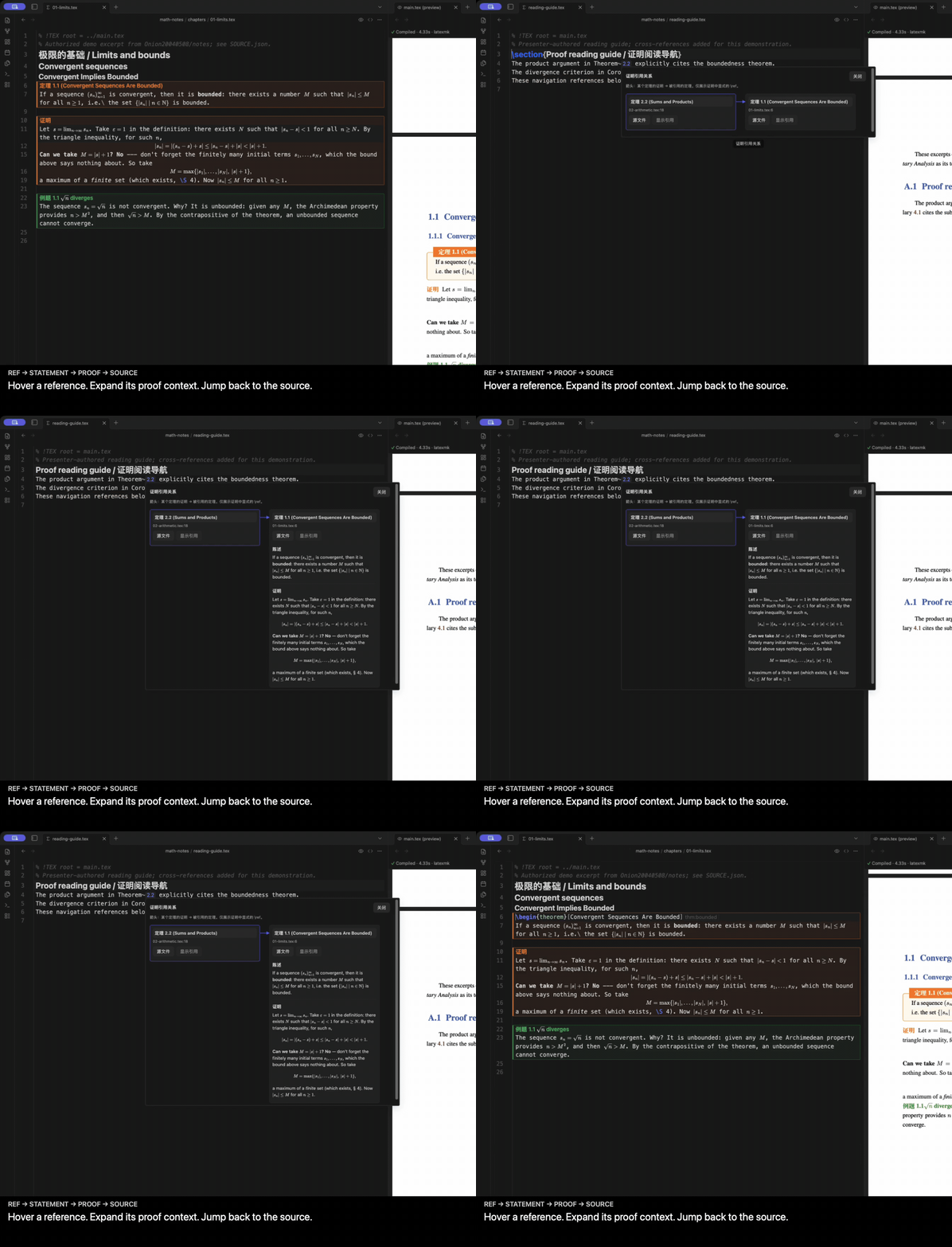
The graph comes from literal \ref calls in proofs within the current LaTeX project. It describes explicit proof references; it does not certify logical dependencies.
More templates, the same editing flow
Keep the original .tex project and its class. Read formulas, numbered theorem blocks and references in place; touch a formula to edit its source, then continue reading. The PDF keeps the template's native layout.
ElegantBook is one example. The same editing flow is recorded with AMS and IEEE paper classes; the gallery also shows PLOS and REVTeX. Other tested templates include Springer Nature, AASTeX, LNCS and ACM. Unsupported constructs keep their source or use a supported TeX/PDF fallback. See the tested compatibility scope.
Watch AMS / IEEE editing and PLOS / REVTeX live reading
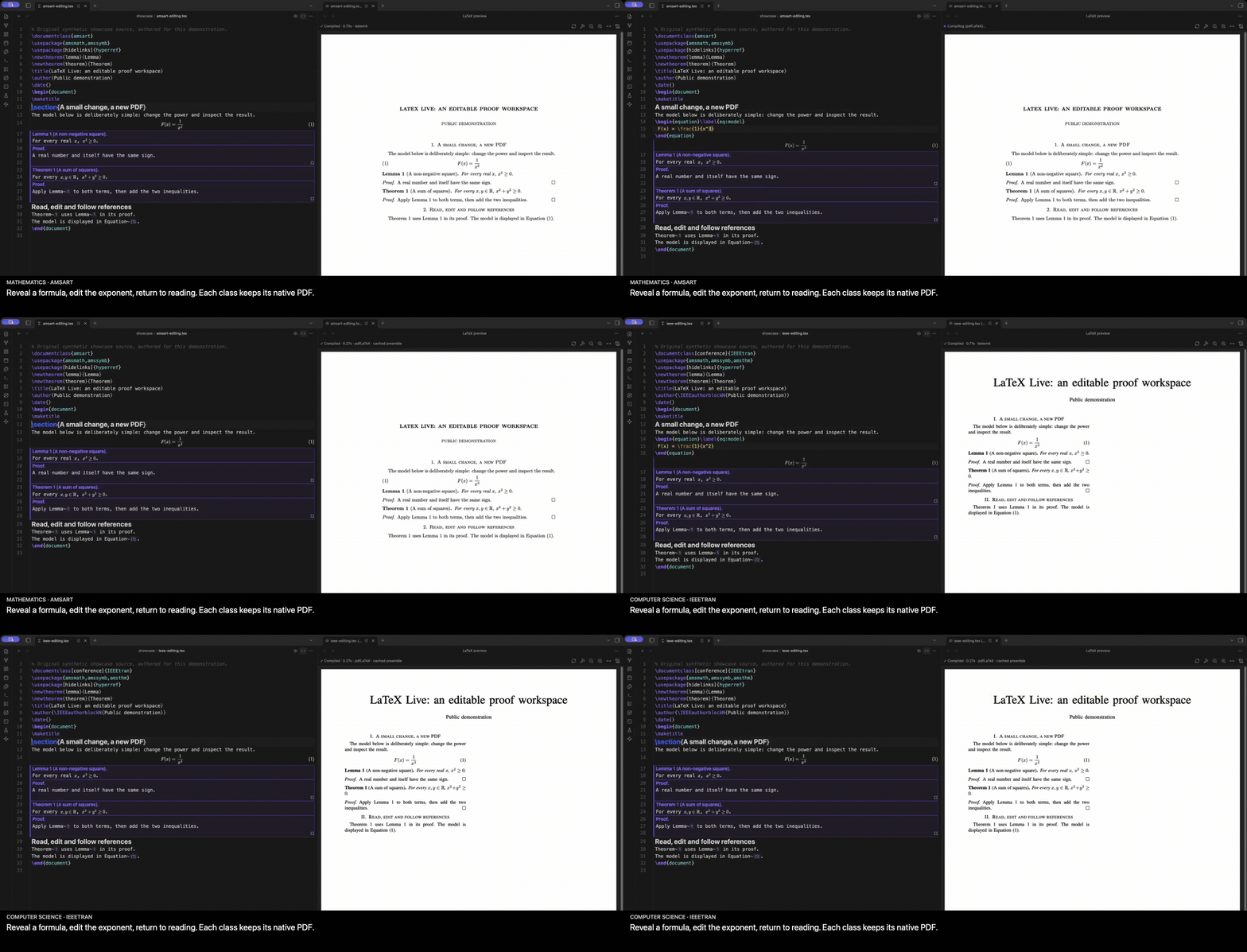
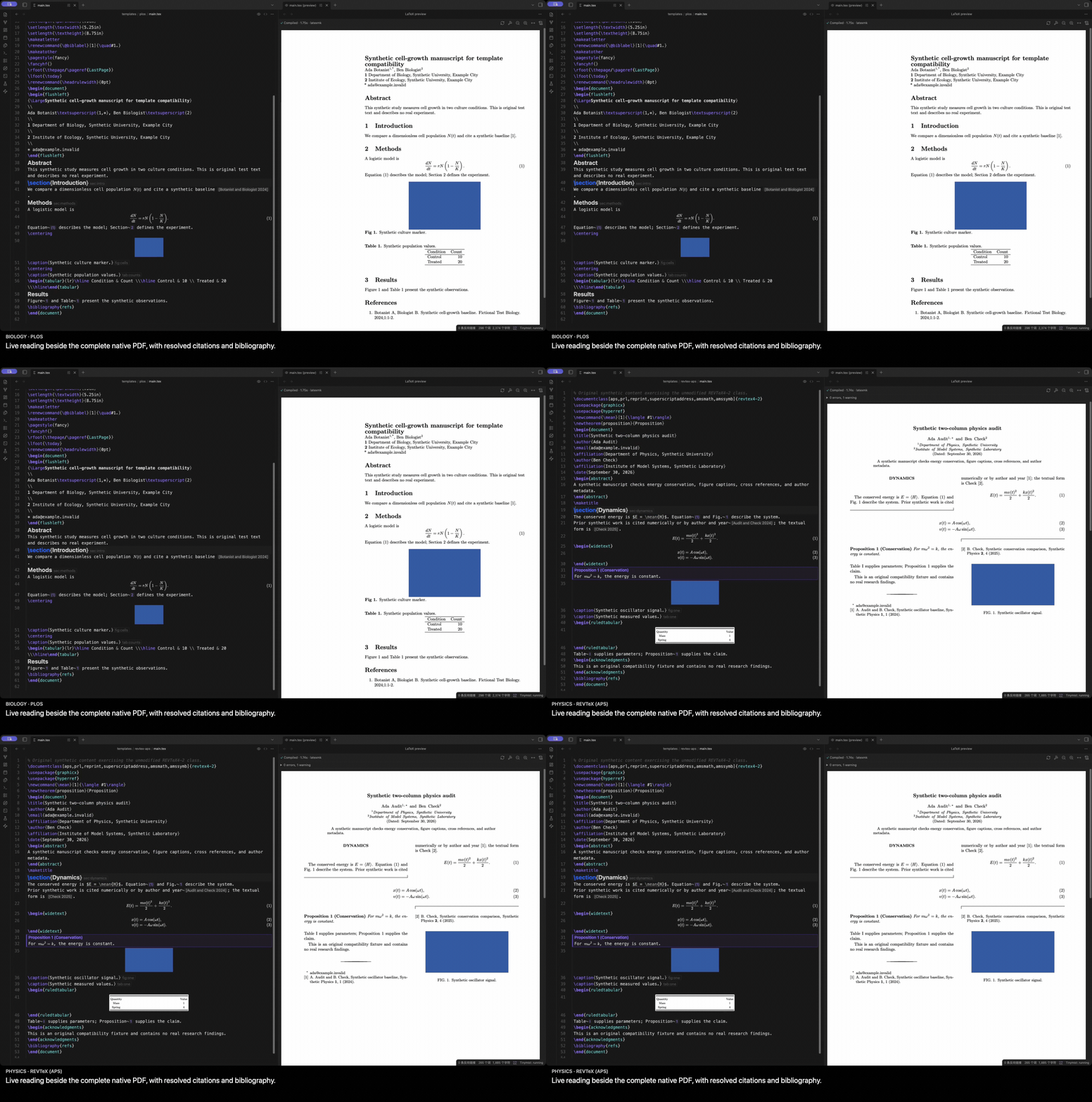
The AMS / IEEE clips contain actual edits. PLOS / REVTeX show prepared complete builds in live reading mode; they are template examples, not cold-build benchmarks.
Share a portable reading edition
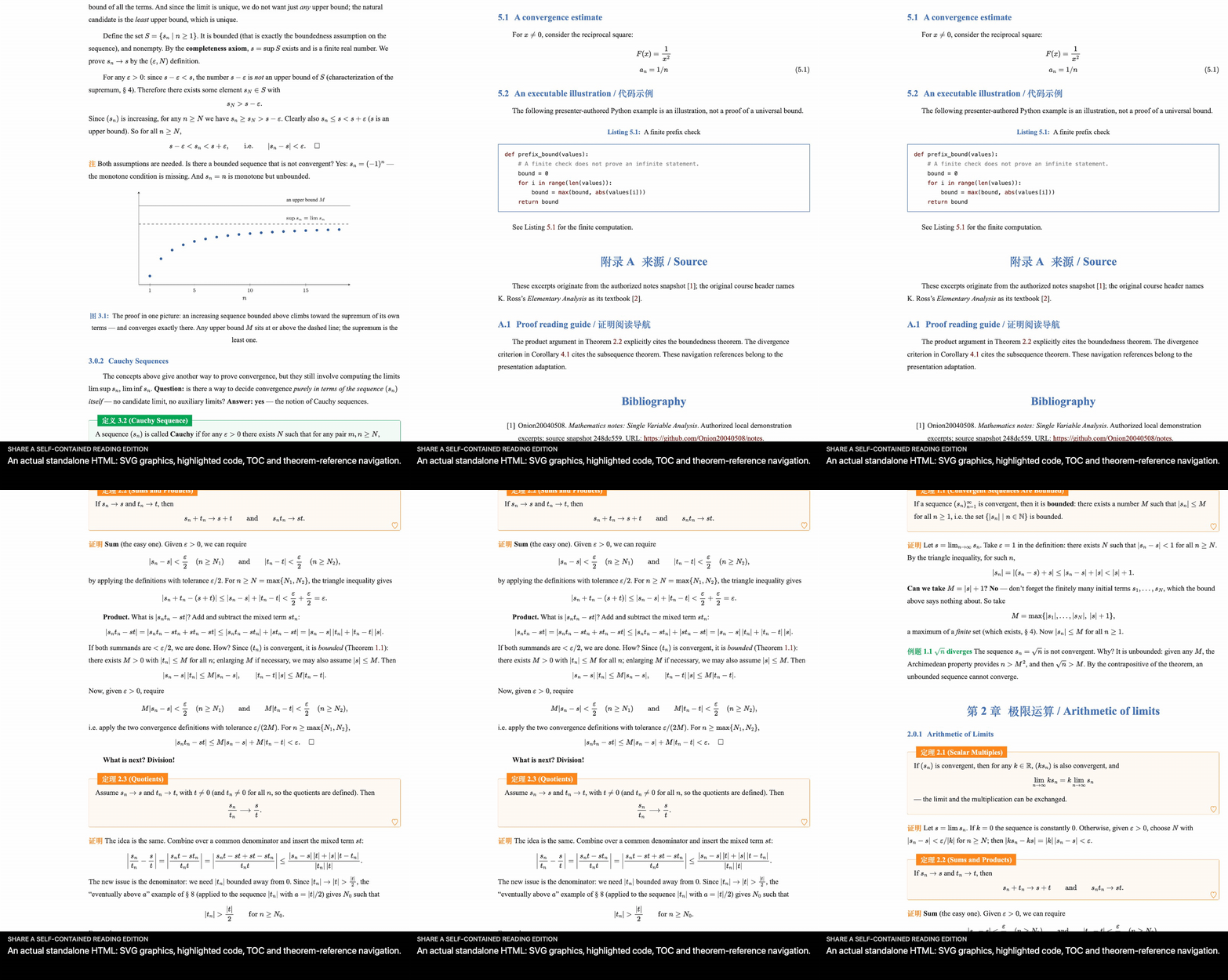
Export a self-contained HTML page with math, theorem blocks, references, bibliography, images and supported SVG graphics. Follow its references and table of contents without Obsidian; inspect the export report for unsupported content.
More of the writing workflow
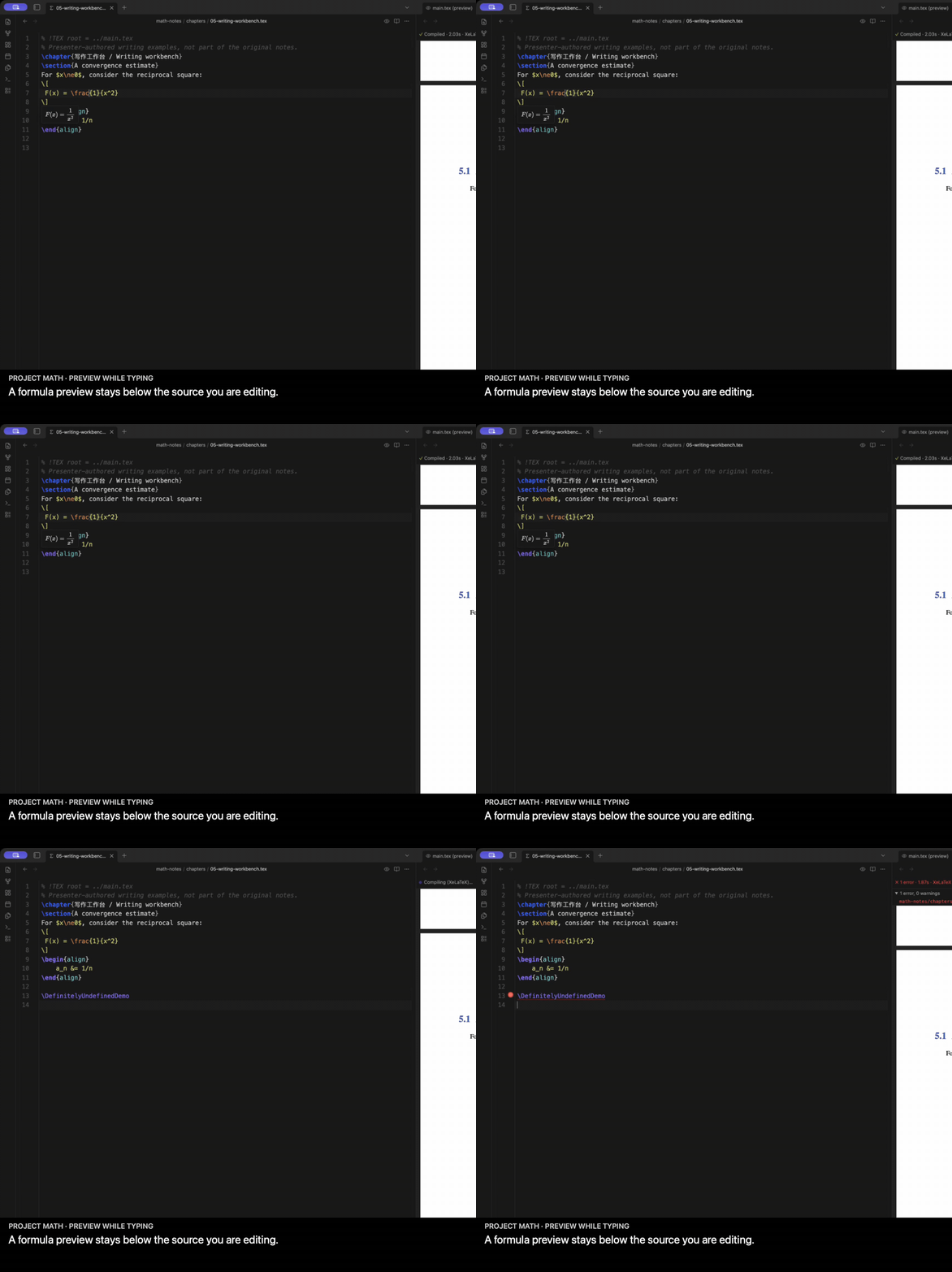
Formula previews, snippets, TeX figures, diagnostics and another compilation take
Preview the formula you are typing
Project macros and equation numbers appear in hover/cursor previews. This immediate math rendering is separate from generating the complete PDF.
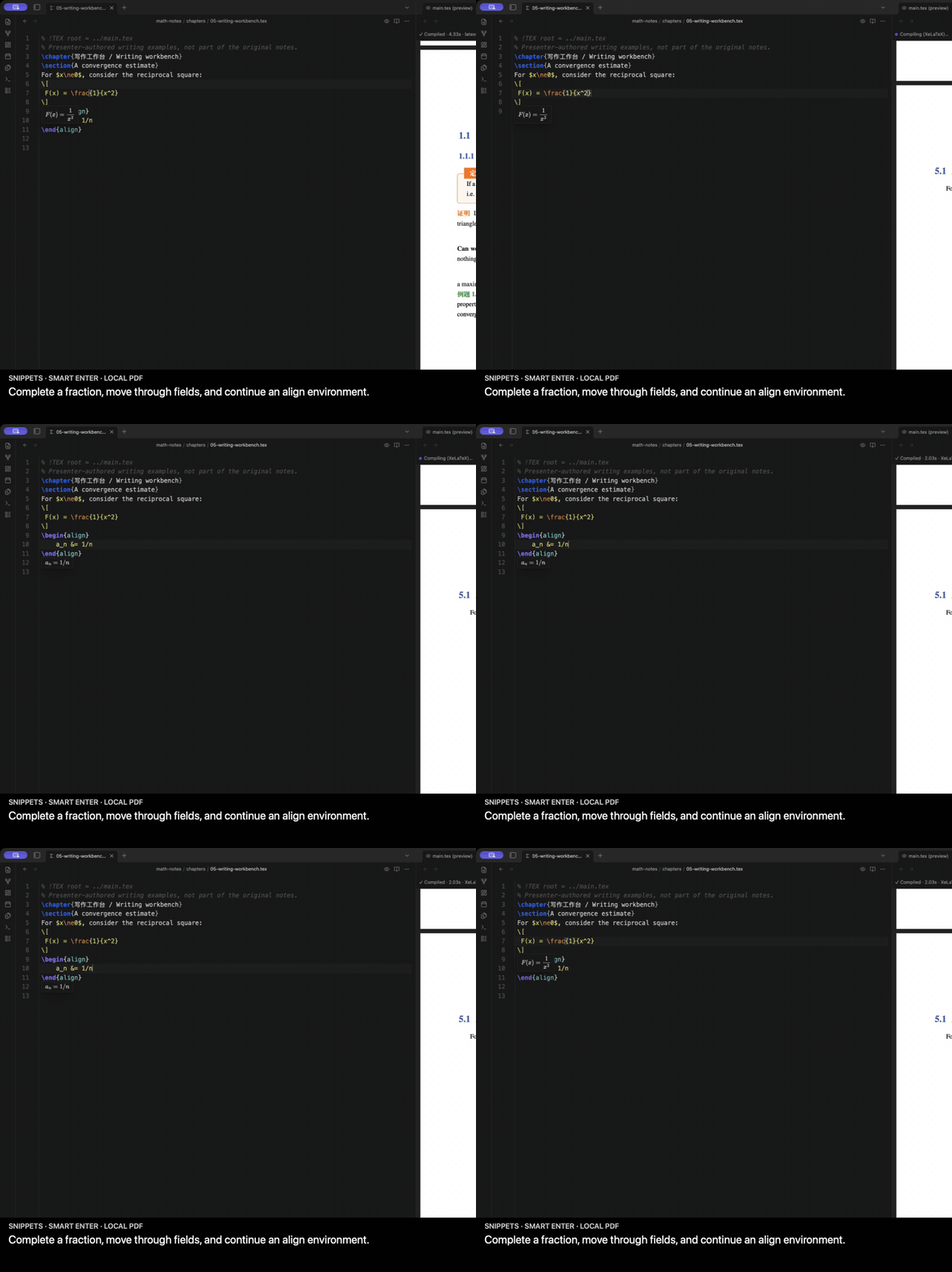
Write commands and environments with fewer keystrokes
texlab supplies completion and snippets. Tab moves through fields; Enter continues environments and lists. The shared key handling keeps completion, snippets and optional ghost text working together.
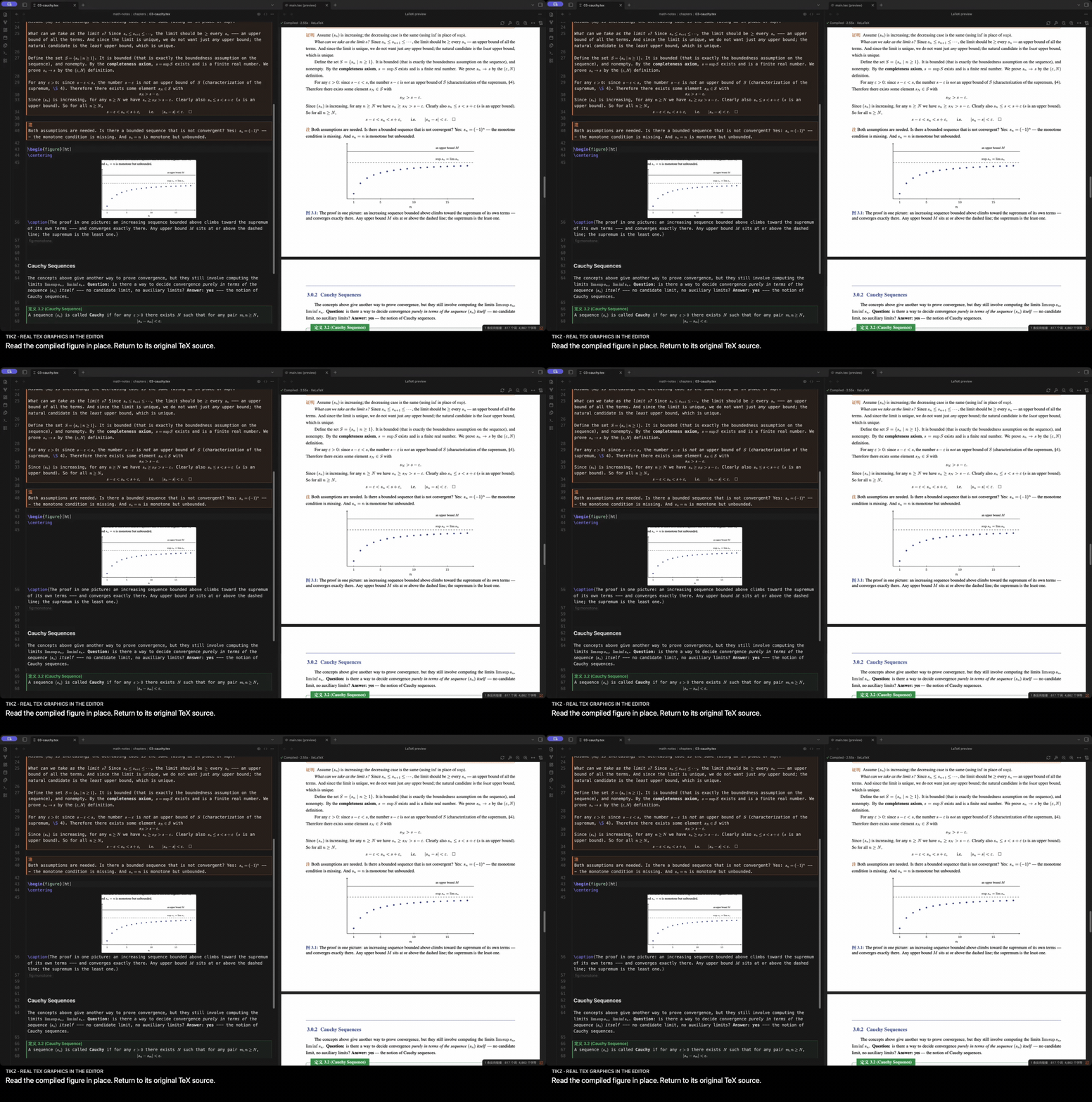
Read TeX graphics in the editor
Supported TikZ and table blocks can display a crop of the actual compiled PDF. Keep the real TeX drawing beside the surrounding mathematics.
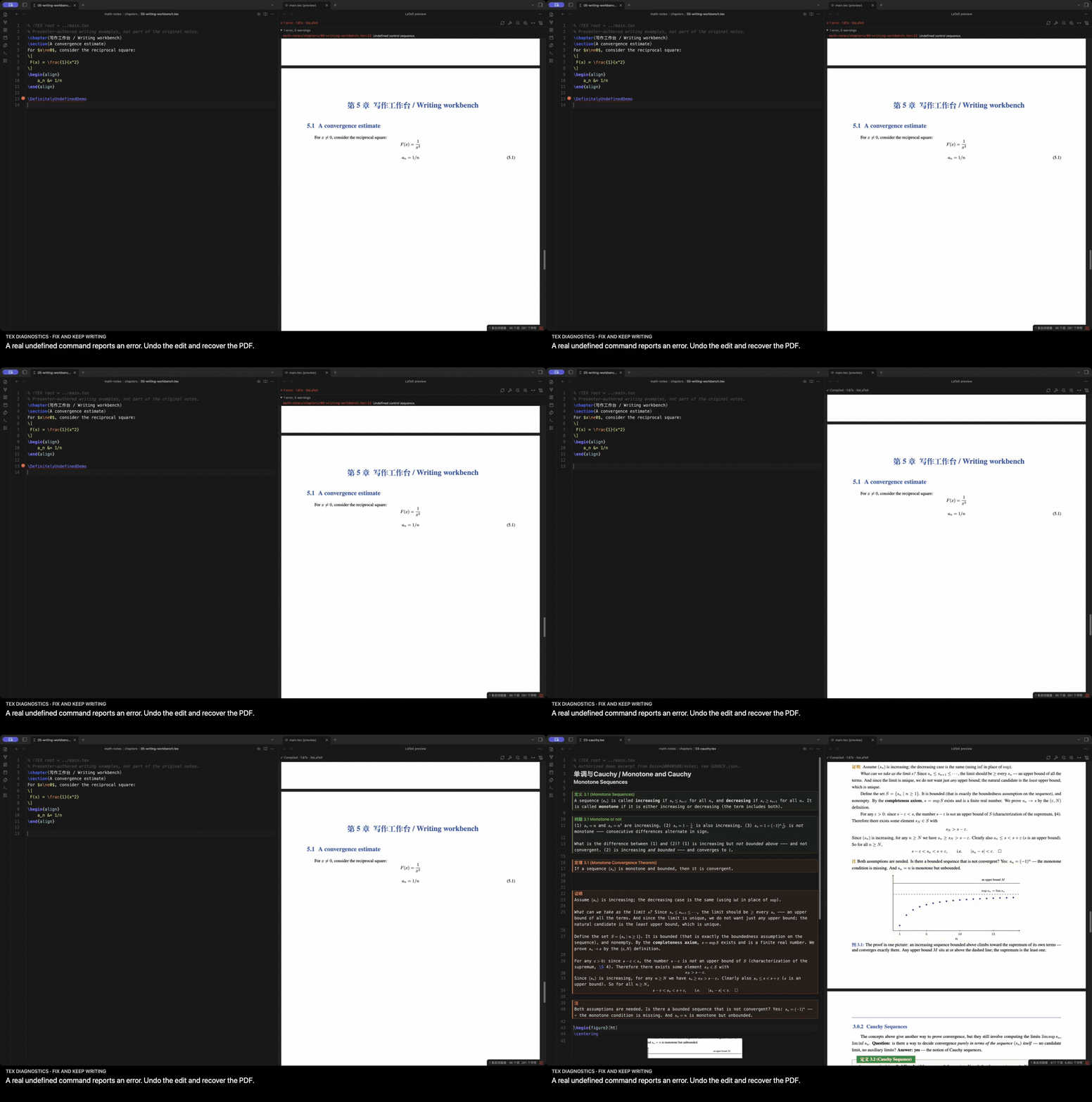
Correct an error and continue
Real TeX diagnostics reach the source editor. The PDF remains available while you fix the source; the build dock keeps controls and diagnostics above its scrolling viewport.
Watch the compilation itself
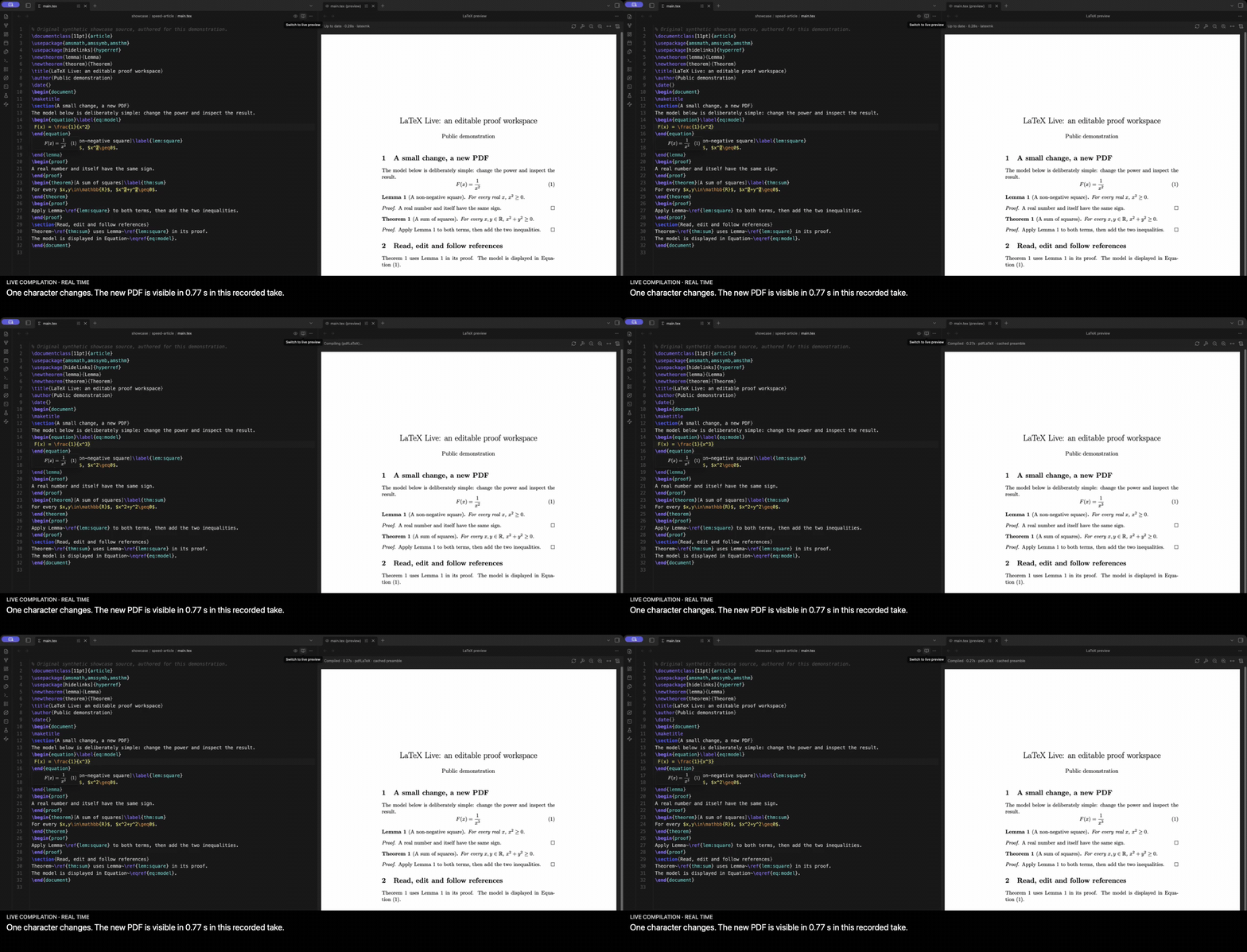
All GIFs are excerpts of real applications at normal speed. The two short user-operated clips have no added captions and are shared by both language sections. Extended Retina videos are linked above; other clips may use fixed detail crops or montages that omit pauses between scenes. Chinese-captioned versions of those recordings are in the Chinese section below. See recording provenance.
Quick start
- Install Obsidian 1.13.7 or later on desktop and a local TeX distribution such as TeX Live or MacTeX.
- Install and enable LaTeX Live using the release instructions below.
- Put a
.texproject inside your vault and open it. Choose Switch to live preview in the editor header to start reading and editing rendered mathematics. - Open the PDF with the eye action, then edit and save. The default typing delay is 400 ms before saving and requesting a compile; it is not the time required to generate a PDF.
- Switch back to source whenever you need it, using the header or LaTeX Live: Toggle live preview. For bibliography and complete builds, run LaTeX Live: Full build with latexmk (BibTeX/Biber, all passes).
For enhanced editing, install texlab separately. Configure TeX binary directory and texlab binary in plugin settings if automatic detection does not find them.
Installation
Community directory
Open the LaTeX Live community listing, choose Add to Obsidian, then enable LaTeX Live.
Manual installation
- Download
main.js,manifest.jsonandstyles.cssfrom the same GitHub Release. - Put them in
<vault>/.obsidian/plugins/latex-live/. - Reload Obsidian, then enable LaTeX Live under Settings → Community plugins.
The plugin does not download, install or update TeX, texlab, bibliography processors or other dependencies.
Projects and templates
Keep the original project structure, including \input, \include, bibliography and local packages. A chapter can identify its main document with a magic comment:
% !TEX root = ../main.tex
An engine comment such as % !TEX program = xelatex takes precedence over the default engine setting. Automatic detection also reads the preamble and latexmk configuration.
PDF layout belongs to the original class and TeX toolchain. Tested examples include ElegantBook and PLOS, Springer Nature, REVTeX, AASTeX, AMS, LNCS, ACM and IEEE paper templates. This is a tested set, not a promise that every template or package has full live-editor/HTML semantics. See template compatibility.
Export a reading edition
Run LaTeX Live: Export to HTML, choose a destination and inspect Report when export finishes. The page embeds its supported math fonts, images and SVG resources and requires no JavaScript for reading.
The current HTML exporter supports pdfLaTeX and XeLaTeX. LuaLaTeX remains available for PDF compilation, but HTML export is outside its current support scope. Complex constructs may be represented as SVG or source; the report makes those boundaries visible. A reading edition does not reproduce every journal's printed page layout.
Local files, processes and network
- Compilation, PDF preview and language assistance use local processes. TeX, texlab, packages and fonts are separately installed software with their own behavior and licenses.
- The plugin reads project inputs and dependencies, finds configured/system binaries and writes build files under an operating-system temporary directory outside the vault. Packages, fonts, bibliography files and other TeX dependencies may also live outside the vault; these accesses support normal local compilation.
- Math and PDF rendering use Obsidian's bundled MathJax and pdf.js resources. The plugin has no built-in remote AI service or client telemetry.
- Optional YOLO completion is off by default. Enabling it uses the separate YOLO plugin, which can send writing context to its configured model provider. Review YOLO's configuration and the provider's policies before enabling it.
- Shell escape is off by default. Enabling it lets trusted TeX documents execute commands through the installed toolchain.
Desktop only; this release does not provide iPad editing. Source files remain ordinary LaTeX files that other editors and tools can use.
Feedback and contributing
Report a bug or suggest a feature. Include your Obsidian/plugin version, OS, TeX engine and a small reproducible project. Remove private notes, keys and unrelated files before attaching material.
Contributions are welcome. For large changes, open an issue first to discuss the use case and implementation. Development guidance is in AGENTS.md.
Acknowledgments and license
Built around Obsidian, CodeMirror, texlab, MathJax, pdf.js and the TeX ecosystem. Optional AI completion is supplied by YOLO.
Math-note excerpts were adapted with the author's permission from Onion20040508/notes. The source attribution and original terms are retained; the comparison fixture and new short template examples are original demonstration material.
The project's own software and authored documentation use MIT: commercial use, modification and closed-source distribution are permitted with the copyright and permission notices retained. Third-party software, fonts and referenced materials retain their original licenses; see third-party notices.
简体中文
在 Obsidian 中实时读写数学:模板编辑、快速编译、双向跳转与 AI 补全。
把 ElegantBook 变成实时数学编辑器
公式、编号定理框、证明和引用,直接读写。 在实时编辑模式中编辑数学,右侧保留 ElegantBook 原生排版的 PDF。进入公式时显示它的 TeX,离开后恢复渲染;需要时,也可以让整个编辑器在实时编辑与源码模式间切换。
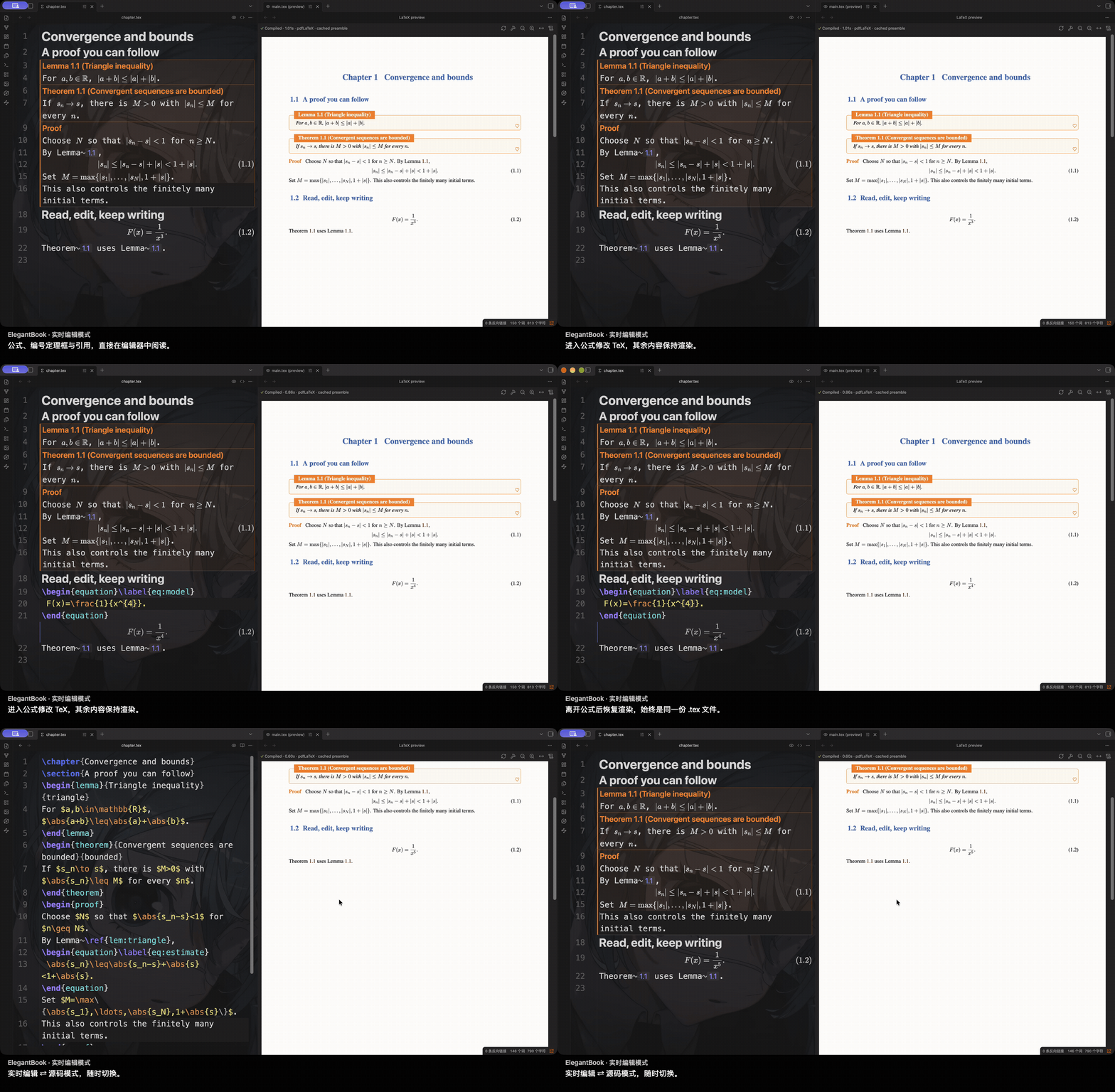
工程始终是普通 .tex 文件。公式使用项目宏,定理标题遵循模板,引用芯片显示实际编译得到的编号。
快速编译,源码与 PDF 双向跳转
原生 PDF 始终与写作并排显示。从光标直接定位排版结果,或双击 PDF 回到对应源码行;多文件项目也能沿章节跳转。下面 4.8 秒的实际操作展示从 PDF 回到另一个源文件。
下方另有真实 Overleaf 同稿对比:本次测量中,LaTeX Live 的 PDF 等待时间缩短约 76%–79%。详见录制说明。
YOLO + Mercury Edit 2,边写边补全
在实时编辑模式里,让 YOLO 接着写 LaTeX。单独安装的 YOLO 提供所配置模型的 ghost text 补全,这次展示的是 Mercury Edit 2。按 Tab 接受到正文,撤销还原原稿;Enter 继续正常写作。
这段 5 秒短片保留了实际补全、编辑和 PDF 更新,全程正常速度。
查看补全、接受与撤销的 Retina 高清长版 · 录制证据。
个人数学写作,省下等待和来回查找
相对于只在 Overleaf 中写作,LaTeX Live 把日常最常用的环节连在一起:
- 更快获得 PDF 反馈。 同一份一页源码,三次热编辑:LaTeX Live 0.1.1 中位数约 0.87 秒,Overleaf 云端免费账户的中位数观测区间约 3.7–4.1 秒,本次响应速度约为 4.2–4.7 倍。
- 编辑时直接读数学。 模板定理框、项目宏和局部源码展开,让修改时仍能看清论证。
- 就地追溯证明引用。 小窗打开引用图,展开陈述与证明,沿论证继续阅读。
- 自己选择增强工具。 texlab 补全与诊断、YOLO、喜欢的模型、普通文件和 Git 可以配合使用。
- 分享完整的数学阅读版。 自包含 HTML 保留资源、定理结构、编号和引用链接。
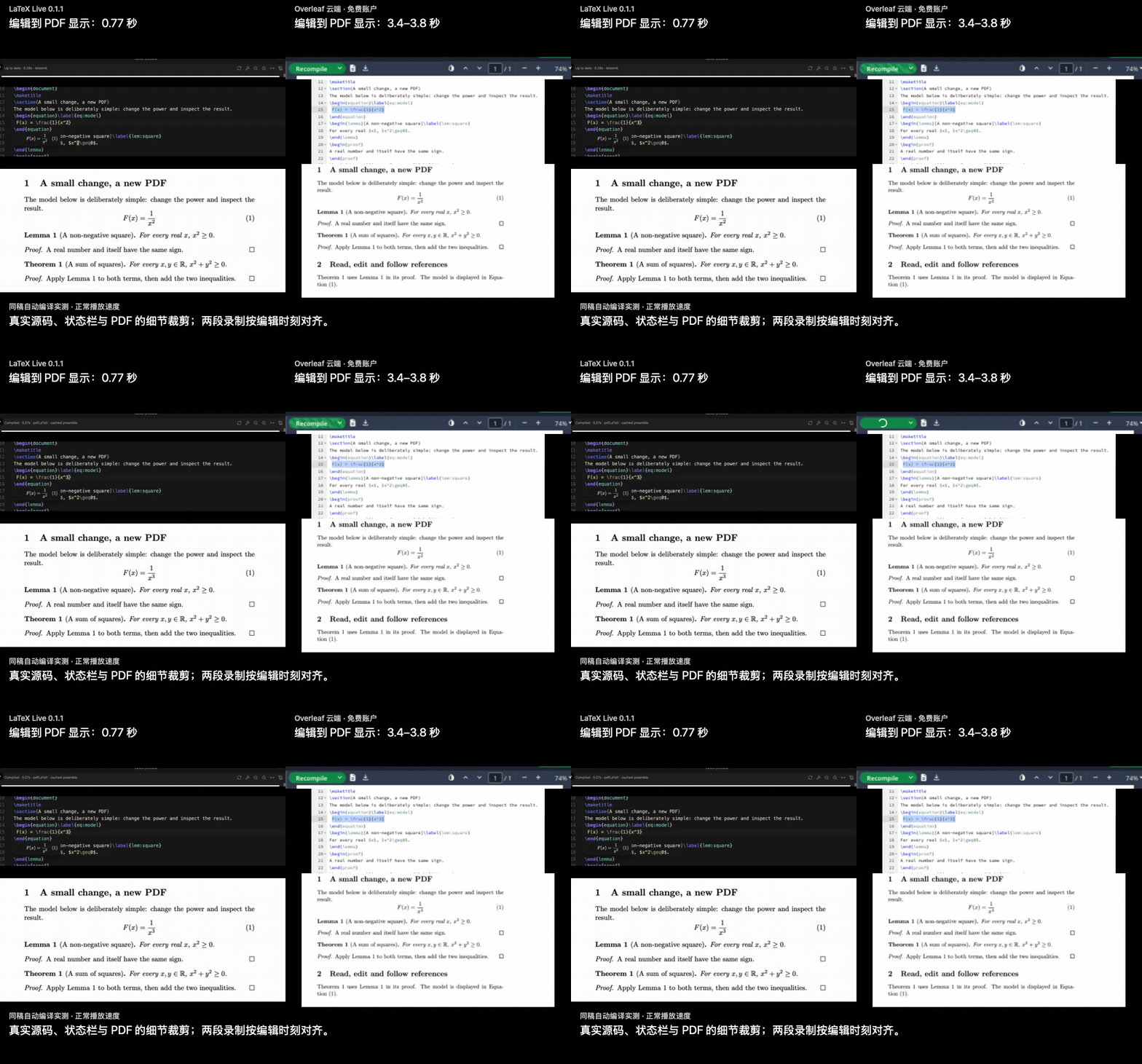
两边均使用 pdfLaTeX / TeX Live 2026,本地时间包含默认 400 ms 延迟和导言区缓存。数字对应本次机器、账户与文档;源码、全部样本与方法均已保留。LaTeX Live 目前侧重个人写作,尚不提供多人实时协作;详见完整对比。
悬浮引用,沿证明继续阅读
悬浮定理引用,在小窗查看证明引用图。点击节点,展开该定理的陈述和证明;可以继续沿引用浏览,也可以直接打开对应源文件位置。
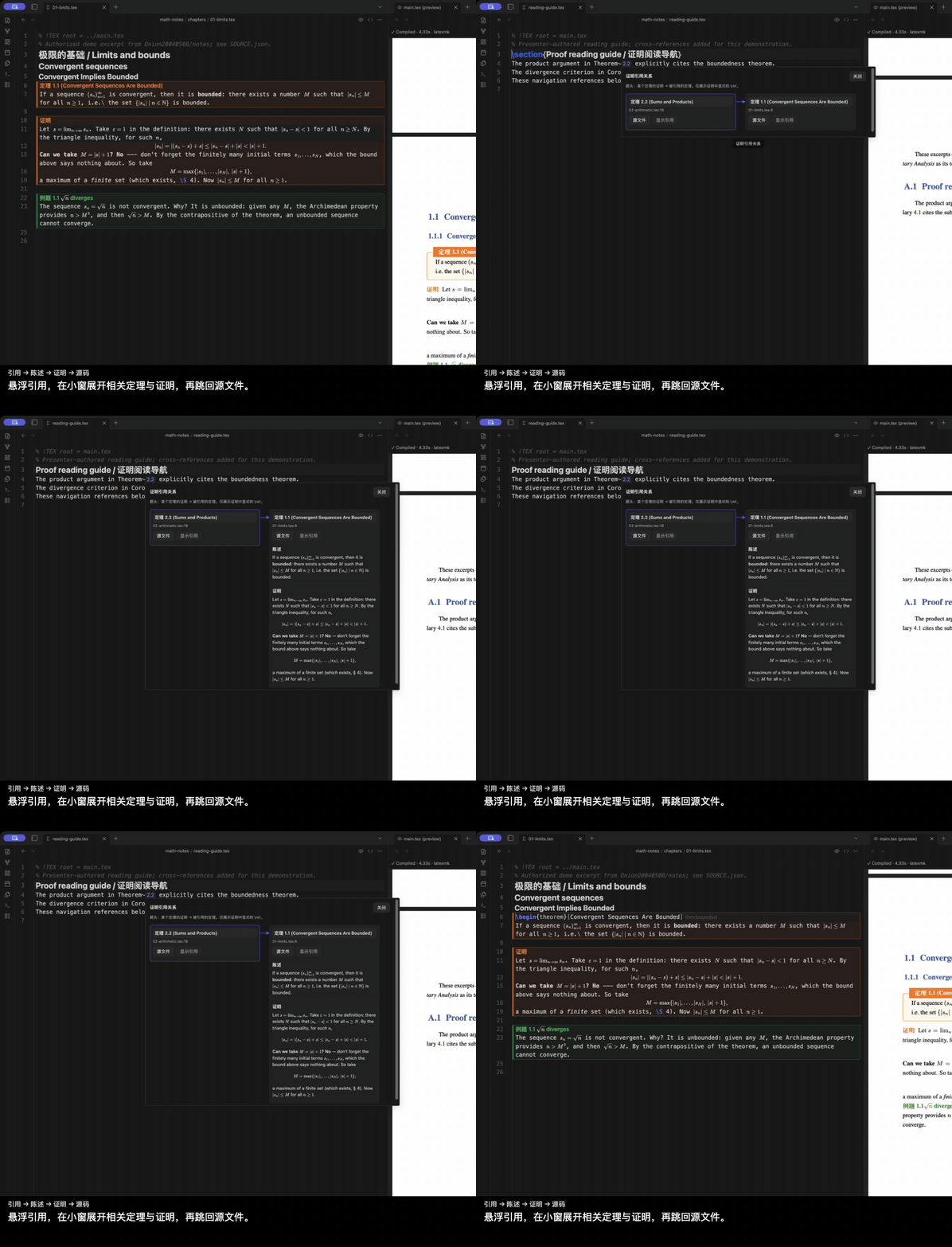
图中的关系来自当前 LaTeX 项目证明里的字面 \ref,表示明确写出的证明引用关系,不是经过逻辑验证的定理依赖。
不同模板,同一条编辑流程
保留原来的 .tex 工程和文档类。公式、带编号的定理框和引用就地显示;光标进入公式时恢复源码,改完继续阅读。PDF 仍由原模板排版。
ElegantBook 只是其中一种。AMS、IEEE 论文类也录下了相同的编辑流程;模板画廊还展示了生物领域的 PLOS 和物理领域的 REVTeX。已测试的模板还包括 Springer Nature、AASTeX、LNCS 和 ACM。未支持的构造保留源码,或使用支持范围内的 TeX/PDF 回退。详见模板兼容范围。
展开查看 AMS / IEEE 编辑,以及 PLOS / REVTeX 阅读模式
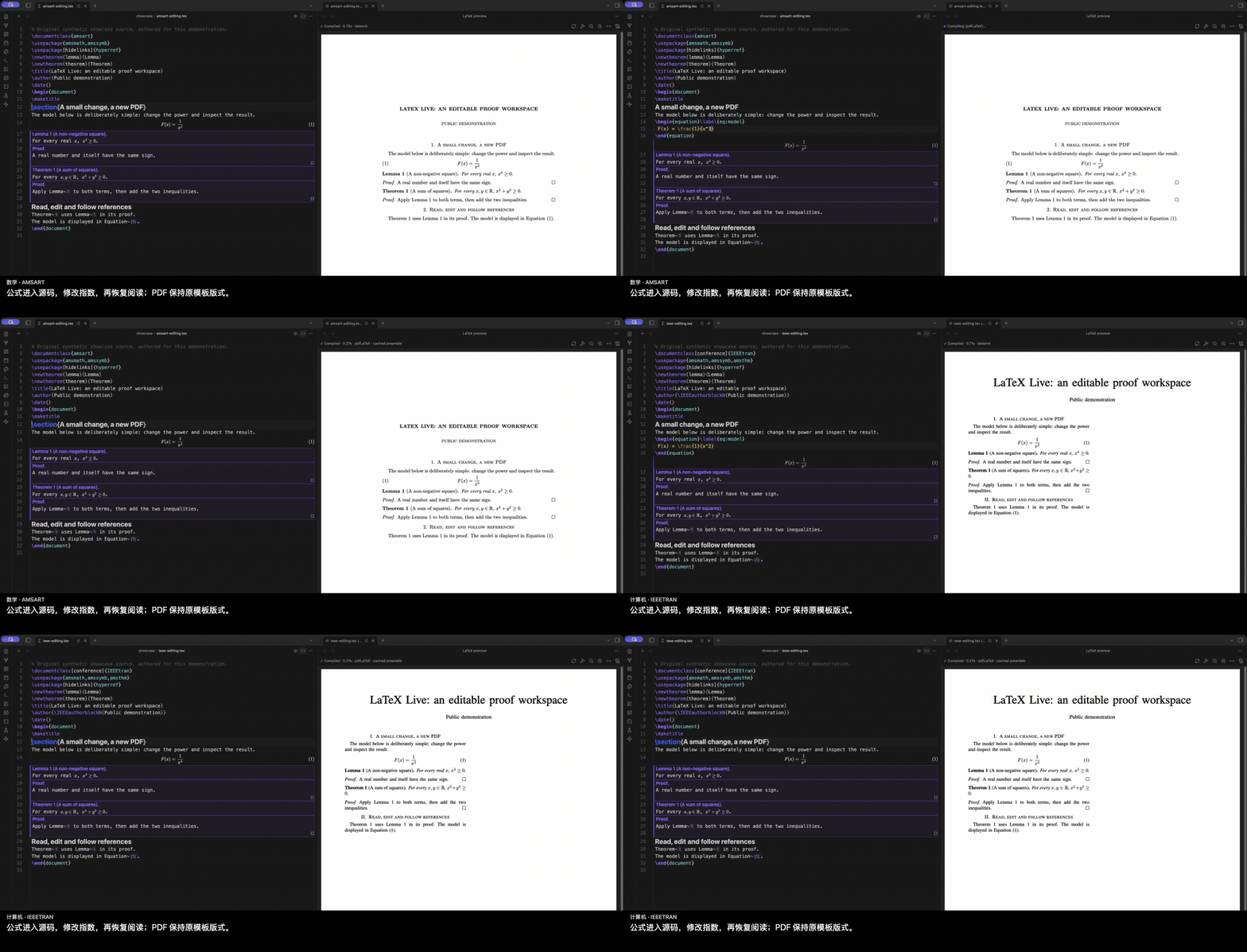
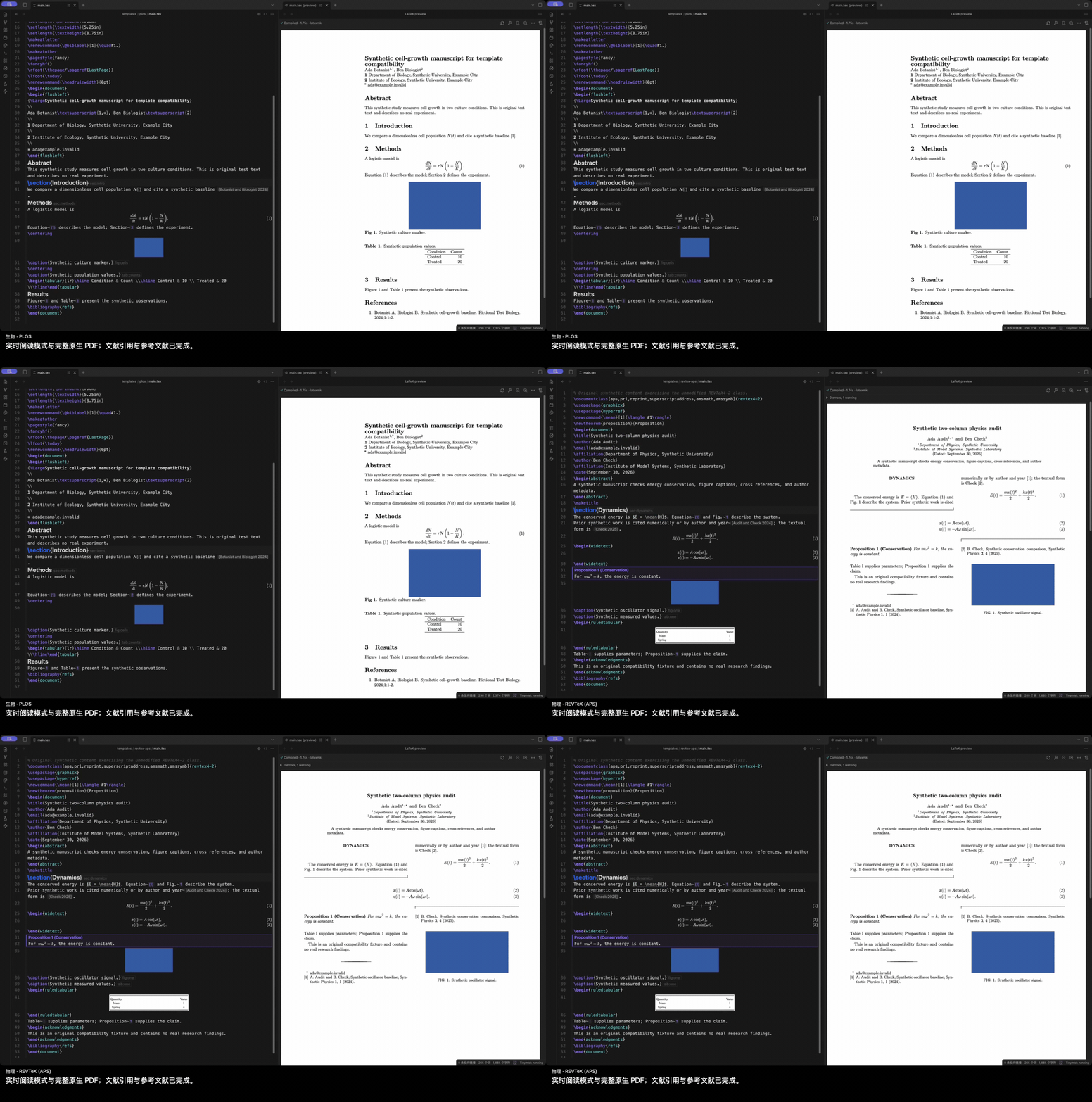
AMS / IEEE 片段包含实际修改;PLOS / REVTeX 展示完成全文构建后的实时阅读模式,属于模板展示,不是冷编译基准。
分享可独立阅读的 HTML
导出自包含 HTML,保留数学、定理框、引用、文献、图片与支持范围内的 SVG 图形。读者无需 Obsidian 就能沿引用和目录跳转;导出报告列出未支持的内容。
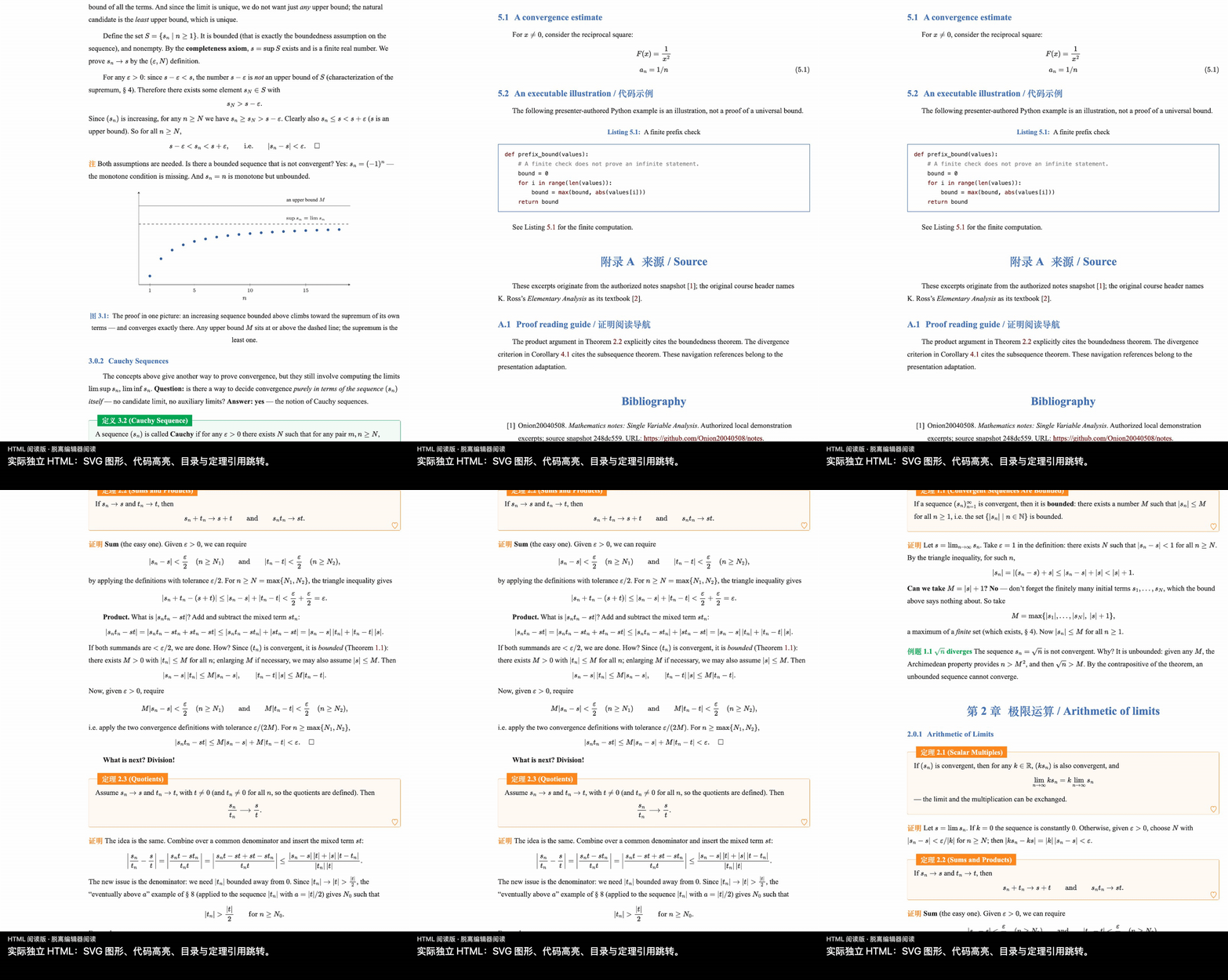
更多写作细节
公式预览、补全与占位符、TeX 图形、诊断和实时编译
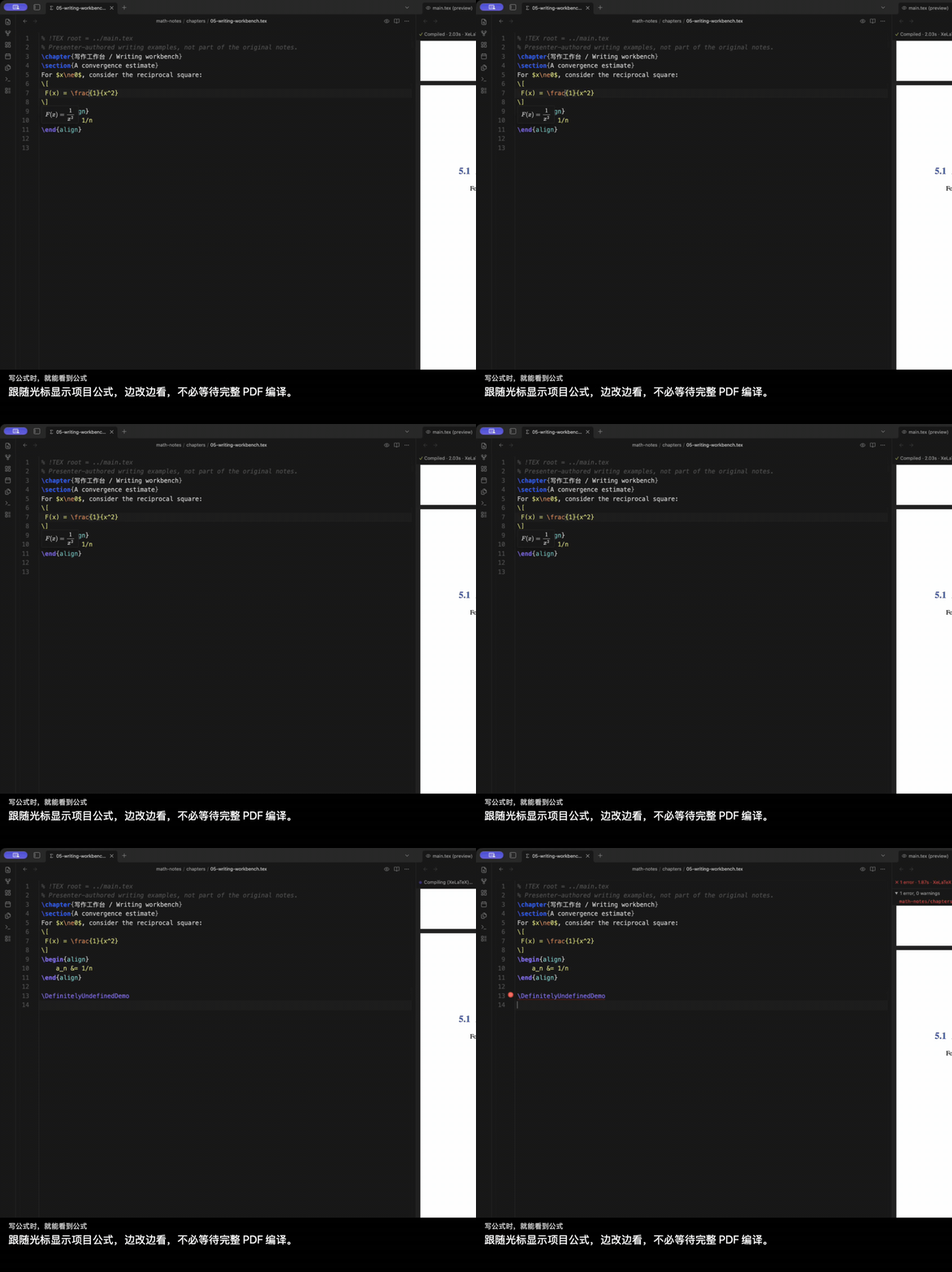
写公式时,就能看到公式
悬浮与光标预览使用项目宏和公式编号。数学的即时显示与完整 PDF 编译分别进行。
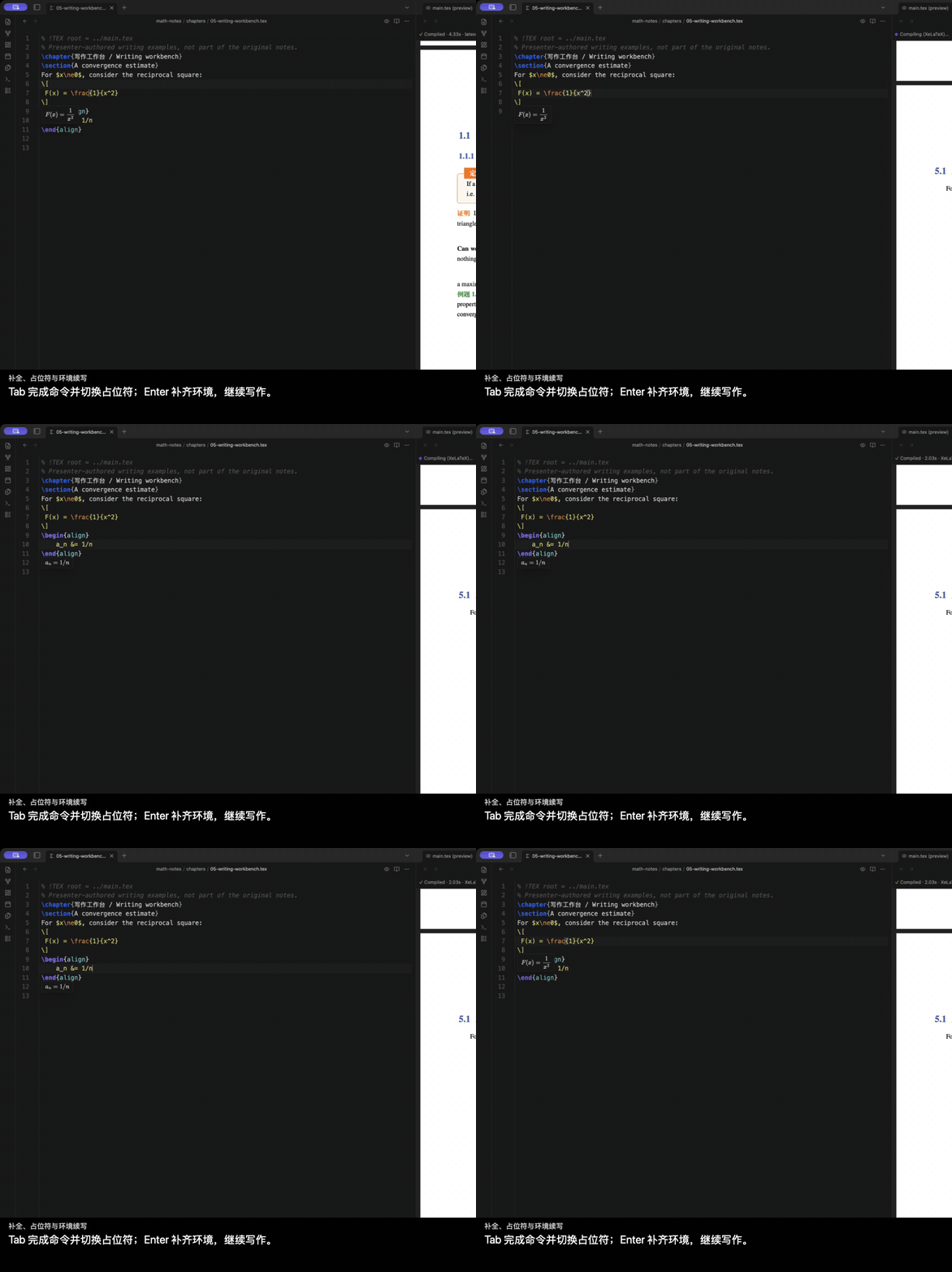
少敲几次按键
texlab 提供命令补全与 snippet。Tab 在占位符间移动,Enter 续写环境和列表;统一的按键处理让补全、占位符与可选 AI 建议协同工作。
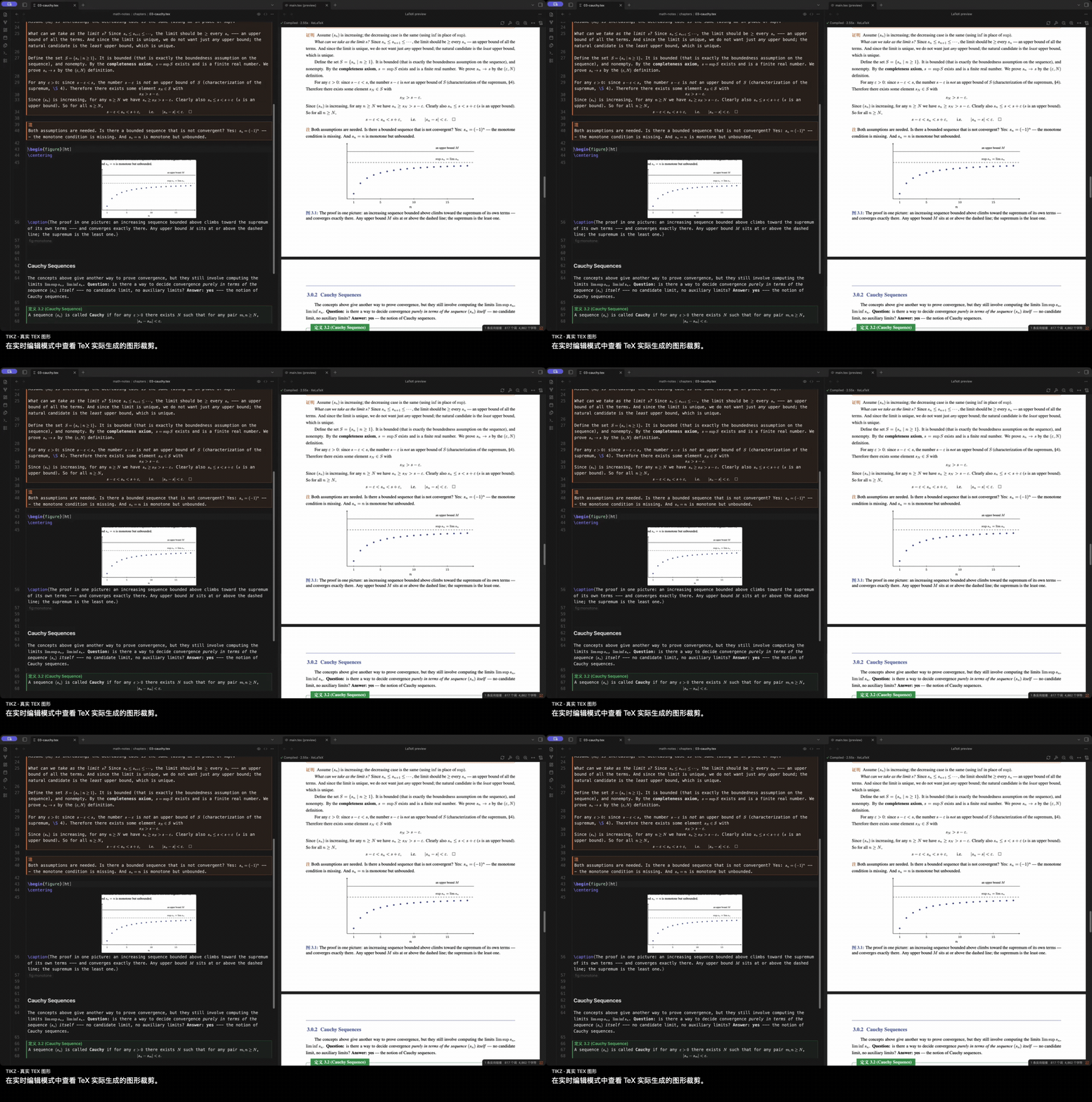
在编辑器里读 TeX 图形
支持范围内的 TikZ 和表格可显示实际编译 PDF 的裁剪,让图形与周围的数学内容一起阅读。
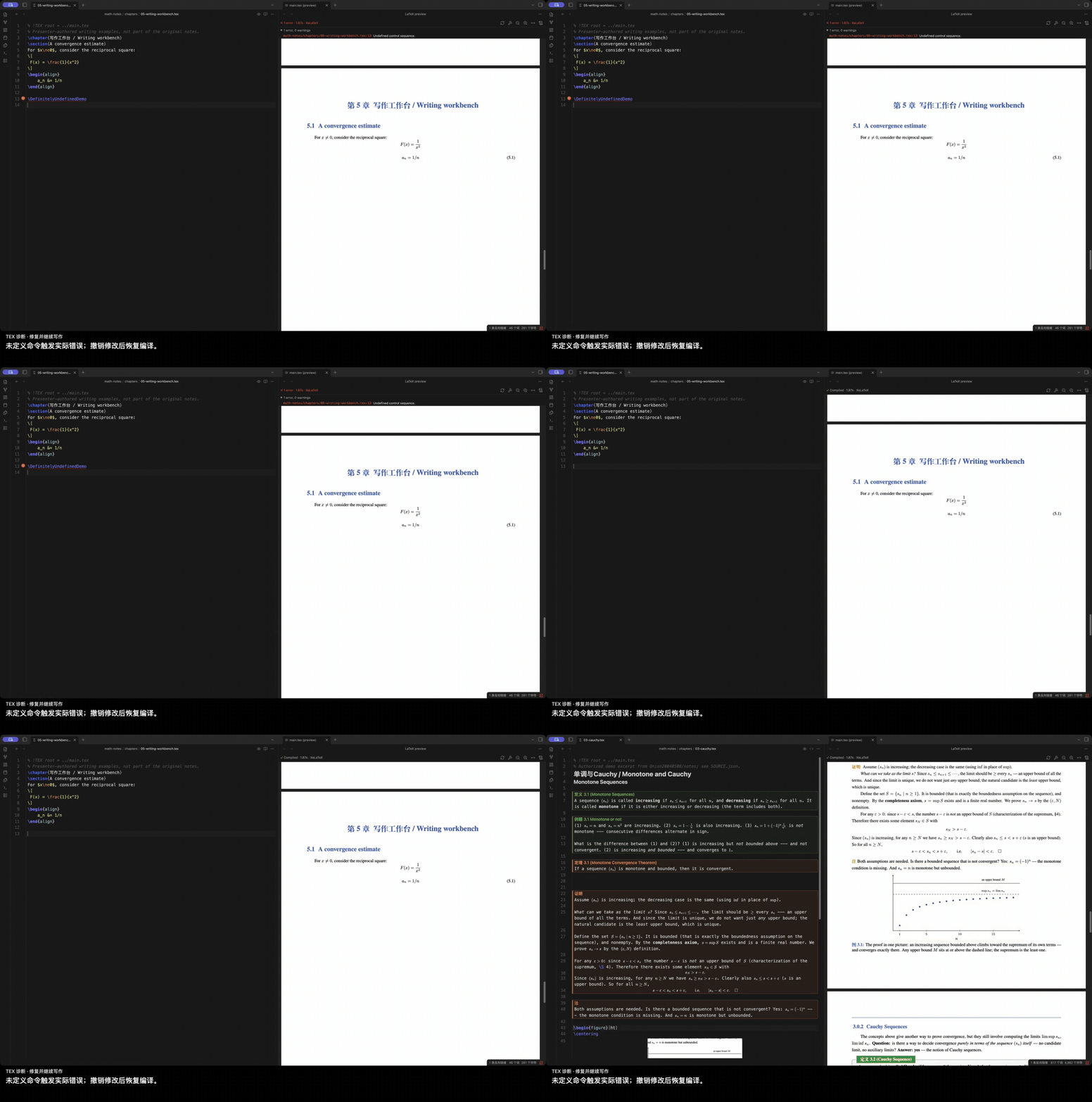
修复错误,继续写作
真实 TeX 诊断回到源码编辑器;修复期间保留已有 PDF。构建控件和诊断放在滚动 PDF 上方的独立区域。
直接看一次实时编译
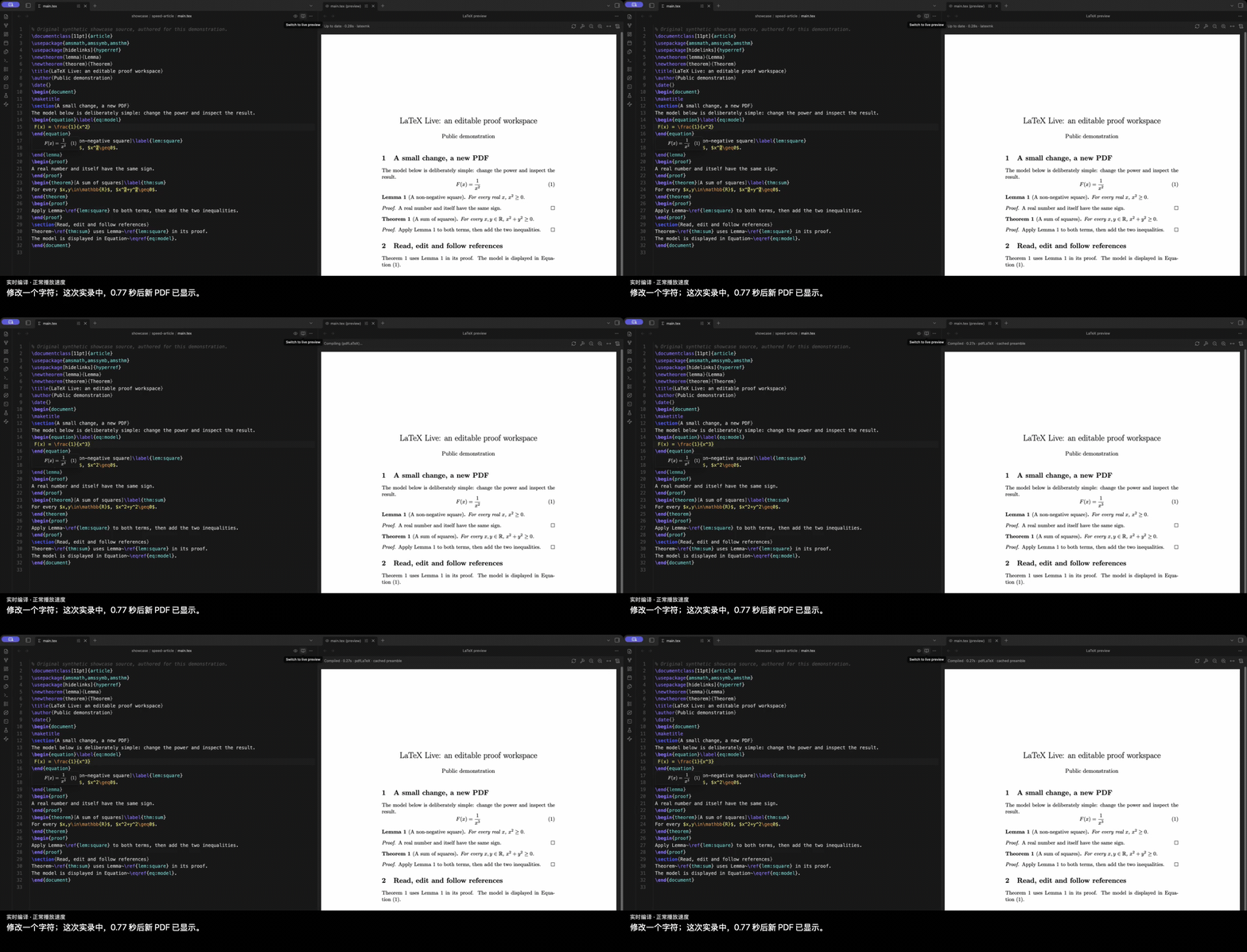
所有 GIF 都截取自真实应用,并按正常速度播放。两段用户亲自操作的短 GIF 不加字幕,中英文部分共用;上方另有 Retina 高清长版。部分其他片段使用固定细节裁剪,剪辑省略场景间的停顿。其英文字幕版本位于上方英文部分。录制来源与收据可供核对。
快速开始
- 安装桌面版 Obsidian 1.13.7 或更新版本,以及 TeX Live、MacTeX 等本机 TeX 发行版。
- 按下面的安装说明启用 LaTeX Live。
- 将
.tex项目放进 vault,打开文件,点击标题栏的 Switch to live preview,进入实时编辑模式,开始阅读和修改就地显示的数学内容。 - 点击预览图标打开 PDF,再编辑并保存。默认停键 400 ms 后保存并请求编译;这不是 PDF 的生成耗时。
- 需要时,通过标题栏或 LaTeX Live: Toggle live preview 切回源码。处理文献或完整构建时,执行 LaTeX Live: Full build with latexmk (BibTeX/Biber, all passes)。
需要增强编辑功能时,另行安装 texlab。如果自动检测找不到程序,在设置里填写 TeX binary directory 和 texlab binary。
安装
社区目录
打开 LaTeX Live 社区页面,点击 Add to Obsidian,然后启用 LaTeX Live。
手动安装
- 从同一个 GitHub Release 下载
main.js、manifest.json、styles.css。 - 放入
<vault>/.obsidian/plugins/latex-live/。 - 重载 Obsidian,然后在设置 → 社区插件中启用 LaTeX Live。
插件不会下载、安装或升级 TeX、texlab、文献处理器等依赖。
多文件项目与模板
保留原项目的 \input、\include、文献和本地宏包结构。章节可以通过注释指定主文档:
% !TEX root = ../main.tex
% !TEX program = xelatex 等引擎注释优先于默认引擎设置;自动检测也会读取导言区与 latexmk 配置。
PDF 版式由原来的 class 和 TeX 工具链决定。已测试的例子包括 ElegantBook,以及 PLOS、Springer Nature、REVTeX、AASTeX、AMS、LNCS、ACM、IEEE 论文模板。这是已测试范围,不代表所有模板和宏包都具备完整的实时编辑或 HTML 语义支持。详见模板兼容说明。
导出阅读版
执行 LaTeX Live: Export to HTML,选择保存位置;完成后可点击 Report 查看报告。阅读页内嵌支持的数学字体、图片和 SVG,不依赖 JavaScript 阅读。
目前 HTML 导出支持 pdfLaTeX 和 XeLaTeX。LuaLaTeX 可以编译 PDF,但尚不支持 HTML 导出。复杂构造可能显示为 SVG 或源码,报告会记录支持边界;阅读版也不会复现每一种期刊的印刷布局。
本地文件、进程和网络
- 编译、PDF 预览和语言辅助调用本机进程。TeX、texlab、宏包和字体都是独立安装的软件,各自遵循其行为与许可证。
- 插件读取项目输入和依赖、查找配置或系统中的程序,并将构建文件写到 vault 外的系统临时目录。宏包、字体、文献文件等 TeX 依赖也可能位于 vault 外;这些访问用于正常的本机编译。
- 数学和 PDF 渲染使用 Obsidian 自带的 MathJax、pdf.js 资源。插件没有内置远程 AI 服务或客户端遥测。
- YOLO 补全默认关闭。启用后,独立 YOLO 插件可能向其配置的模型服务发送写作上下文;请先检查 YOLO 配置及该服务的政策。
- Shell escape 默认关闭。启用后,受信任的 TeX 文档可以通过已安装的工具链执行命令。
仅支持桌面端,本版不提供 iPad 编辑。源码仍是普通 LaTeX 文件,可以交给其他编辑器和工具使用。
反馈与贡献
欢迎反馈问题或功能建议。请提供 Obsidian/插件版本、操作系统、TeX 引擎和最小复现项目;附件中请移除私人笔记、密钥和无关文件。
较大的功能改动请先通过 issue 讨论使用场景和实现方式。开发说明见 AGENTS.md。
致谢与许可证
基于 Obsidian、CodeMirror、texlab、MathJax、pdf.js 和 TeX 生态,可选 AI 补全由 YOLO 提供。
数学笔记片段经原作者授权,改编自 Onion20040508/notes,保留来源署名和原有条款;同稿对比与新录制的短模板例子为原创演示材料。
项目自行拥有的软件与文档使用 MIT:允许商用、修改和闭源分发,须保留版权与许可声明。第三方软件、字体和引用材料继续遵循各自原有许可证,详见第三方通知。