LanTai
 windily1k downloads
Upload, localize, and manag images with built-in object storage profiles.
- Overview
- Scorecard
- Updates10
兰台 (Lántái; product spelling LanTai; approximate English lahn-tye) takes its name from a classical Chinese term for keeping documents and archives. In the Han dynasty, 兰台 was the imperial court’s central repository for books and official records (a stone archive chamber under the Imperial Secretariat / Censorate lineage). Officials such as Lantai lingshi (兰台令史) curated texts and, at times, compiled history there. Later usage extended the word to court libraries, historiographers, and related offices; in modern Chinese it remains an elegant name for archival work and archive institutions.
This plugin uploads, localizes, and manages note images between your local vault and object storage—an end-to-end image attachment and image-host workflow for Obsidian on desktop and mobile.
What problem it solves
- Common Image Auto Upload setups depend on PicGo, PicList, or similar external services, and often lag behind Obsidian updates.
- Most “S3 / image host” plugins only upload. They rarely bring remote images back into the vault or help you manage files after upload—so you often get only part of the workflow.
- Many of those tools skip mobile, so the same flow does not work on a phone.
LanTai combines upload, localize, naming templates, and gallery management in one plugin, including mobile (see Limitations).
Requirements
- Obsidian ≥ 1.11.4 (credentials use Secret Storage /
SecretComponent)
Quick start
- Open Settings → LanTai → Storage.
- Create a storage profile: bucket, public base URL, region/endpoint as needed, and bind access keys via Secret Storage.
- Set that profile as the active profile.
- In a Markdown edit view, right-click an image (mobile: long-press) → Upload, or use the command palette to upload the current image.
- Open the gallery from the ribbon to browse recent, S3, and local images.
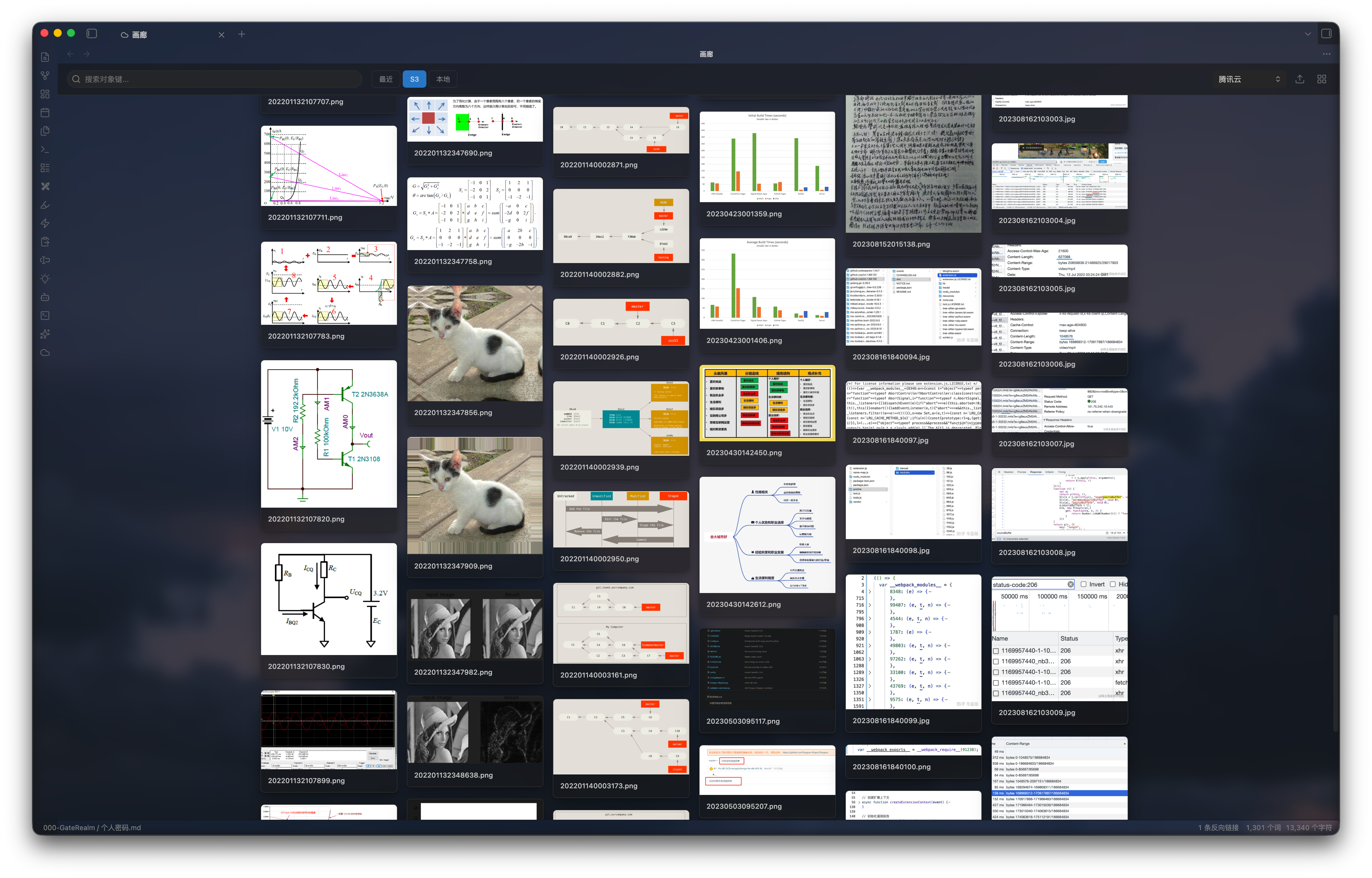
Features
- Image context menu — Upload, localize, or download (save outside the vault) a single image. Right-click on desktop; long-press on mobile.
- Batch commands — Upload every local image in the current note; localize every remote image in the current note.
- Migration wizard (desktop) — Upload local images referenced in selected note folders to the active profile, rewrite links, and resume from a saved plan. Not shown on mobile.
- Naming templates — Templates for local paths and per-profile object keys. Tokens:
noteFileName,noteFolderName,noteFilePath,noteFolderPath,date,uuid,random,originalName,ext. - Gallery — Open from the ribbon to browse, search, and manage images in the bucket for a profile.
Supports AWS S3, Cloudflare R2, Alibaba Cloud OSS, Tencent Cloud COS, and S3-compatible endpoints such as MinIO; optional delete of the local source after a successful upload; Wiki or Markdown for local links (remote http(s) URLs always use Markdown).
Limitations
- In edit mode, LanTai replaces Obsidian’s built-in image context menu.
- No custom sort order for S3 images (an object-storage limitation, not a missing feature in this plugin).
- The migration wizard is desktop only; unfinished plans wait until you open the vault on desktop.
- Mobile has been tested on Android only; iOS is not fully verified.
- Reading / preview mode does not take over the image menu; Obsidian’s native menu remains.
Contributing & releasing
- Contributing (中文) — unit tests are required for behavioral changes before a PR.
- Releasing (中文) — maintainer release flow.
License
MIT