Language Trainer Cards
 Andrey Dobrikov2 downloads
Train vocabulary with flashcards and mastery tracking, using markdown notes in a configurable folder
- Overview
- Scorecard
- Updates2
Flashcard-style vocabulary trainer for Obsidian, for any language. It turns your own markdown notes — one note per word — into a study deck with mastery tracking, and works in both directions: forward (word → translation) and reverse (translation → word), with independent progress for each.
Screenshots
| Card front | Card flipped (answer + example) |
|---|---|
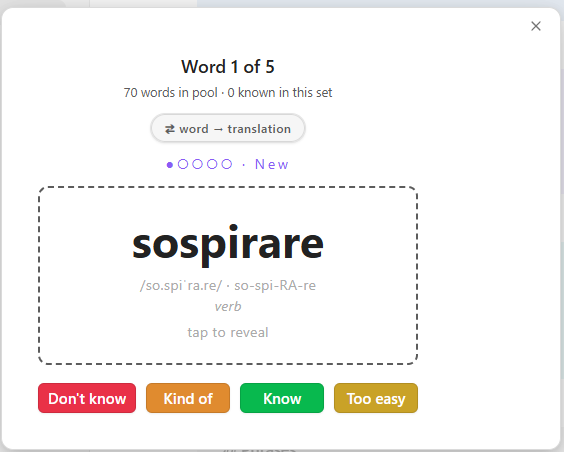 |
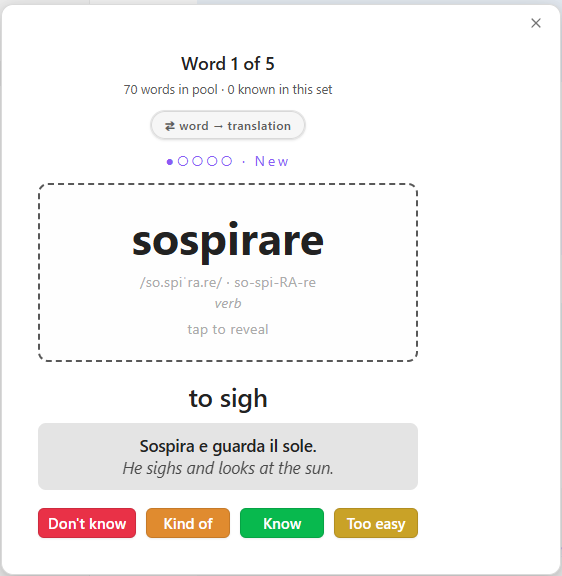 |
| Vocabulary folder in the vault | A word note |
|---|---|
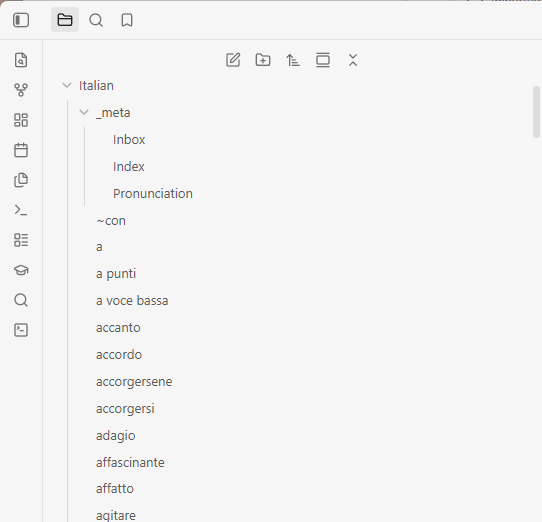 |
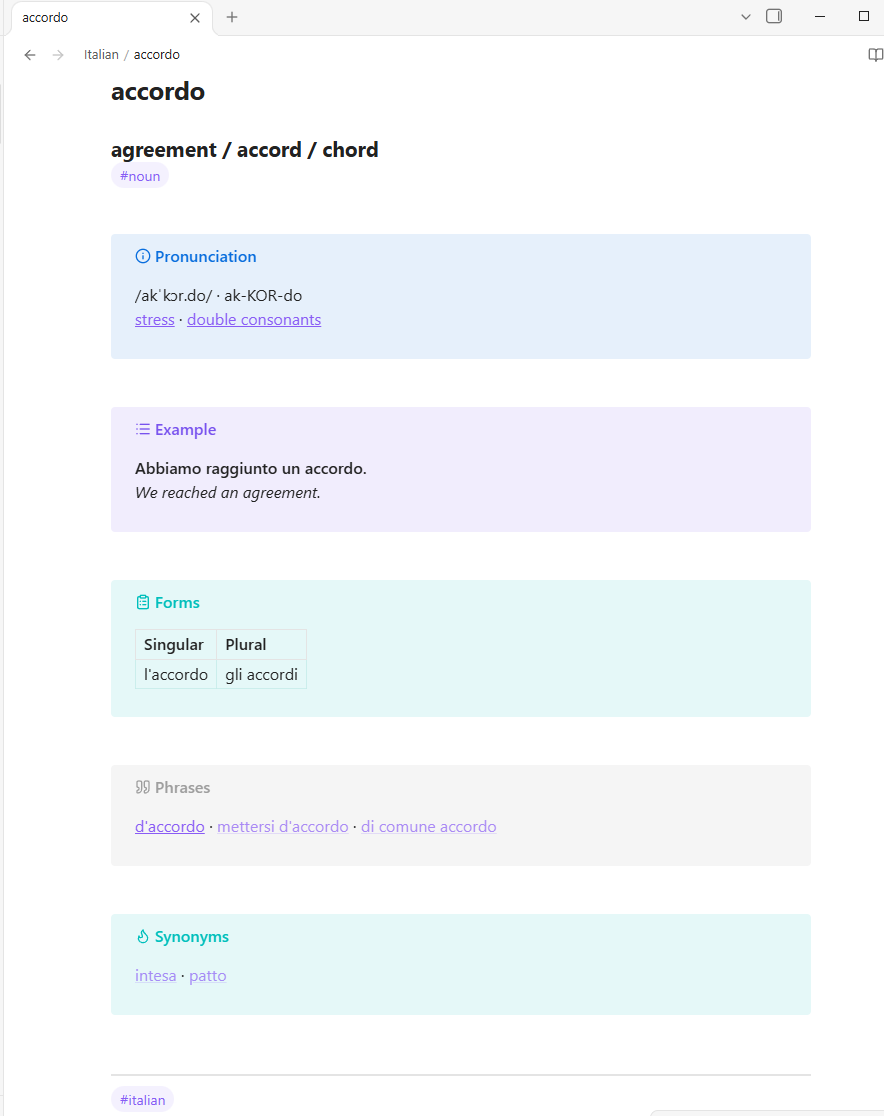 |
Features
- Flashcard-style learning interface
- Two directions with independent grading: forward (word → translation, recognition) and reverse (translation → word, recall)
- Mastery tracking with pools: New (0–2★), Learning (3–4★), Mastered (5★+), and an Archive
- Progress persistence across sessions and devices (stored in the vault)
- Cross-platform support (desktop and mobile)
- Keyboard shortcuts for efficient studying
- Add vocabulary word command that scaffolds a correctly-formatted word note
- Works with any language — just point it at a folder of word notes
Installation
- Copy
main.js,manifest.json, andstyles.cssto your vault's.obsidian/plugins/language-trainer-cards/directory - Reload Obsidian
- Enable the plugin in Settings → Community plugins
- Set the vocabulary folder in the plugin settings (default:
Italian) - Run the command Open trainer — forward (word → translation) or Open trainer — reverse (translation → word) to start
Vocabulary folder
The plugin reads every markdown file in the configured folder as one word.
Files and folders whose names start with _ are ignored, so you can keep
indexes and reference notes next to the words (e.g. Italian/_meta/Index.md).
Optional: organizing with a _meta folder
A useful convention is a _meta folder inside the vocabulary folder:
Inbox.md— a running dump of new words and phrases you encounter.Index.md— a generated list of all words for browsing and review. It lives under_meta, so it never becomes a flashcard.Pronunciation.md— your language's pronunciation rules (IPA and respelling conventions). Word pages can link to its sections, so each rule is explained once, in one place.
A typical workflow with the Inbox
While reading or listening, dump everything new into Inbox.md as quick
bullets — words, phrases, even grammar questions. Later, ask your AI agent to
"process the inbox": with the add-word skill
installed, the agent turns each item into a properly formatted word page (new
words get pages, phrases with their own meaning get phrase pages, questions get
answered on the relevant page), keeps synonym/phrase links two-way, and clears
the processed items from the inbox. No agent? The Add vocabulary word
command and the template cover the same ground by hand.
Creating words
Each word is a markdown note. Use the Add vocabulary word command to fill a
form and create the note, or write the file by hand (see
templates/word-template.md).
If you use an AI agent to manage your notes, the repo also ships an add-word skill that teaches the agent the page layout and linking conventions.
The plugin reads these blocks from a note:
The full template (templates/word-template.md):
### <translation in your language>
#<part of speech: verb, noun, adjective, adverb, pronoun, …>


> [!info] Pronunciation
> /<IPA>/ · <RE-spel-ling>


> [!example] Example
> **<Sentence in the studied language.>**
> *<Sentence in your language.>*


> [!abstract]- Forms
> |  | <form 1> | <form 2> | <form 3> |
> | --- | --- | --- | --- |
> | <person/number/gender> |  |  |  |


> [!quote] Phrases
> [[<phrase containing this word>]]


> [!tip] Synonyms
> [[<word>]] · [[<word>]]


> [!note] Notes
> - <grammar, irregularities, usage notes>
What the card reads from it:
- File name (minus
.md) → the word on the card. ###line → the translation shown on the back. Required for reverse mode.- Pronunciation callout →
/IPA/ · Respellingon one line (optional). - Example callout → a bold sentence in the studied language, then an italic
translation (optional; fold markers like
[!example]-are fine). - Synonyms callout →
[[wiki links]]joined with·(optional; shown in reverse mode, where they act as alternative answers). - First
#tagline → part of speech hint (replace the#<part of speech…>placeholder with a real tag like#verbor#noun).
Everything else — Forms tables, Phrases links, Notes, any free text — is for you; the card ignores it, so keep whatever you like in your word files.
Usage
- Click the prompt word or press Space to flip the card.
- The grade buttons adapt to the pool being studied:
- New (0–2★): Don't know (−1★), Kind of (+1★), Know (→3★), Too easy (→5★ mastered)
- Learning (3–4★): Don't know, Kind of, Too easy
- Mastered (5★): Keep / Skip, Don't know (back to Learning), Archive (hide everywhere)
- Archived: Know (keep archived), Don't know (release back to New at 0★)
- Number keys 1–4 trigger the visible buttons; K = Know, D = Don't know where offered.
- Press R or the ⇄ button to switch direction; each direction has its own mastery progress.
- Press N on the completion screen to start a new set.
- Progress is saved automatically.
Data Storage
Mastery data is stored in language-trainer-progress.json in your vault root,
so it syncs across devices via Obsidian Sync or other sync methods.
License
MIT