
- Overview
- Scorecard
- Updates3
an obsidian plugin to enhance the workspace
features
'Center-panes' view on sidebar (vertical tabs)
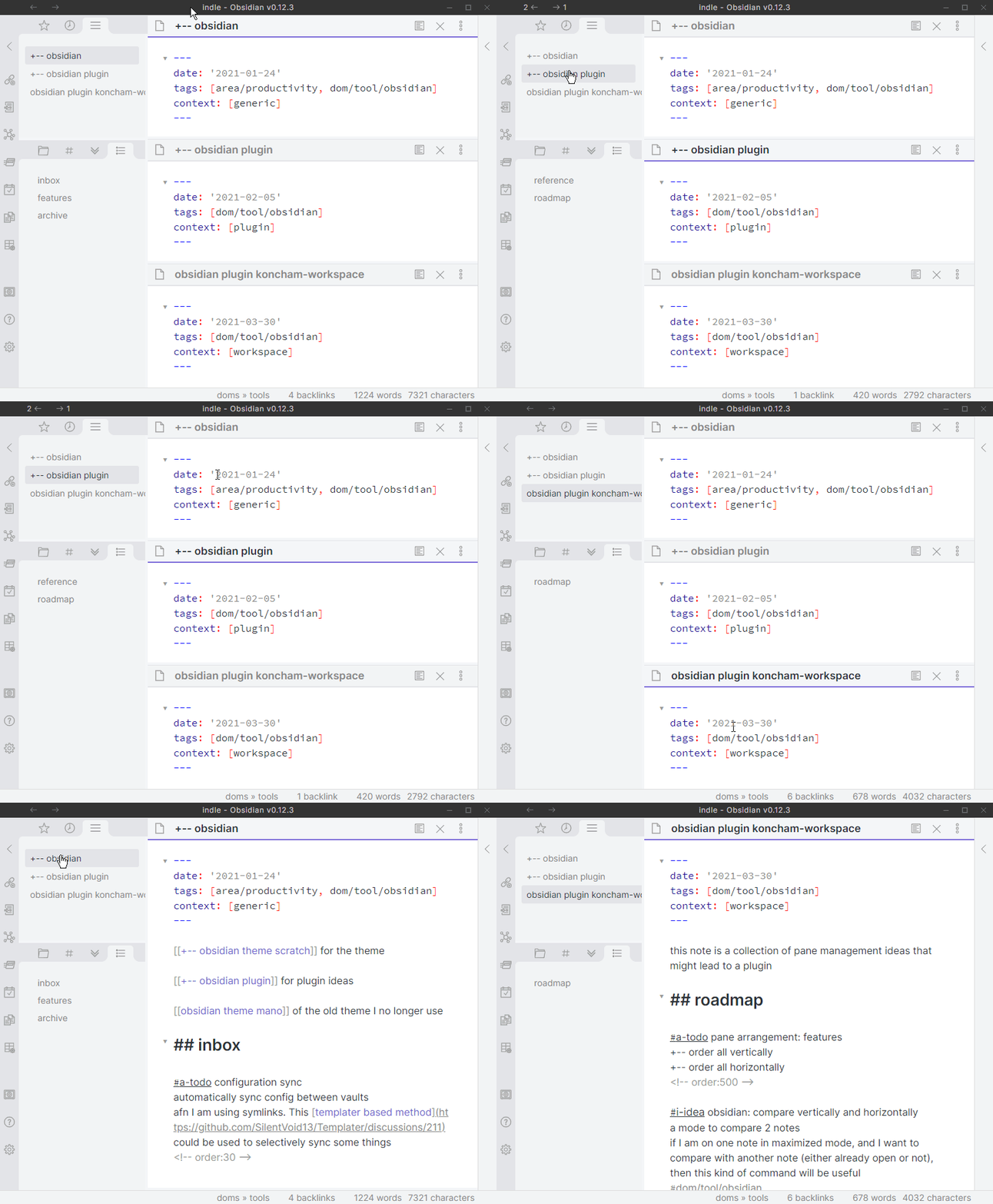
This is a tab on the left side-bar that lists all the panes open in the main area. This works a little like vertical tabs (in vivaldi and edge browsers).
features of this view:
- switch to any pane with one click
- active note is highlighted
- more features exposed through right-clicking the tab header
This view is useful when using obsidian in ways that hide some open panes.
examples of such modes include:
- sliding-panes
- maximize active pane
This screen recording demonstrates usage in the default and maximized modes:
pin/unpin panes
Pinning all panes forces every new note to open in it's own pane. When some external applications open a note in Obsidian, they switch away from the last active un-pinned pane. Pinning prevents losing your existing open notes.
features planned
- more functionality in
center panesview through right click - pane switcher modal
- pane arrangements such as (1+1), (1+2) using commands
- rearrange panes in alphabetical order
known issues
-- none right now --
HealthFair
ReviewSatisfactory
About
Display a Center-panes sidebar listing all open main-area panes as vertical tabs. Switch to any pane with one click, highlight the active note, and pin panes so new notes open in their own panes. Open more pane actions via right-click on tab headers.Details
Current version
0.0.3
Last updated
5 years ago
Created
5 years ago
Updates
3 releases
Downloads
5k
Compatible with
Obsidian 0.11.13+
Platforms
Desktop only
License
MIT